VTK / Mesh Preview
The same viewer opens every common VTK-family and surface-mesh format. All of the feature set — outline & layers, mesh quality, field visualization, editing & history, MMG remeshing, navigation — works here too; point / cell data arrays from any format appear in the Field panel.
Supported formats
| Format | Extensions | Notes |
|---|---|---|
| Legacy VTK | .vtk | ASCII and binary (big-endian) unstructured grids |
| VTK XML | .vtu, .vtp, .vti, .vts, .vtr | ascii, inline base64, appended raw / base64, zlib-compressed |
| VTK multiblock | .vtm | referenced blocks merge into one scene; each block becomes a layer; writes back as an index plus one .vtu per top-level part |
| ParaView collections | .pvd (time series), .pvtu/.pvtp (partitioned) | a .pvd is read natively from its index, each step's .vtu/.vtp merged and its time values driving the timeline; a .pvtu/.pvtp reads every piece it names as one dataset, dropping ghost cells at the seams (read-only, via meshio++) |
| Surface meshes | .stl (ascii + binary), .obj, .ply (ascii + binary) | STL vertices are welded; OBJ g / o groups become named layers; PLY vertex properties become fields |
| Extended (meshio++) | .msh (Gmsh), .inp (Abaqus), .bdf / .nas / .fem (Nastran), .unv, .mesh (Medit), .vol (Netgen), .su2, .xdmf / .xmf, .off, .dat / .tec (Tecplot), .avs, .f3grid, .pf3, .mfm, .mphtxt (COMSOL), .post / .dato (PERMAS), .ugrid, .wkt, .xml (DOLFIN), .node / .ele (TetGen) | Read through @meshioplusplus/wasm 9.22.0. Ambiguous extensions are resolved by content: .msh tries Gmsh then ANSYS / FreeFem, .inp tries Abaqus then ANSYS. Exporting to either asks which writer to use (Gmsh / ANSYS / FreeFem, Abaqus / ANSYS). TetGen reads its .node / .ele pair together. Gmsh MSH 4.1 needs >= 9.7.0 — earlier builds couldn't read a real 4.1 file at all. OpenFOAM (.foam) is export-only: it writes a constant/polyMesh/ directory beside a 0-byte marker |
| HDF5 / netCDF containers (meshio++) | .cgns, .h5m (MOAB), .hmf, .med (Salome), .e / .exo / .ex2 (Exodus II) | Need a meshio++ >= 8.0.0 build (Exodus >= 9.3.0 for particle meshes). MED's named groups become SubModelParts too (>= 9.6.0), and a real Salome/Code_Aster file the strict reader refuses is retried leniently (>= 9.9.0) rather than failing to open. .med can be written since >= 9.9.0, fields and SubModelParts (as families) included. CGNS carries point and cell data since >= 9.9.0 (it dropped every field before that), and has been a genuine CGNS/SIDS-compliant writer since >= 9.8.0 (earlier it silently wrote only the first tetra block, so any other mesh produced an unreadable file). Exodus can be written but lossily — block names and node sets survive as SubModelParts (node sets since meshio++ 16.31.0), while element SubModelParts that do not match a whole block, and time steps, do not. Exodus carries its own in-file time series, and its SPHERE elements render as spheres. An .xdmf using HDF storage is opened together with its companion .h5. Polyhedral cells — CGNS NGON_n/NFACE_n, MED POE, VTU VTK_POLYHEDRON — used to make a file open empty; they are now split into tetrahedra for display, exactly filling the original cell even when its faces are non-planar. The original polyhedra do not survive an export |
| CAD & scenes (meshio++ 17.2.0) | .step / .stp, .igs / .iges, .glb / .gltf, .cad.json | STEP and IGES open as the solid's triangulation through the FULL artifact's OpenCASCADE readers — one of the few things the lean build cannot serve (glTF/GLB are static scenes on the lean build; the JSON spelling stages the buffers[].uri file beside it). Static by design: a folder of CAD parts is not a time series. Exporting .step FITS a closed triangle skin into a real B-rep (fitCad), with the B-rep also written beside the file as <stem>.cad.json — see CAD, glTF & IGA |
Open any of them from the explorer context menu (Open VTK Preview), the editor-title button, or the Kratos VTK: Open VTK Preview command.
Multiblock (.vtm)
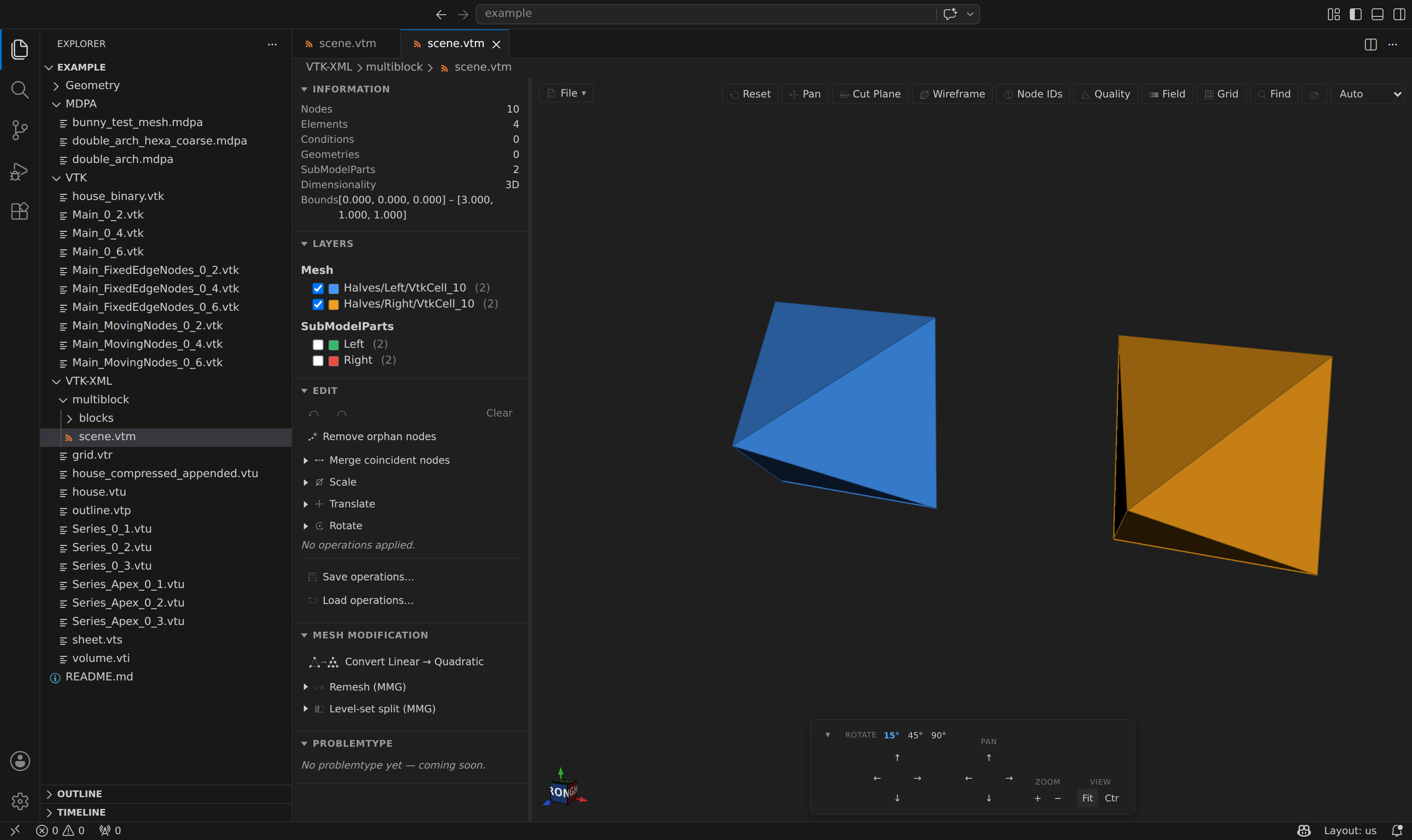
A .vtm index references child datasets by slash-path; the extension merges them into one scene (node / entity ids offset per block), prefixes each block's name, and emits one SubModelPart per dataset — so every block is an independently toggleable layer. Paths that try to escape the .vtm directory are rejected.
Exporting to .vtm (File ▸ Export, or mesh_convert headlessly) writes the index plus one .vtu per top-level SubModelPart, with geometry no part claims as an extra Base dataset. Each .vtu is standalone, so nodes shared across datasets come back duplicated; nested subparts collapse into their parent's dataset, since a .vtu carries no grouping.
Surface meshes
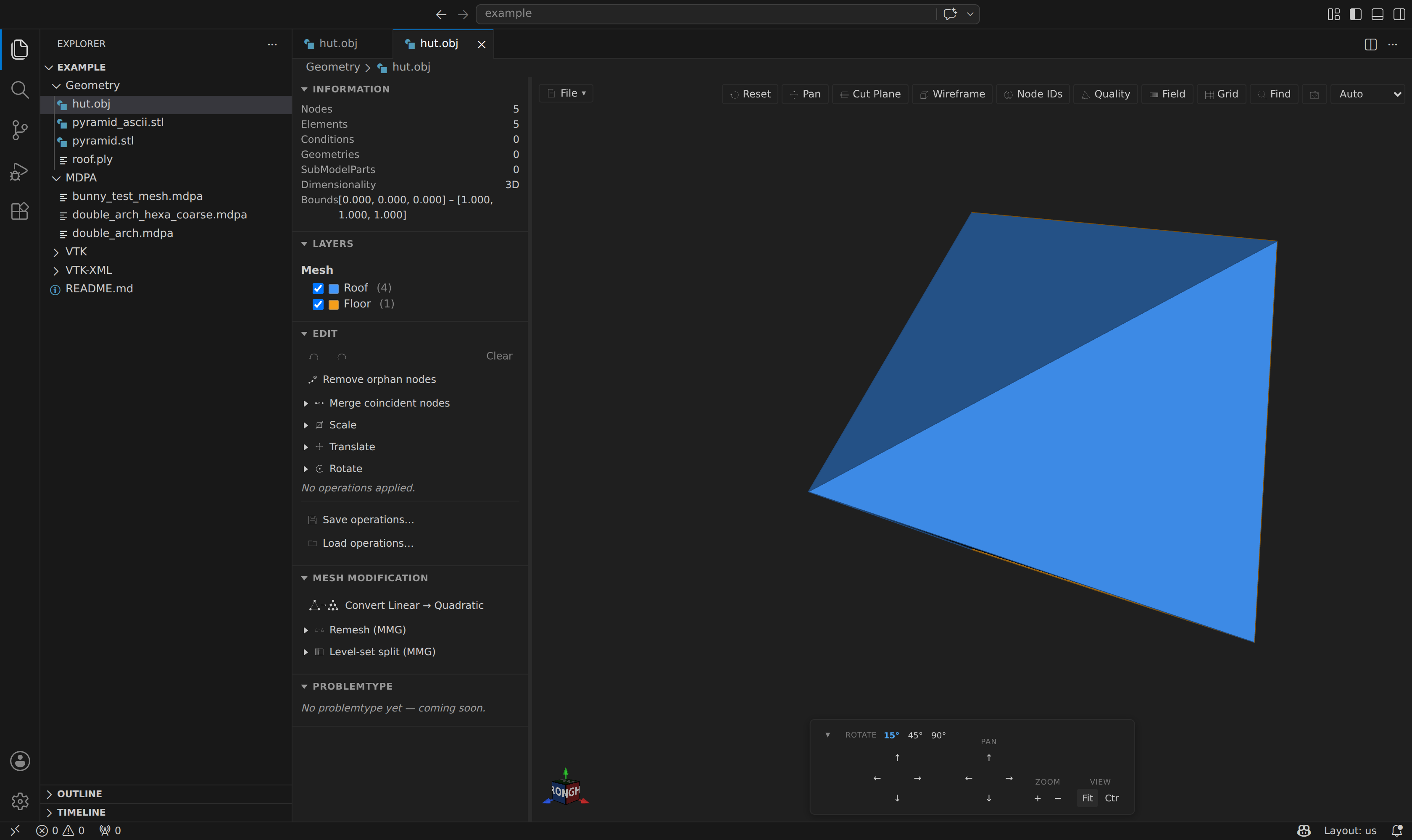
- STL — ascii and binary, with a byte-size cross-check (binary headers may start with
solid); vertices are welded on a 6-decimal coordinate key. - OBJ —
v/f(slash forms, negative indices, fans) /l/p, withg/ogroups becoming named blocks. - PLY — ascii and binary (LE / BE); extra numeric vertex properties become Nodal fields (plot them via Field), and
edgeelements become line cells.
Surface formats also support filename-based timelines: open a <prefix>_<rank>_<step>.stl, .obj or .ply to discover sibling steps.
Kratos time series
Kratos writes one VTK file per model-part per time step (e.g. Main_0_2.vtk, Main_FixedEdgeNodes_0_4.vtk). Open any file in such a series and the extension detects the pattern and loads the whole series with a scrubber — see Time-series Playback.
SubModelpart tree
The sidebar shows the same layer tree as the MDPA preview. The root model-part file provides the full mesh; each submodelpart file (e.g. FixedEdgeNodes, MovingNodes) appears as a hidden-by-default overlay layer you can toggle independently. Node-only submodelparts are rendered as vertex points.
The Problemtype section is available here too, so a case can be built directly from any previewed format — see Running Kratos Simulations. Generating converts the mesh to a <name>_case.mdpa case mesh first, since the solver reads .mdpa.
Known limitations
- MPI rank > 0 files are not merged in this release (rank-0 files are loaded).
- Submodelpart merging uses coordinate matching (
toFixed(6)); if the root and subpart files were written at different float precision the merge may miss nodes (a diagnostic is emitted in the sidebar stats).
Named groups become SubModelParts
Formats that carry named groups deliver them straight into the outline tree as SubModelParts — gmsh physical groups, Abaqus *NSET / *ELSET / *SURFACE, and every other group meshio++ recognizes. They behave exactly like a .mdpa SubModelPart: toggle, frame, rename, delete, or export one on its own.
A group of cell facets (an Abaqus *SURFACE, an Exodus side set) is materialized into real boundary facets emitted as Conditions, so the surface is a layer you can see rather than a list of indices — and exporting to .mdpa produces genuine Kratos Conditions.