
Plot Over Time
Inspect tells you a value at one entity, in the frame you are looking at. Plot over time answers the other half of the question: what that value did across the whole run.
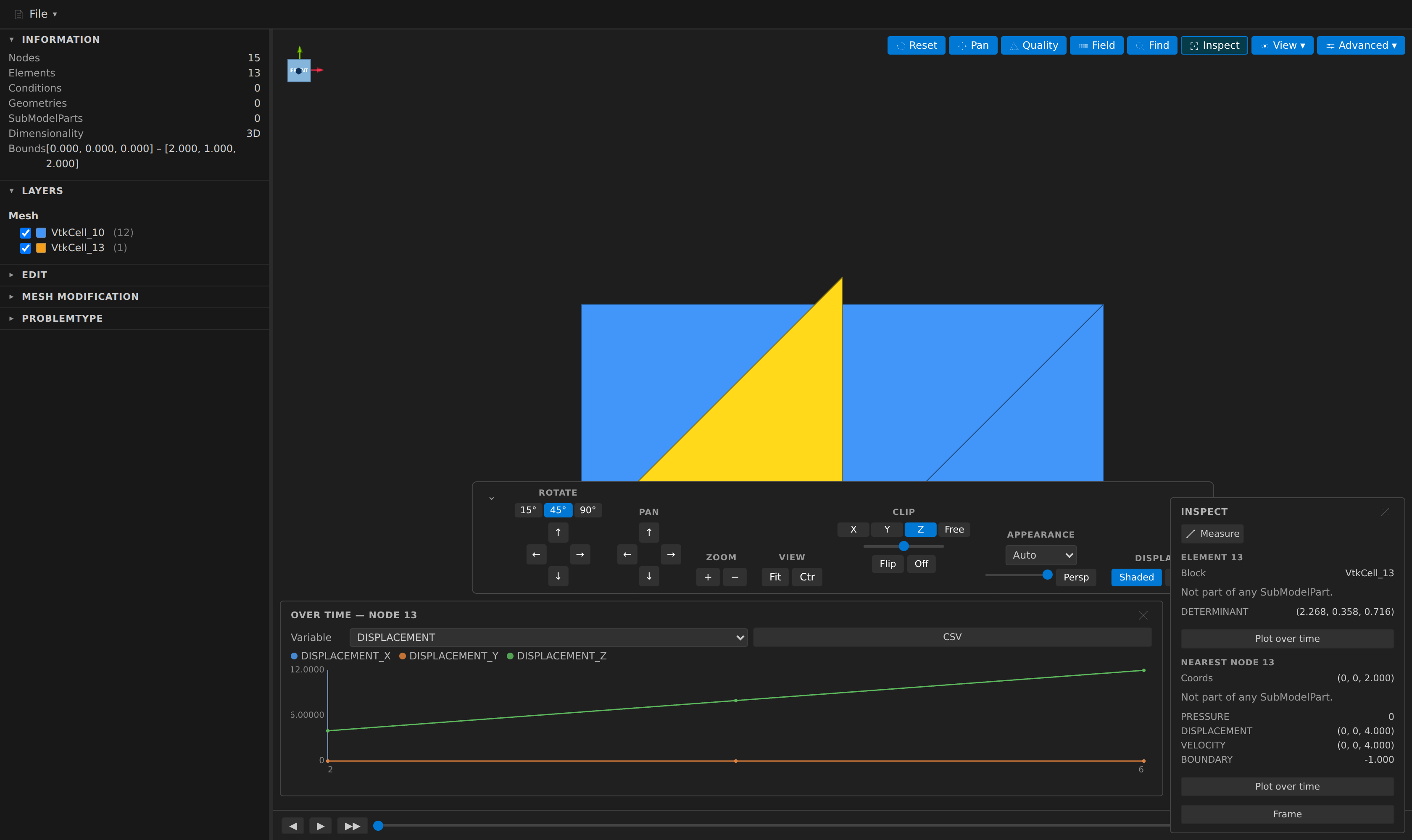
Open a mesh time series, turn on Inspect, click a node or an element, and each section of the panel grows a Plot over time button.
What it plots
One entity, one variable, every step. A scalar draws one line; a vector draws one per component (DISPLACEMENT_X, _Y, _Z), named exactly as the data table names its columns.
- Click a point to jump the 3D view to that step. A vertical rule marks the step currently on screen.
- Hover for the exact values at a step.
- CSV saves the whole series.
- The plotted entity stays highlighted in the scene while you step through time.
Where the work happens
The scan runs in the extension host, not in the preview. That is not an implementation detail you can ignore, because it is the difference between the feature being usable and not: the viewer holds exactly one frame at a time, so charting from it would mean stepping the entire timeline — a re-parse, a full scene rebuild and a viewport flicker per step — to read one number.
Every step is a fresh read of a file, so a long series takes a while. Progress is reported per step and Cancel stops it; whatever was collected up to that point is still plotted.
A single-file series costs more per step
A .vtk/.vtu series is one cheap file read per step. An Exodus or GiD file carries all its steps internally, and reading one of them re-reads the whole file — so those series are noticeably slower per step.
What it refuses to smooth over
A chart that fills in the parts it does not know is worse than no chart, so:
- A missing step breaks the line; it is never bridged with a straight segment through data the files do not contain.
- The panel counts the two different reasons apart — the variable is not written in N steps is a different problem from this entity is absent from N steps, and they have different fixes.
- If the mesh changes size partway through, it says so. The id still resolves, but it need not be the same entity after that point.
- A step that cannot be read is reported and skipped, not fatal — a half-written file from a solver that is still running is the normal case.
Edit operations are not replayed
The scan reads the files as they are on disk. Operations applied in the Edit sidebar are not re-applied to each step: doing so would cost about as much as scrubbing the timeline by hand, which is the thing this feature exists to avoid.
That matters when an operation changed the very thing you are plotting — a field calculator variable exists only in the edited mesh, and renumbering changes the ids. So when any operations are applied, the panel says the values are the ones on disk rather than letting them quietly disagree with Inspect.
Headless
The same series is available to agents and scripts through the mesh_field_series MCP tool, which finds the steps from a single file path exactly as the preview does and either returns the values as JSON or writes them to .csv. Its source field reports whether it found a filename series, an in-file series, or a lone static file — so a one-point result is never mistaken for a broken timeline.
Along a line instead: the probe line
Plot over time answers "what did one entity do across the run"; the Inspect panel's Probe line answers "what does the field do along a line, at one step" — toggle Probe line next to Measure, click two nodes, and a distance-versus-value profile chart opens (its numbers are exactly the mesh_probe MCP tool's for the same endpoints, and gaps — the line leaving the mesh, or a region the field was never written — break the chart line rather than bridging it). In a mesh series the profile follows the timeline step: each frame re-samples the same two endpoints.