
View layers
Organize what the viewer shows without touching solver data.
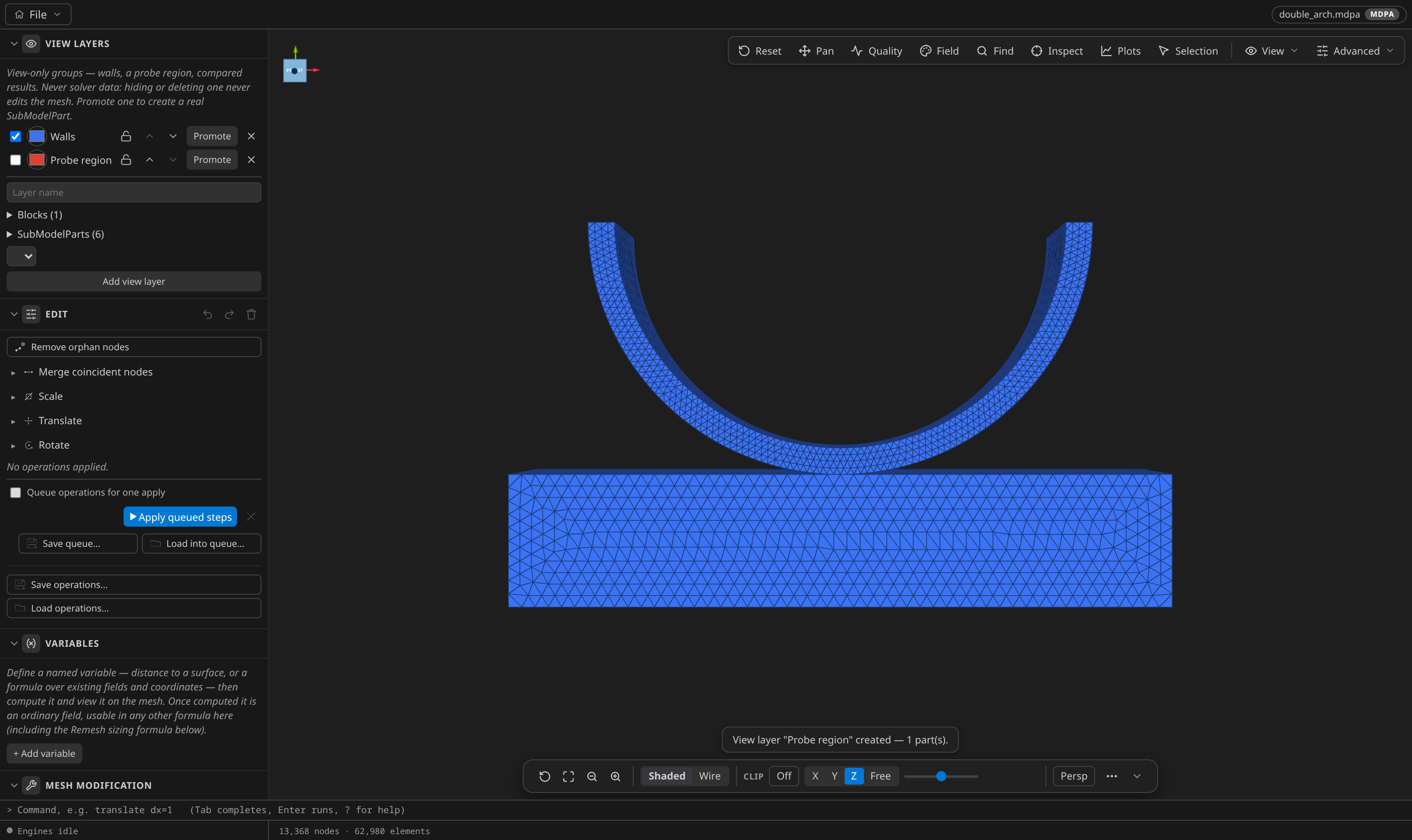
The sidebar's Layers section lists the mesh itself — entity blocks and SubModelParts, with checkboxes that control those rows only. View Layers, the section right below it, lists something else on purpose: named view-only groups such as walls, a probe region, or the results being compared. A SubModelPart is solver data (Kratos reads it, every writer emits it, operations change it through the undoable history). A view layer is a view annotation: it never changes membership, Properties, constraints, fields, the file on disk or the dirty marker, and it never reaches a solver input unless you promote it explicitly.
Creating a layer
Give it a name (no / — that separator belongs to SubModelPart paths), then pick its members: checked blocks, checked SubModelParts, and optionally a snapshot of a selection set. The snapshot is frozen at creation — a copy of the set's ids, not a live link — and all three sources union. Add view layer creates it with the next palette colour, visible and unlocked.
Showing, hiding, locking, recolouring
- Show / hide — the checkbox. Hiding a layer suppresses its block and part members (a base layer hides only when every view layer containing it is hidden, so shared members stay visible until all their groups are off) and hides its explicit-pick overlay. Your outline checkboxes keep their meaning: hiding here never rewrites them, it only suppresses underneath.
- Recolour — the colour swatch. The topmost visible layer containing a base layer lends its colour; explicit picks draw as one overlay per layer in that colour.
- Lock — the lock button. A locked layer cannot be renamed, reordered, deleted or promoted; show/hide and recolour still work. Membership is set at creation and never edited afterwards (vanished members prune automatically, see below).
- Reorder — the up/down chevrons. Order is persisted and decides the colour winner for shared members.
- Delete — the ✕ button. Deleting a layer never deletes entities, parts or fields.
Double-click a name to rename it inline (Enter commits, Escape cancels).
Surviving edits
Everything in this extension is a rebuild, and a layer prunes by definition, the way selection sets do: explicit ids intersect each new model's id universes, block and part references drop when the block or part vanishes, and the change is reported rather than silently kept. A field seed is not a layer source — if you need a live predicate, keep it as a selection set and snapshot it again.
Reopening
Layers live in <stem>.kratosview.json beside the mesh, under a versioned layers key; the same file also stores the Flat SubModelPart list outline setting under an outline key (see the outline), your selection sets under a view.selections key and the rest of the viewer's saved view under a view key. Reopening restores them in order. A missing, malformed or newer-version sidecar leaves the mesh with its ordinary sections and a warning — never an empty scene, never a failed open.
Promotion is explicit
Promote resolves the layer against the current mesh (blocks contribute their entities, parts their subtrees, picks their survivors) and posts an ordinary createSubModelPartFromSelection with those explicit id arrays. It shows in the Edit history like any other edit, it can be undone, and a name collision is refused by name. Parts never become layers automatically, and editing a layer never changes a part's membership.
Saving or exporting the mesh writes no layer data, and problemtype assignments keep addressing SubModelParts only. There is no headless tool for layers themselves — they are presentation. Promotion reuses the existing operation, so mesh_transform with createSubModelPartFromSelection is already the headless parity.
Saved view
The same sidecar remembers how you left the viewer, so closing and reopening a preview does not reset it:
- your camera bookmarks (Advanced ▸ Camera Bookmarks…),
- the pane layout and, for each pane, its camera, Field settings (variable, mode, colormap, range, iso values, threshold…), Clip plane and comparison peer,
- whether the Field panel was open, and which analysis/overlay panels were open (Quality, Mesh Size, Spheres, Beams, Face normals, Field integrals, Flow balance, Streamlines, Data table, Selection, Properties, Lighting, Bookmarks, Record, Link previews) — reopened through the same actions, recomputed against the mesh that opens, never restored as saved numbers,
- the visibility and opacity of each layer in the outline,
- your named selection sets (see the selection guide).
Nothing is written just by opening a mesh or stepping through a timeline; the file appears after you change something. Restoring follows the same rule as layers: a variable or layer that the mesh no longer has is dropped, a line says what was skipped, and the viewer falls back to its defaults for that pane. Saving or restoring a view never edits the mesh, never appears in the Edit history and never marks the file as changed. A sidecar written by a newer version of the extension is left untouched. View state is presentation, so there is no MCP tool for it.