Mesh Analysis and Region Tools
The Advanced ▸ Mesh analysis and region tools section answers four questions about the mesh that the other panels cannot compute on their own — each needs the meshio++ kernel, which lives on the extension host rather than in the webview. Every answer is read-only: nothing here edits the mesh, writes a field or touches the history. What looks editable (the region algebra row) is the exception, and it says so below.
The four analyses
Each one posts a request to the host, which runs it in a cancellable worker thread and posts the answer back. A newer request of the same kind supersedes the older one, and a reply that arrives late — after you asked something else, or after you pressed Cancel — is dropped rather than allowed to overwrite the newer answer. Cancel running analysis stops every in-flight run of this panel at once.
Quality gate
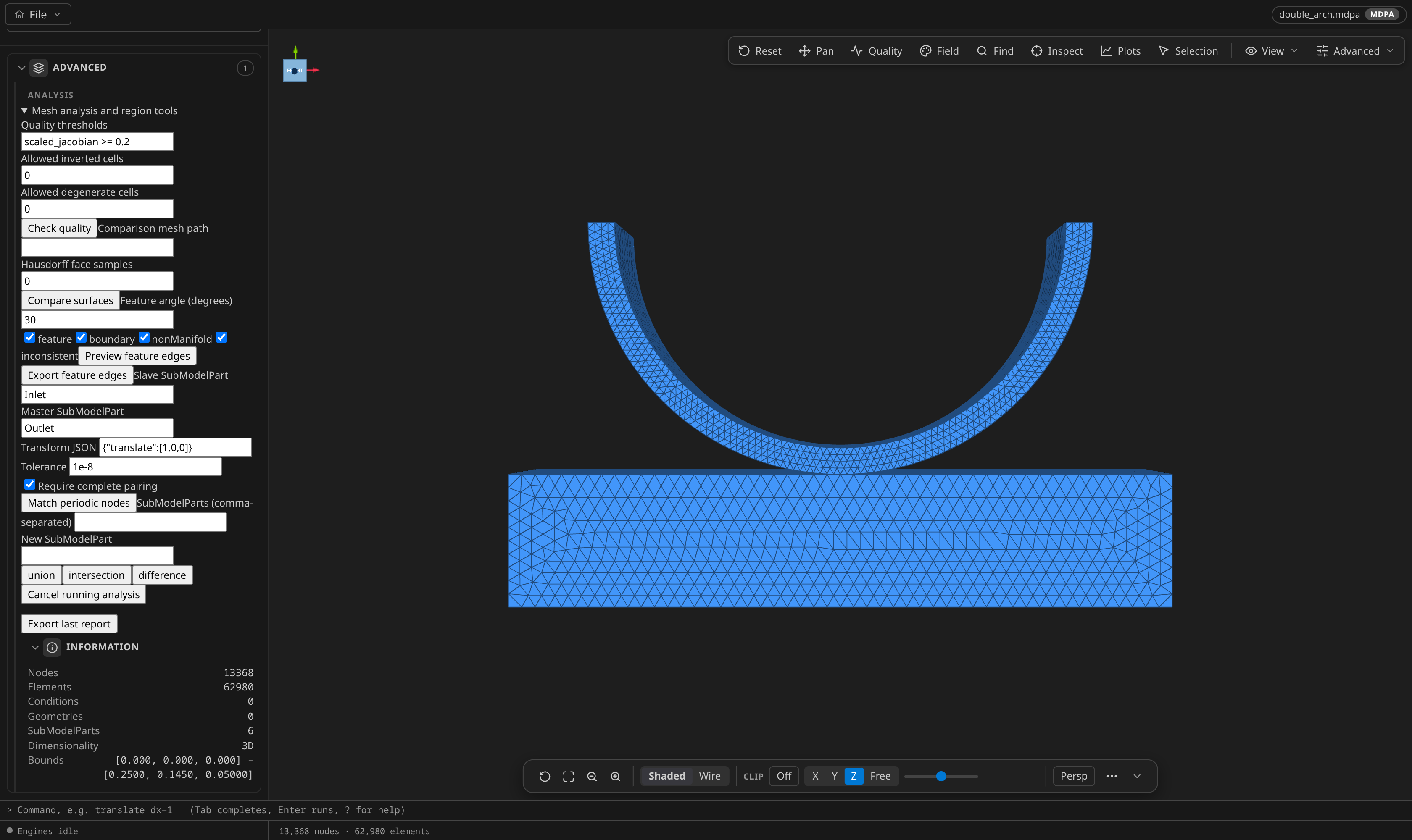
Check quality runs a structured pass/fail gate over the mesh: give it the same kind of threshold expression the Mesh Quality panel understands (for example scaled_jacobian >= 0.2) plus how many inverted and degenerate cells you will tolerate (both default 0, both must be whole numbers). The report lists each check with its worst offending entity — node, element, condition or geometry id — so a gate that fails points at the cell to look at rather than just saying no.
Surface comparison
Compare surfaces measures the sampled Hausdorff distance between the open mesh and a second mesh file you name. faceSamples (default 0) subdivides each face for the sampling; the reply gives the distance both ways, the worst point on each side, and the sampling that produced it. There is no headless twin for this one: mesh_compare compares by entity id, while this measures geometric distance between two surfaces that need not share any numbering.
Feature edges
Preview feature edges walks the surface and classifies its edges into four buckets — sharp feature edges (dihedral above the angle you set, default 30°), boundary edges with only one face, nonManifold edges with three or more, and inconsistent pairs wound against each other — each toggleable with its checkbox. The preview draws the matching edges over the mesh; Export feature edges writes them as a derived mesh through the same dialog as the other exports. The angle must land between 0 and 180 degrees.
Periodic pairing
Match periodic nodes pairs every node of the Slave SubModelPart with its counterpart in the Master SubModelPart under an affine transform you supply as JSON — exactly one of matrix (a finite row-major 4×4 affine, bottom row 0 0 0 1), translate (three finite values) or rotate (a nonzero axis, an angle in degrees, an optional center). The default {"translate":[1,0,0]} pairs a slave one unit left of its master. Each slave node is mapped into the master's frame and paired with its nearest match inside Tolerance (atol, default 1e-8, never negative); Require complete pairing (on by default) refuses the whole run when any node is left unpaired instead of returning a partial set. The reply reports original node ids with each pair's residual and the worst residual overall — the numbers a solver's periodic constraint needs — plus the unmatched ids when the run was allowed to be partial. Export periodic pairs CSV writes exactly that table (pair rows, then unmatched rows, then the summary). The same measurement is available headlessly as the mesh_periodic MCP tool; neither route writes constraints into the mesh or the case, because a periodic condition's stiffness, axis and tolerance are solver-side choices.
Self-intersections
Find intersections (meshio++ 18.0.0) tests every pair of facets of a surface mesh with exact triangle–triangle tests. Leave the Comparison mesh path empty to look for places where the surface meets itself; name a second surface file to find where the two interpenetrate or touch. The reply gives the number of intersecting pairs, coplanar pairs and intersection segments; the facets involved become a selection set (Self-intersections, visible in the Selection panel) and the intersection curve is drawn as an overlay. A closed, clean surface reports "No self-intersections". A mesh with volume cells is refused by name — export its skin first. Headless: the MCP tool mesh_intersections; to write the curve as a line mesh use mesh_derive with kind findIntersections.
Region algebra
The union / intersection / difference row is the one edit in this section: pick two SubModelParts (comma-separated) and a name, and the result lands in a new SubModelPart — the union keeps the entities of both, the intersection only those of both, and the difference those of the first that the second does not have. Unlike every analysis above, this posts an ordinary undoable operation through the same history as the Mesh Modification sidebar, so it can be undone, queued and saved to a recipe. The SubModelPart organize menu offers the same three operations; see Reorganizing the SubModelPart tree.
Exporting answers
Export last report writes whatever the panel last showed as a two-column field,value CSV — the flattened JSON of the reply, so nothing is lost in translation. The periodic CSV beside it is shaped for the solver instead: one row per pair. Both ride the same save dialog as the other panels, and both are plain exports: the mesh, its history and its saves are untouched.