
Getting Started
Kratos MDPA Preview is a VS Code extension that renders Kratos Multiphysics .mdpa model-part files — and VTK / mesh output (.vtk, .vtu, .vtp, .vti, .vts, .vtr, .vtm, .stl, .obj, .ply), plus ~26 further formats via meshio++ (.msh, .inp, .unv, .bdf, .mesh, .vol, .su2, .xdmf, …) — as an interactive 3D mesh with a navigable ModelPart / SubModelPart outline, mesh-quality metrics, field plotting, and in-place mesh editing.
It is fully self-contained: a pure-TypeScript parser feeds a VTK.js viewer running in a webview. No Python or compiled Kratos is required.
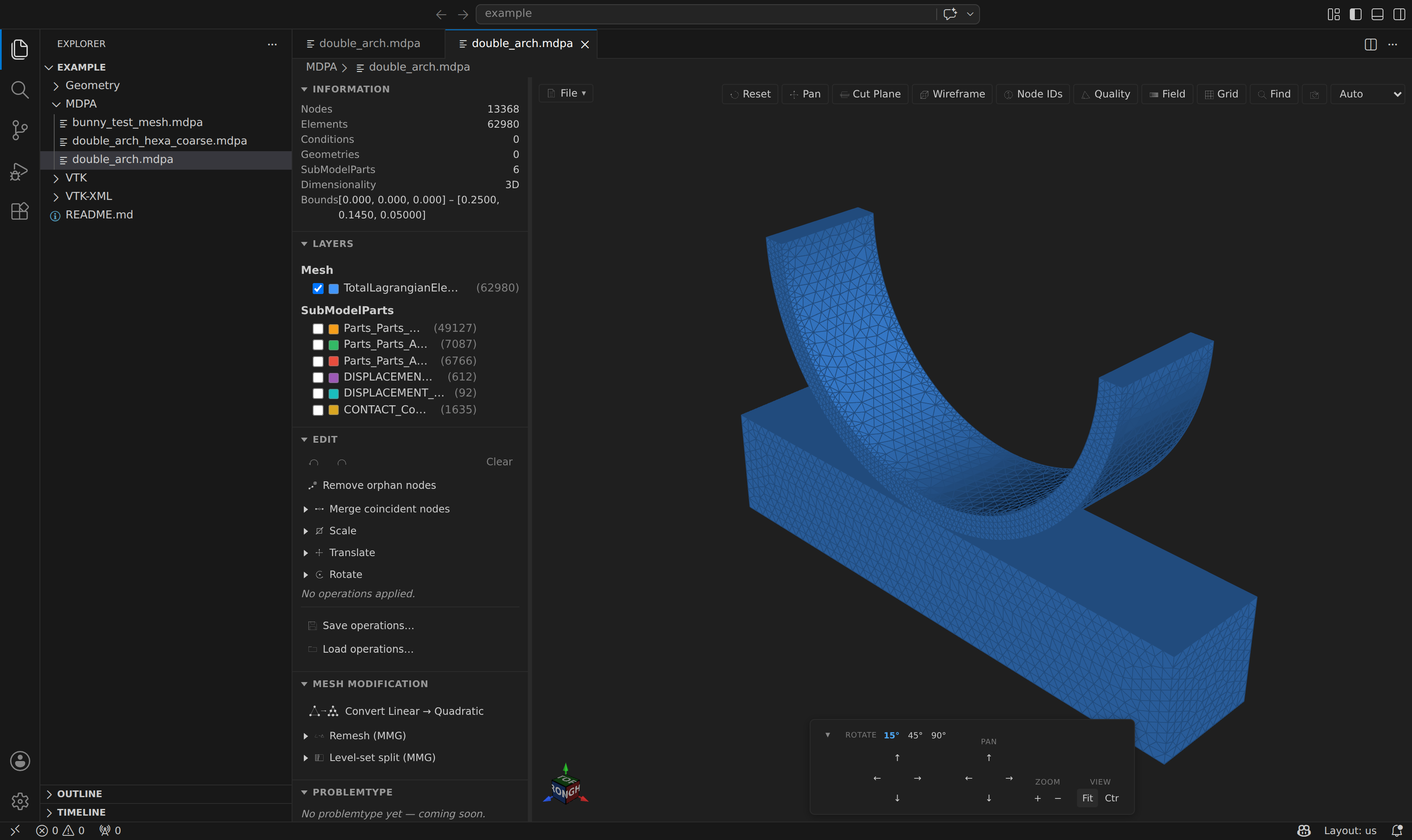
Requirements
- VS Code
1.84.0or newer (or any compatible editor: VSCodium, code-server, Cursor, …).
Install
Install Kratos MDPA Preview from the VS Code Marketplace:
- In VS Code, open the Extensions view (
Ctrl+Shift+X/Cmd+Shift+X), search for Kratos MDPA Preview, and click Install. - Or install it directly from the Marketplace page.
Supported formats
| Family | Extensions | Notes |
|---|---|---|
| Kratos model part | .mdpa | nodes, elements, conditions, geometries, SubModelParts, NodalData / ElementalData / ConditionalData |
| Legacy VTK | .vtk | ASCII and binary (big-endian) unstructured grids |
| VTK XML | .vtu, .vtp, .vti, .vts, .vtr | ascii, inline base64, appended raw/base64, zlib-compressed |
| VTK multiblock | .vtm | referenced blocks merge into one scene; each block becomes a layer; writes back as an index plus one .vtu per top-level part |
| ParaView collections | .pvd (time series), .pvtu/.pvtp (partitioned) | a .pvd is read natively from its index, each step's .vtu/.vtp merged and its time values driving the timeline; a .pvtu/.pvtp reads every piece it names as one dataset, dropping ghost cells at the seams (read-only, via meshio++) |
| Surface meshes | .stl, .obj, .ply | STL ascii + binary, OBJ groups, PLY ascii + binary with per-vertex fields |
| Extended (meshio++) | .msh, .inp, .bdf / .nas / .fem, .unv, .mesh, .meshb, .vol, .su2, .xdmf / .xmf, .off, .dat / .tec, .avs, .f3grid, .pf3, .mfm, .mphtxt, .post / .dato, .ugrid, .wkt, .xml, .node / .ele, .foam | 42 write formats via @meshioplusplus/wasm 17.3.0 — the lean MIT build, with a FULL build (OpenCASCADE, zstd, lz4, bzip2) shipped beside it for the CAD reads and the fitted STEP export; .foam (OpenFOAM case, incl. multi-region and decomposed) is export-only and writes a directory |
| CAD & scenes (meshio++) | .step / .stp, .igs / .iges, .glb / .gltf, .cad.json | STEP/IGES open as the solid's triangulation (full artifact); glTF/GLB are static scenes; exporting .step fits a closed skin into a B-rep plus a .cad.json companion — see CAD, glTF & IGA |
| HDF5 containers (meshio++) | .cgns, .h5m, .hmf, .med | all four read and write |
Kratos time-series output (one file per model-part per step) is detected and grouped automatically — see Time-series Playback.
Open a preview
The raw text editor stays the default for .mdpa and mesh files, so opening a file shows its text. Open the 3D preview in any of these ways:
- Editor-title button — with a
.mdpa(or supported mesh) file open, click the preview button in the editor toolbar. - Explorer context menu — right-click a file and choose Open MDPA Preview / Open VTK Preview.
- Command Palette — run Kratos MDPA: Open MDPA Preview or Kratos VTK: Open VTK Preview (
Ctrl+Shift+P/Cmd+Shift+P).
See Opening a Preview for a full tour of the window.
Next steps
- Opening a Preview — the window, toolbar, sidebar, and stats at a glance.
- The 3D Viewer & Outline — how the mesh is drawn and how layers work.
- Mesh Quality, Field Visualization, Mesh Editing & History, MMG Remesh & Level-set, Navigation & Orientation — the feature set.
- VTK / Mesh Preview and Time-series Playback — the other formats.
- Development — building the extension from source.