Sphere in a virtual wind tunnel (RANS k-omega SST)
This case builds a closed wind tunnel around a 0.8 m sphere in 10 m/s air and solves it with the steady RANS k-omega SST model. The Virtual wind tunnel wizard plans the mesh from the body and a first-layer target before it builds anything, then writes a case for the same RANSApplication solver as the channel tutorial. The case also shows what a steady run does not settle: it never meets its convergence criterion, so its drag is reported as informational.
At a glance
| Mesh | 14840 nodes, 82804 cells |
| Run | 12 frames, end time 300 |
| Kratos packages | KratosRANSApplication==10.4.3, KratosLinearSolversApplication==10.4.3 |
| Download | wind-tunnel case with its verification record |
What you will learn
- How the wizard plans a tunnel from the body and the flow before it builds one.
- Why a planned first layer is a target, and how the achieved layer and the measured y+ compare with it.
- How blockage and the Reynolds number bound what a sphere's drag coefficient means.
- How to read a steady run that uses all of its pseudo-steps without converging.
The physical model
The sphere is 0.8 m across, and in 10 m/s air its Reynolds number is 5.28 × 10⁵. Smooth spheres have a drag crisis at a lower Reynolds number, when the boundary layer turns turbulent. A RANS model with a wall function does not represent that transition, so the drag coefficient is informational here.
The walls sit at multiples of the body length, measured from the body's bounding box: 1.5 body lengths upstream and to each side, and 2.5 downstream, above and below. To two decimals, the recipe's tunnel spans x from −1.60 to 2.40 m, y ±1.60 m and z ±2.40 m. The frontal area is 0.502 m², and the recipe's blockage is 0.0327, or 3.3 %. The turbulence follows k-omega SST with the logarithmic wall function on the body, and the inlet has 1 % turbulence intensity and an 8.0 mm length scale.
Create the geometry
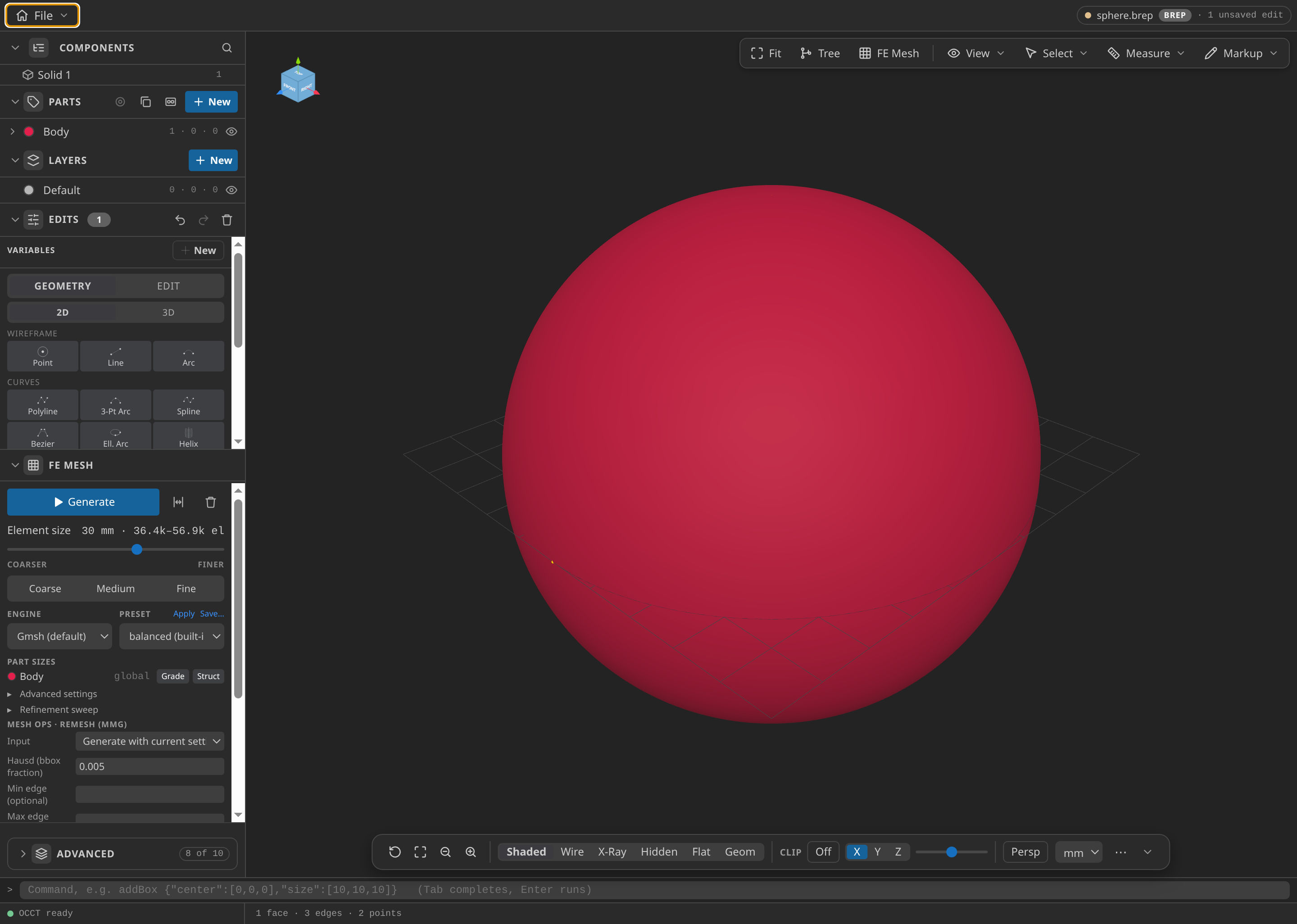
The sphere in CAD with its Body Part. The wizard builds the tunnel around this surface.
- Open
cad/examples/BREP/blank.brepin CAD mode. - In the Edits panel, under Primitives, choose Sphere centred on the origin, with radius 400 mm.
- In the Parts panel, name the solid
Body. - Under FE Mesh, set Dimension to 3D and Element order to Linear, with Size min 15 mm and Size max 30 mm, then press Generate. The fine size matters: the wizard snaps the tunnel wall to this surface, and a coarse body would bake its facets into the wall that the y+ check measures.
- Choose Export format STL Mesh (.stl), export unit m, and save the skin as
sphere.stl.
The recipe's body is a closed surface of 5,434 triangles.
Name the Parts
| Part | Where it comes from | Boundary condition |
|---|---|---|
| Inlet | the upstream tunnel face | Inlet velocity, 10 m/s |
| Outlet | the downstream tunnel face | Outlet pressure |
| Floor, Ceiling, SideLow, SideHigh | the four other tunnel faces | Slip wall |
| Body | the sphere surface, from your CAD Part | RANS wall function |
| Fluid | the whole tunnel volume | Air, 1.204 kg/m³, 1.825 × 10⁻⁵ Pa·s |
The wizard names the tunnel faces and the fluid. Only Body comes from your model, so its name in step 3 must match.
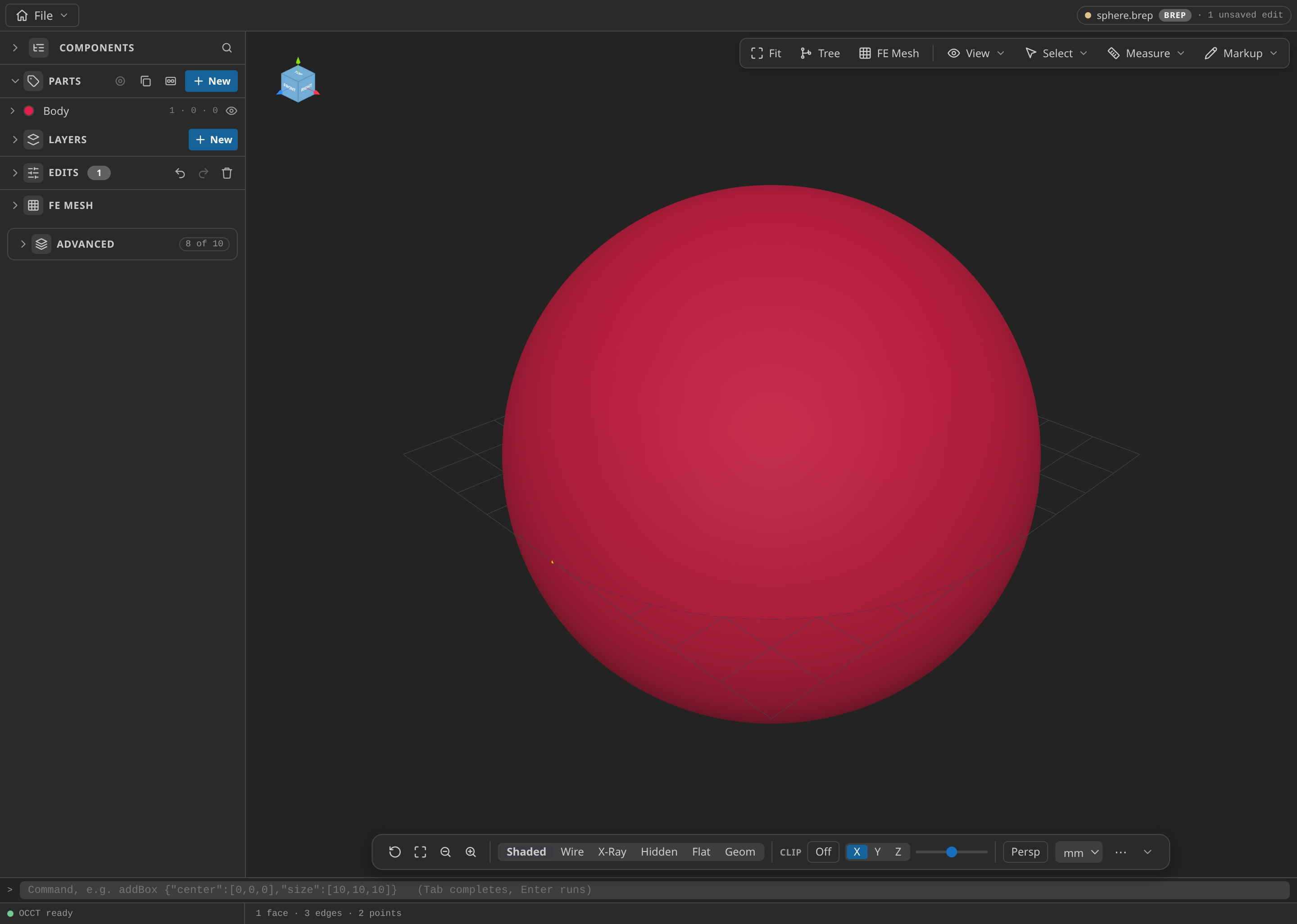
The CAD window with the Parts panel open, showing the named Parts.
Mesh
The wizard has five steps: Body, Tunnel, Flow, Mesh and Generate. Mesh sets a surface size of 0.35 m, a far-field size of 3.0 m, a 0.5 m wake box behind the body and a first-layer target of y+ 150. The plan appears on the last step, with the tunnel extents, the boundary-layer estimate and the mesh size. It is read-only until you press Generate, and a plan with errors cannot be built.
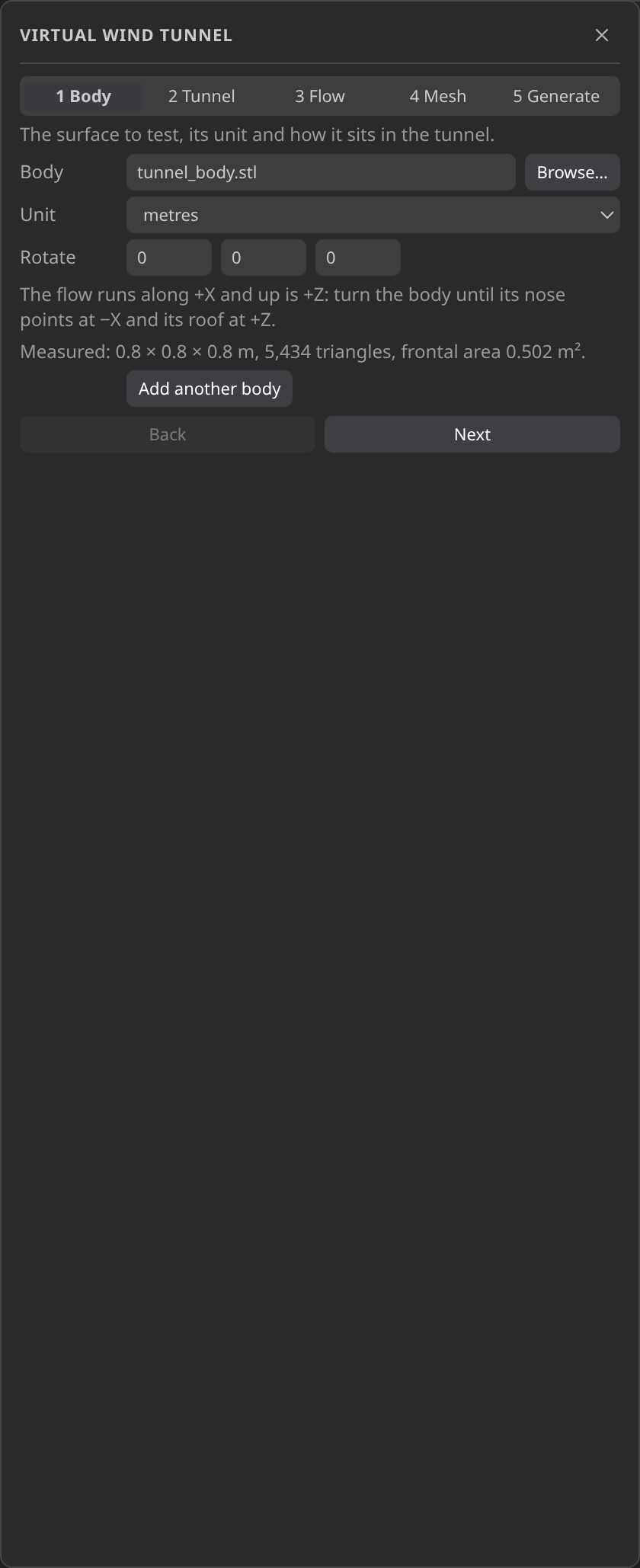
Step 1, Body: the closed sphere surface, 0.8 m across, with 5,434 triangles and a frontal area of 0.502 m².
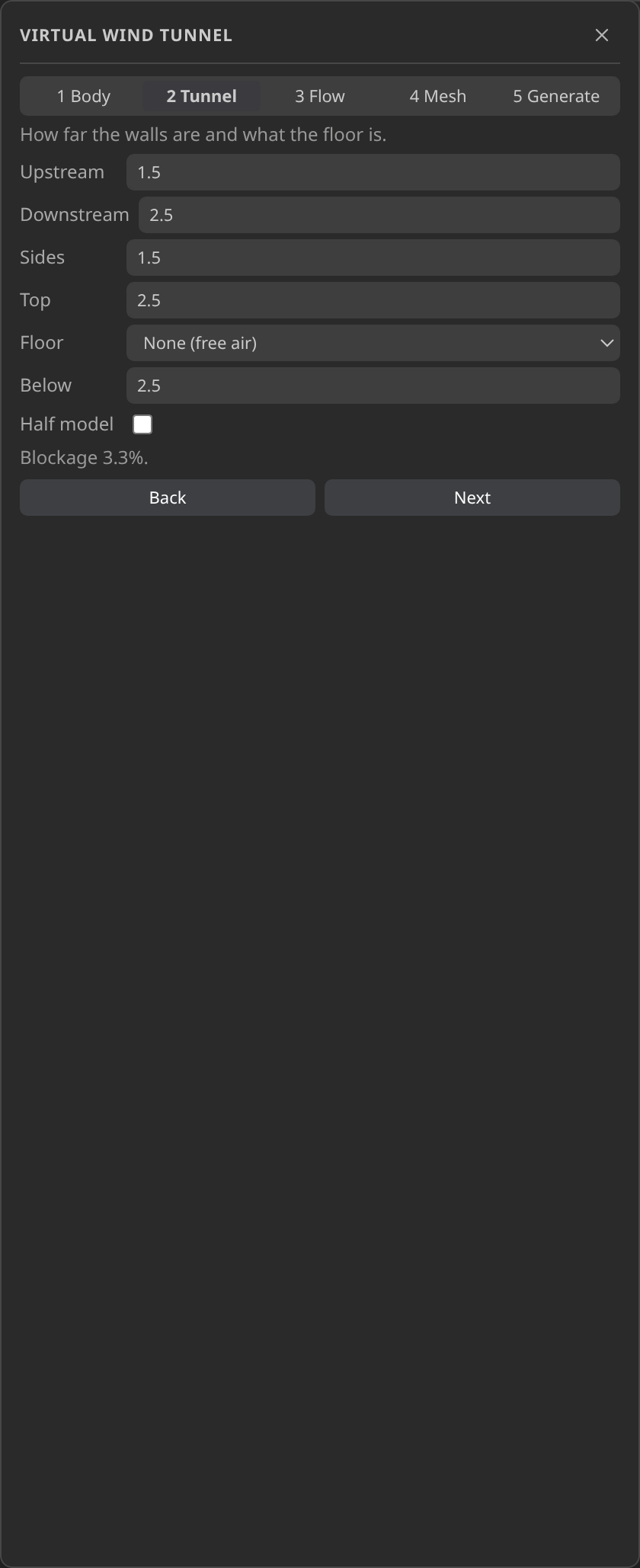
Step 2, Tunnel: the body-fitted tunnel, 4 × 3.2 × 4.8 m, with a blockage of 3.3 %.
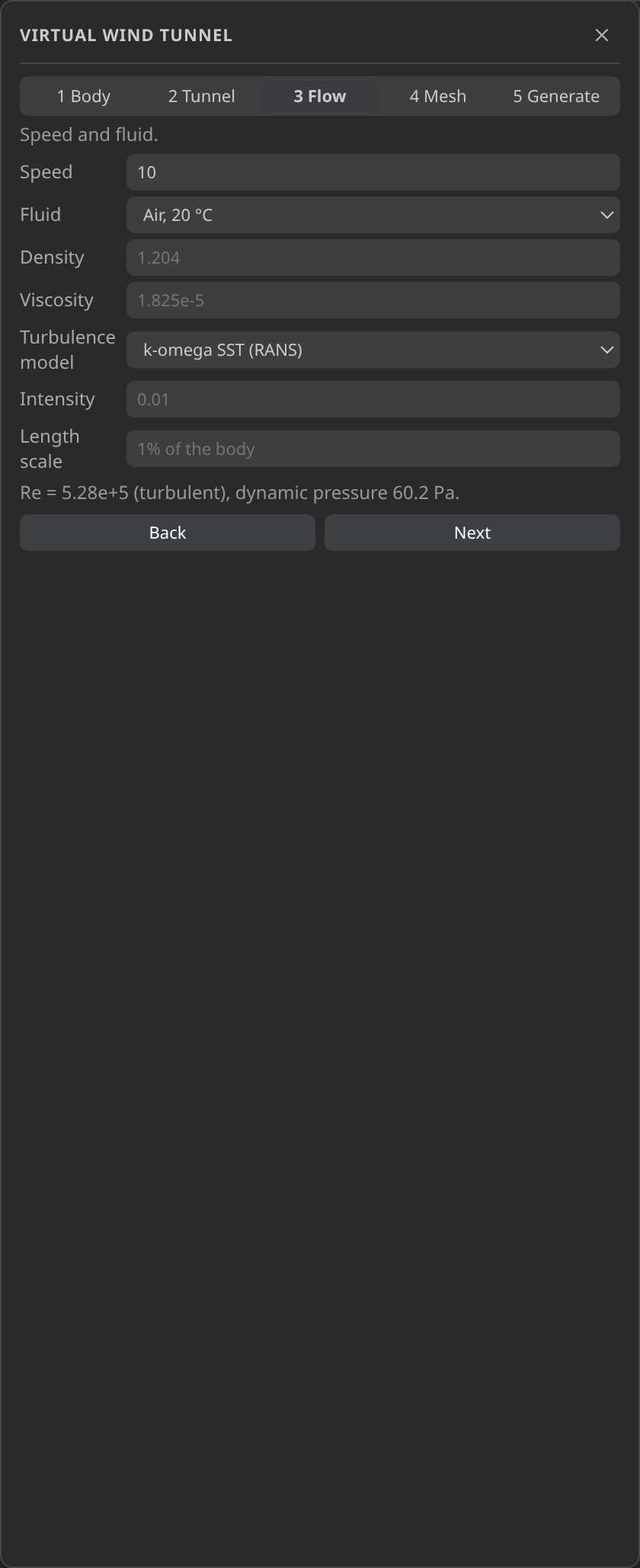
Step 3, Flow: 10 m/s air over the 0.8 m body, a Reynolds number of 5.3 × 10⁵, and the k-ω SST model.
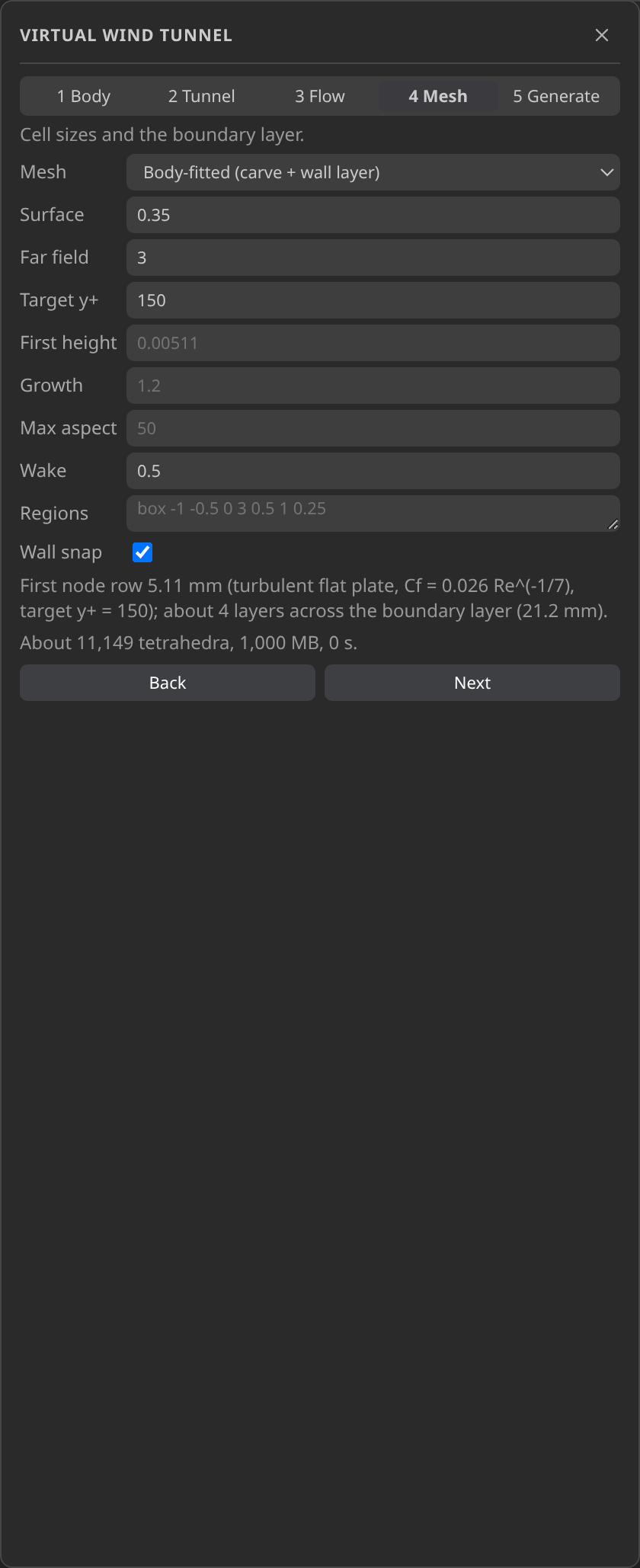
Step 4, Mesh: a surface size of 0.35 m, a far-field size of 3.0 m, a 0.5 m wake box and a first-layer target of y+ 150.
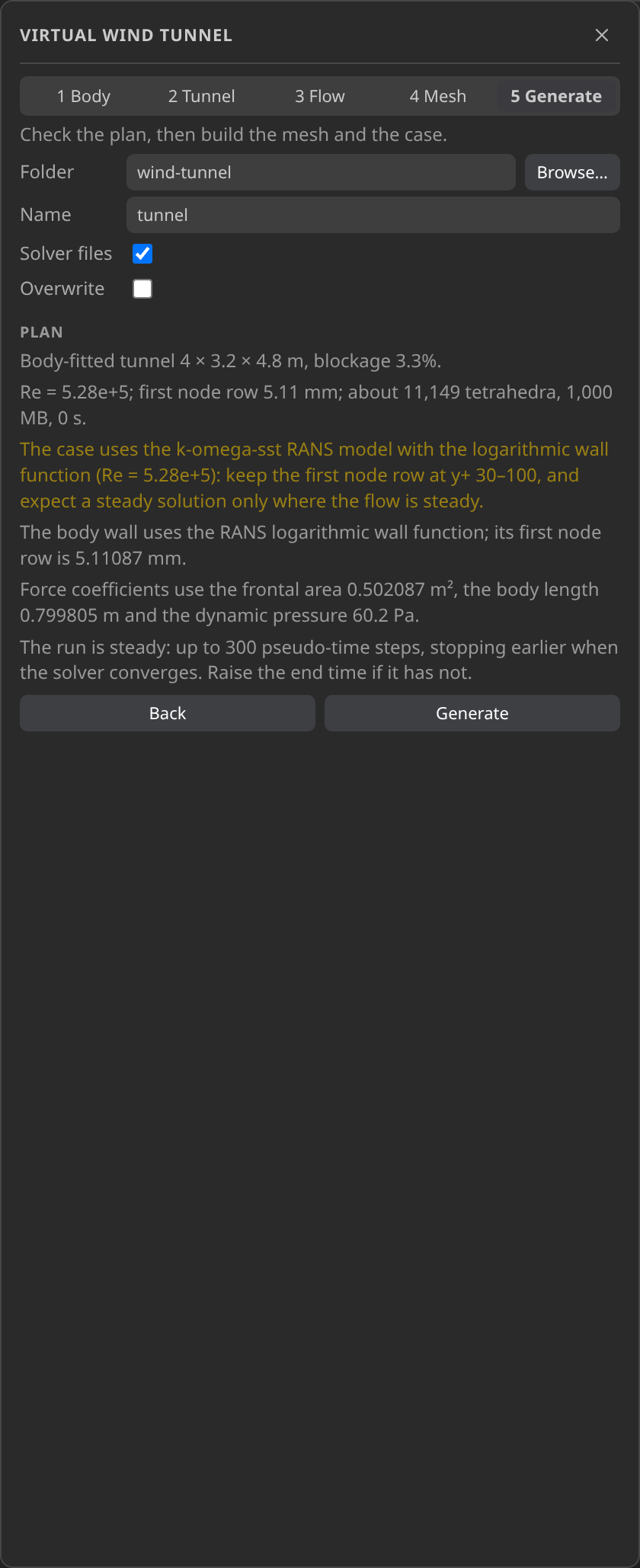
Step 5, Generate, before the build: the plan with the tunnel, the flat-plate estimate of about 11,149 tetrahedra and a first node row of 5.11 mm. It stays read-only until you press Generate.
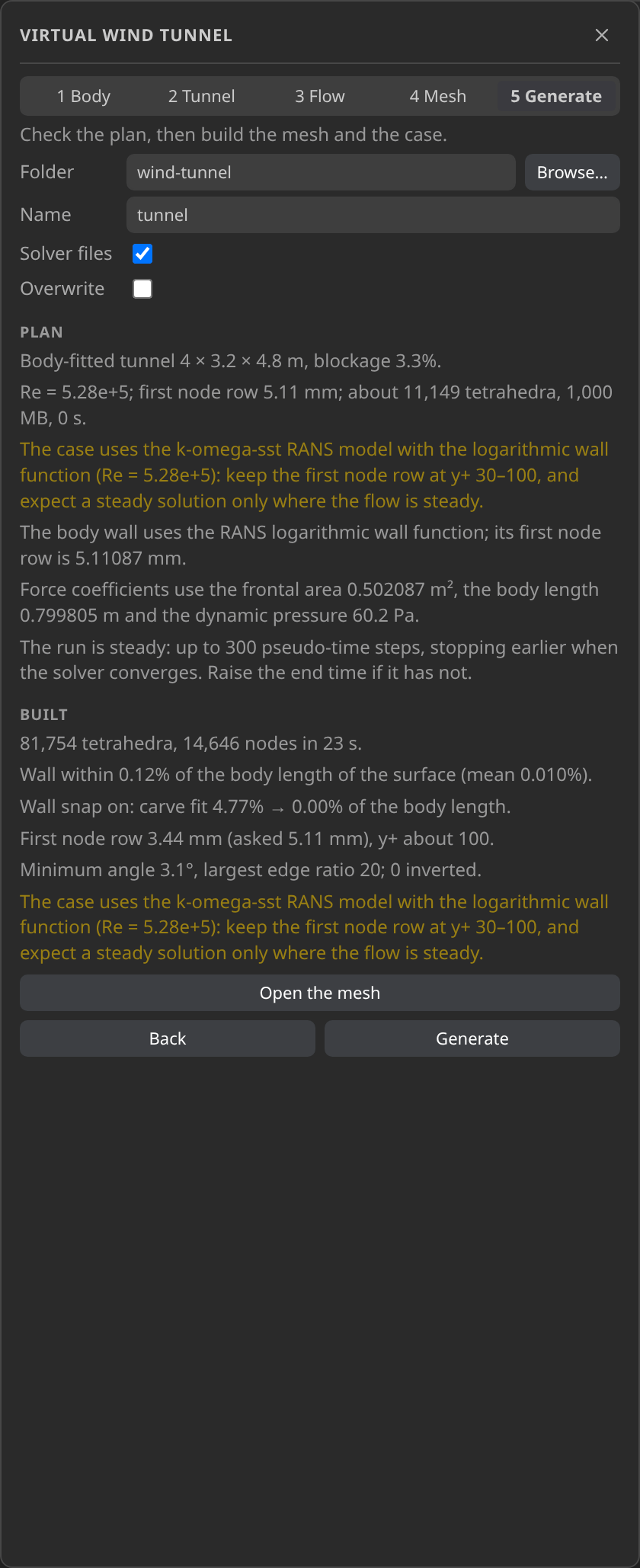
Step 5, Generate, after the build: this app run made 81,754 tetrahedra and 14,646 nodes in 24 s, with a first node row of 3.44 mm (asked 5.11 mm), y+ about 100, and no inverted cells.
The six figures are from one app run of the wizard on the published body, so the built numbers they show are that run's. The verification record is a scripted run of the same plan, and its build differs slightly: 82,804 tetrahedra and 14,840 nodes against 81,754 and 14,646, and a first node row of 3.75 mm against 3.44 mm. The numbers in the text and in Verify are the record's.
The flat-plate estimate for y+ 150 asks for a first row of 5.11 mm. The mesh achieves 3.75 mm, which puts the planned y+ at 110.1; the case notes still quote the requested 5.11 mm. The wizard's own warning band is y+ 30 to 100, so the planned value sits just above it. The planner estimated 11,149 tetrahedra and the build produced 82,804, about 7.4 times more, so read the estimate as an order-of-magnitude guide.
The build takes 25.6 s. Its log shows a 144-node lattice refined twice towards the body, a carve that removes 36,083 tetrahedra inside the body, a snap that closes a 4.75 % wall gap to zero, and a wall layer that brings the mesh to 14,840 nodes. Over the 1,594 body nodes, the wall fit has a largest gap of 0.80 mm and a mean of 0.09 mm. The mesh has no inverted or degenerate cells.
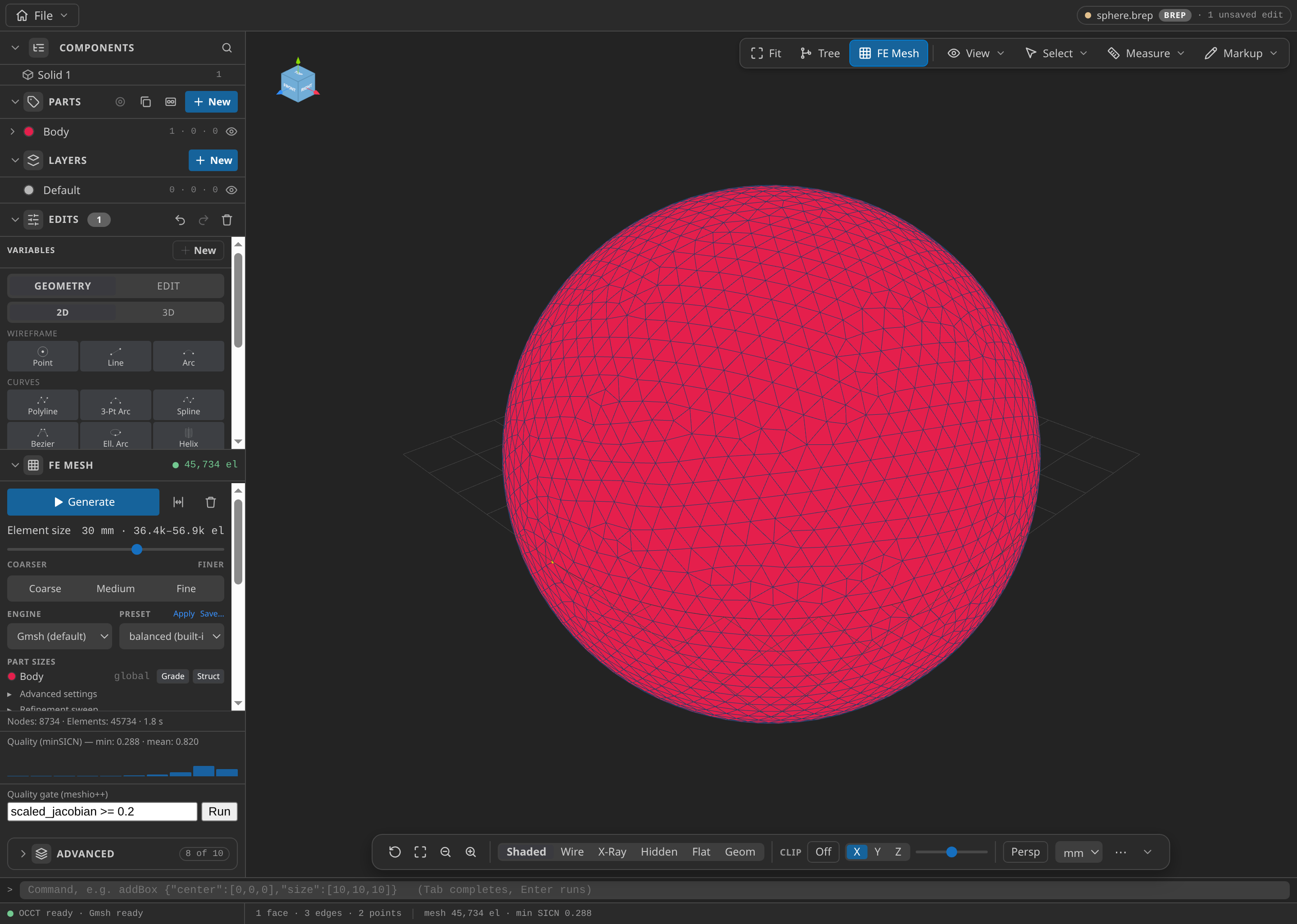
The CAD window after FE Mesh ▸ Generate: 8,734 nodes and 45,734 elements in this run, with the Parts panel open.
Configure the problemtype
The wizard writes a Turbulent Flow (RANS) case, so you do not enter these values by hand. The Problemtype section shows them: a steady scheme of up to 300 pseudo-steps, k-omega SST, the logarithmic wall function on Body, and a 1 % inlet intensity with an 8.0 mm length scale. Set the interpreter once under Settings ▸ Kratos ▸ Python Interpreter, with RANSApplication and LinearSolversApplication, and confirm it with Home ▸ Check environment.
Generate and inspect the case files
The wizard writes tunnel.mdpa (the mesh), tunnel_case.mdpa (the copy the solver reads), tunnel_body.stl (the body as placed in the tunnel), tunnel.kratosvwt.json (the plan, the build report and the case notes), tunnel.kratoscase.json (the case state) and the solver files ProjectParameters.json, FluidMaterials.json and MainKratos.py. The recipe keeps the plan and the build report, so the tunnel can be reproduced without the wizard. Keep it with the case.
Run
Press Run case. The output is 12 frames through t = 300, and the monitors record the body's forces and coefficients at each step.
This run used all 300 pseudo-steps. The drag monitor has one row per step and the output reaches t = 300, so the solver never met its convergence stop. The case notes suggest raising the end time for a run that does not converge, but do that only once the drag average has settled.
Inspect the results
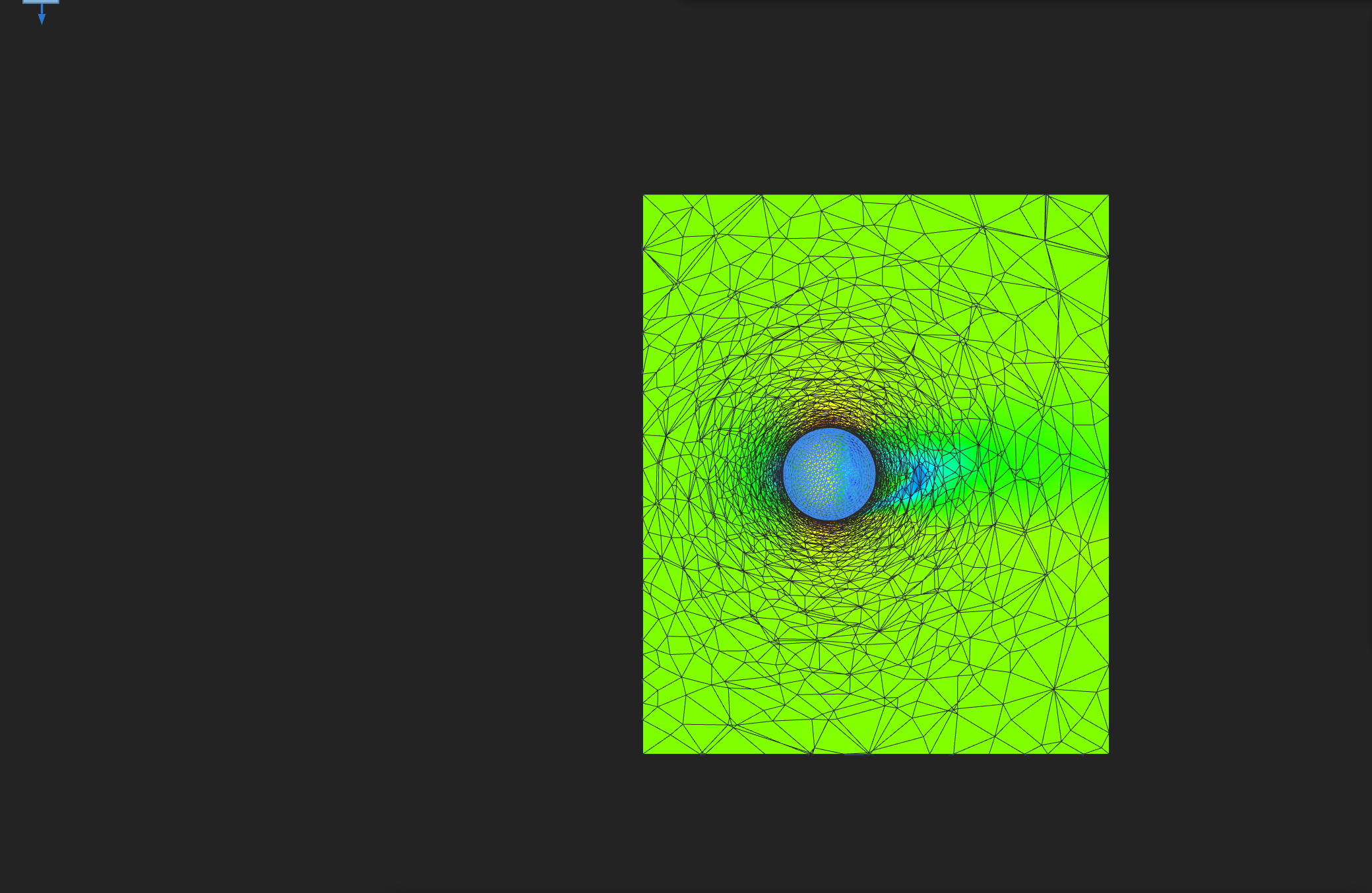
|VELOCITY| on the y = 0 mid-plane at the last output step (t = 300), colour range 0 to 16 m/s. Flow is along +X, to the right; the cut face shows the mesh edges and the sphere is the uncoloured surface.
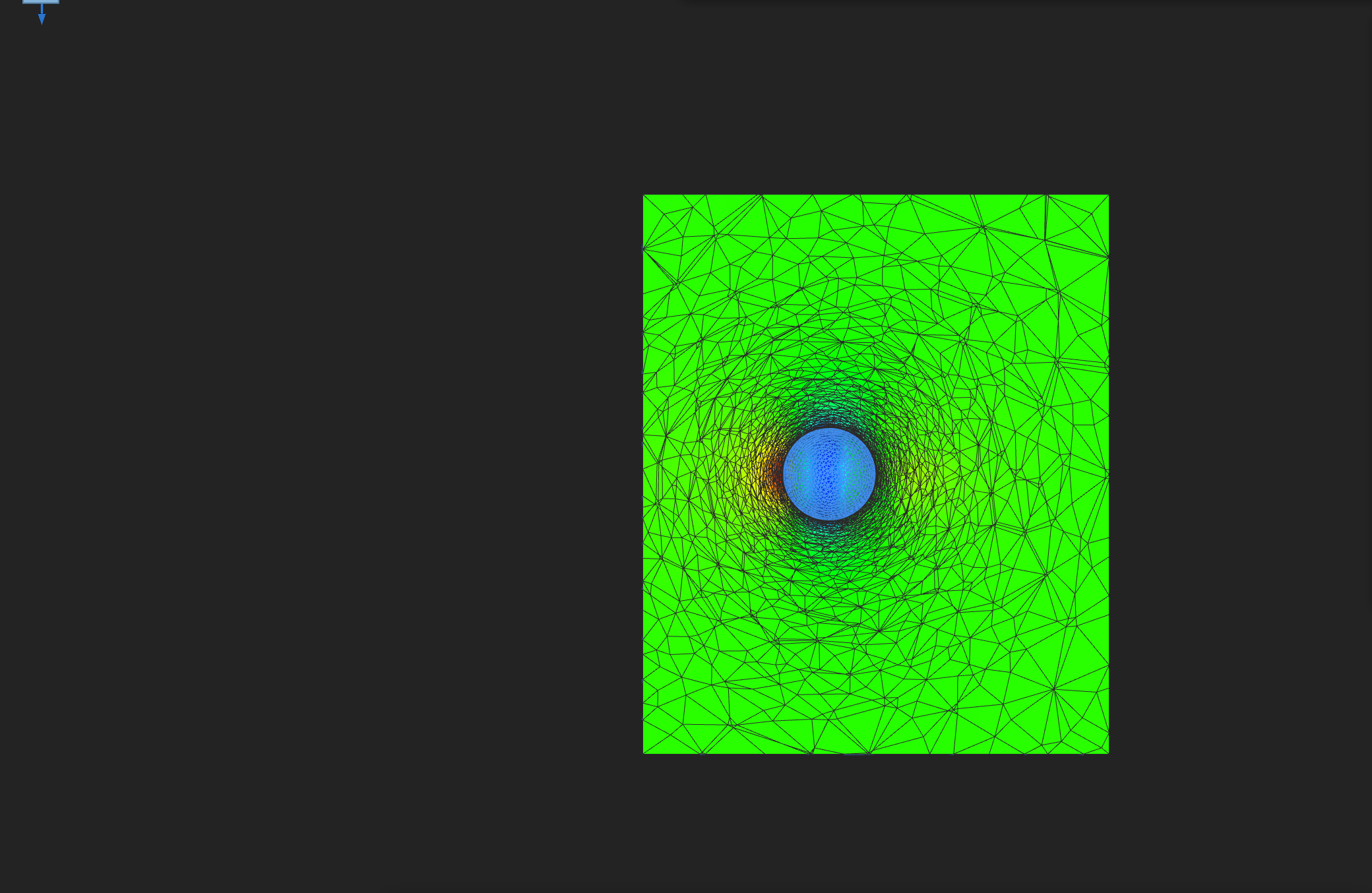
PRESSURE on the same plane and step, colour range −75 to 65 Pa.
No streamline figure is included: the viewer's streamline lines did not render over the cut face in this capture. The results the record supports are the checks in Verify: the wall y+, the flux balance, the drag and the drag coefficient, over 12 output frames through t = 300. The output lists Y_PLUS but not RANS_Y_PLUS, so the wall y+ check reconstructs y+ from the velocity.
To look at the output yourself, press Open results and read the fields with the Reading a Kratos result in KKSS page.
Verify
Verified with Python 3.12.14, Kratos 10.4.3, 2 OpenMP threads: 14840 nodes and 82804 cells, 12 frames through t = 300.
| Check | Measured | Limit |
|---|---|---|
wall_y_plus_nodes | 1616 | |
wall_y_plus_mean | 52.00233 | |
wall_y_plus_planned | 110.1421 | |
wall_y_plus_measured_over_planned | 0.4721385 | |
wall_y_plus_ratio_limit | 0.4721385 | ≤ 2.5 |
wall_y_plus_ratio_minimum | 0.4721385 | ≥ 0.4 |
wall_y_plus_log_layer_share | 0.9013825 | |
inlet_flux_m3_per_s | -153.52 | |
outlet_flux_m3_per_s | 154.0678 | |
flux_imbalance_relative | 0.003568199 | ≤ 0.05 |
drag_x_N | 6.774687 | ≥ 0 |
drag_coefficient_informational | 0.2241358 | |
drag_steps | 300 | |
drag_final_N | 6.145358 |
These are tutorial checks with the tolerances shown, not formal solver certification.
The wall check compares the planned y+ of 110.1 with the reconstructed mean of 52.0, taken over the 1,616 wall nodes on the body. The ratio of 0.47 sits inside the acceptance window of 0.4 to 2.5, which asks for order-of-magnitude agreement that catches a wrong layer rather than calibrating the solution. A reconstruction near half the plan is expected: the flat-plate basis does not describe a sphere's boundary layer, which is under pressure gradient and separates. Of the reconstructed values, 90.1 % lie in the 30 to 300 band.
The fluxes close the mass balance. The inlet and outlet fluxes are −153.52 and 154.07 m³/s, an imbalance of 0.36 % against a limit of 5 %.
The drag average is 6.77 N, and the final step reads 6.15 N. The drag coefficient is 0.224 on the 0.502 m² frontal area and 60.2 Pa dynamic pressure. The check requires only a finite, positive drag. The coefficient is informational because the model has no transition and no benchmark is recorded for this Reynolds number.
Troubleshooting
- The plan lists errors. A plan with errors cannot be built. Fix the reported inputs and plan again; planning changes no files.
- The run blows up in its first steps. Do not cut the tunnel to a half model. The symmetry plane meets the wall layer in sliver cells, and the SST model blew up early in that test. The full tunnel runs.
- A lower speed changes the plan. The planned first layer depends on the Reynolds number, so plan again and check the first layer before you generate.
- The run does not converge. Expected for this case. Watch the drag average and whether it still breathes.
Variations to try
- Change the y+ target to 30 or 100. Plan again, since planning is read-only, and compare the first layer with the wizard's warning band.
- Move the far field or the wake box. The plan shows how the tetrahedron estimate responds before you spend time on a build.
- Plan from the chat. The MCP tools
mesh__wind_tunnel_planandmesh__wind_tunnel_generatedo the same work as the wizard, from the same plan and the same recipe.
Reproduce and download
Download the wind-tunnel case. The archive holds the sphere's CAD source, the body surface, both meshes, the recipe, the case state, the generated case files and the verification record with SHA-256 hashes. It ships no solver output, so run the case to write the 12 VTK frames on your machine. Downloaded cases are starting points: rerunning overwrites their generated outputs.