Configuration
KKSS deliberately keeps configuration minimal ("Keep Kratos Simple Stupid"). Every preference lives on the Settings page (Settings ▸ Open Settings…, Ctrl+,). It is searchable and grouped by category. The settings the two embedded VS Code extensions read (cadPreview.*, kratos.*) appear there under their VS Code ids. See Getting Started ▸ Settings for the full list.
UI theme
Appearance ▸ UI Theme chooses the colour theme of the whole application. The options are Follow system (the default), Dark, Light, High contrast (dark) and High contrast (light). The change is immediate, and it covers:
- the shell, home screen, editor, terminal, chat and dialogs;
- both viewers' panels;
- the CAD scene;
- the mesh scene, while its 3D Scene Theme is Auto.
The four kinds are VS Code's own, so both viewers restyle exactly as they would inside VS Code.
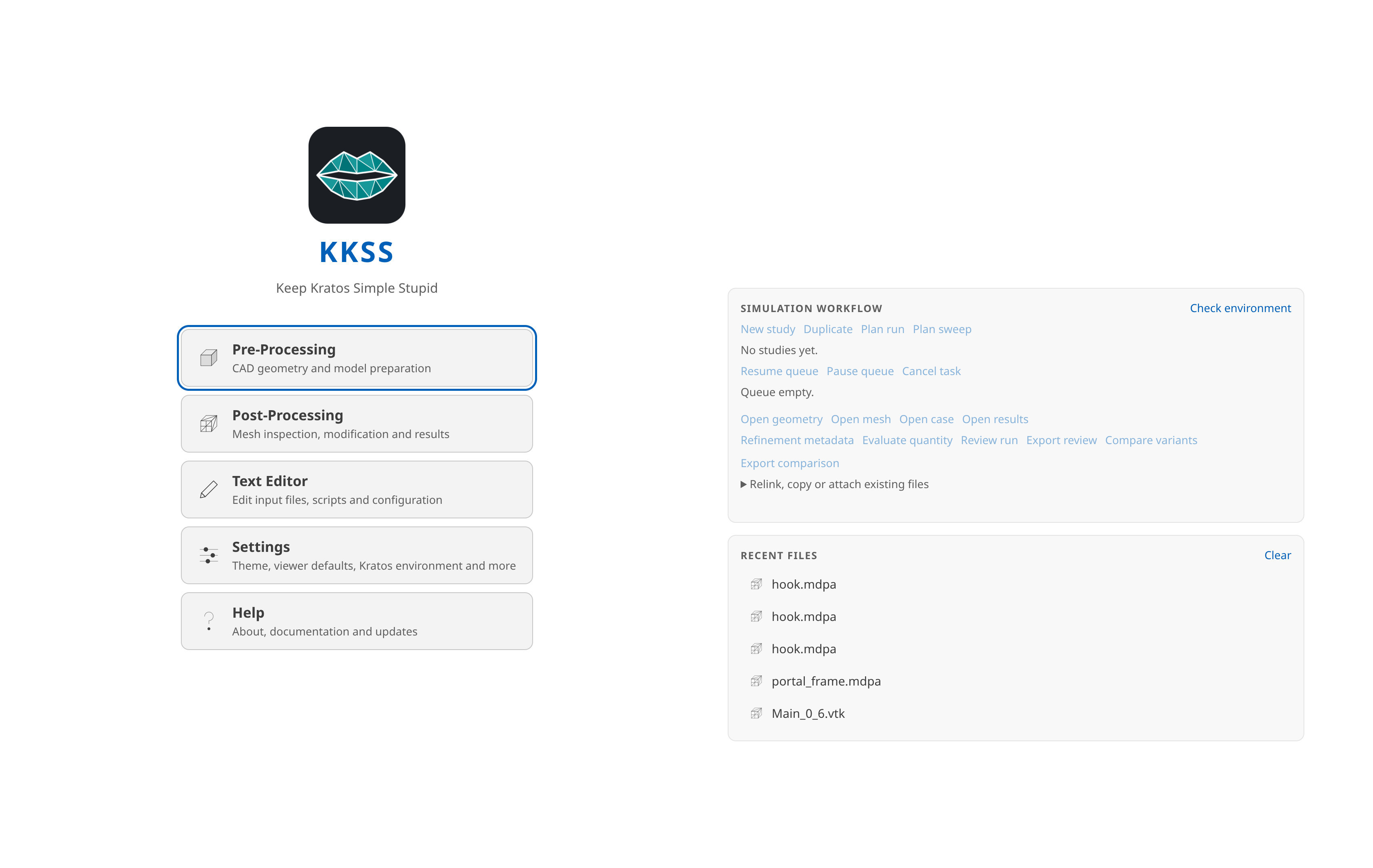
Appearance ▸ 3D Scene Theme (Auto / Dark / Light / Scientific) pins the mesh viewer's scene background and palette independently of the UI. It applies to meshes opened afterwards.
Mesh 3D renderer
Mesh Viewer ▸ 3D Renderer — or the View ▸ 3D Renderer quick radio, which reads the same setting — chooses what draws the Post-Processing scene:
| Value | Meaning |
|---|---|
vtkjs (default) | The established vtk.js renderer, with the panels, field modes, split view and picking you normally see. |
VTK-wasm | Experimental. VTK's own C++ rendering engine compiled to WebAssembly, through the same panels and features. |
VTK-wasm is opt-in and not a replacement: vtk.js stays the default, and switching does nothing to a scene already open — the choice is read when a preview page loads, so it applies to the previews you open afterwards, and KKSS says so when you change it.
It needs a host with WebAssembly JSPI (WebAssembly.Suspending) and WebGL2, and a build that ships the runtime. When any of those is missing, the runtime fails to load, or the install simply does not include it, the preview opens on vtk.js anyway and says so on the status line — nothing about the rest of the viewer changes. In a build without the runtime, the menu marks VTK-wasm unavailable in this build and refuses it, so the fallback is explained before you pick it rather than only afterwards. Only VTK-wasm widens the page's Content Security Policy, and only by 'wasm-unsafe-eval', which permits WebAssembly to compile and nothing else; the runtime's JavaScript glue is rewritten at build time so it evaluates no dynamic code.
Mesh exports and material libraries
Mesh Viewer ▸ Mesh Export Provenance controls what accompanies mesh exports:
| Value | Behavior |
|---|---|
Automatic (default) | Embed provenance in supported native comments/headers and meshio++ slots. Problem archives keep a separate record inside the ZIP without rewriting pristine mesh bytes. |
Write a full sidecar report | Also write a complete .kratosexport.json report beside the output; packing/resampling share one collection sidecar instead of one per step. |
Do not record provenance | Add no new provenance or sidecar. Copying source bytes preserves any record already in those bytes; fidelity reports remain available. |
Show report opens the graphical inspector (also Advanced ▸ Export report…) with retained, transformed, omitted and unverified categories, companions, provenance, warnings and copyable JSON. Packed-series reports open in a separate script-free window. Native MDPA, OBJ, PLY and VTK XML can embed comments; legacy VTK uses a limited title. STL and temporal XDMF need sidecars for their complete record. MCP write tools with verify: true additionally re-read claims and report contradictions; this returned verification evidence is added after the write-time sidecar has been published. Unknown/unmeasured topology, structured VTI and temporal XDMF are not silently treated as verified.
Kratos ▸ Material Library Folders lists project-relative folders to scan for user material presets (default .kratos/materials). Importing a preset into a case writes a snapshot, so generated cases do not depend on the library remaining unchanged.
Kratos environment
Kratos holds what a problemtype Run uses:
| Setting | Meaning | Default |
|---|---|---|
kratos.pythonPath | Python interpreter for queued and direct case runs | python3 (python on Windows) |
kratos.mpiRanks | Ranks for guided queue solves; 0 keeps OpenMP threads. A positive value launches the solve under MPI on one node (here or on the ssh host); needs an MPI launcher and an MPI-enabled Kratos, otherwise the preview refuses. Solver Threads then means threads per rank | 0 (off) |
kratos.threads | Verified OpenMP threads per Kratos solve; 0 selects Auto (available CPUs − 1, minimum 1) | 0 (Auto) |
kratos.installPath | Compiled Kratos install, or a source checkout built in-tree. Prepended to PYTHONPATH and the shared-library path | pip-installed Kratos |
kratos.extraEnv | Extra variables; they override computed ones | — |
kratos.problemtypes.extraPaths | Folders under the project folder scanned for user problemtypes | .kratos/problemtypes |
kratos.run.stopOnWindowClose | Kill running solvers when KKSS quits | on |
kratos.run.isolate | Give every Mesh Problemtype run its own workspace (<case folder>/<runs folder>/<stem>-<run id>/): the mesh and case state are copied there, the case files are generated there and the solver writes vtk_output/ there | off |
kratos.run.runsFolder | Folder under the case folder for isolated run workspaces; only a relative path is used | runs |
Queue previews freeze their effective thread allocation; changing the setting requires a new preview. The environment probe only offers this control when both Kratos thread set and read APIs are available. Auto uses the available CPU count minus one, with a minimum of one. CAD meshing and MDPA case preparation have verified one-thread reservations; other case-preparation costs are unknown and run exclusively. The app permits one solve and one preparation task to overlap only when their recorded allocations fit the CPU budget; uncertain or legacy allocations block overlap. The install path and extra environment also reach the assistant's Kratos MCP server the next time it starts. Restart with current environment applies them immediately. The interpreter does not: that server runs in uvx's own isolated environment.
Interface scale
The scale picker on the right of the shell toolbar (75 %–150 %) sets how large the whole application is drawn — the toolbar, both viewers, the terminal, and the chat sidebar all scale together, so the layout stays proportional on high-DPI or low-resolution displays. The choice persists across launches. It's also on the keyboard: Ctrl + / Ctrl - step through the presets and Ctrl+Shift+0 resets to 100 % (mirrored under View ▸ Zoom In / Zoom Out / Reset Zoom).
General
| Setting | Meaning | Default |
|---|---|---|
| Language | Language of the KKSS interface (English or Español). Applies on the next launch. The mesh viewer follows this language (its chrome and monitor prompts); CAD-Preview stays English. | English |
| Project Folder | Choose… / Clear — the default folder for the terminal, file dialogs and the assistant (also File ▸ Open Folder…). It is a default, never a restriction. | — |
| Restore Last Session | Reopen the previous run's documents, screen and panels at launch. KKSS_NO_RESTORE=1 overrides it for one launch. | On |
| Show What's New After Updates | Show the release notes the first time a new version starts. Help ▸ What's New… always works. | On |
| Update Channel | Stable releases or Include prereleases — which releases Help ▸ About KKSS offers to install. | Stable |
Appearance also holds UI Font Family (a CSS font-family for the application chrome; empty uses the system UI font) and UI Font Size (base size in pixels for the chrome and both viewers' panels, default 13).
CAD Viewer defaults
These seed newly opened models; per-model choices saved beside the model (see Pre-Processing mode) always win.
| Setting | Meaning | Default |
|---|---|---|
| Background | Default 3D view background. The viewer's Appearance swatch still overrides it per session. | #1e1e1e |
| Up Axis | Y up or Z up for newly opened models. | Y up |
| Show Grid & Axes on Open | Show the ground grid and the axes helper when a model opens. | On |
| Default Mesh Size | Coarse / Medium / Fine element-size preset for models with no saved .mesh.json. | Medium |
| Tessellation Quality | Draft (fastest) / Standard / Fine (most detail) for STEP/IGES/BREP display. Re-read on every edit or reopen; it does not affect FE meshing. | Standard |
| OpenSCAD Binary | Fallback openscad executable, used only when the bundled OpenSCAD declines a model (import()/surface(), a missing include, over the staging caps). | openscad |
| OpenSCAD Backend | Auto (no flag), CGAL or Manifold (2025+) for the fallback binary. | Auto |
| OpenSCAD Library Folders | Extra library folders prepended to OPENSCADPATH for .scad conversion only. Absolute paths. | none |
| Kernel Job Timeout (minutes) | The longest a single CAD kernel job (a tessellation, a boolean, a meshing run) may take before its worker is restarted. Applies to models opened afterwards; raise it for very large assemblies. | 5 |
Mesh Viewer
| Setting | Meaning | Default |
|---|---|---|
| Large-Mesh Summary Threshold (MB) | Meshes above this size open as a header summary with an Open full mesh anyway button; 0 always opens in full. | 250 |
| Timeline Frame Cache (MB) | Memory budget for keeping recently viewed time-series frames parsed, so stepping back and forth does not reread files. Takes effect live. | 256 |
| 3D Renderer | vtk.js or the experimental VTK-wasm — see Mesh 3D renderer. | vtk.js |
| Plot Extraction Cache | Keep a bounded on-disk cache of disk-backed plot extractions under the app's mesh storage, so reopening a plot after a restart does not re-extract. Off keeps extractions in memory only. | Off |
| Mesh Export Provenance | Automatic, Write a full sidecar report (a .kratosexport.json per export series) or Do not record provenance — see Mesh exports. | Automatic |
| Flowgraph Split | Where the Flowgraph problemtype's node editor opens: Below the 3D view or Beside the 3D view. | Below |
Text editor and terminal
| Setting | Meaning | Default |
|---|---|---|
| Text Editor ▸ Font Size / Font Family | Size in pixels and CSS font-family of the built-in text editor; an empty family uses the default monospace stack. | 13 / — |
| Text Editor ▸ Tab Size | Width of a tab and of one indentation level. | 4 |
| Text Editor ▸ Word Wrap / Line Numbers | Wrap long lines at the editor width; show the line-number gutter. | Off / On |
| Terminal ▸ Shell | System default ($SHELL), bash or zsh. A change applies to the next shell you open, not the running one. | System default |
| Terminal ▸ Font Size / Font Family | Size in pixels and CSS font-family of the embedded terminal. | 13 / — |
| Terminal ▸ Scrollback Lines | Lines kept above the visible area. | 5000 |
| Terminal ▸ Cursor Style / Cursor Blink | Block, Underline or Bar; blink on or off. | Block / On |
All of these apply to open editors and terminals immediately, except the shell.
LLM assistant
Settings ▸ LLM Assistant configures the AI chat sidebar (Getting Started ▸ AI assistant):
| Setting | Meaning | Default |
|---|---|---|
| Provider | Anthropic (Claude), OpenAI-compatible, OpenCode Zen, OpenCode Go, ChatGPT subscription (Codex), or Claude subscription (Claude Code) | Anthropic |
| Anthropic API Key | stored encrypted (OS keychain via safeStorage) | — |
| Anthropic Model | any Claude model id | claude-opus-4-8 |
| OpenAI-compatible API Key | optional (keyless backends like Ollama work) | — |
| OpenAI-compatible Base URL | any chat/completions endpoint | https://api.openai.com/v1 |
| OpenAI-compatible Model | model name your backend expects | gpt-4o |
| OpenCode API Key | one key for both Zen and Go (from https://opencode.ai/auth) | — |
| OpenCode Zen Model | any Zen chat/completions model id | glm-5.3-flash |
| OpenCode Go Model | any Go chat/completions model id | glm-5.3-flash |
| Thinking | Auto / Off / Low effort / High effort — also the brain picker in the chat sidebar; not used by the subscription providers | Auto |
| Max Output Tokens | upper bound on one reply (256–128000); empty keeps the built-in 16000 (Anthropic) or the gateway default | — |
| Allow Image Attachments (OpenAI-compatible) | lets the chat composer attach images for the OpenAI-compatible, OpenCode Zen and OpenCode Go providers — off because KKSS cannot know whether a gateway's model has vision; Anthropic always accepts images and PDFs, the subscription providers neither (see Attaching images and PDFs) | Off |
| Tool Approval | Ask before tools that change files / Ask before every tool / Never ask | Ask before tools that change files |
| Lifecycle Hooks | Run the commands in your hooks.json (and a trusted project folder's) before and after the assistant's tool calls and messages. A hook can refuse a call or make it ask first; it can never approve one. Off runs none. Stored as llmHooks. See Lifecycle hooks. | On |
| Kraty | Show a small animated face in the chat sidebar that reacts to what the assistant is doing. It only reflects the sidebar's own state and never speaks unprompted. Off by default. | |
| Standing Instructions & Skills | Send your instructions.md and a catalog of your skills with each message, and expand /name prompt templates. Off sends and expands nothing. Stored as llmAssistantDefs. | On |
| Instructions, Skills & Prompts Folder | Open folder… creates and opens <userData>/assistant/ (instructions.md, skills/<name>/SKILL.md, prompts/<name>.md, and hooks.json for lifecycle hooks). A trusted project folder's .kkss/assistant/ adds its own (see Assistant extensions). | — |
| MCP Servers | Open manager… opens the chat sidebar's MCP manager: add your own stdio or streamable-HTTP servers, enable, disable or restart them, mark their tools read-only, and trust a project folder's .kkss/assistant/mcp.json (see Assistant extensions). The definitions live in state.json under assistantMcpServers (names only); environment values and bearer tokens are stored encrypted like the API keys; marks (assistantMcpToolMarks) and folder trust (assistantFolderTrust) are stored beside them. A managed deployment that locks any of those keys makes the manager read-only. | — |
| Custom Context Window (tokens) | The context window of the current model, used only when KKSS has no reviewed figure for it. Shows how full the context is and lets compaction start early. | — |
| Custom Input / Output Price (USD per 1M tokens) | Prices for a model KKSS has no reviewed figures for. A cost estimate needs both; with only one, the sidebar shows token counts alone. Stays on this computer. | — |
| Custom Cache Read / Write Price (USD per 1M tokens) | Prices of cached input and of tokens written to the cache. Empty assumes the input price (no discount). | Input price |
The provider menu also includes ChatGPT subscription (Codex) and Claude subscription (Claude Code). These options require the matching official local tool and an eligible signed-in subscription account. Their submenu offers a runtime check, official setup link, model override, and optional executable path. KKSS does not import or store subscription credentials.
OpenCode Zen is a pay-as-you-go gateway over curated, benchmarked models; OpenCode Go is a $10/$40 subscription over open coding models. One API key from https://opencode.ai/auth unlocks both, and KKSS sends its own User-Agent plus a stable per-conversation session id so Go can route and cache. The first cut speaks chat/completions only, so it offers those models (check /models in the OpenCode TUI — the list changes); per-model /responses and /messages endpoints (Muse Spark, GPT, Claude, Qwen Max) need their own adapters. Prices for the matching chat/completions ids are reviewed in modelInfo.ts; anything else shows tokens only unless you enter your own prices and context window (LLM Assistant ▸ Custom … Price / Custom Context Window; see Tokens, context and cost).
Tool Approval decides when the assistant has to ask you before running one of its tools. Read versus write is a KKSS-side classification keyed by the tool's full name, not something the tool servers declare about themselves — a server's own claim about whether it is safe is exactly the thing that should not be trusted. A tool KKSS has no entry for always asks. The Kratos server's 110 tools are classified against the pinned 0.9.0 release (status, listing and validation tools run without asking; scaffolding, solver and job control, and anything that writes a file ask), while a tool a different server version adds stays unclassified and asks. The setting applies to the very next tool call. Never ask turns the gate off and confirms once before doing so; it covers the built-in sidebar only, since the HTTP MCP endpoint has no user to prompt.
The model and thinking level can also be changed from the strip above the chat message box (Choosing the model and thinking level); it writes these same settings. Changes apply to the next chat message — no restart. API keys are encrypted with the OS keychain when one is available; on systems without a keyring they fall back to plaintext in state.json (below). Entering an empty value clears a stored key.
External MCP endpoint
Settings ▸ MCP Server exposes the same CAD, mesh, Kratos and app tools the sidebar uses over a localhost HTTP MCP endpoint, for an external client such as Claude Desktop or an IDE (Getting Started ▸ Use your own MCP client). Off by default.
| Setting | Meaning | Default |
|---|---|---|
| Enable External Access | Start or stop the endpoint (http://127.0.0.1:<port>/mcp). Bearer-token protected, and it checks the Host header. | Off |
| Port | The localhost port. Applies the next time the endpoint is enabled. | 7391 |
| Allowed Tools | Read-only tools, Read-only tools and the listed write tools, or All tools. A client has nobody to ask, so this setting — not a prompt — decides; calls to other tools are refused with an error naming the setting. A newly enabled endpoint starts read-only. | Read-only |
| Allowed Write Tools | Full tool names (for example cad__apply_edit_ops) a client may call in addition to the read-only ones; used by the middle mode only. A tool KKSS has no classification for is never allowed unless listed. | none |
| Address & Token | Copy address & token puts the client configuration on the clipboard; Regenerate token… rotates the token (connected clients must be updated). The token is stored encrypted. | — |
Lifecycle hooks run on this endpoint too; a hook that would ask for confirmation refuses the call there.
Advanced
Flowgraph Asset Override (kratos.flowgraph.assetPathOverride) is for development only: it serves a local @kratos-flowgraph/flowgraph checkout instead of the copy bundled with the Flowgraph problemtype. It applies the next time the Flowgraph server starts, and normally stays empty.
Cloud accounts
Settings ▸ Cloud Accounts connects KKSS to Google Drive, Dropbox or OneDrive, so File ▸ Open from Cloud… can open a model directly — no desktop sync client required. See Getting Started ▸ Working from cloud storage for how a cloud document behaves once it is open.
Settings ▸ Remote lists the ssh hosts offered by File ▸ Open Remote… and View ▸ New Remote Shell…, and can point the assistant's Kratos tools at a host. See Remote Sessions.
KKSS ships no OAuth credentials of its own. You register a desktop/installed-app client in your own provider console and paste its client ID into the menu. That means nothing here routes through an application account you do not control — and it means there is a one-time setup step per provider:
| Provider | Redirect URI to register | Client secret | Scopes requested |
|---|---|---|---|
| Google Drive | http://127.0.0.1/callback — Google accepts a loopback redirect on any port | Issued for a "Desktop app" client; paste it too | https://www.googleapis.com/auth/drive |
| Dropbox | http://127.0.0.1:53682/callback — exactly this, Dropbox matches the whole URI including the port | None (PKCE public client) | files.metadata.read, files.content.read, files.content.write, account_info.read |
| OneDrive | http://localhost/callback as a Mobile & desktop platform redirect | None (PKCE public client) | Files.ReadWrite, offline_access, User.Read |
Two things worth knowing before you start:
- Google's testing-mode refresh tokens expire after seven days. While your OAuth consent screen is in "Testing", you will have to reconnect weekly. Publishing the consent screen (even for a single-user app) removes the limit.
- Google Drive asks for full
drivescope, notdrive.file. The narrower scope only sees files the app itself created or that were picked through Google's own file picker, which KKSS does not use — with it, the Open from Cloud browser would show an empty Drive.
Cache Size Limit (MB) (default 2048) bounds the local staging cache for cloud documents — the least recently opened documents are evicted first, and documents that are open or still hold unuploaded changes never are — and Clear cache… deletes every cached cloud document that is not currently open after a confirmation (anything that has not finished uploading is lost with it; files already on the provider can be opened again).
Client IDs are stored in state.json; client secrets and refresh tokens go through the same encrypted store as the LLM API key. Disconnect… forgets the sign-in and offers to delete the cached copies with it.
Where state lives
| State | Location |
|---|---|
| App state (theme, interface scale, project folder, recent files, last session, one-time warnings) | state.json in the platform's user-data dir (~/.config/KKSS on Linux, %APPDATA%/KKSS on Windows, ~/Library/Application Support/KKSS on macOS) |
| CAD parts / edits / mesh options | JSON sidecars next to the opened model — see Pre-Processing mode |
| Mesh operation recipes | Saved explicitly via the Edit sidebar's Save/Load buttons |
| Cloud client IDs | state.json (public by OAuth's design) |
| Cloud client secrets and refresh tokens | state.json, encrypted with the OS keychain like the LLM API key |
| Cloud staging cache and its manifest | cloud-cache/ beside state.json in the same user-data dir |
Note that the user-data dir is not inside your project folder, so syncing a project folder never syncs your settings or your credentials.
Command-line
kkss <file> opens the given model on startup in the mode the file's extension implies. Several files may be given (kkss a.step b.mdpa); each opens in its own tab in the mode its extension implies, and duplicates are opened once. A relative path is resolved against the directory you ran the command from, including when the file is forwarded to an already-running KKSS. kkss://open?file=<path> links open the same way.