Structural cantilever
A steel-like bar (E = 210 GPa), 18 × 4 × 5 mm, is clamped at one end and loaded by 100 kPa on one face. You scale the supplied solid to length, mesh it with tetrahedra, and solve a non-linear static analysis. The tip deflection is 0.000589 mm, which agrees with the Euler–Bernoulli reference to 1.8%. The 1000× warp in the figures only makes that motion visible.
At a glance
| Mesh | 1048 nodes, 3896 cells |
| Run | 8 frames, end time 1 |
| Kratos packages | KratosStructuralMechanicsApplication==10.4.3 |
| Download | structural case with its verification record |
What you will learn
- Scale a supplied solid in CAD, and name the Parts a structural case needs.
- Mesh with first-order tetrahedra, and compare a tip deflection with a beam formula.
The physical model
The bar is clamped at its −X end (face-3) and loaded by a uniform 100 kPa on its −Z face (face-1), which is 18 mm long and 4 mm wide. For a slender beam under a uniform load, Euler–Bernoulli theory gives δ = qL⁴/(8EI). Here q = 0.4 N/mm (100 kPa times the 4 mm width), L = 18 mm, E = 210 000 N/mm², and I = 4 × 5³/12 = 41.7 mm⁴ with the 5 mm depth in Z. The formula gives 0.000600 mm, the reference the verifier evaluates.
The bar is about 3.6 times as long as it is deep, so it is short. Shear makes it bend more than Euler–Bernoulli predicts, while first-order tetrahedra are known to be stiffer in bending than the continuum they model. The two effects pull in opposite directions, so the 1.8% agreement may partly reflect cancellation. Treat it as a coarse-mesh check.
The density, 7850 kg/m³, is stored in the materials file. A static solve has no inertia, so it does not affect the result.
Create the geometry
- In CAD mode, open the supplied block,
cad/examples/STP/block.stp, which is 3 × 4 × 5 mm. - Select
solid-0, choose the Scale edit operation, set the centre to (0, 0, 0) and the factors to [6, 1, 1]. The block becomes 18 × 4 × 5 mm, centred on the origin: x from −9 to 9 mm, y from −2 to 2 mm, z from −2.5 to 2.5 mm.
Scaling only in X keeps the section and centres the bar. That puts the support face at x = −9 mm and the load face at z = −2.5 mm, as in the published mesh.
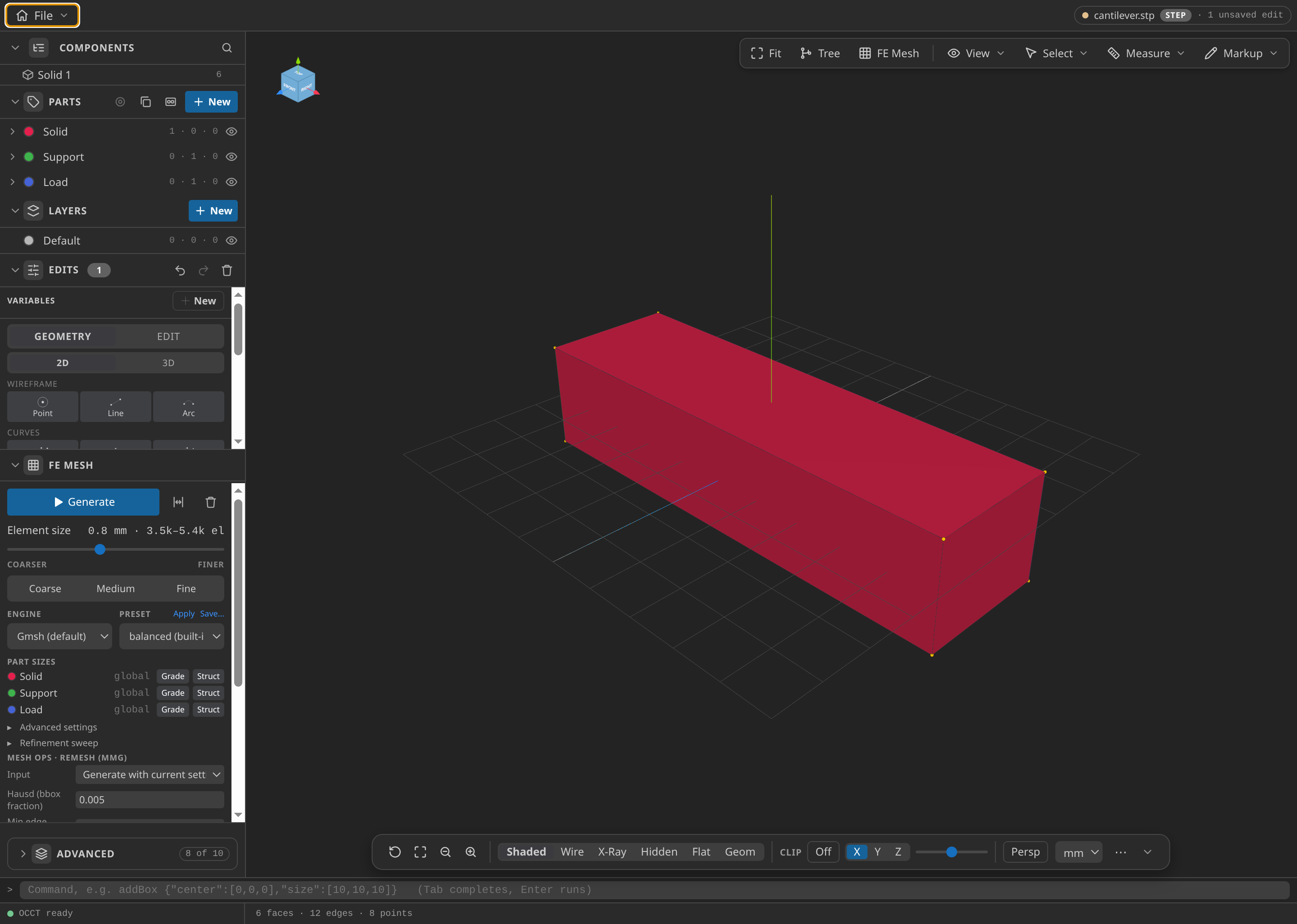
The scaled solid with its Parts named.
Name the Parts
- Under Parts, name
solid-0Solid,face-3Support (the −X end) andface-1Load (the −Z face). Confirm each face in the entity tree and its highlight.
The Support Part is the clamp, with 61 nodes at zero displacement. The Load Part carries the pressure on 171 nodes. The Problemtype finds Parts by name, and a missing one is a Preflight error.
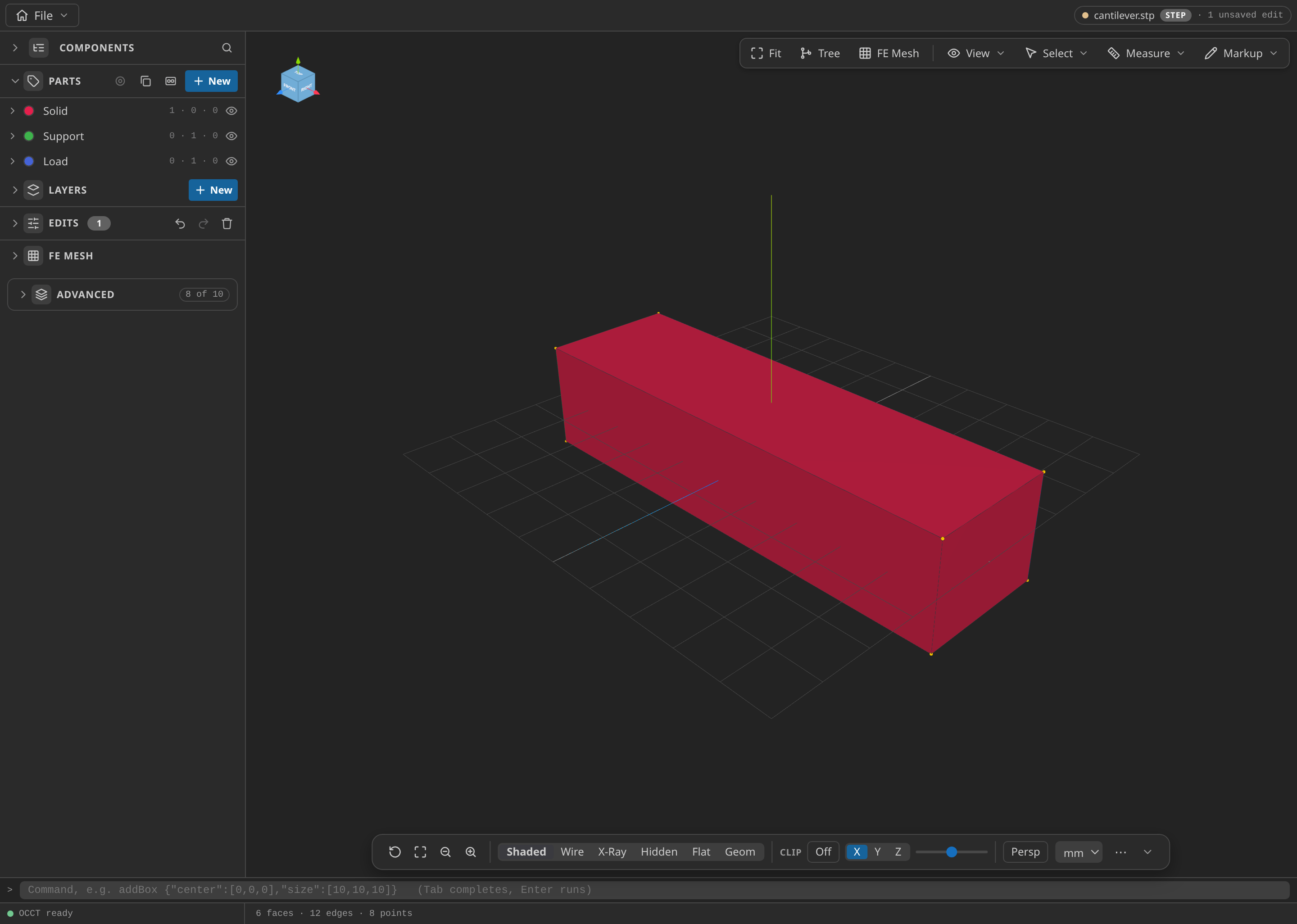
The CAD window with the Parts panel open, showing the named Parts: Solid, Support and Load.
Mesh
- Under FE Mesh, choose Gmsh, dimension 3D, first order, and set the size min and max both to 0.8 mm. Choose MDPA Elements, export units m (convert from CAD mm), and export as
mesh.mdpa.
The uniform mesh has 1048 nodes and 3896 tetrahedra. At 0.8 mm only five or six element sizes fit across the section, which is coarse for bending, so the verifier accepts a 25% error. Export in metres: a mesh left in millimetres would be read as 1000 times larger.
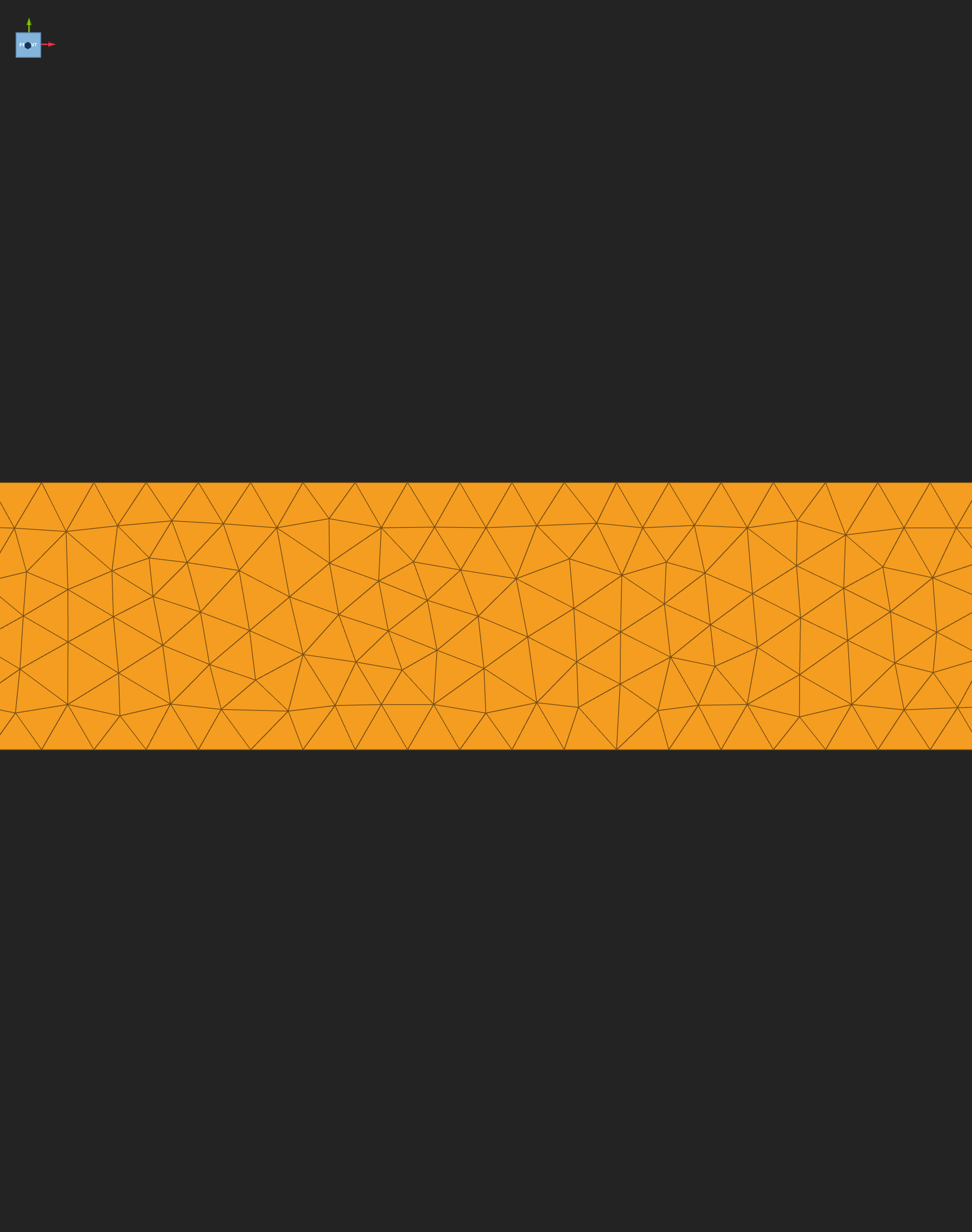
The uniform 0.8 mm tetrahedral mesh.
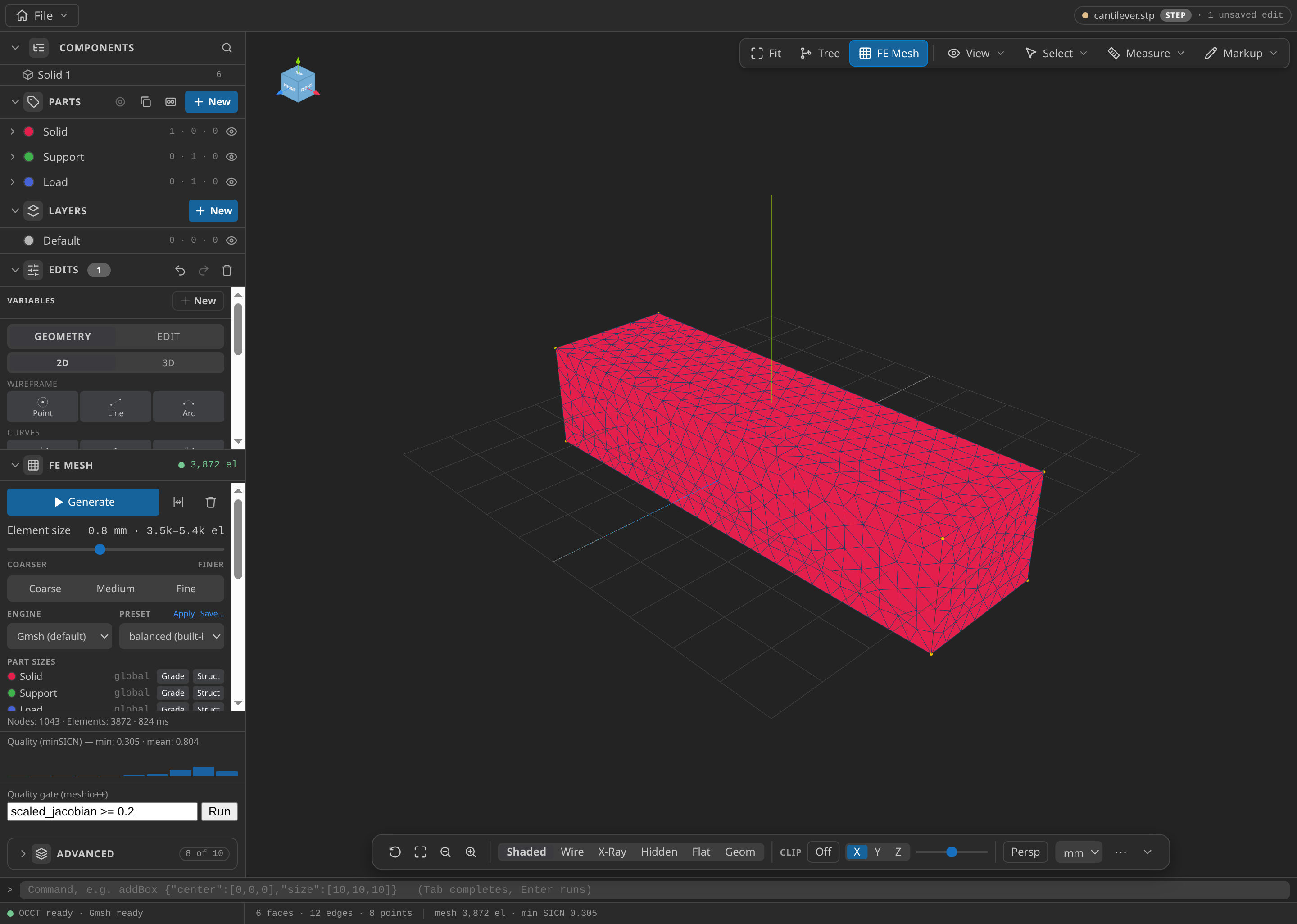
The CAD window after FE Mesh ▸ Generate: 1,043 nodes and 3,872 elements in this run, with the Parts panel open.
Configure the problemtype
- Open
mesh.mdpain Post-Processing and select Structural Mechanics. Enter the setup below.
| Card | Item | Value |
|---|---|---|
| Problem data, Analysis | Analysis, Linearity, Element formulation | Static, Non-linear, Solid small displacements |
| Problem data, Time | Start time, time step, end time | 0 s, 0.125 s, 1 s |
| Problem data, Non-linear iteration | Convergence criterion | Residual: relative 0.0001, absolute 1e-9, max 10 iterations |
| Materials | Solid | linear elastic 3D: E 210 GPa, ν 0.3, density 7850 kg/m³ |
| Conditions | Displacement on Support | 0 in X, Y and Z, fixed |
| Conditions | Surface pressure on Load | 100000 Pa |
| Output | VTK | DISPLACEMENT and REACTION each step; VON_MISES_STRESS |
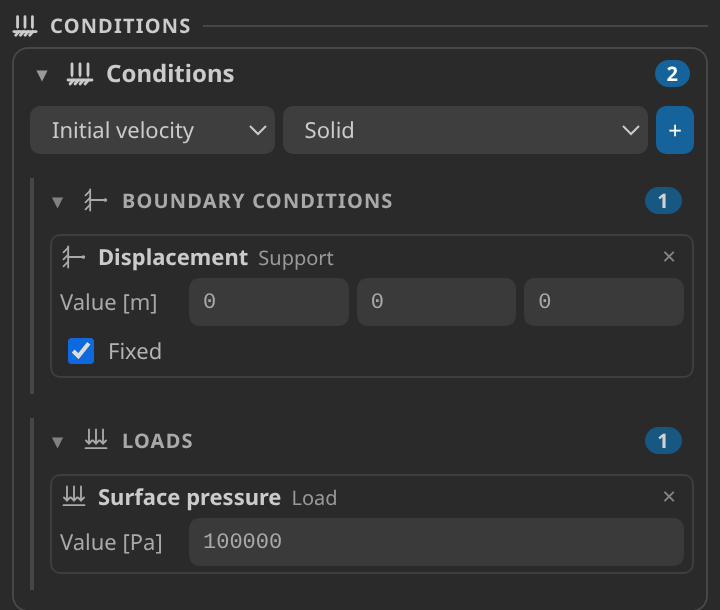
The Conditions card: zero displacement on Support, and 100000 Pa surface pressure on Load.
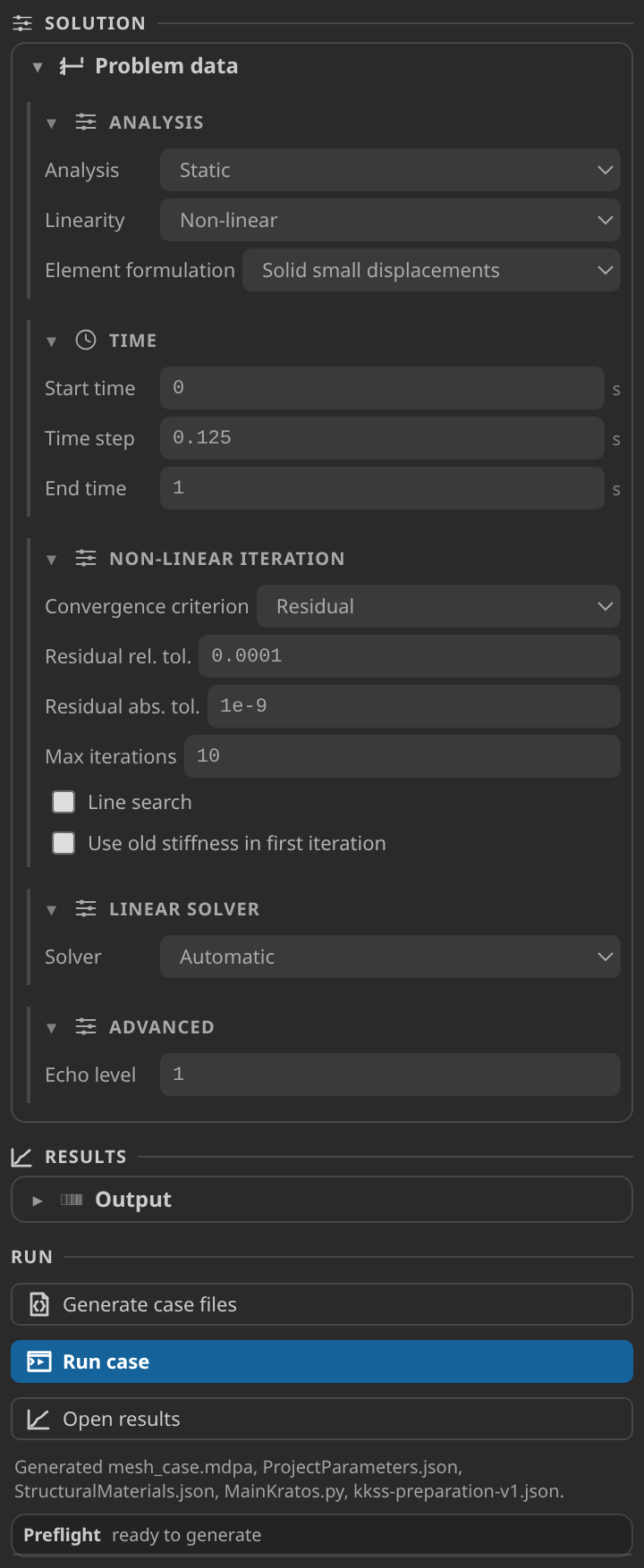
The Problem data card: a static, non-linear analysis with the residual criterion.
The 0.125 s step to 1 s gives the eight frames you will see. The load is constant over the whole run, with no ramp, so every step re-solves the same equilibrium. The history plots below should therefore be flat after the first step: they check steadiness, not a time response. The case uses the non-linear solver that the published verification ran; at this deflection the linear answer should be very close.
Generate and inspect the case files
- Click Generate case files. The Preflight card reads "ready to generate" first. The status line then lists
mesh_case.mdpa,ProjectParameters.json,StructuralMaterials.json,MainKratos.pyandkkss-preparation-v1.json.
ProjectParameters.json is plain JSON. It holds the static non-linear solver, the Support displacement, the 100 000 Pa Load pressure over the whole interval, and the VTK output with DISPLACEMENT, REACTION and VON_MISES_STRESS at each step.
Run
- In Settings → Simulation, point kratos.pythonPath at an environment that imports
KratosMultiphysicsandKratosStructuralMechanicsApplication. Use the Home screen's Check environment action, then click Run case. To stop a run, use File ▸ Stop Kratos Run; the driver finishes the current step. The verification used Python 3.12.14, Kratos 10.4.3 and two OpenMP threads.
Inspect the results
- Click Open results. The VTK tab opens on frame 8 of 8. In Field, choose
DISPLACEMENT. For the deformed view, enable Deformed, keep Deform by onDISPLACEMENT, and set Warp scale to 1000×. The warp moves only the drawn mesh; every value in this tutorial is undeformed. For the Field panel and timeline, see Reading a Kratos result in KKSS.
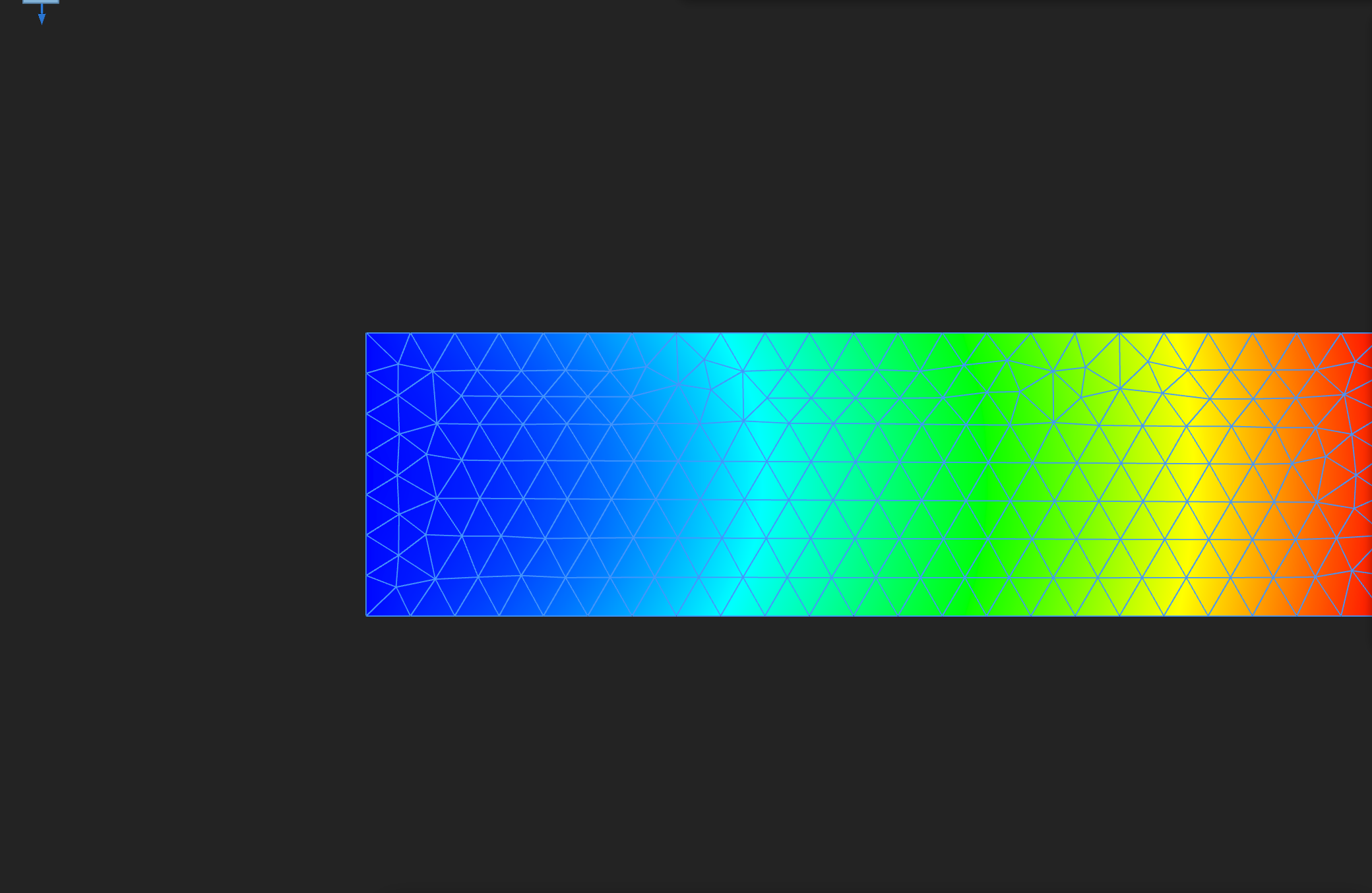
DISPLACEMENT magnitude on the undeformed final frame, in metres. The clamped end (left) is at zero, and the free end (right) moves most.
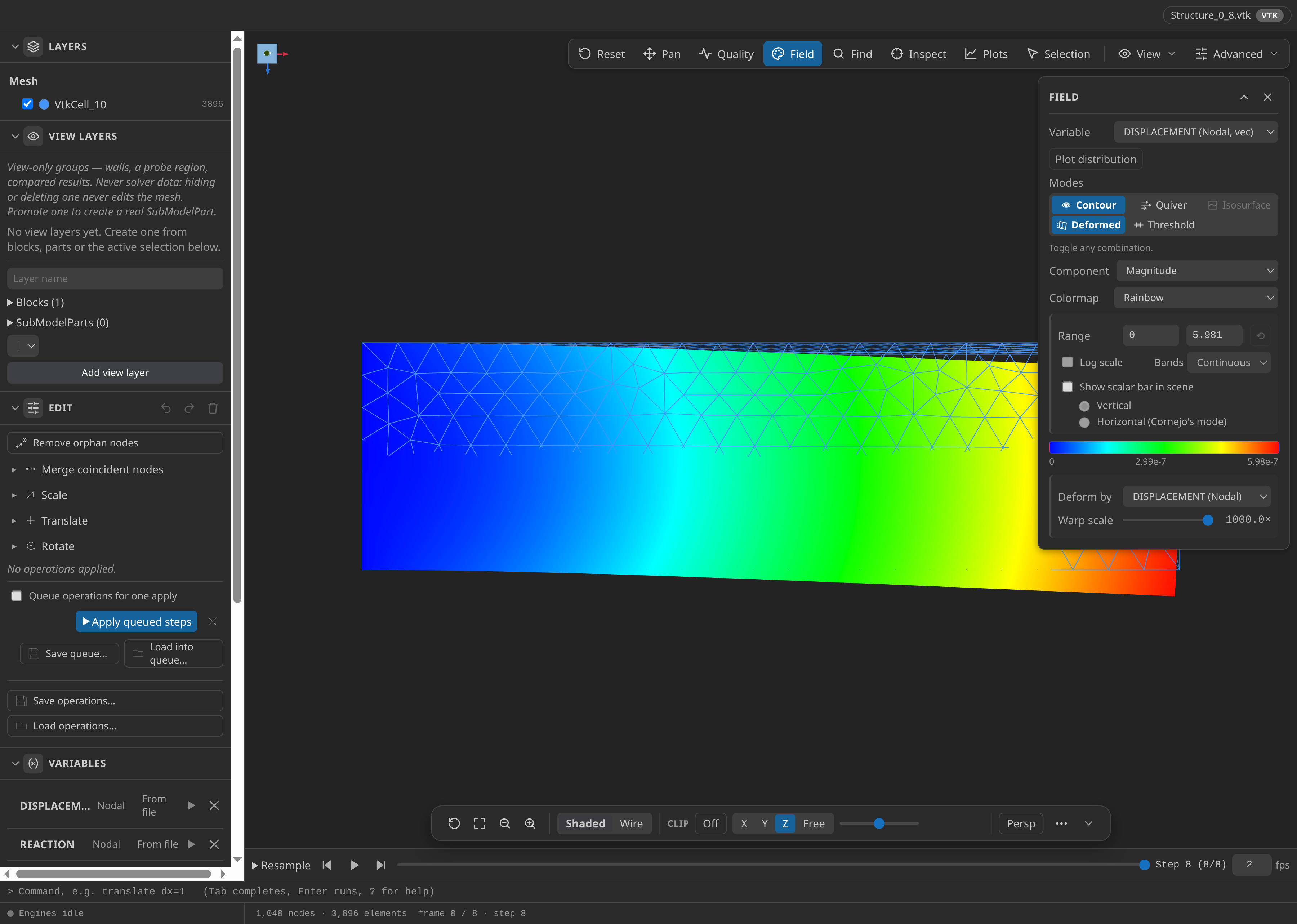
The same displacement on the deformed shape, colour range 0 to 5.98 × 10⁻⁷ m. The bend lies in the X–Z plane, the plane of the load.
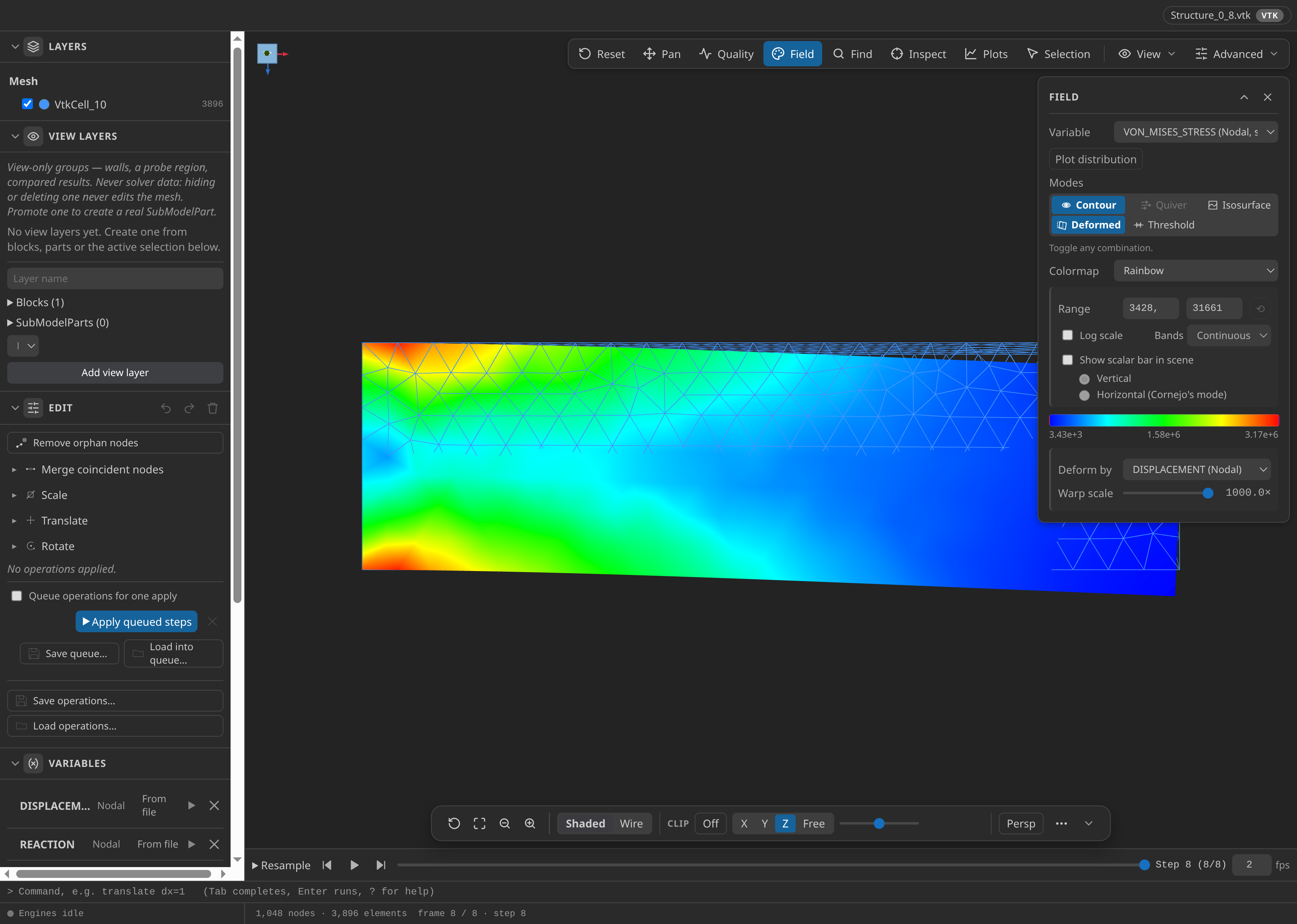
Von Mises stress on the final frame at 1000× warp, colour range 3.43 kPa to 3.17 MPa. The peak, in red, is at the clamped end along its outer edges.
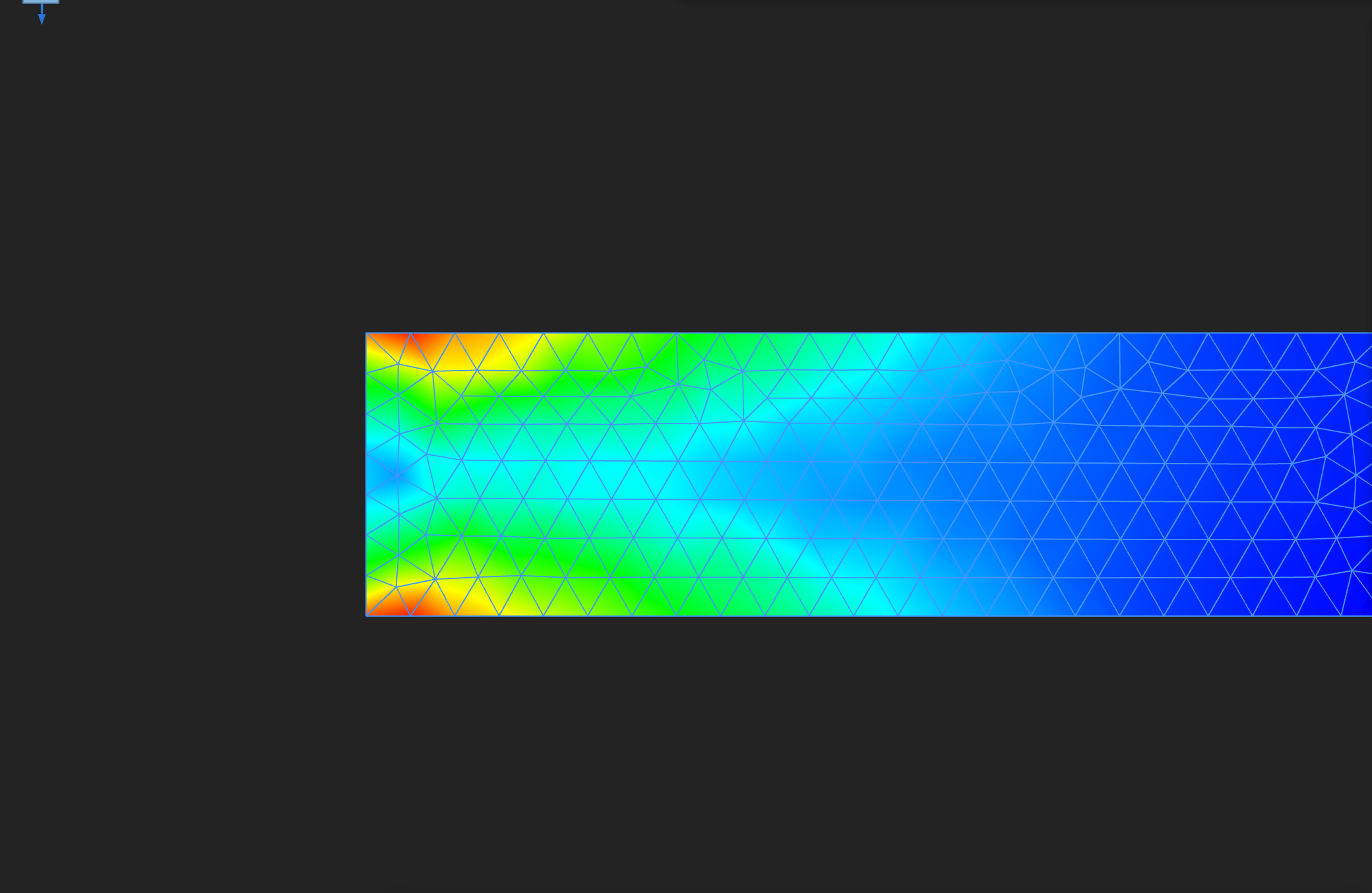
Von Mises stress on a cut through the middle of the bar. Bending puts the highest stress in the outer fibres at the clamp.
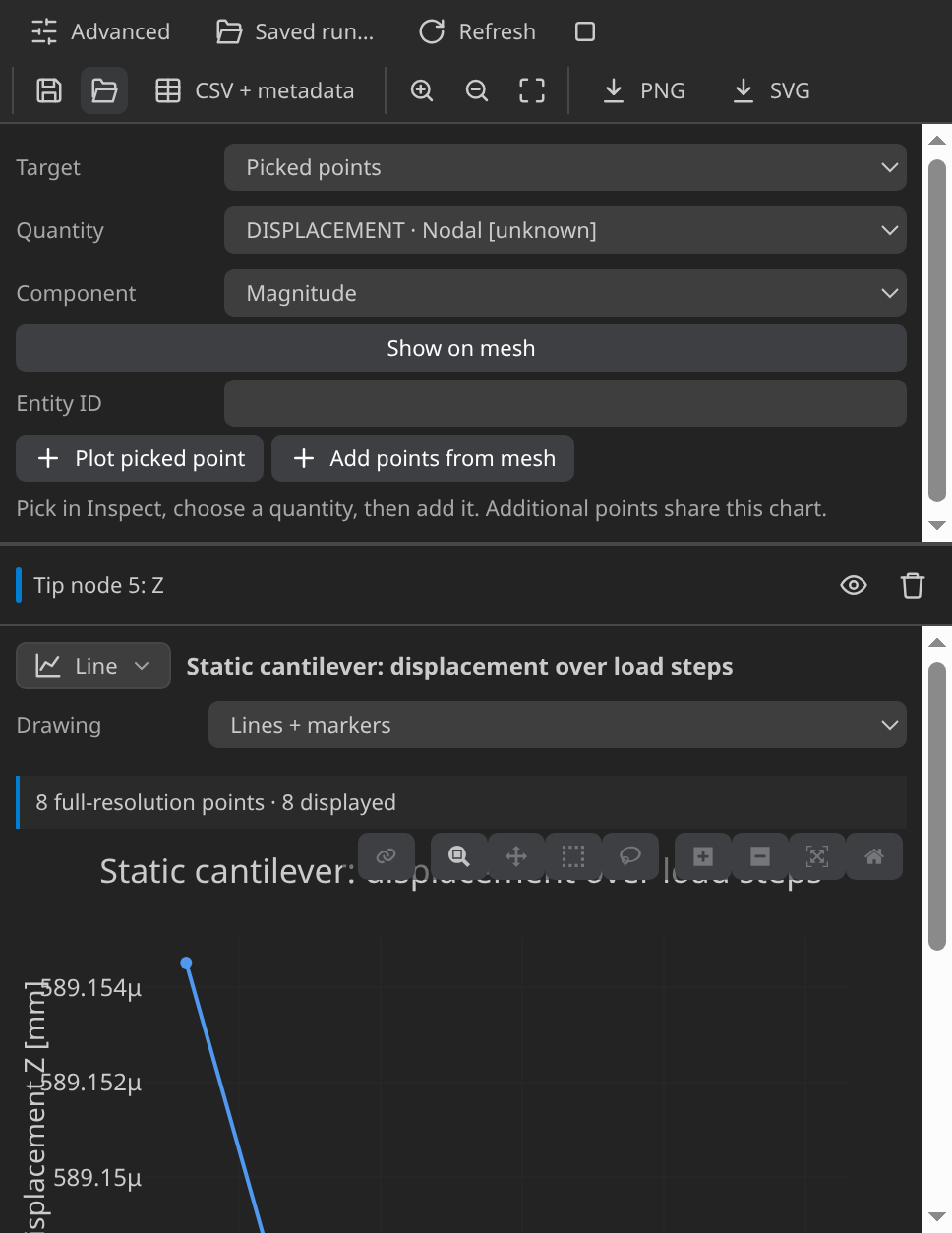
Displacement against time at a fixed node. With the constant load it should be flat after the first step.
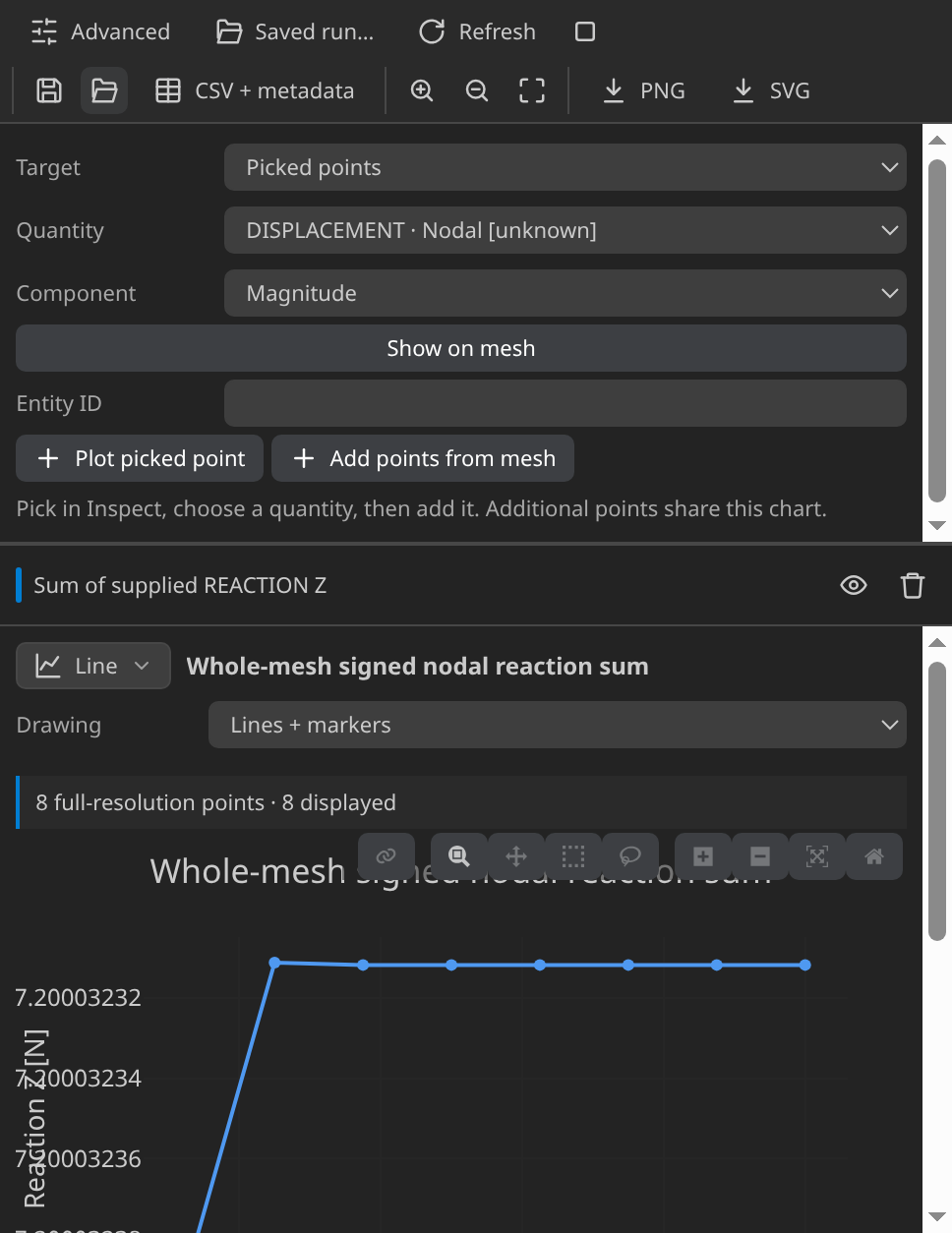
Support reaction against time. Read it against the applied load: the reactions must balance it.
Verify
Verified with Python 3.12.14, Kratos 10.4.3, 2 OpenMP threads: 1048 nodes and 3896 cells, 8 frames through t = 1.
| Check | Measured | Limit |
|---|---|---|
beam_displacement_relative_error | 0.01786229 | ≤ 0.25 |
max_abs_z_displacement_mm | 0.0005891479 | |
beam_reference_mm | 0.0005998629 | |
max_von_mises_Pa | 3166154 |
These are tutorial checks with the tolerances shown, not formal solver certification.
The verifier takes the largest absolute Z displacement over all nodes of the final frame, 0.000589 mm, and compares it with the Euler–Bernoulli reference of 0.000600 mm. The relative error, 1.79%, is inside the 25% coarse-mesh limit. Read it with the two effects above in mind: it is a coarse-mesh check, not evidence of accuracy.
The record also gives the peak von Mises stress, 3.17 MPa. The verifier does not test it against a beam formula, so treat the stress field as something to inspect. The record has no reaction value; the reaction history plot shows it per step.
Troubleshooting
- The beam looks undeformed. The free end moves about 0.59 µm. Turn on Deformed and set Warp scale to 1000×.
- The displacement is 1000 times off. The mesh was exported in the wrong unit. Re-export in m (convert from CAD mm).
- The run fails at import. The environment lacks
KratosStructuralMechanicsApplication. - Generation refuses, or a Part is missing. Name the Parts before exporting. A missing SubModelPart is a Preflight error.
Variations to try
- Switch Linearity to Linear and compare the free-end displacement. The two should be very close.
- Double the pressure to 200 kPa. In the linear range the deflection doubles.
- Refine to 0.4 mm, or choose second-order elements under FE Mesh, and see how the error changes. Or solve for the cantilever eigenmodes instead.
Reproduce and download
The complete case is structural case with its verification record: the CAD source, the generation setup and the generated case, with SHA-256 provenance. To reproduce the VTK timeline, run MainKratos.py in the folder with Python 3.12.14 and Kratos 10.4.3. Rerunning overwrites generated outputs.