Stationary heat conduction
This tutorial solves steady heat conduction through a solid block, with one end face held at 300 K and the opposite end at 400 K. The exact answer is a straight-line temperature profile, so the case tests the whole chain from CAD geometry and mesh through the solver to post-processing. You will name the Parts, run the stationary convection-diffusion problem and compare the solved field with that line.
At a glance
| Mesh | 263 nodes, 814 cells |
| Run | 1 frame, end time 1 |
| Kratos packages | KratosConvectionDiffusionApplication==10.4.3 |
| Download | thermal case with its verification record |
What you will learn
- Why fixed-temperature end faces and insulated sides give a linear answer.
- How to name Parts on a supplied solid, mesh it in metres and set up the thermal conditions.
- How to read a clipped field, an isosurface and a probe profile, and what the check measures.
The physical model
Steady conduction with no heat source obeys ∇·(k∇T) = 0. With a uniform conductivity k of 1 W/(m·K) this is Laplace's equation, ∇²T = 0. The conductivity then drops out of the temperature field and only sets the heat flux. The Cold face is held at 300 K, the Hot face at 400 K, and the other four faces carry no condition, so they are insulated.
The exact answer is a line. Measure x from the Cold face toward the Hot face over a distance L, and take T(x) = 300 K + 100 K · x/L. It is linear in x, so ∇²T = 0. It takes the prescribed values on the end faces, and on the insulated faces its normal derivative is zero, because it does not change in the directions parallel to them. The problem has one solution, so this line is it, and the check asks whether the solver reproduces it.
The density and specific heat feed the transient storage term. The default problemtype is transient, but the stationary solver type swaps its element for LaplacianElement, which solves only conduction, so these two values do not change the steady result.
Create the geometry
The case uses the block supplied with the CAD examples, cad/examples/STP/block.stp. The downloaded case holds a byte-identical copy named body.stp. No geometry operation is needed. The block measures 3 × 4 × 5 mm, and the cold-to-hot direction is X, the 3 mm side.
- Open
block.stpwith File ▸ Open…, or openbody.stpfrom the downloaded case. - In Pre-Processing, check that the body is one solid and that its two end faces are the ones you name below.
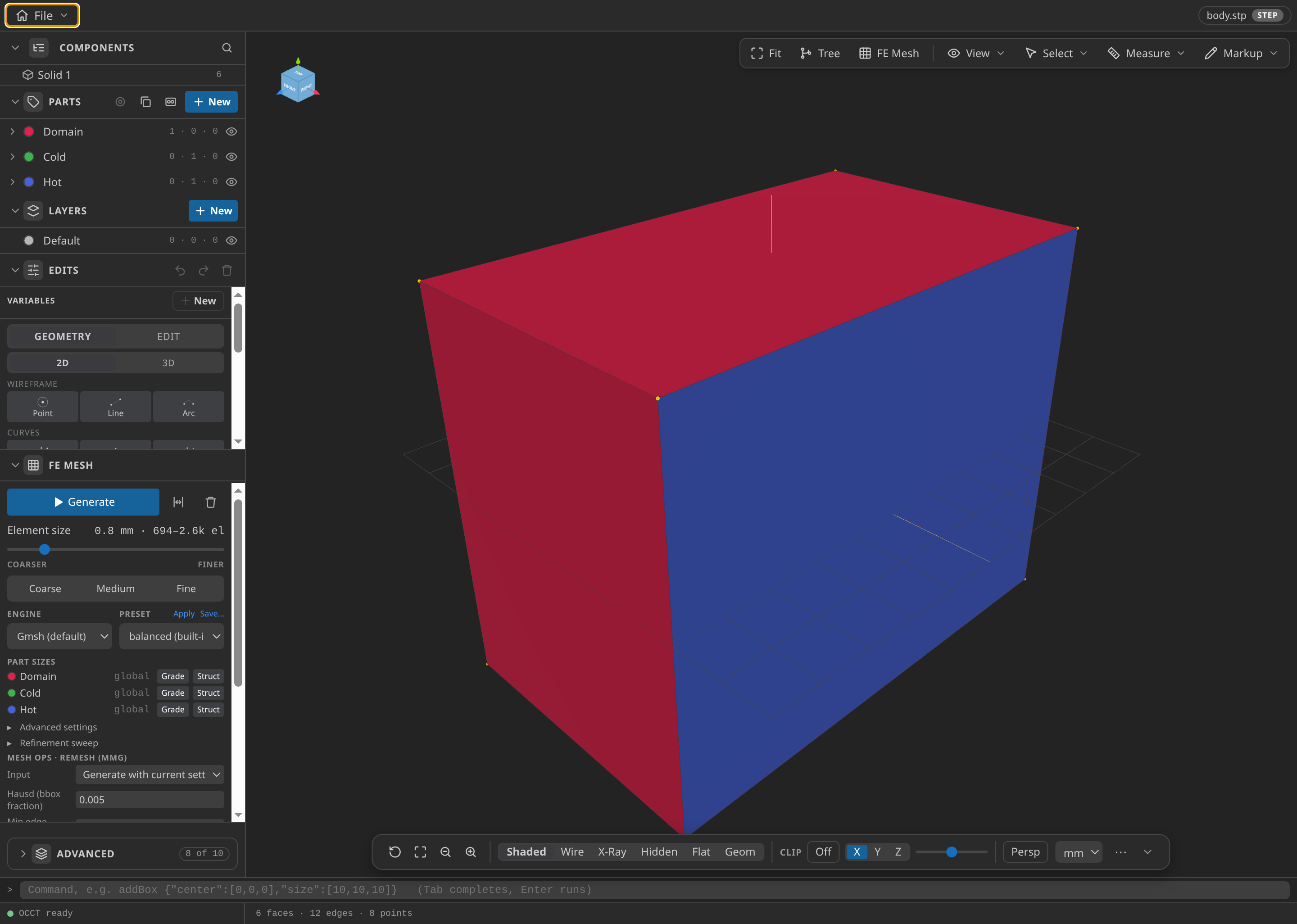
The block as loaded in Pre-Processing, before any Parts are named.
Name the Parts
In the Parts panel, use the entity tree and the selection highlights to create three Parts:
- Domain: the volume
solid-0, the whole block. - Cold: the face
face-3, the end on the −X side. - Hot: the face
face-5, the end on the +X side.
The mesh export turns each Part into a SubModelPart of the same name, and the Problemtype cards refer to those names. If Cold and Hot are swapped, the solver still converges, but to the reversed profile, and the check fails.
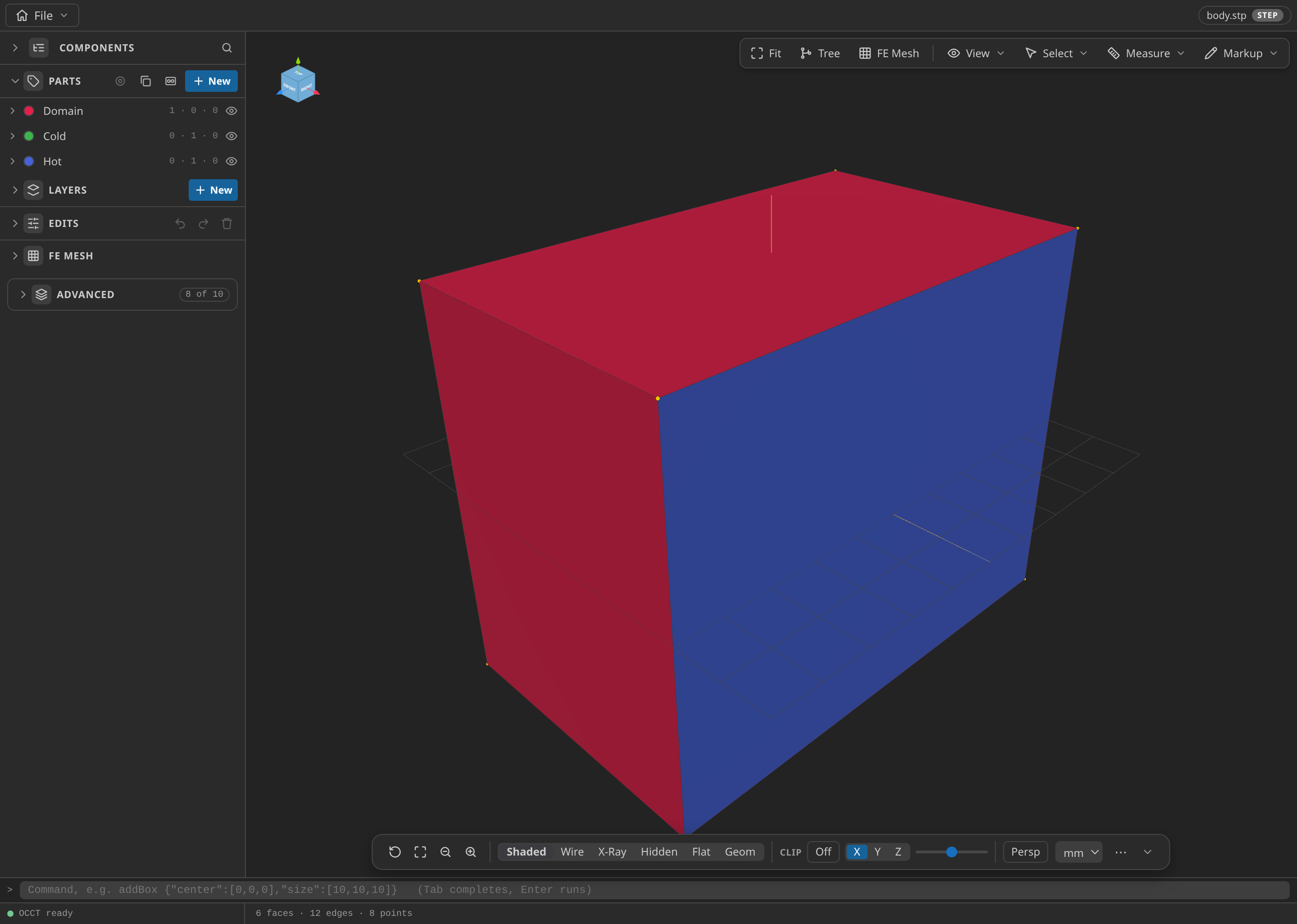
The CAD window with the Parts panel open, showing the named Parts: Domain, Cold and Hot.
Mesh
In FE Mesh, use the Gmsh mesher, the one the published record used. Set Dimension to 3D, Element order to first order, Element shape to simplex, and Size min and Size max to 0.8 (millimetres). Click Generate.
First-order tetrahedra represent a linear temperature field exactly, so the discrete answer should match the line up to the linear solver's tolerance.
Set Export format to Kratos MDPA — Elements + Conditions (.mdpa) and Export unit to m, then Export mesh.mdpa. The CAD geometry is in millimetres and the solver reads metres, so the unit matters.
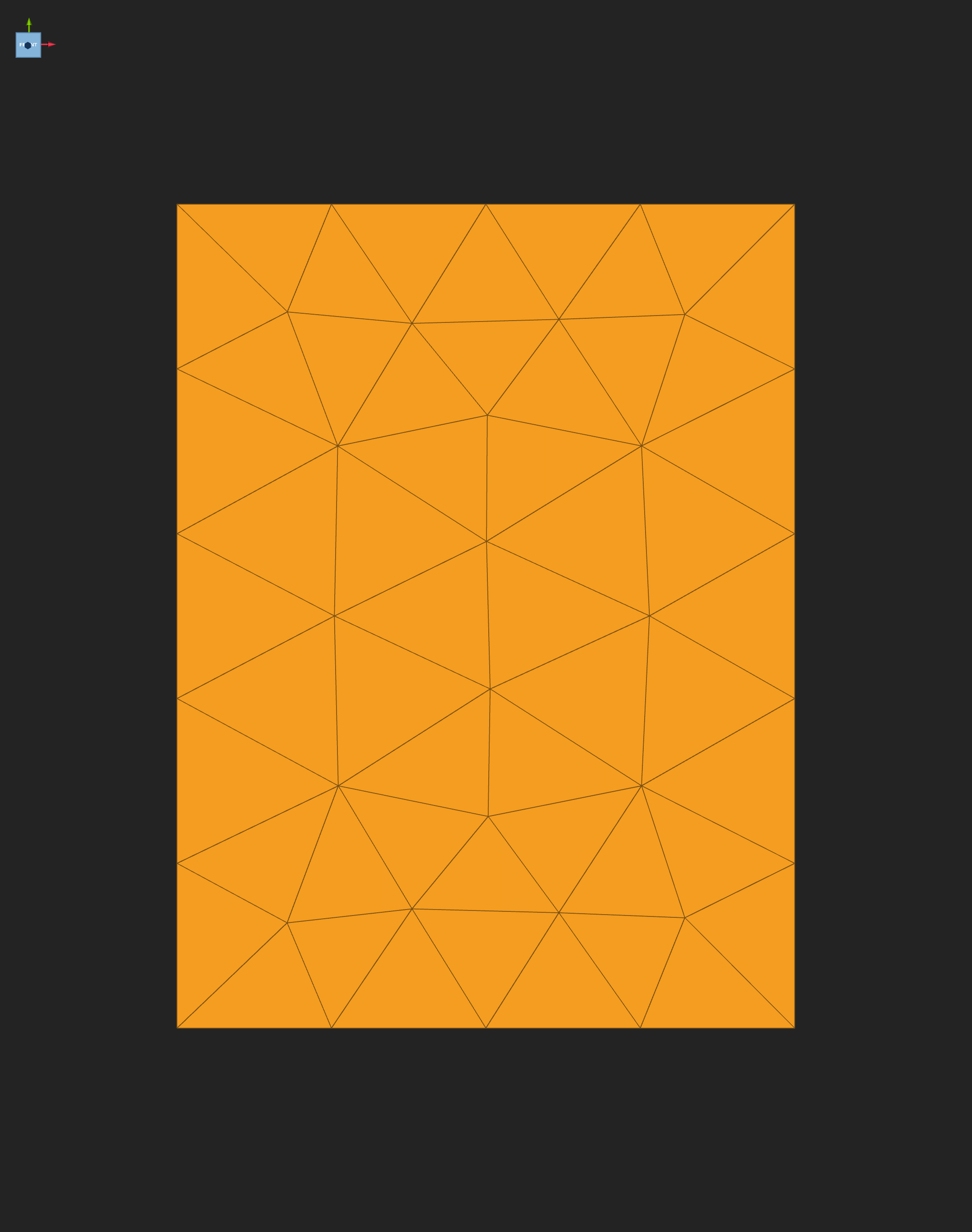
The exported mesh of the block, opened in Post-Processing.
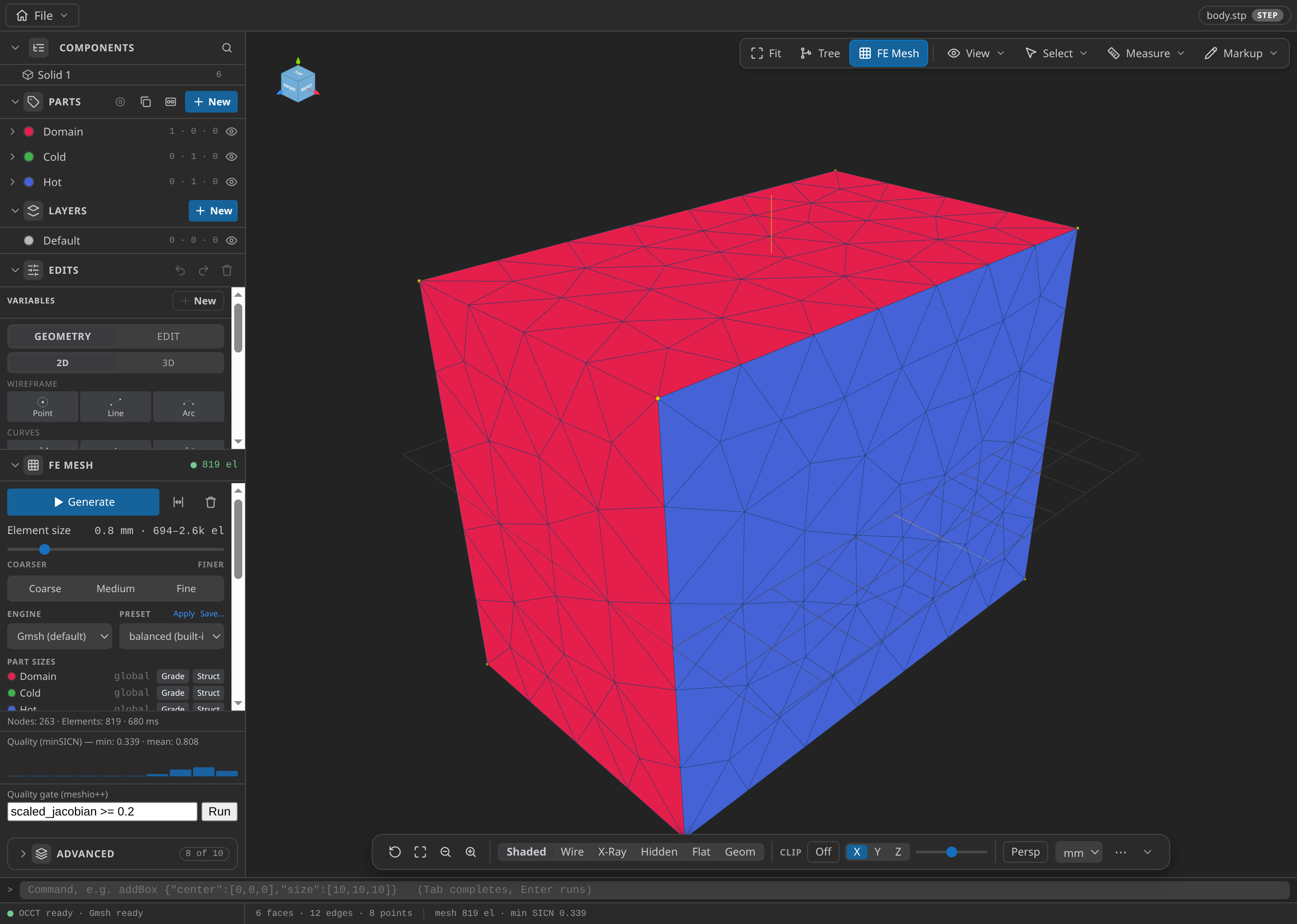
The CAD window after FE Mesh ▸ Generate: 263 nodes and 819 elements in this run, with the Parts panel open.
Configure the problemtype
Open mesh.mdpa in Post-Processing, and select Convection-Diffusion (thermal):
- Problem data, Analysis: Stationary. There is no time marching, so the time values define only the single step.
- Problem data, Time: time step 1 s and end time 1 s, giving one output frame at t = 1 s.
- Problem data, Linearity: Linear.
- Thermal body on Domain, with the thermal material assigned.
- Fixed temperature on Cold: 300 K. On Hot: 400 K.
- In Materials, on Domain: Density [kg/m³] 1000, Conductivity [W/(m·K)] 1, Specific heat [J/(kg·K)] 1000. The default specific heat is 4184, so change it.
Add no condition to the other four faces; their absence is the insulated boundary the physics assumes.
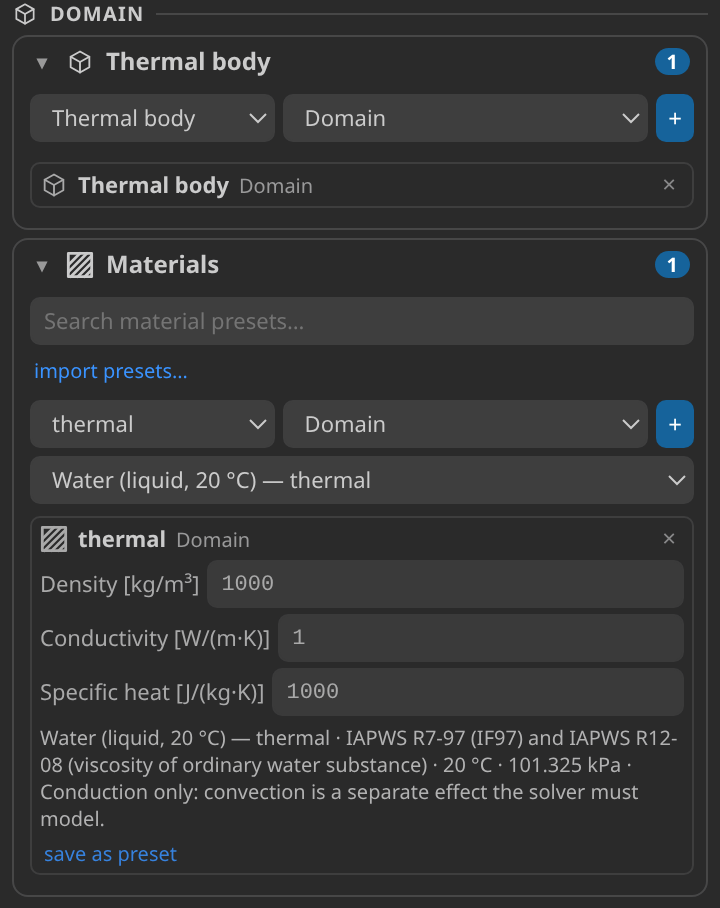
The Parts and Materials cards: the Domain Part and its thermal material.
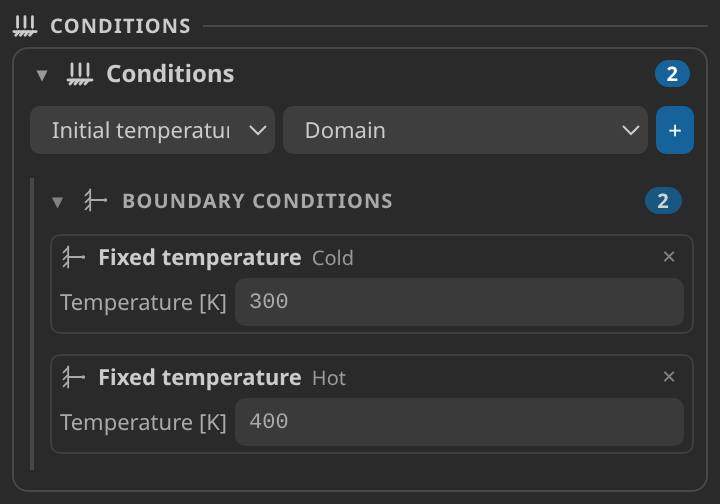
The Conditions card: 300 K on Cold and 400 K on Hot.
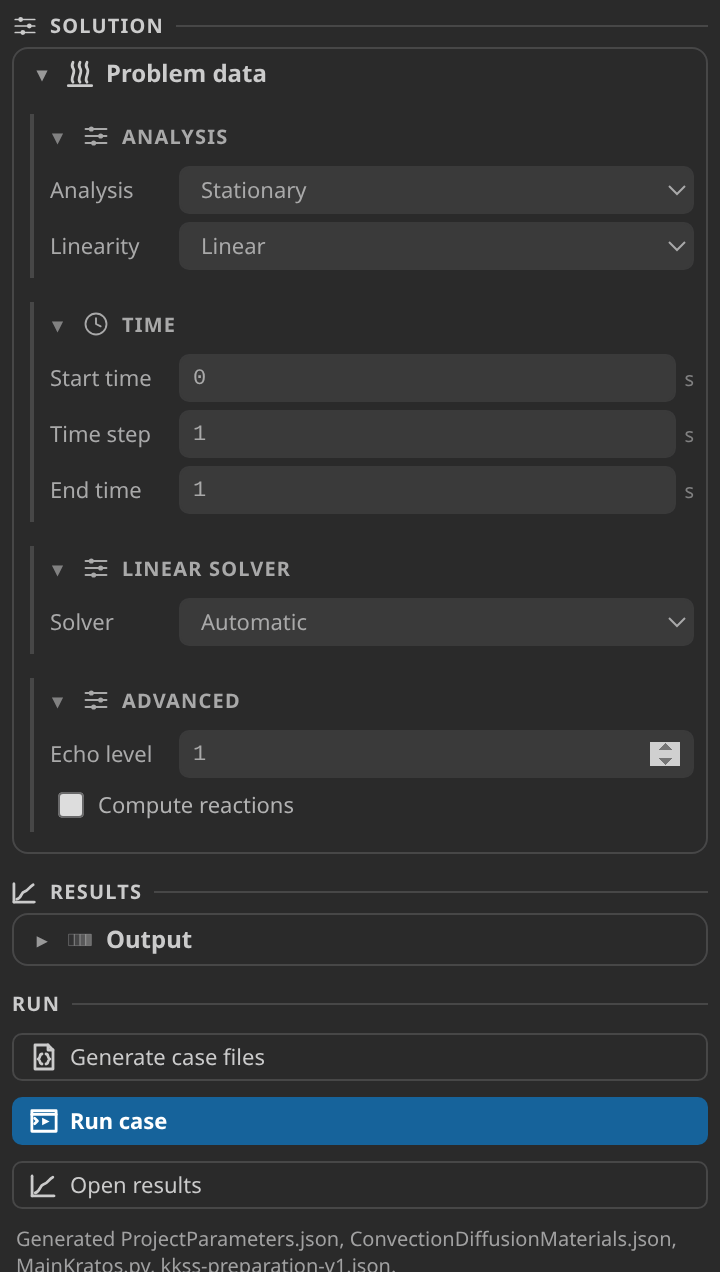
The Problem data form, the preflight report and the Generate button.
Generate and inspect the case files
Click Generate case files. A clean preflight report means the case generates. Open ProjectParameters.json and check that solver_type is stationary, that element_replace_settings names LaplacianElement and ThermalFace, that end_time is 1 and that the VTK output writes TEMPERATURE. In ConvectionDiffusionMaterials.json the Domain should show density 1000, conductivity 1 and specific heat 1000. If a value is wrong, correct the sidebar and generate again, because the next generate overwrites hand edits.
Run
Set Settings ▸ Kratos ▸ Python Interpreter to an environment with Kratos 10.4.3 and KratosConvectionDiffusionApplication, click Check environment on the Home screen, then click Run case. The stationary solve finishes quickly. The record used two OpenMP threads (OMP_NUM_THREADS=2).
Inspect the results
Click Open results and choose TEMPERATURE in the Field panel. The record has one frame, so there is no timeline to step through.
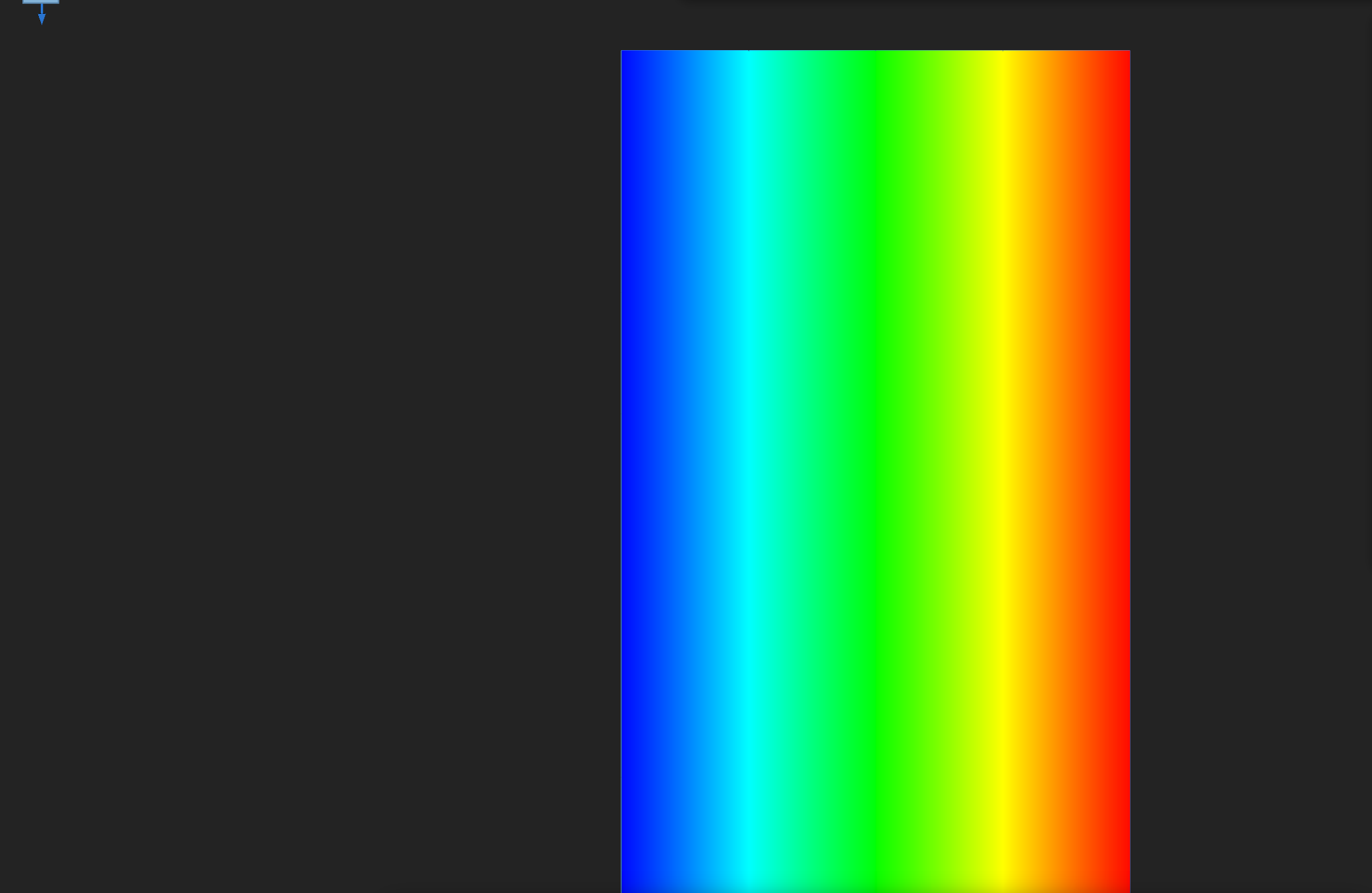
TEMPERATURE on the block at its output frame, seen from above. Colour changes only from the Cold face to the Hot face.
- Clip: turn clipping on with the Off button in the navigation bar, choose the Y axis and keep the plane position at 50. The cut shows the same cold-to-hot gradient.
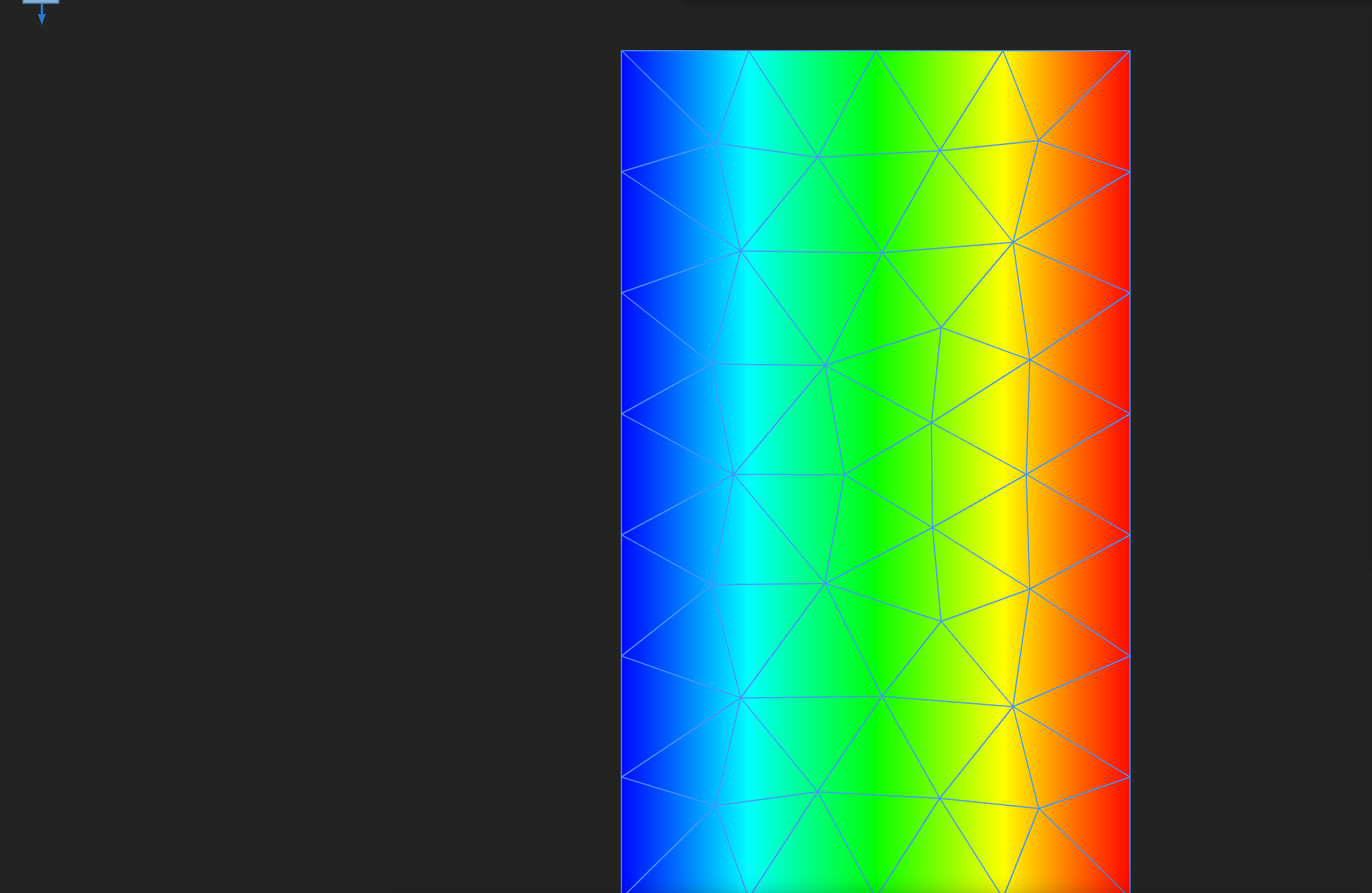
The field clipped along Y through the middle of the block. The temperature changes only with position along X.
- Isosurface: in the Field panel choose the Isosurface mode with count 1 and the value at 350 K. That level lies halfway between the faces, so for a linear profile it is a flat plane across the block. A bent or tilted surface points to a mesh or setup problem.
- Profile: TEMPERATURE sampled along a probe on the centre line, from the Cold face to the Hot face. It should be a straight line rising from the Cold value to the Hot value, which is what the check tests.
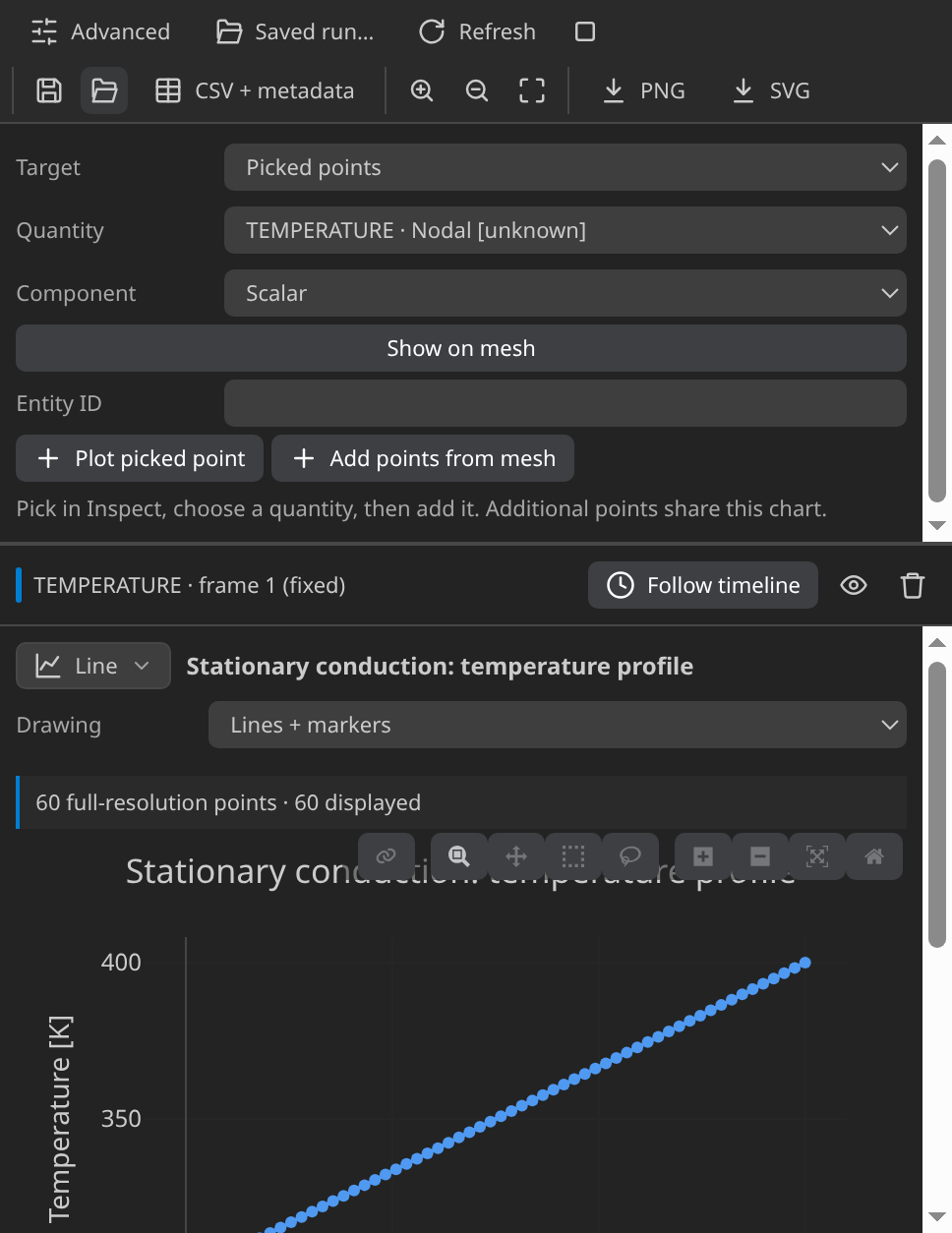
Temperature against distance along the centre-line probe, from the Cold face to the Hot face.
Build a probe yourself through Inspect ▸ Probe line. scientific plots describes the plot builder, and Reading a Kratos result in KKSS explains the Field panel, the timeline and plots.
Verify
The verifier reads the final frame, takes the straight line through the two end values along the block's X extent, and records the largest difference from it at any node. The limit is 0.001 K. The published run gives 0.000019 K, which is small against the 100 K rise between the faces.
Verified with Python 3.12.14, Kratos 10.4.3, 2 OpenMP threads: 263 nodes and 814 cells, 1 frame through t = 1.
| Check | Measured | Limit |
|---|---|---|
linear_temperature_error_K | 0.000019 | ≤ 0.001 |
These are tutorial checks with the tolerances shown, not formal solver certification.
If a re-run exceeds the limit, check the Parts first, then the lateral faces, which must carry no condition.
Troubleshooting
- The run fails at import. The interpreter lacks
KratosConvectionDiffusionApplication. Fix the setting and check the environment again. - TEMPERATURE is 400 K at the Cold end. The Cold and Hot Parts are swapped, or a Fixed temperature sits on the wrong Part.
- The field is not a straight line. A temperature condition on a lateral face changes the answer.
- The run stops early. Use File ▸ Stop Kratos Run, then read the last lines of the terminal log.
Variations to try
- Set the conductivity to 10 W/(m·K). The temperature line does not change, but the heat flux through the block grows tenfold. Confirm the profile check still passes.
- Make the solve transient. Set Analysis to Transient, add an Initial temperature condition (default 293.15 K) and use a 0.1 s step to 1 s. Density and specific heat now set how fast the block approaches the line.
- Put a fixed temperature on one side face. Predict the new profile before you run it.
Reproduce and download
Download the thermal case. It holds the CAD source, the generated case and the verification record, with SHA-256 hashes. To reproduce, unpack it into an empty folder, open body.stp in Pre-Processing and mesh.mdpa in Post-Processing, and run MainKratos.py with Kratos 10.4.3 and KratosConvectionDiffusionApplication, using OMP_NUM_THREADS=2. Downloaded cases are starting points: rerunning overwrites their generated outputs.