Weak CoSimulation flow over an elastic slab
A fluid channel runs over a thin elastic slab that is held at both ends, and the two are solved as separate Kratos participants. This case uses weak coupling: one data exchange per time step and no iteration. The page explains why the mass balance it leaves behind is looser than a strongly coupled run is expected to be, and where that shows in the results.
At a glance
| Mesh | 561 nodes, 1436 cells |
| Run | 3 frames, end time 0.15 |
| Kratos packages | KratosCoSimulationApplication==10.4.3, KratosFluidDynamicsApplication==10.4.3, KratosStructuralMechanicsApplication==10.4.3, KratosMappingApplication==10.4.3, KratosMeshMovingApplication==10.4.3 |
| Download | cosim case with its verification record |
KratosCoSimulationApplication, KratosMappingApplication, KratosMeshMovingApplication are not in the docker runtime’s pinned requirements yet; install them from the same Kratos 10.4.3 build.
What you will learn
- How the CoSimulation problemtype drives two solvers, and what a weak exchange does and does not check.
- Why the slab is dynamic and non-linear, and why both participants use Bossak.
- How the average-value predictor, the nearest-element mapper and ALE mesh motion each contribute.
- How to read an interface history and a mass balance as coupling diagnostics.
The physical model
Two touching boxes make the model. A 2.0 × 0.6 × 0.1 m fluid channel sits on a 2.0 × 0.05 × 0.1 m elastic slab held at both ends (x = 0 and x = 2 m), so the flow bends it like a thin beam. The fluid is Newtonian (density 1000 kg/m³, dynamic viscosity 0.6 Pa·s), with a 0.1 m/s inlet in +X, a 0 Pa outlet and slip walls. The slab is linear elastic (E = 500 MPa, ν = 0.3, density 1000 kg/m³).
The solvers hand data over once per step. The fluid's reaction on the shared face becomes the slab's load, the slab returns its displacement, and the fluid mesh follows through ALE mesh motion with structural similarity. Weak coupling (gauss_seidel_weak) does this exactly once per step, with no convergence check, so every step of the convergence log reads "none (weak coupling)". The average-value predictor (average_value_based) starts each step's interface guess from the values before it, and the nearest-element mapper (nearest_element) carries data between the meshes.
The slab is dynamic and non-linear because a linear analysis assembles its stiffness once and never sees the load that the coupling transfers each step. Both participants use Bossak, since BDF2 segfaults on this Kratos branch with the 3D monolithic fluid.
Weak coupling accounts for the mass balance. The interface moves once per step from the previous step's data, so the volume the moving fluid domain sweeps is not reconciled inside the step. A strong run iterates each step until the interface agrees. The variation at the end of this page does that, and is expected to tighten the balance; it is not run here.
Create the geometry
- Open
cad/examples/BREP/blank.brepin CAD mode. - Use the Box sketch operation twice: a 2000 × 600 × 100 mm fluid box centred at (1000, 300, 50) mm, and a 2000 × 50 × 100 mm structure box centred at (1000, −25, 50) mm. The boxes touch on the y = 0 face.
- The export fragments the touching volumes, so the shared face is meshed once.
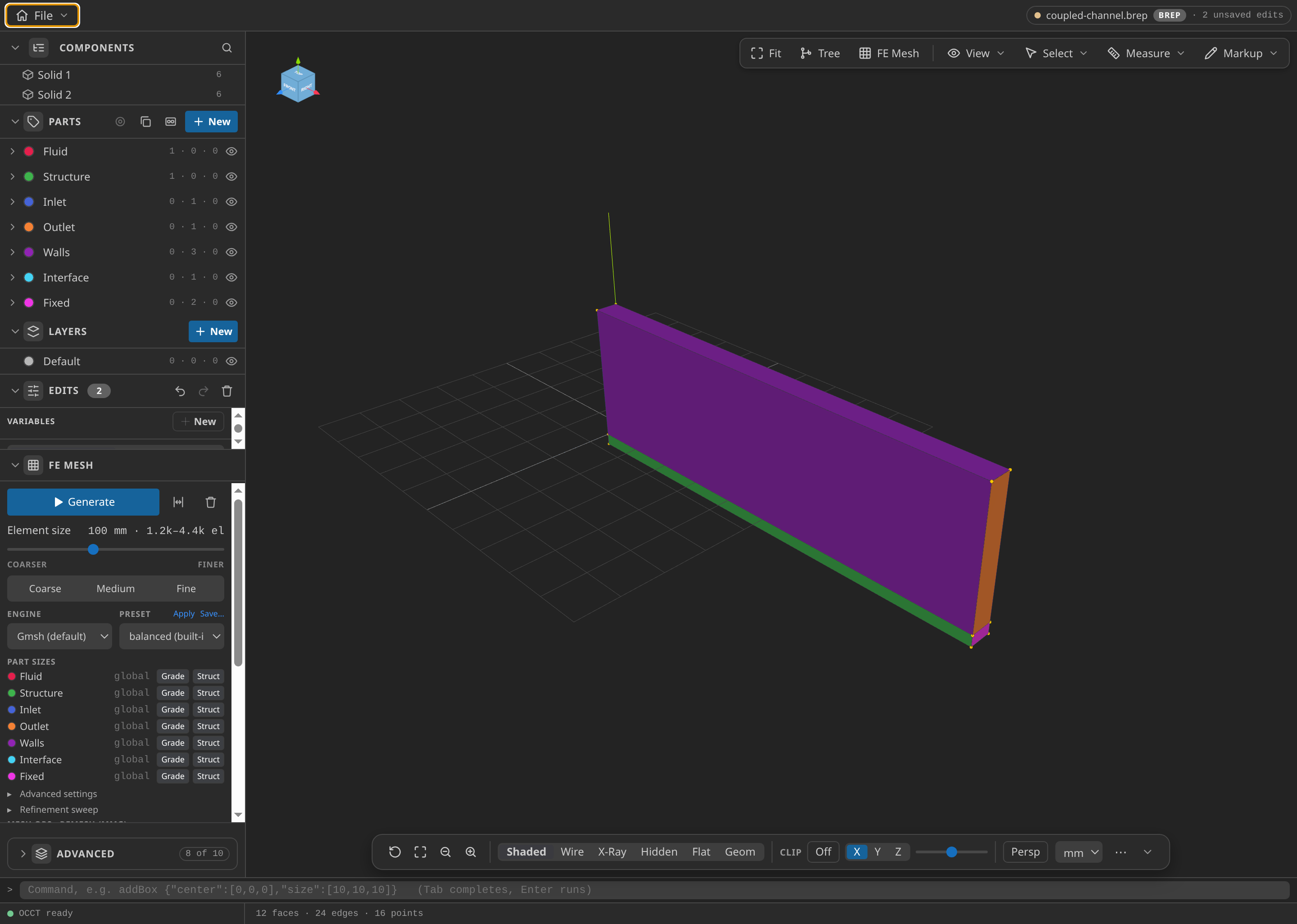
The fluid box above the slab, in CAD mode.
Name the Parts
Name the upper volume Fluid and the lower volume Structure. On the fluid, name the x = 0 face Inlet, the x = 2000 mm face Outlet, and the top, front and back faces Walls. Name the shared y = 0 face Interface once, marked as the coupling surface on both sides. Name the slab's two end faces Fixed. Use Solid selection for the bodies and Surf for boundaries.
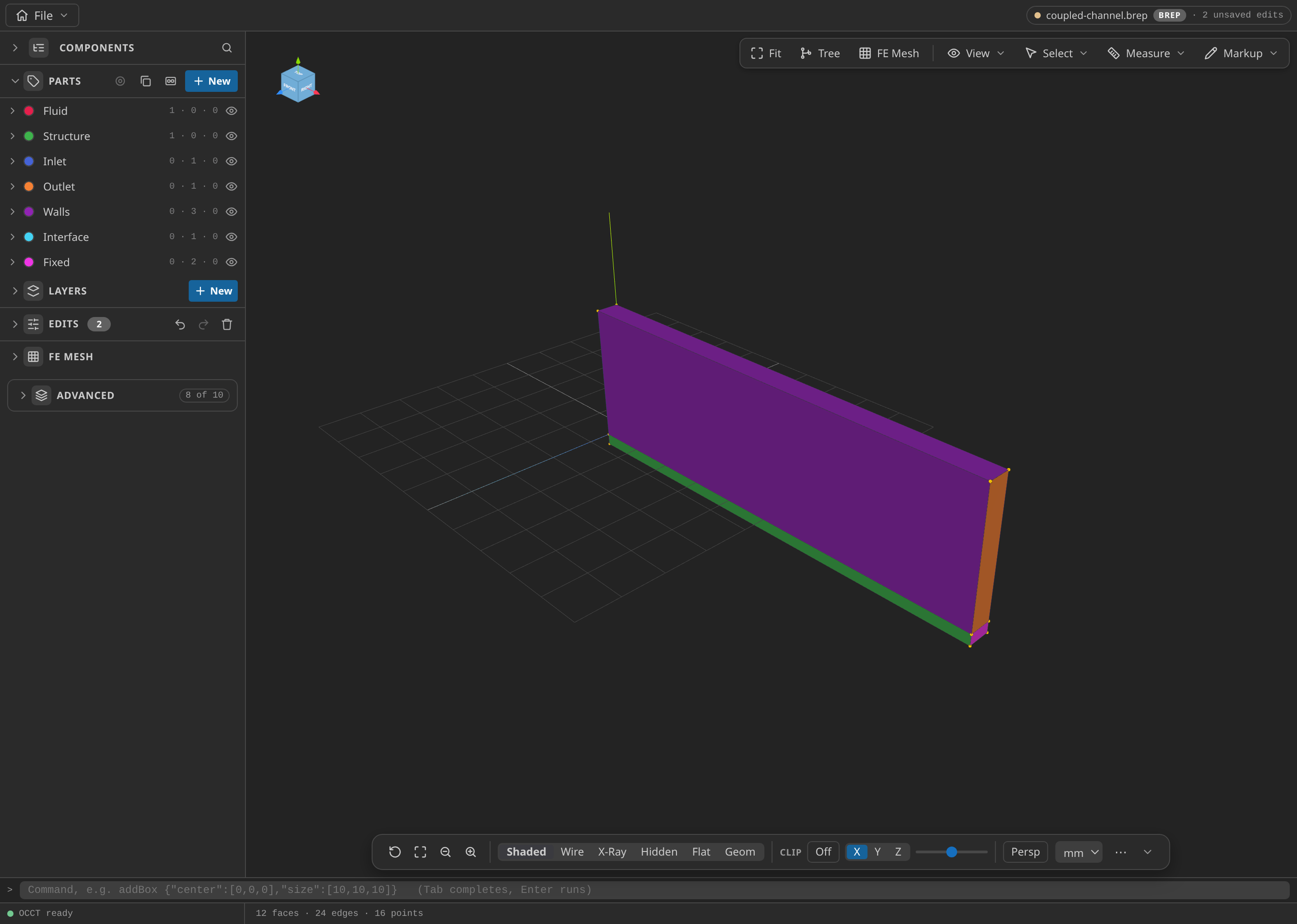
The CAD window with the Parts panel open, showing the named Parts.
Mesh
Under FE Mesh, choose Gmsh, 3D, first-order tetrahedra, with global size min/max 100/100 mm. The size is uniform on purpose: the shared face must mesh identically from both volumes, so it cannot be graded. Choose MDPA Elements, set the export units to m, and export as mesh.mdpa. The published mesh files hold 392 fluid nodes with 1055 tetrahedra and 169 structure nodes with 381 tetrahedra: 561 nodes and 1436 cells in all.
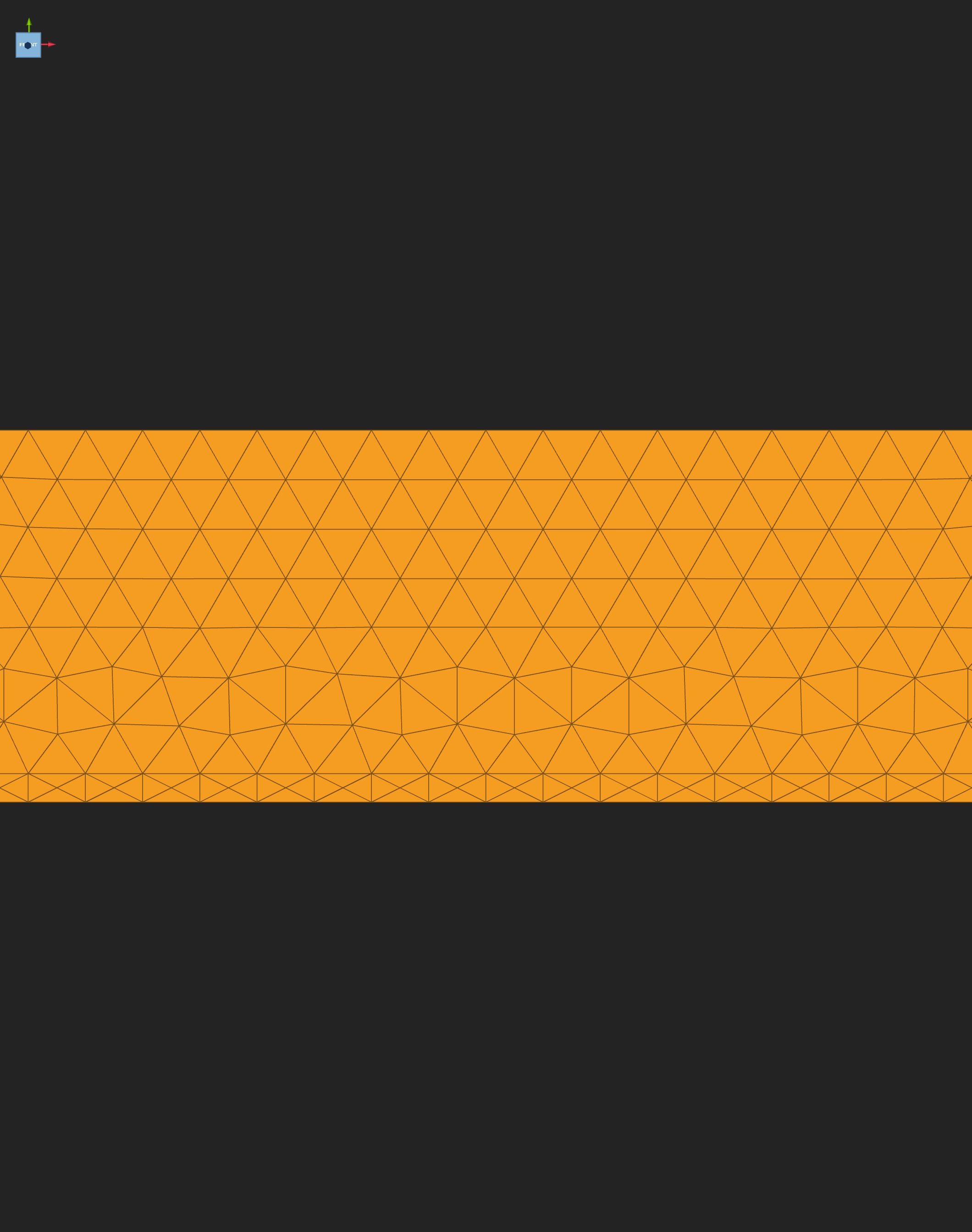
The uniform 100 mm tetrahedral mesh of both bodies, with the shared interface face between them.
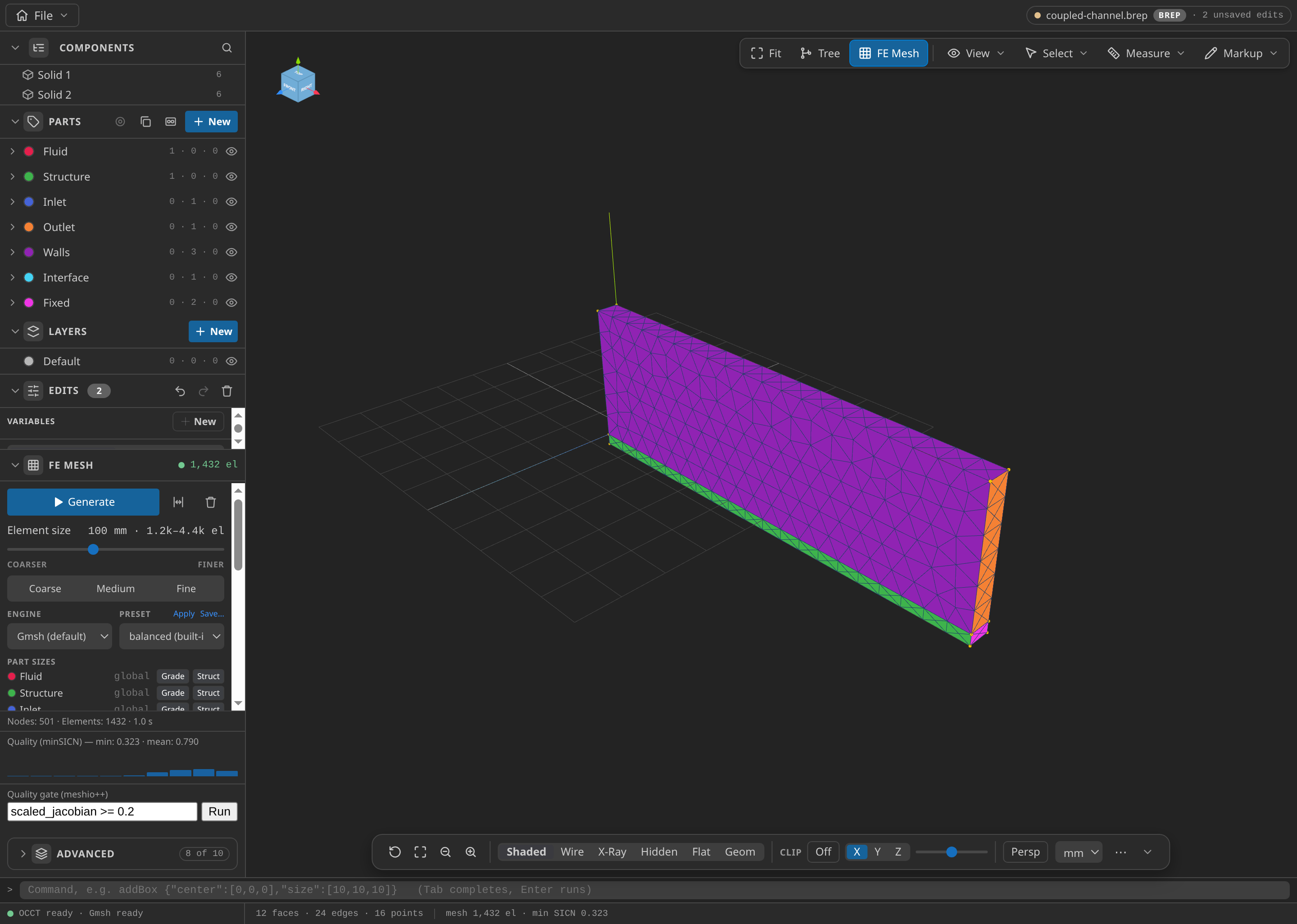
The CAD window after FE Mesh ▸ Generate: 501 nodes and 1,432 elements in this run, with the Parts panel open.
Configure the problemtype
Select Generic Coupling (CoSimulation) and set:
- Coupling: Weak. Predictor: Average value. Mapper: Nearest element. Move the fluid mesh (ALE): on.
- Time: fluid time step 0.05 s, end time 0.15 s (three steps). Bossak for both participants. Compute reactions on the fluid, so the slab receives the flow force.
- Conditions: 0.1 m/s in +X at
Inlet; 0 Pa atOutlet; slip onWalls;Interfaceon both sides; ALE mesh displacement onInlet,OutletandWalls; zero displacement onFixed. - Materials: fluid 3D Newtonian (1000 kg/m³, 0.6 Pa·s); slab 3D linear elastic (E = 500 MPa, ν = 0.3, 1000 kg/m³).
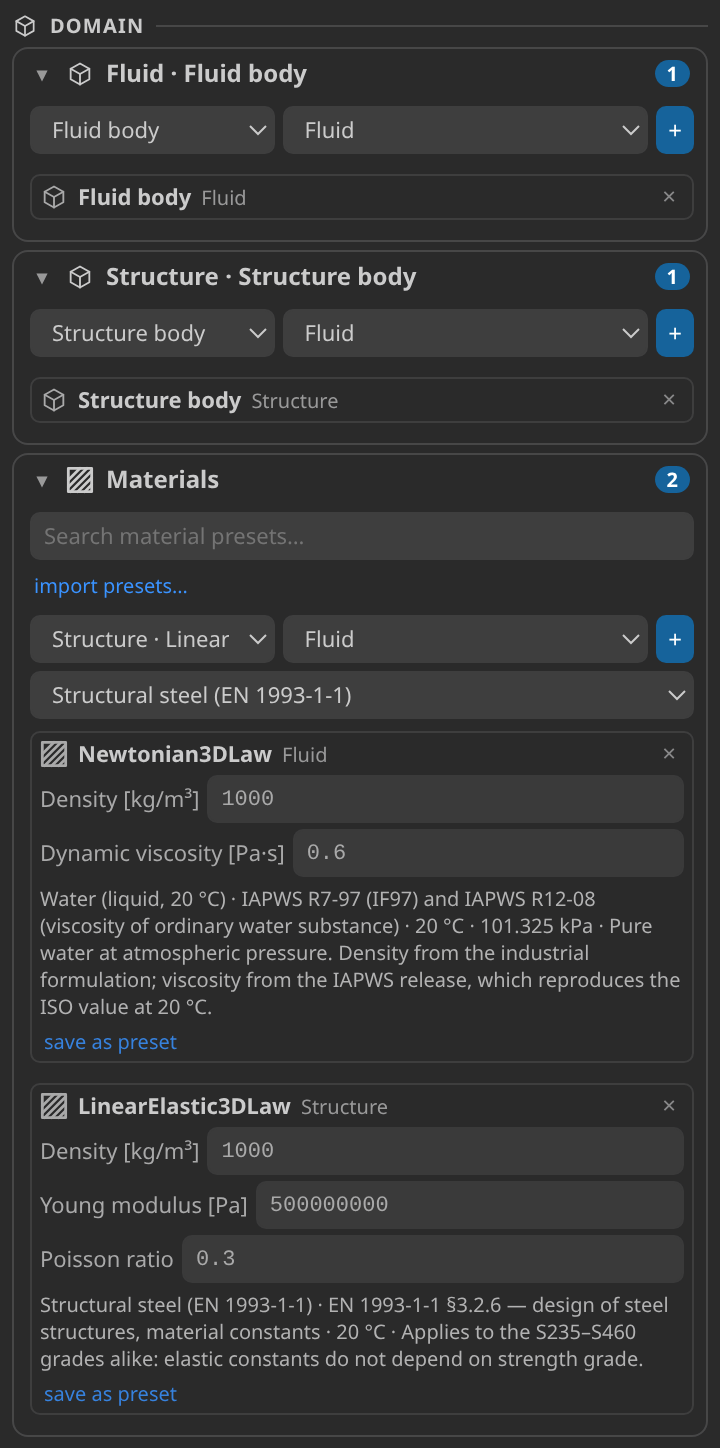
The setup card, with the CoSimulation problemtype and its two participants.
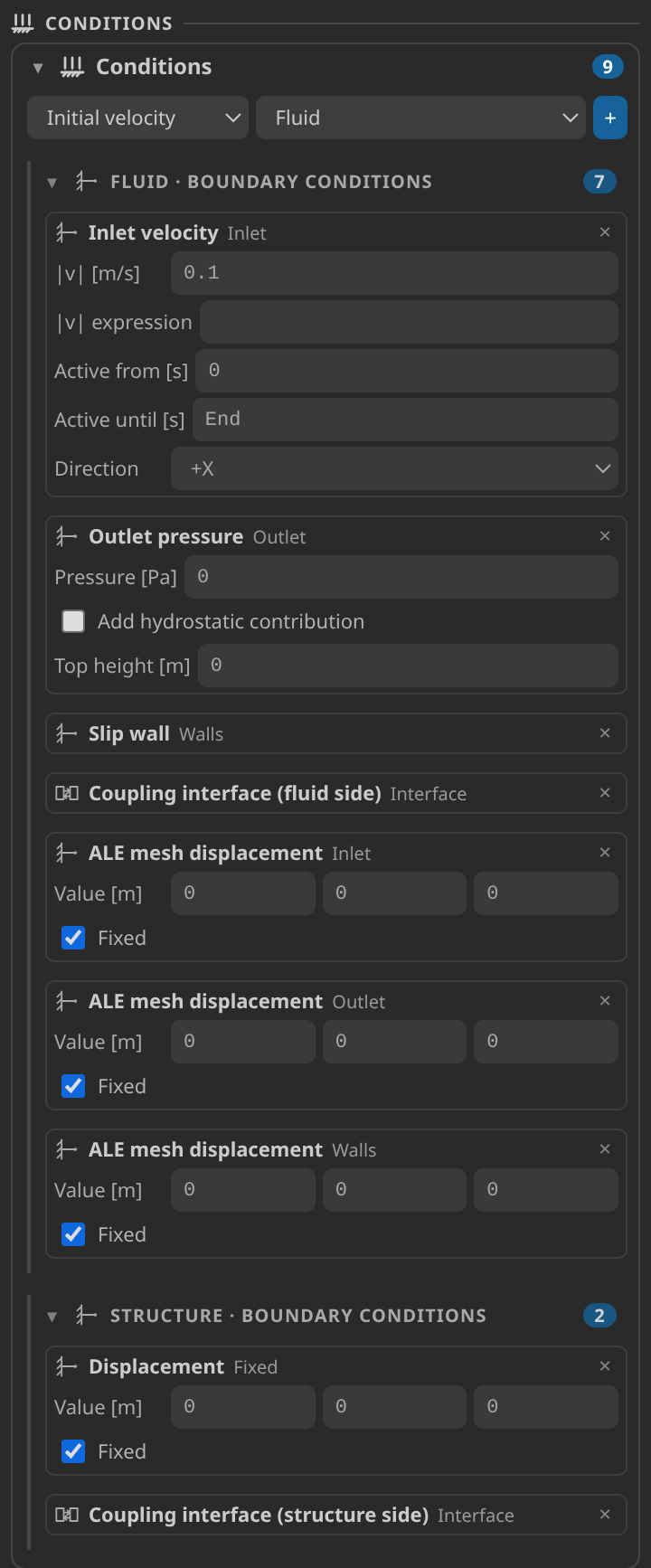
The Conditions card: the inlet, the ALE boundaries and the interface on both sides.
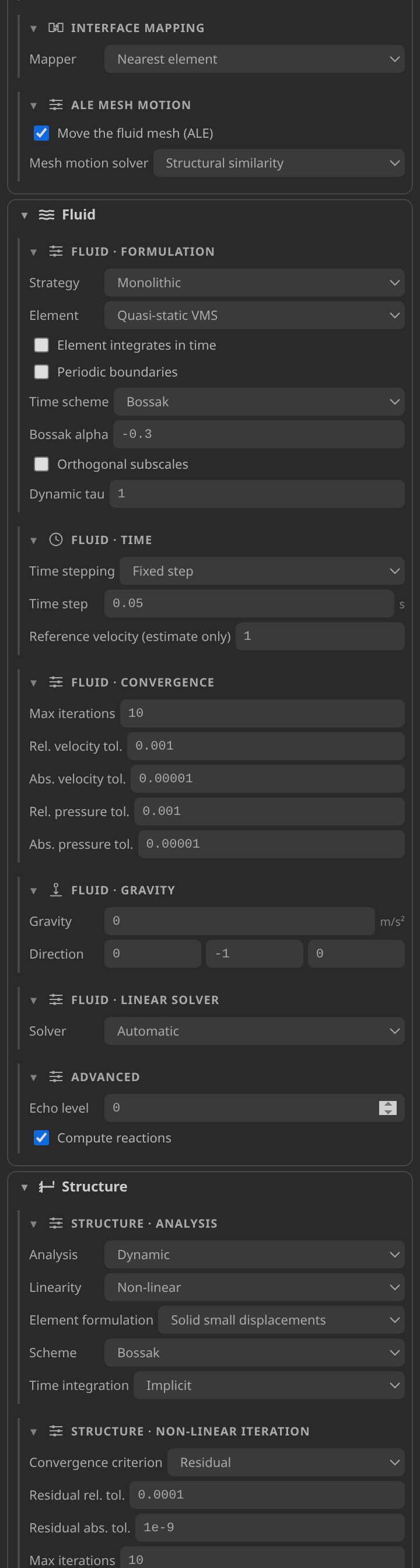
The Solver card, with the settings written for each participant.
Generate and inspect the case files
Click Generate case files. A coupled case writes:
ProjectParametersCoSim.json, the coupling driver: weak Gauss–Seidel coupling, the average-value predictor, the nearest-element mapper and the coupling sequence.ProjectParametersCFD.json, the fluid participant, anale_fluidsolver with structural-similarity mesh motion.ProjectParametersCSM.json, the structure participant.FluidMaterials.jsonandStructuralMaterials.json, one materials file per domain.MainKratosCoSim.py, the driver the run starts.mesh_Fluid.mdpaandmesh_Structural.mdpa, sliced frommesh.mdpa, withmesh.kratoscase.jsonandrecipe.jsonbeside them.
The published folder also holds verification.json and the convergence log of the verified run, kkss-convergence-v2.jsonl, with three step records and an end record. Read any generation warnings under the Problemtype panel first.
Run
Set Settings ▸ Kratos ▸ Python Interpreter to a Python that imports Kratos Multiphysics 10.4.3 with CoSimulationApplication, FluidDynamicsApplication, StructuralMechanicsApplication, MappingApplication and MeshMovingApplication. Check environment on the Home screen confirms it.
Click Run case. After the driver's import check, it starts MainKratosCoSim.py in the embedded terminal. The verified run used OMP_NUM_THREADS=2. Each of the three steps writes a record to kkss-convergence-v2.jsonl. Those records carry no residual, so the convergence is reported as unavailable. That is correct for a weak run, and it never means converged.
Inspect the results
Click Open results. A Post-Processing tab opens at the latest complete step, step 3 of 3, and the document chip names the open file. Open the slab's output in a second tab with File ▸ New Mesh Tab, then File ▸ Open… and the last Structure_ file.
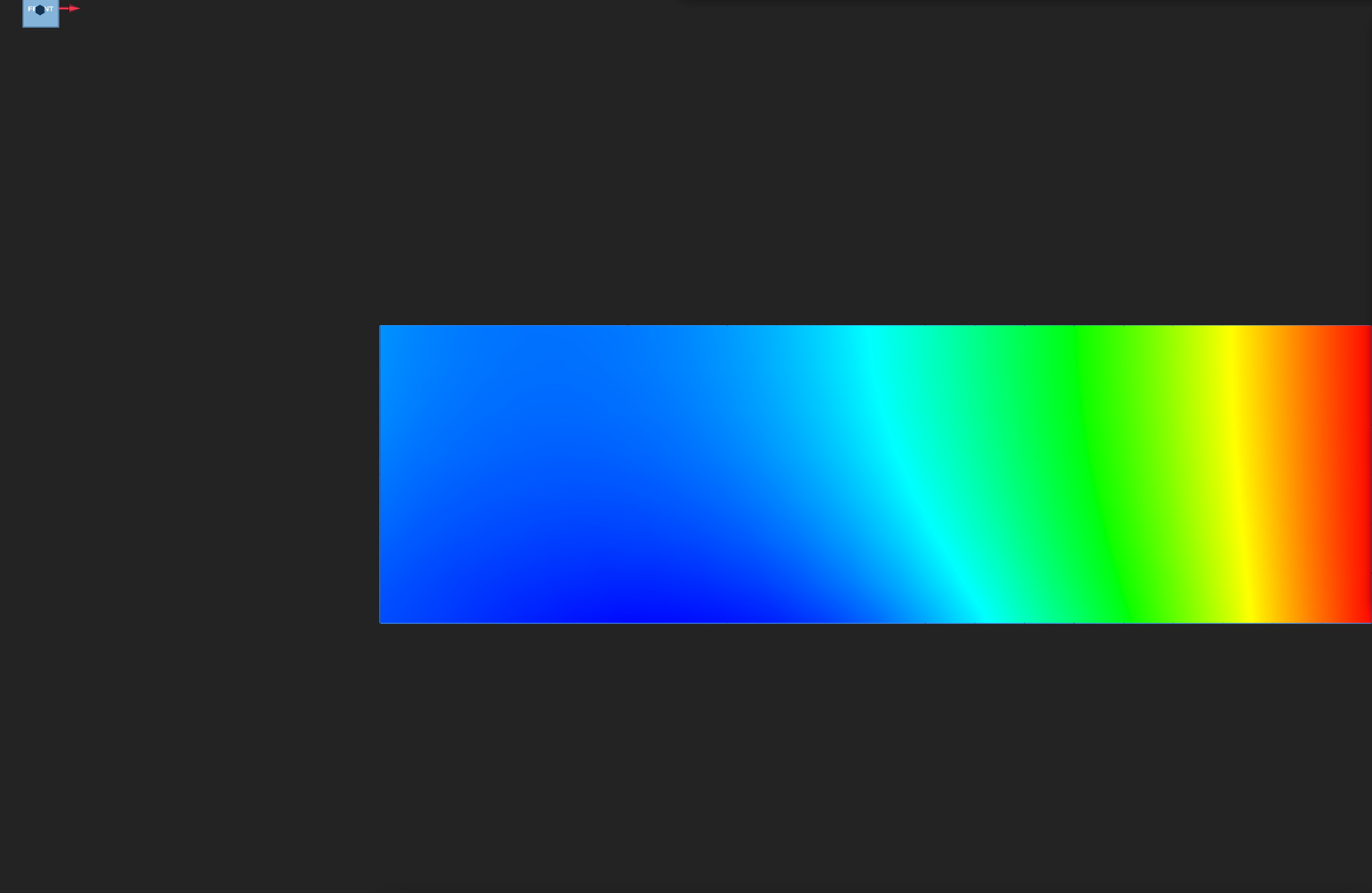
In the fluid tab, select Field and VELOCITY. In the slab tab, select DISPLACEMENT, turn on Deformed, set Warp scale to 200×, and press 5 for the front view, as in the displacement animation below. The warp is display only: every number in the Field panel and the plots is the solver's own. The slab's motion is read from the interface-displacement history below. For the field controls, see Reading a Kratos result in KKSS.
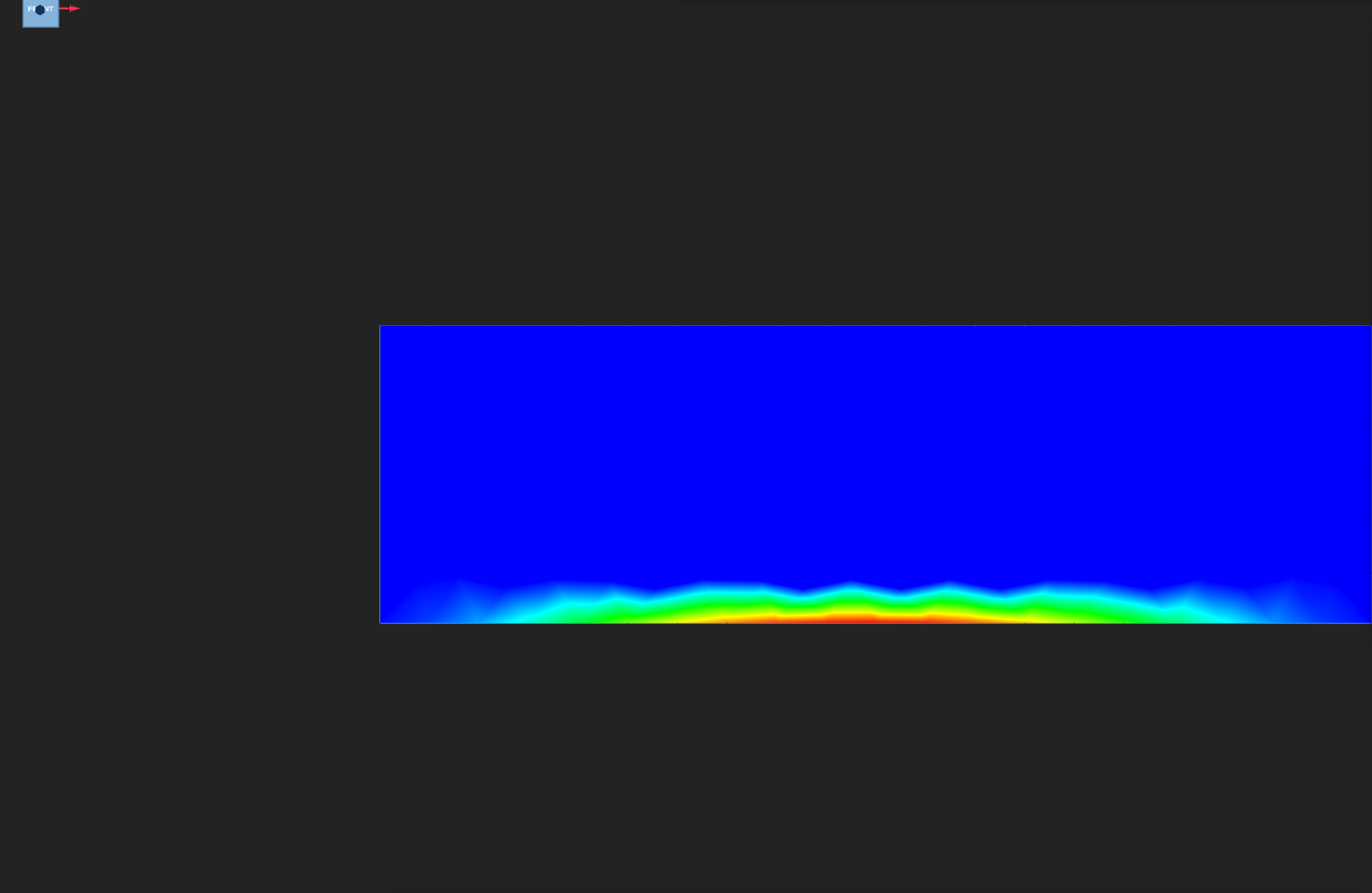
The interface history is the vertical displacement of interface node 89 at the three output steps (0.05, 0.10 and 0.15 s): −1.90 mm, then −0.42 mm, then +1.54 mm. The node dips, nearly returns, and then swings up past zero. That leapfrog-like swing is the signature of weak coupling: each step's structure response lags the load it was given, so the interface overshoots. The pressure history follows interface node 121: 2869 Pa at the first output step, about zero at the second, and −1581 Pa at the third. Its sign change matches the displacement swing.
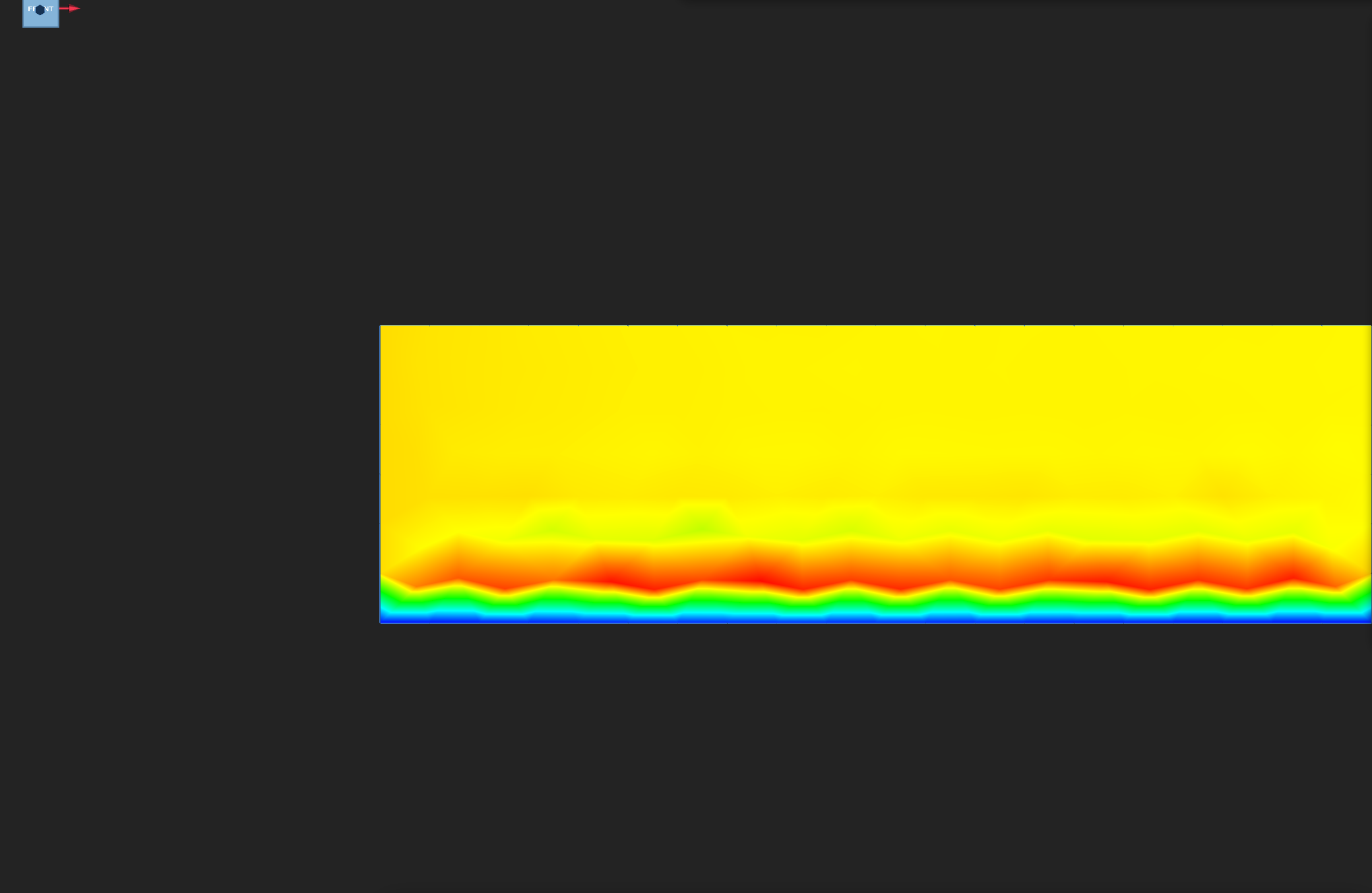
Fluid VELOCITY on the final frame, automatic colour range.
Fluid PRESSURE on the final frame, automatic colour range.
MESH_DISPLACEMENT on the final frame: the fluid mesh moves with the slab.
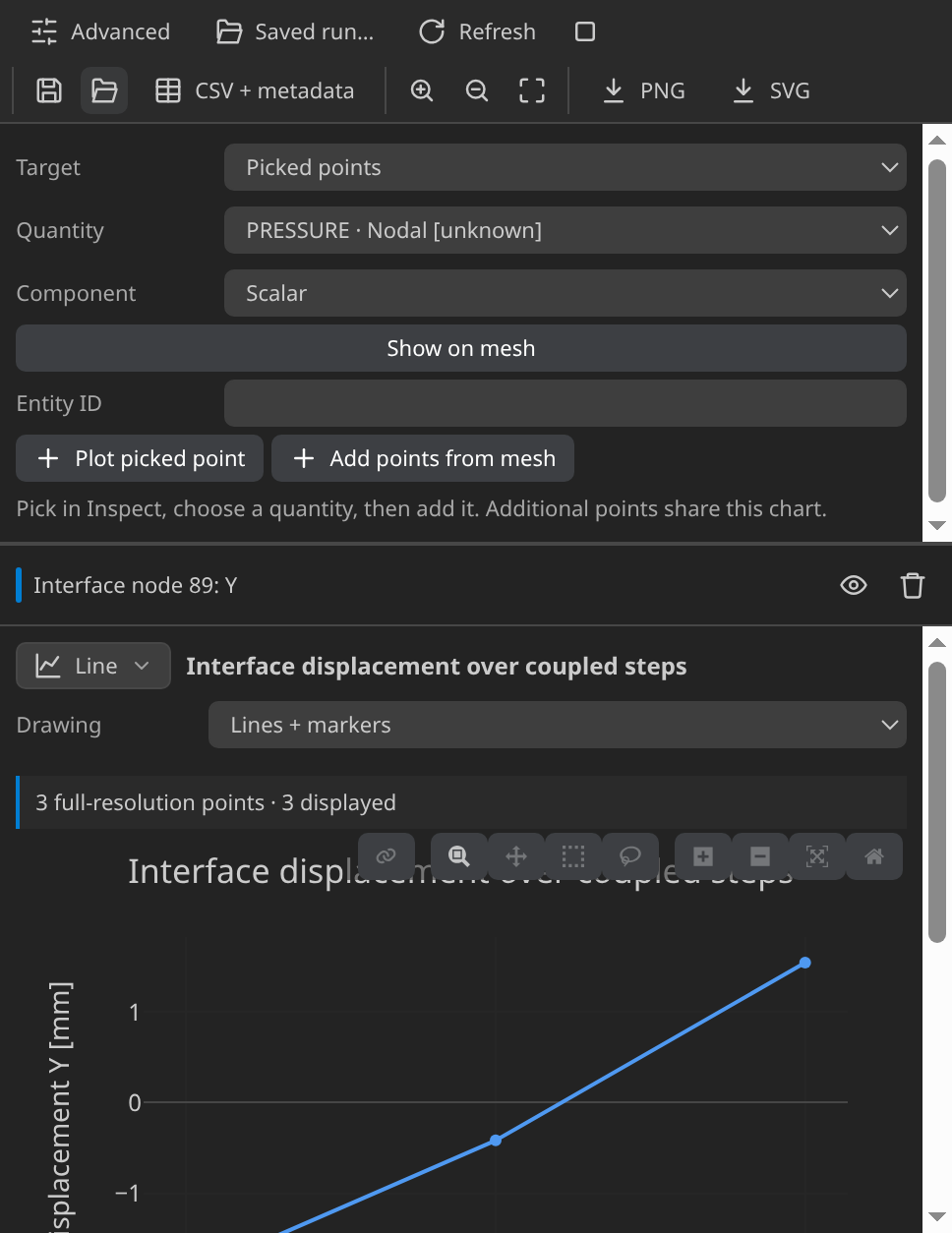
Vertical displacement of interface node 89 at the three output steps. Look for the reversal described above.
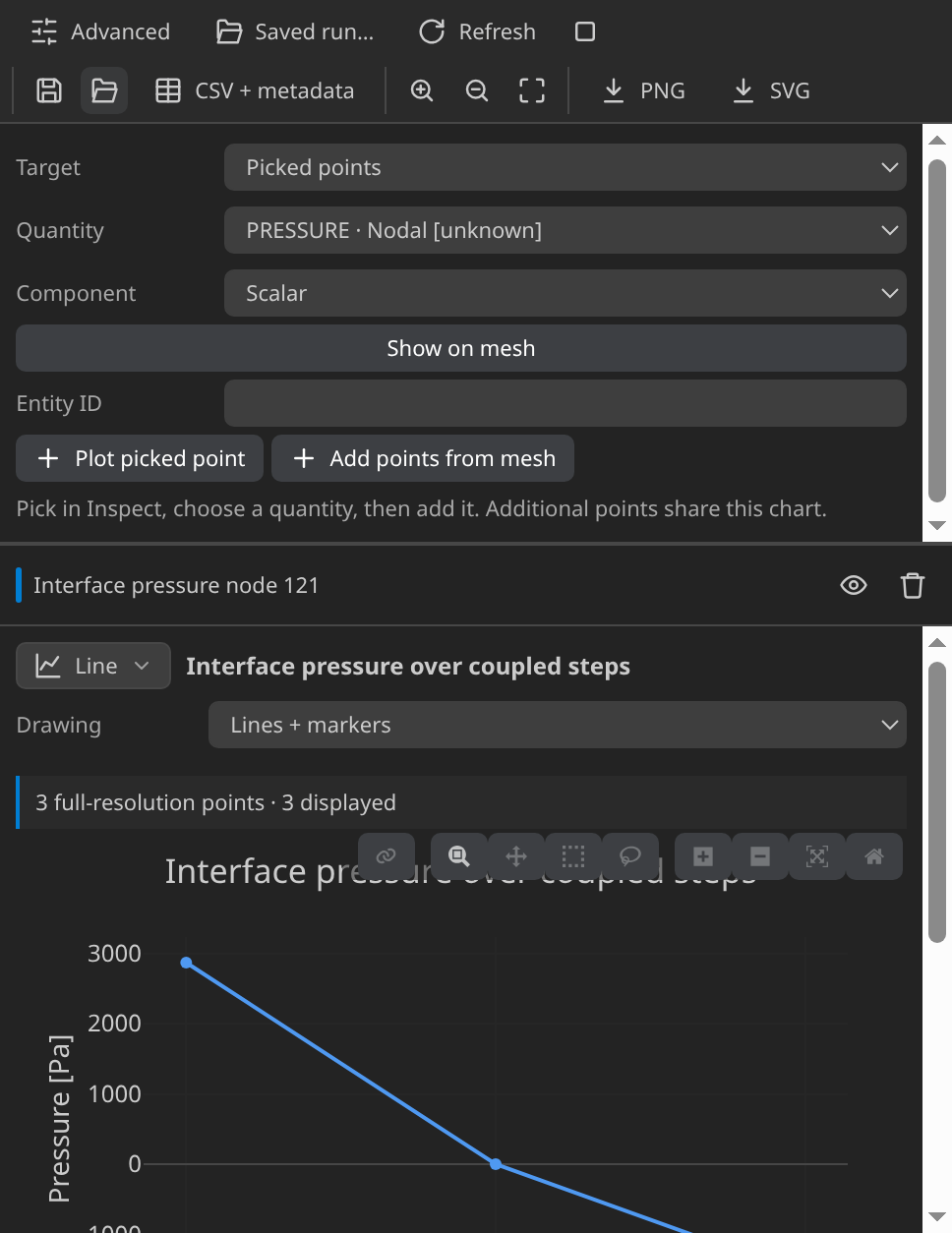
Pressure at interface node 121 across the three output steps.
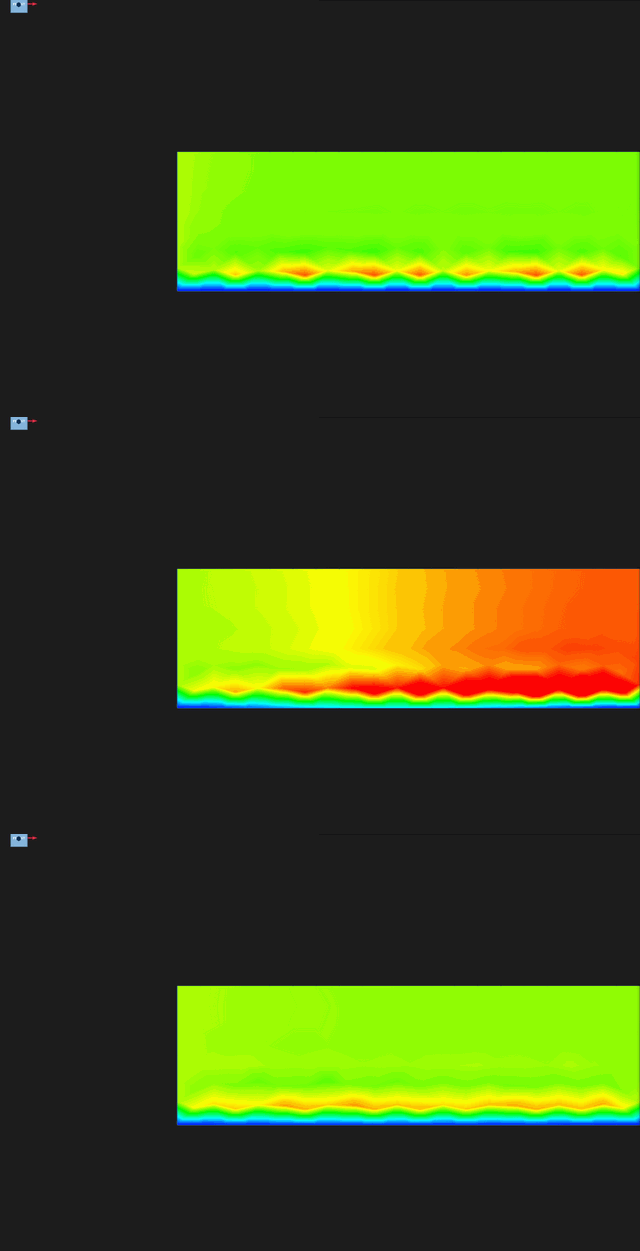
VELOCITY at the first and last output steps, colour pinned at 0 to 0.15 m/s.
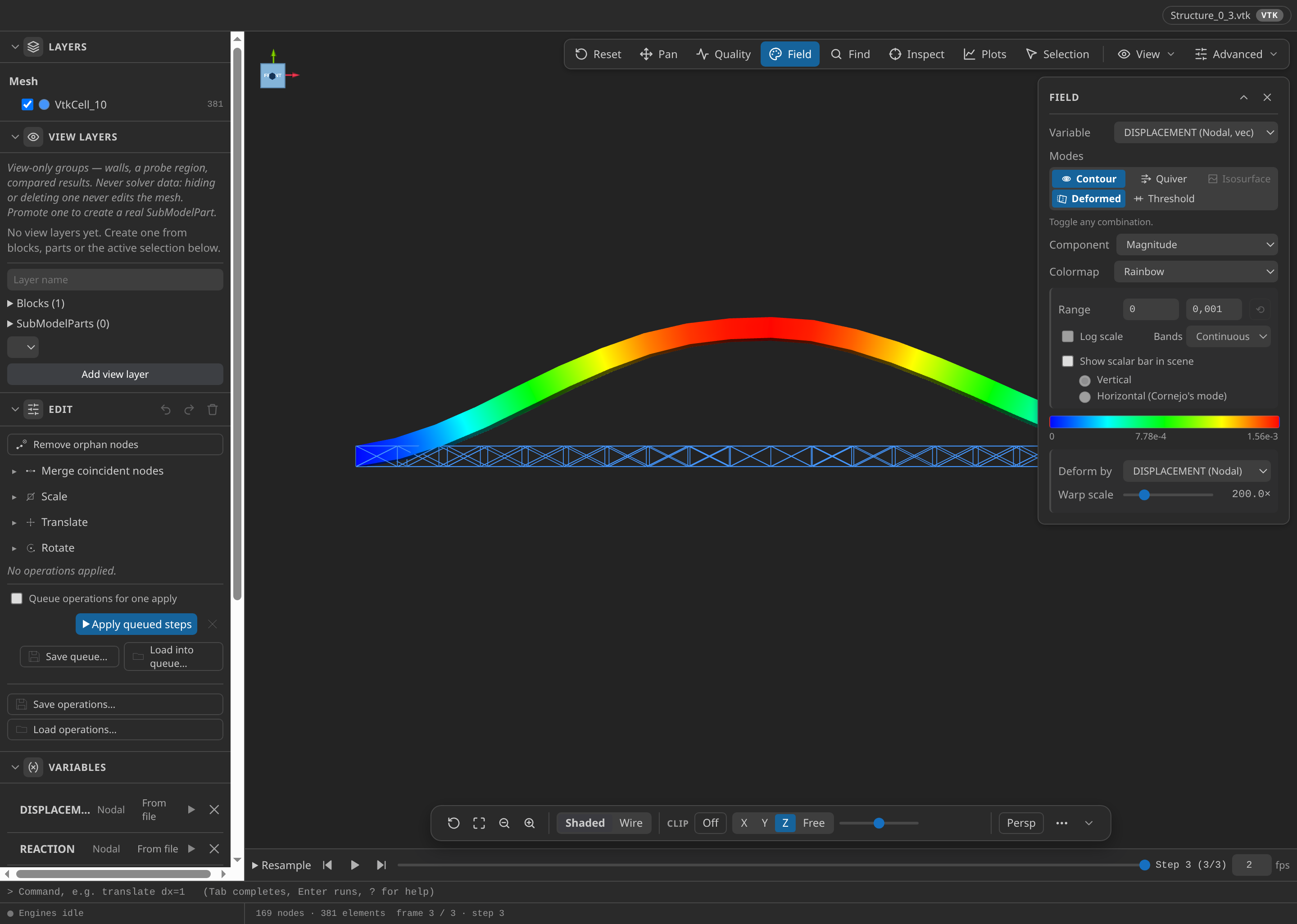
The structure slab at the last output step, t = 0.15 s, coloured by displacement magnitude from 0 to 1.56 mm and drawn at a 200× warp for display. The interface node moves +1.54 mm, so the arch is exaggerated.
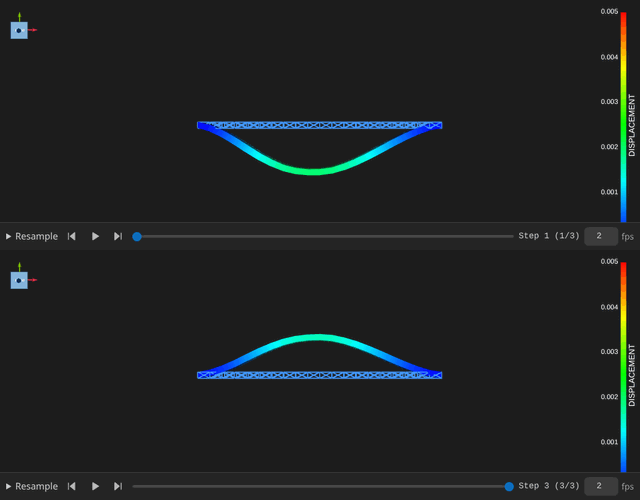
Structure DISPLACEMENT at the first and last output steps, at warp 200× (display only), colour pinned at 0 to 5 mm.
Verify
The verifier checks the final frame and the three steps. The checks that matter most:
- Inlet and outlet. The inlet velocity matches its 0.1 m/s profile exactly (error 0, against 10⁻⁶ m/s), and the outlet holds 0 Pa (error 0, against 10⁻⁶ Pa). The two corner nodes where the inlet meets the interface follow the moving wall and carry zero speed in the final frame. They pull the 20-node inlet-face mean down to 0.09 m/s, the 0.01 m/s deviation in the table, inside its 0.02 m/s limit. The outlet mean of 0.087 m/s is informational only.
- Mass balance. The net flux through the inlet and outlet, integrated over the frames, plus the change in the moving fluid volume should cancel. The residual, relative to the 2.83 × 10⁻⁴ m³ the inlet delivers in one step, is 19.6 % against a 35 % limit. Over the run the fluid volume shrinks by 1.54 × 10⁻⁴ m³, the squeeze that makes the balance non-trivial.
- Structure motion. The peak displacement is 1.555 mm, against 20 mm.
- Coupling. Each of the three steps took one iteration, and none was flagged as unconverged.
Verified with Python 3.12.14, Kratos 10.4.3, 2 OpenMP threads: 561 nodes and 1436 cells, 3 frames through t = 0.15.
| Check | Measured | Limit |
|---|---|---|
inlet_velocity_error_m_per_s | 0 | ≤ 0.000001 |
interface_corner_speed_m_per_s | 0 | |
outlet_pressure_error_Pa | 0 | ≤ 0.000001 |
inlet_face_mean_m_per_s | 0.01 | ≤ 0.02 |
outlet_face_mean_m_per_s | 0.08695189 | |
inlet_face_nodes | 20 | |
outlet_face_nodes | 20 | |
delivered_volume_m3 | 0.0002833333 | |
fluid_volume_change_m3 | -0.0001539843 | |
ale_mass_balance_error | 0.1955442 | ≤ 0.35 |
peak_structure_displacement_m | 0.001555044 | ≥ 1e-7 |
peak_structure_displacement_limit_m | 0.001555044 | ≤ 0.02 |
coupling_steps | 3 | |
coupling_nonconverged_steps | 0 |
These are tutorial checks with the tolerances shown, not formal solver certification.
Troubleshooting
- The mass balance nears the 35 % limit. The exchange is too loose for the step. Strong coupling is the remedy, not a looser limit.
- Generate refuses the pairing. The two sides do not overlap in space. Check that
Interfaceis marked on both sides and names the same shared face. - Strong coupling is refused. CoSimulation requires ALE mesh motion for strong coupling, so leave ALE on.
Variations to try
- Strong coupling. Set the Coupling card to Strong. The problemtype then iterates each step to a relative-norm criterion (1e-5 absolute and relative by default, at most 10 iterations) with the MVQN accelerator. Compare the mass balance and the interface history. This variation is not run or published here.
- Smaller steps. Halve the fluid time step to 0.025 s and see how the balance responds.
- Other predictors and mappers. The Coupling card also offers Linear and None predictors, and the mapper can be barycentric.
Reproduce and download
Download this runnable case. The archive holds the CAD source, the generation setup, the generated case, the verification record with SHA-256 provenance, and the convergence log. It was verified with CAD-Preview 8b3ff32 and mesh 3f7564c. It has no VTK timeline, so run the case to produce one. Downloaded cases are starting points: rerunning overwrites their generated outputs.