Post-Processing (Mesh) Mode
To follow a mesh from its CAD source through a generated case and solver results, start with the Geometry to results tutorials.
Post-Processing mode embeds the full VSCode-MDPA-Preview viewer — KKSS drives the extension's own host code, so behavior matches the extension exactly. This page summarizes the highlights; see the extension documentation for the complete guide.
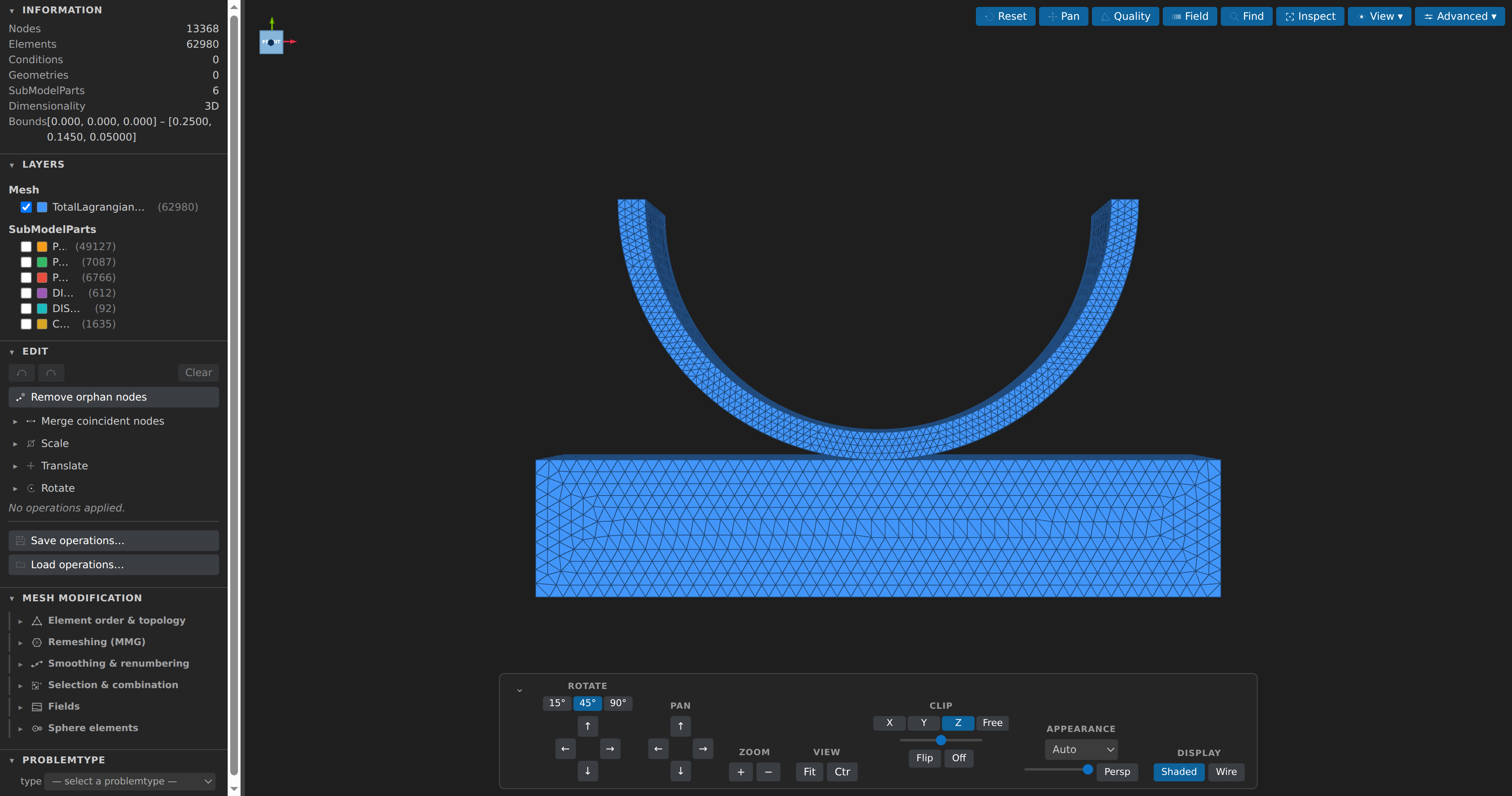
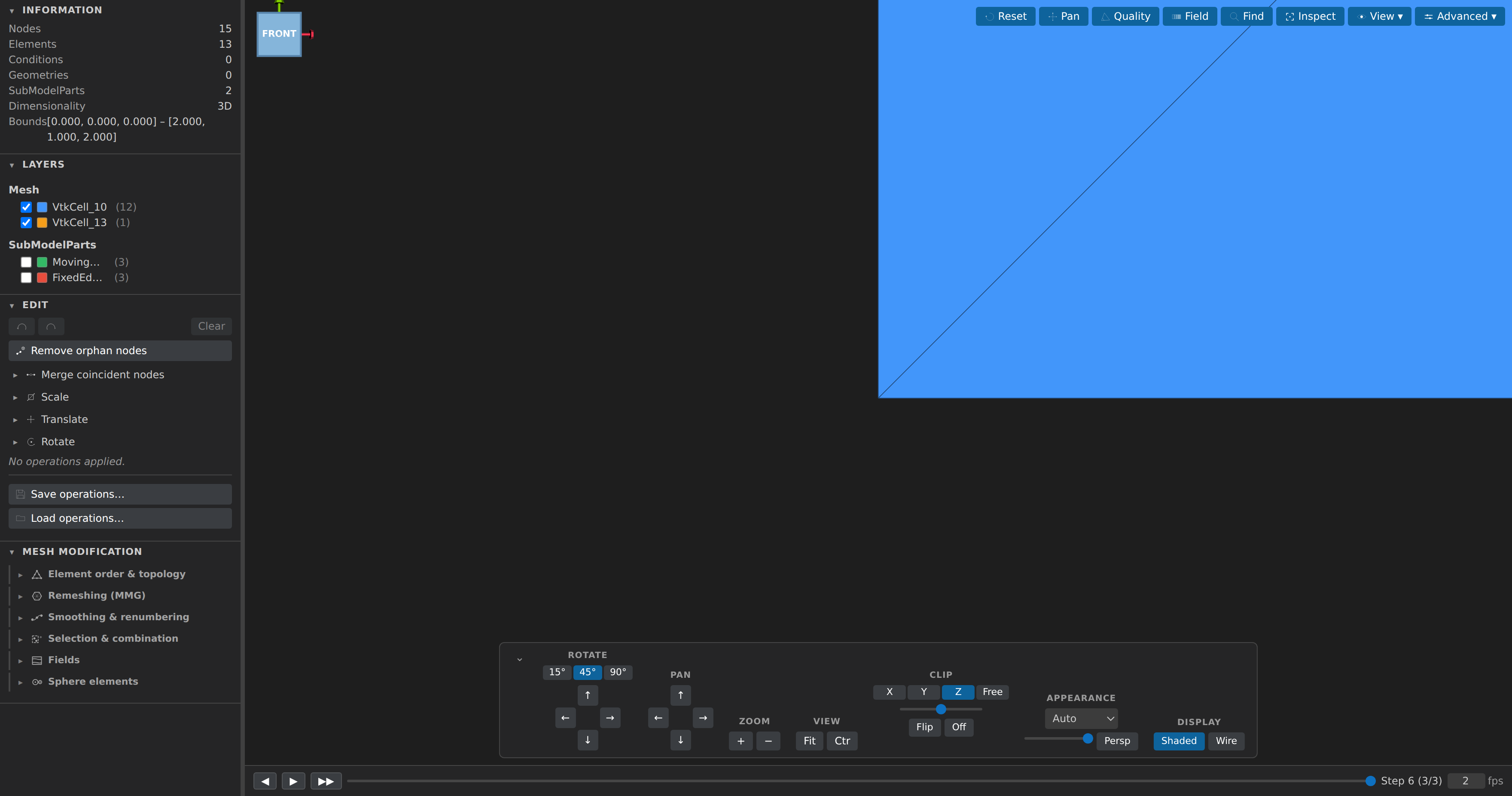
Reading the window at a glance
Post-Processing uses the same layout as Pre-Processing, so switching modes never changes where things are:
- Menubar — a document chip on the right with the file name, a format badge (
MDPA,VTK, …) and, once you have applied operations that are not saved, a dot andN unsaved edits. It clears when you save, and again if you undo back to the last save. - Sidebar — sections have an icon and a chevron; Layers, Edit, Variables, Mesh Modification, the view-only View Layers section, and (when a problemtype is active) Problemtype are at the top, with the read-only Information section folded into a collapsed Advanced group. Drag the edge, or focus it and press
←/→, to resize. - Toolbar and dock — a floating toolbar at the top right (View and Advanced hold the menus), and a one-row dock along the bottom with reset/fit/zoom, Shaded/Wire, the clip plane and Persp/Ortho; the ⋯ button holds rotate and pan steppers, the free clip normal, opacity and Center on model.
- Status bar — the engine line (
meshio++ ready · MMG loading…), the model counts (13,368 nodes · 62,980 elements), the timeline frame (frame 3 / 12 · step 6) and your last Inspect pick. Engines idle is normal for a plain.mdpa: it only reports an engine after a call that needed it has succeeded, so a model that needs neither meshio++ nor MMG never shows one.
What you can do
Build scientific plots: the mesh-native Plots pane overlays point histories, regional quantities and timeline-following line profiles, with twelve chart families, numerical analysis, recipes and full-resolution CSV/provenance plus PNG/SVG export. File → Scientific Plot Builder… opens the same analysis in a separate window for tables or disk sources. Start with scientific plots and FEM examples.
Five presets cover the common analyses without hand-writing a recipe: Section comparison (a field's boundary-mean or mean over time for two or more SubModelParts), Volume total (an Elemental scalar times the element's length/area/volume, per part or for the whole mesh), Tensor components (one curve per component of a tensor/vector field over time), Tensor invariants (trace, hydrostatic, von Mises, J2, deviatoric norm, principals and max shear over time — the component layout is required, never inferred), Heat-flux balance (a supplied nodal heat-flux vector's flux through boundary SubModelParts over time — positive is out of the domain) and Table relationship (one column of a read table against another, e.g. load vs displacement). A preset can be evaluated in place, checked against a threshold you supply (equality is never a violation, and gaps are counted separately rather than passed), and diffed between series with
from − toat exactly matching x. Region operations also choose a boundary: the region's own conditions, or its exterior faces. An explicit kinematic-pressure section mean can be converted to Pa with a stated density — never inferred.Drive the viewer by typing: a command line sits between the view and the status bar (
/focuses it,?lists every command,Tabcompletes,↑/↓walk the history). It runs the operations and UI actions the menus expose —translate dx=1,refine,field calc=…, an export target, a view toggle — with the same undo history and the same approval rules as clicking, and chains with;. An operation it rejects is explained in place rather than failing silently, and the command line is the only way to reach an action the visible menus don't list.Inspect MDPA models: a vtk.js 3D view with a navigable ModelPart/SubModelPart outline, toggleable layers, node IDs, a background grid, an orientation cube, and a clip plane.
Organize the view with layers: the View Layers sidebar section holds named view-only groups over blocks, SubModelParts or explicit picks (stored in
<stem>.kratosview.json, beside the mesh). Hiding or deleting one never edits the mesh, the mesh file, or the dirty marker; promoting one creates a real SubModelPart. Layer structure (names, colours, visibility, lock — never membership) syncs bidirectionally with the pre mode's CAD layers: on mesh export from pre, and when a shared.stl/.obj/.plyfile is opened or focused.Visualize results: nodal/elemental/conditional field data with colormaps. The Field panel offers combinable display modes — solid contour, isosurfaces, vector quivers, and a deformed-shape warp driven by a displacement field, with a display-only multiplier up to 1000× for very small solver displacements — that can be layered together; time-series play back on a timeline, which can also be resampled at chosen times and exported without changing the source. New step files written by a running simulation extend the timeline automatically.
Check mesh quality: aspect/edge ratio, min/max angles, and size gradation histograms with bad-element highlighting.
Analyze mesh size: the Mesh Size panel (in the Advanced toolbar menu) reports nodal size (Kratos
NODAL_H— min distance to a node sharing an element) and element size (mean edge length) as box-whisker statistics with the standard deviation, and highlights the IQR-outlier small/large elements.Modify meshes with full undo/redo (also
Ctrl+Alt+Z/Ctrl+Alt+Shift+Z, or the sidebar's own buttons) and saveable JSON recipes, grouped in six collapsible sidebar subcategories: Element order & topology (merge coincident nodes, remove orphans, scale/translate/rotate, delete/rename/extract SubModelParts, linear→quadratic and the inverse quadratic→linear, refine — the whole mesh, cells a per-cell field marks (defaulting to the error estimator's own output), or a SubModelPart; selected cells split fully and their neighbours get the smallest partial split that keeps the mesh conforming, so the result has no hanging nodes (triangles and tetrahedra only) — simplexify), Remeshing (MMG) (MMG remeshing — including asize = ƒ(h)mode that sets each node's target size from a formula over the nodal size, the whole-mesh statistics and the coordinates, with per-SubModelPart overrides, and an anisotropic mode that differentiates a scalar nodal field twice inline and adapts the mesh to the curvature of that solution: fine across a boundary layer, coarse along it. A Frozen entities & local sizes block names whole EntityBlocks or SubModelPart subtrees MMG must leave bit-identical — a coupled or contact surface another code owns — and assigns per-block/per-parthmin/hmax/hausdbounds — and level-set splitting, whose Materials & base references subform can put each split cell back into its original block and SubModelParts (keep materials, carrying the side on the generatedMMG_Domain_Inside/_Outsideparts instead of losing block identity to them), name blocks/parts the split must leave uncut, and delete parasitic components either below a volume fraction (rmc) or that don't touch a named boundary (base references) — both run in a worker thread with live progress and cancel), Smoothing & renumbering (Taubin/Laplacian smoothing, RCM/Morton/Hilbert reordering, space-filling-curve partitioning, plus KaHIP partitioning minimizing the edge cut through the full meshio++ artifact), Selection & combination (box/plane crop, merge another mesh file with optional coincident-node weld), Fields (a safe formula field calculator and nodal↔elemental averaging), and Sphere elements. Scale, Translate and Rotate take an optional part (a SubModelPart path) and move only that part's nodes — cells shared with the rest of the mesh stretch.Open a very large mesh as a summary first: above Settings ▸ Open Settings… ▸ Mesh Viewer ▸ Large-Mesh Summary Threshold (default 250 MB; set it to 0 to always load in full) a mesh opens as a header card — node/cell counts, entity blocks, field names, regions, time steps — with an Open full mesh anyway button, rather than loading it (and hanging the window) up front. That choice sticks for as long as the tab stays open.
Read only the fields you need: for the extended (meshio++) formats, the assistant's
mesh__mesh_infoandmesh__mesh_converttake afieldslist that reads just those point and cell arrays, so counting a multi-gigabyte result or converting one quantity does not parse every array. Large.mdpamodels open geometry-first and stage their fields on demand.Partition and split a mesh:
mesh__mesh_splitwrites one file per SubModelPart, region or partition, andby: "partition"takes a method — space-filling curve, or KaHIP (minimizes the edge cut; served by the full meshio++ artifact, whichmesh__mesh_capabilitiesreports underpartitioning;autopicks KaHIP when available). Slice, isosurface, grid and decimate exports and these partitions run in a cancellable worker, off the UI thread.Keep timeline frames in memory: Settings ▸ Open Settings… ▸ Mesh Viewer ▸ Timeline Frame Cache (MB) (default 256 MB; set it to 0 to turn caching off) controls how many recently viewed timeline frames stay parsed, so moving back and forth through a time series does not reread files. A very large
.mdpamodel may also open geometry first and fetch field rows on demand.Work with SPHERE / particle meshes: one-node elements render as real sphere glyphs scaled in model space (Advanced ▸ Spheres…), automatically for a mesh carrying a
RADIUSfield and with a suggested radius — half the median nearest-neighbour spacing — for the usual radius-less DEM/peridynamics file. Set element radius is an ordinary undoable operation that creates or scales the field, optionally limited to one SubModelPart.Find inverted elements: Advanced ▸ Face normals draws an arrow on every surface and boundary face; a cell wound against its neighbours points the wrong way, is counted and highlighted in red — invisible in the quality statistics, and a hard error for the solver.
Unsaved edits are tracked like any other document: applying an operation marks the tab dirty (a dot in the tab strip), and closing that tab or quitting with it open prompts Save / Don't Save / Cancel. Edits are never auto-saved, even with the system auto-save setting on — a save always has to be asked for, since re-serializing the mesh can drop comments and formatting the preview doesn't retain.
See the document and session at a glance: a document chip at the right of the viewer's top strip shows the file name, its format badge and — once you apply an operation — a dot and "N unsaved edits". The count is the operations that differ from what the file on disk holds, so undoing back to the last save clears it immediately (unlike the tab's dot, which stays until you save). A status bar along the bottom shows which WebAssembly engines this session has used (meshio++, MMG, Pyodide; opening a plain
.mdpareads "Engines idle"), the model's node / element / condition counts, the timeline frame for multi-step data, and the last entity you picked with Inspect.Save an OpenFOAM case in place: a
.foamcase is a directory, so File ▸ Save writes back into the real mesh tree rather than the marker you opened — and only the files it can own. A geometry- or field-only change rewrites justpoints(plus theinternalFieldof an edited field), leaving everything else byte-for-byte; a topology change rewrites the six polyMesh files and refuses by file name when something else in the case is keyed to the old numbering. KKSS names the files it will write before it does, and a declined save keeps the tab dirty. Multi-region cases rewrite each changed region and decomposed cases re-partition natively, with zones rewritten from zone parts; use Export ▸ Solvers ▸ OpenFOAM or Save As… for a new case directory instead — see file formats for the exact rules.Save and export: overwrite the source (with a one-time warning), Save As, or export the whole model — a single SubModelPart, or just the boundary skin of the volume cells (Advanced ▸ Export skin…) — to MDPA, VTK, VTU, VTP, STL, OBJ, or PLY, plus 53 extended formats via meshio++ (Gmsh
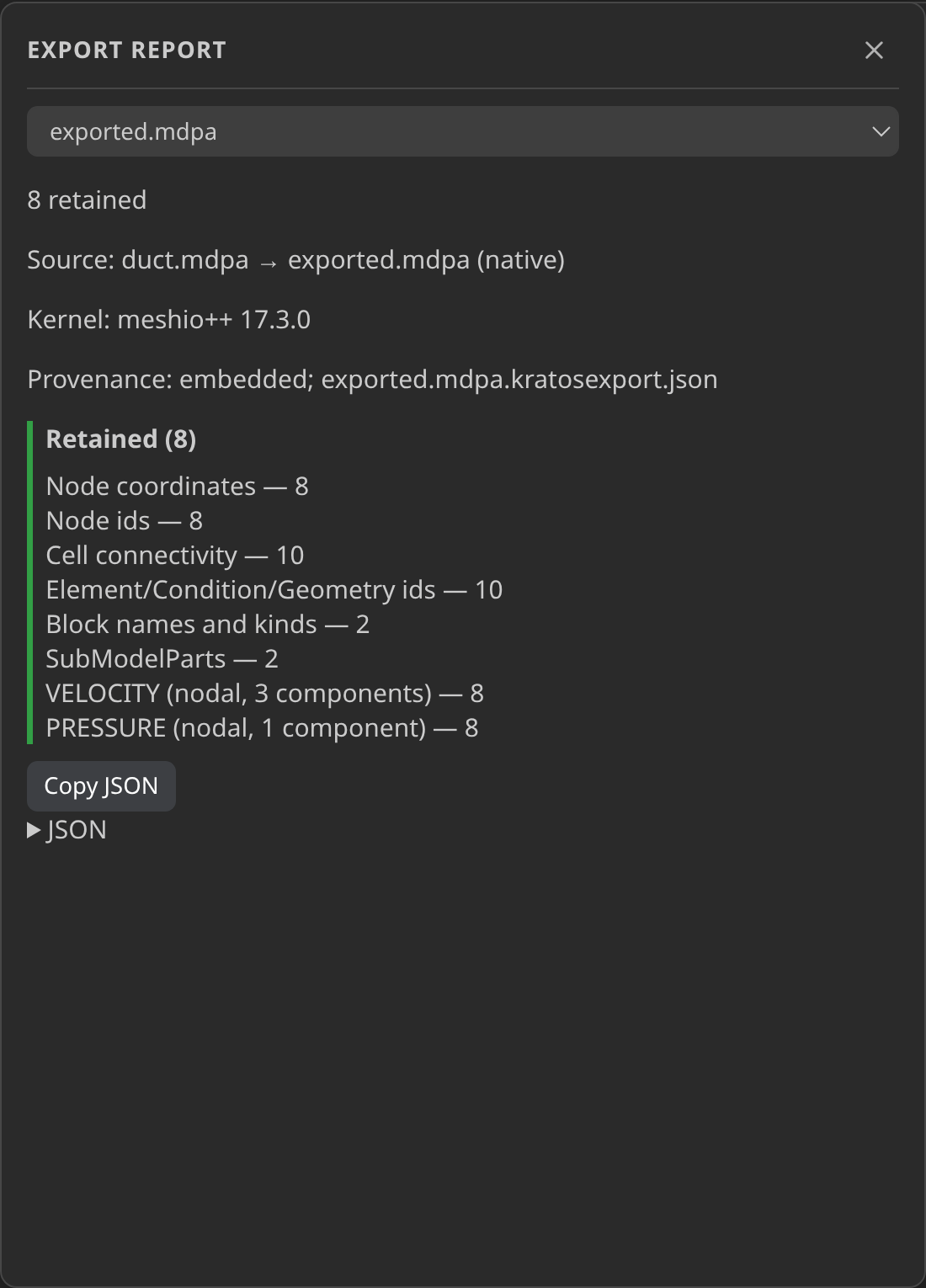
.msh, Abaqus.inp, Nastran, UNV, Medit, Netgen, SU2, XDMF, Triangle.poly, Exodus, CGNS, MOAB, Salome.med, solver-result.fil/.op2and, since meshio++ 17.3.0, Marc.t19, FEBio.xpltand MAPDL.rstin the Solvers group plus binary Medit.meshb, Kratos CAD JSON.cad.json— SubModelParts survive as MED families, and as real*NSET/*ELSETsets in Abaqus — and more, including the field-only.dex/.ip/.mfftargets and the write-only SVG/TikZ figure formats). A.steptarget is the mesh → CAD export: the menu asks once how to fit (kernel defaults / analytic-only / skip fitting), a closed consistently wound all-triangle skin is fitted into a real B-rep with meshio++'sfitCad(analytic faces where primitives fit, freeform patches where none does), the B-rep also lands beside the file as a<stem>.cad.jsoncompanion, and anything the fit refuses falls back to the faceted STEP writer — the export report names which one ran. The same pipeline is the optimization case's Export Optimized Geometry as CAD… command and thecase_optimization_cadMCP tool. File ▸ Export Mesh As groups these targets in native submenus; Export… keeps the existing picker and shortcut. Choose Show report, or reopen Advanced ▸ Export report…, to inspect retained, transformed, omitted and unverified data, companions, provenance and warnings in a graphical inspector with a file selector and copyable JSON. Packing outside a preview uses a separate script-free report window. Provenance can be embedded or written as a.kratosexport.jsonsidecar from Settings ▸ Mesh Viewer ▸ Mesh Export Provenance.Inspect an entity by clicking it: the Inspect toolbar button turns clicks into a probe — id, block, SubModelPart membership and every field value at the picked node/element/condition, with no id needed up front (unlike Find). Its Measure sub-mode draws a line between two clicked nodes and reports the distance and Δx/Δy/Δz; Angle mode reports the angle at the middle of three nodes. The Information section reports the model's volume (area in 2D), and each SubModelPart's ⓘ menu reports its own length, area or volume. Advanced ▸ Volume view… shows a dense regular hexahedron lattice with a nodal scalar as a ray-marched volume with an editable opacity curve, slices or iso surfaces (display only).
Isolate a value range: the Field panel's Threshold mode shows only the cells whose value falls inside an editable window, combinable with contour colouring; contour/isosurface/threshold also take a component selector, a lockable colour range, a log scale, discrete bands, and an in-scene scalar bar that survives a screenshot.
Define named variables: the sidebar's Variables section turns a formula over coordinates and existing fields, a distance (to a file, a SubModelPart, or the mesh's own exterior skin), or a global reduction (min/max/mean/std/median/sum/… of any field) into a field you can play, colour the mesh by and use by name in any other formula — including the remesh sizing formula. Every field on the mesh gets a row, so this panel and the Field panel always agree; a reduction stays live as you scrub a time series instead of going stale.
Remesh with a preset: the MMG form's
size = ƒ(h)mode offers a Uniform and a Boundary layer preset. Picking the latter prepares the Variables section for you — a distance rowd(its surface stays your call) plus themean_h/min_h/max_hglobals — and the formula scales with the mesh, finest at the wall and growing to the mean size away from it. A remesh now carries data fields onto the new mesh (interpolated for nodal values, taken from the containing cell for elemental/conditional ones) and reports what landed and what was dropped.Step through more in-file timelines: GiD postprocess (
.post.msh/.post.res), MED, CGNS, Tecplot (.dat/.tec), XDMF, PVD, VTKHDF and OpenFOAM cases expose the steps held inside the dataset. Where supported, the timeline is sized from its header before any step is read; GiD's ASCII pair and growing OpenFOAM time directories are watched live.Clip at any angle: the nav card's Clip group takes the X/Y/Z presets or a Free mode with raw normal-vector inputs, plus flip, an Off/On toggle and a live position readout.
Split the view: View ▾ ▸ Layout puts the mesh in 1, 2 or 4 viewports, each with its own camera, field settings and clip plane (the panel names the focused pane and offers Copy to all panes); layers, colours and the analysis overlays stay shared.
Run a case and watch it: the Problemtype section generates ProjectParameters/materials/MainKratos.py and starts the solver as a tracked child process with a real exit code, live progress read from
vtk_output/, and a graceful File ▸ Stop Kratos Run (cooperative stop file first, then SIGINT → SIGTERM → SIGKILL). Runs outlive the tab that started them, and finished results open in a new Post-Processing tab jumped to the latest complete step. The Problemtype sidebar preflights the setup as structured findings, and finished runs carry a saved convergence history plus named post-run monitors over their saved frames.Compare two runs: on the Home screen, Compare runs beside Review run renders a facts-only Markdown report for the selected run against another run of the same study — verdict, identity table (source mesh, problemtype, settings, CAD source), every differing setting, and changed, one-sided and unverified outputs. Incomparable pairs (a run without an isolated execution receipt) render their problems instead of failing. The assistant's
case_compareanswers the same comparison headlessly.Convert a finished run's results: File ▸ Convert Results to Other Formats… turns the VTK frames of a run into
.xdmf,.pvd,.exo,.mshor.med(pick any number in the checklist). A case that lists formats under the Problemtype form's Output ▸ also export as does this automatically when the run finishes. The assistant'smesh__case_export_resultsis the same conversion.Pack a finished run into one dataset: a solve writes one mesh per step, so its results are a directory of hundreds of files. File ▸ Pack Time Series Into One File… can write an XDMF time series (
.xdmfplus required sibling.h5; copy both together) when every step has the same mesh, or a ParaView collection (.pvdplus a step directory) when the mesh changes. Step numbers from filenames become the time axis; packing streams one step at a time, is cancellable, and the result reopens as the same scrubbable timeline. A lone file with nothing to combine is refused.Record and review the viewport: View ▾ ▸ Record… captures a camera turntable or a time-series playthrough. Captures are saved as durable drafts, so a closed or interrupted recording can be recovered; review lets you trim frames, then export WebM or a numbered PNG sequence with the exact
ffmpegcommand to assemble it.Render beams as tubes: Advanced ▸ Beams… draws line elements at their real cross-section, sized from each cell's own
PropertiesCROSS_AREA— enabled automatically only when actual Elements carry one, so a 2D boundary skin keeps drawing as plain lines.Tabulate and plot: Advanced ▸ Data table… lists every node/element/condition/geometry as a row (CSV or XLSX export), and Inspect's Plot over time samples one entity's field across every step of a series, with a chart you can click to jump the 3D view.
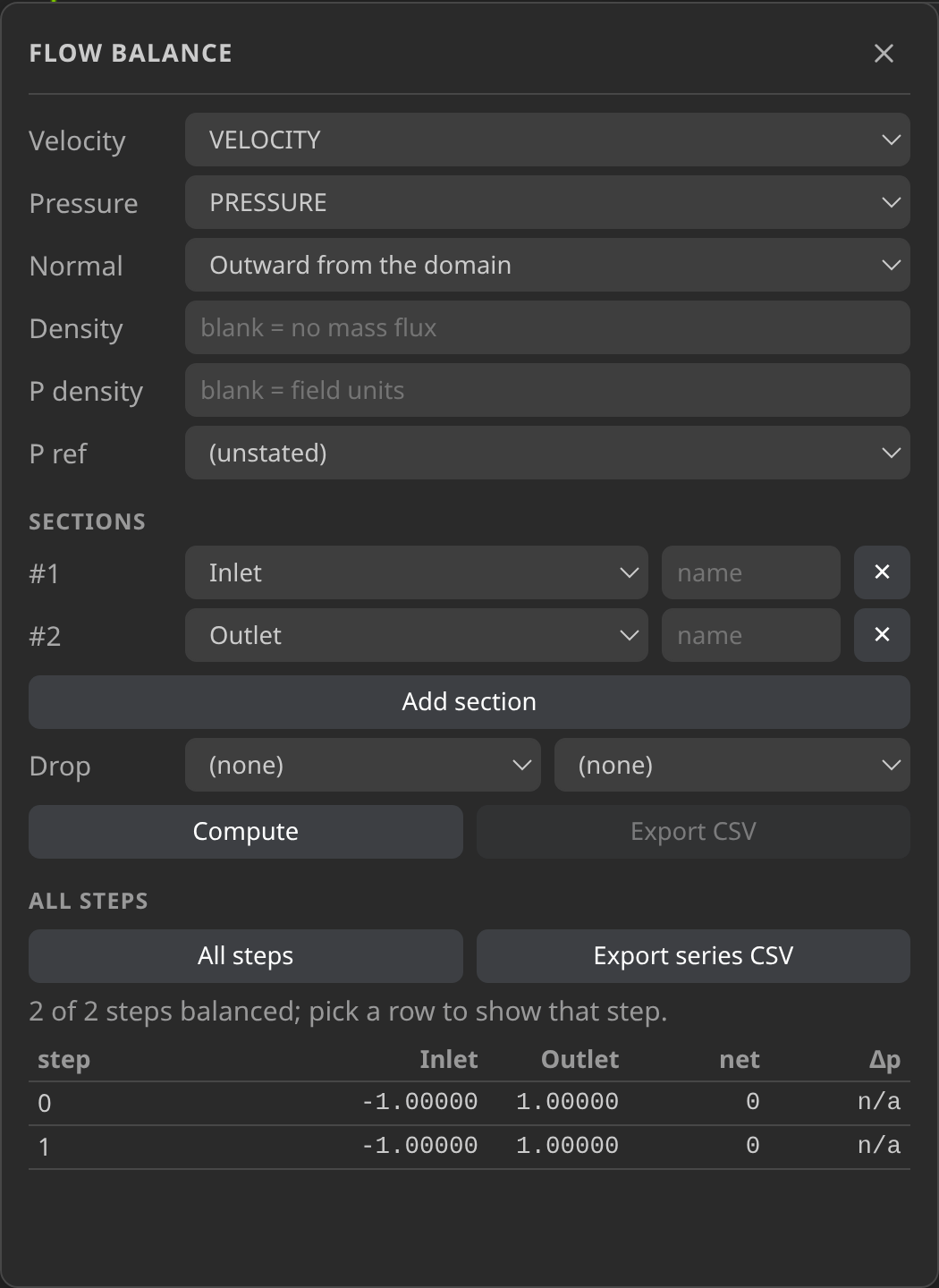
Analyze fields and boundaries: Advanced ▸ Field integrals… reports cell-measure-weighted totals and means per region; Flow balance… computes signed flux and area-weighted pressure across named boundary parts. Its All steps scan provides progress, cancellation, clickable step rows and Export series CSV. Explicit P density can additionally report kinematic pressure in Pa; it never borrows the mass-flux density or guesses gauge/absolute reference. Streamlines… traces a nodal vector field in a worker with per-seed progress; Cancel retains the partial trace. Seed from points, lines, a SubModelPart or a plane lattice filled with Use clip plane. Lines/Tubes and their sizing are view-only: exports remain line cells. These are steady streamlines of the current frame, not transient pathlines. Curvature analysis includes a Gauss–Bonnet check, and the Face-normals status line reports watertightness (boundary edges, non-manifold edges, zero-area faces).
Queue several edits: a checkbox in the Edit section stages each Apply into a list, then Apply queued steps runs them in order under one progress bar — each still its own undoable history entry. Queues save/load as JSON recipes, and named presets from
.kratos/recipes/(plus Settings ▸ Kratos ▸ Batch Recipe Folders) feed both the viewer batch andmesh_batch_transform, which also claims writer companions and records per-file reports.Link previews and flatten the outline: Advanced ▸ Link previews… ties two open meshes/runs so camera, field, range, clip and physical time follow each other; View ▾ ▸ Flat SubModelPart list shows every part as one flat row. The Problemtype sidebar preflights the setup with structured findings before generation.
Reload from disk (
Ctrl+Alt+R): re-reads the file and replays the applied edits onto it rather than discarding them; an op that no longer applies is kept and marked rather than dropped.Tune the render: Advanced ▸ Lighting… (specular/ambient/diffuse + backface culling, useful for spotting an inverted shell from the inside) and Advanced ▸ Camera Bookmarks… (named views for the session, with a JSON textarea to copy one out or paste one in). Keys
1–6snap to ±X/±Y/±Z andito an isometric view; hovering an outline row reveals a per-layer opacity slider.Screenshots: save the current view as a PNG (View ▾ ▸ Screenshot…, or
Ctrl+Alt+P).Turn the edge lines off: faces and cell edges share one alpha, so a transparent mesh otherwise reads as a wire cage. A global Edges switch (View ▾, and the nav card's Display group) hides the darkened edges on every layer; point-only layers stay edge-free regardless.
See the strays: nodes no cell references are reported in
mesh_infoand highlighted, and a SubModelPart isolated with the main mesh hidden now draws the nodes that are isolated within that part — previously invisible, because the global highlight only sees whole-model connectivity.Reopen what you had: File ▸ Open Recent lists the last ten files you opened — meshes and CAD models, newest first — with Clear Recent at the bottom. Each entry reopens in the mode it belongs to, and files that have since moved or been deleted drop off by themselves. The home screen shows the same list.
| Outline & edit sidebar | View menu |
|---|---|
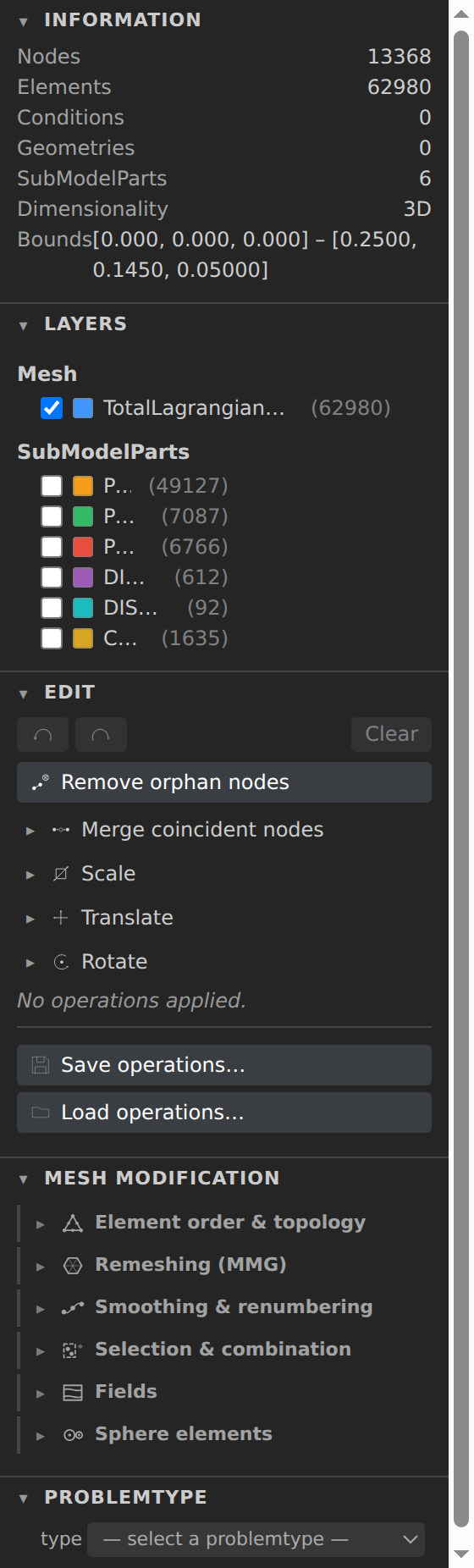 | 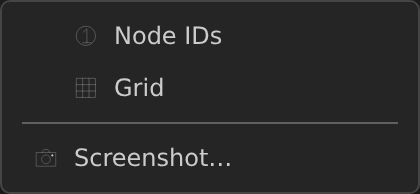 |
The viewer's toolbar is Reset · Pan · Quality · Field · Find · Inspect · Plots · Selection · View ▾ · Advanced ▾: display toggles and Screenshot/Record live in View ▾; analysis/export/camera tools live in Advanced ▾. Clip is in the nav card. KKSS hides the extension's File pill and exposes file actions in the native File menu, including Import Mesh, grouped exports, Scientific Plot Builder, Save/Load Problem, Export Data Table, Pack Time Series and Undo/Redo (
Ctrl+Alt+Z/Ctrl+Alt+Shift+Z, not the text editor's plain undo shortcuts).
Mesh Preview 5.21–5.22 additions
- The Advanced menu gained Octree mesh, CAD surface and Generate mesh (primitive shapes) exports, plus
segmentandrefinePatchesoperations for surface patches; the assistant reaches them throughmesh_derive(generate,octreeMesh,octree,cadSurface) andmesh_transform. - View ▾ ▸ Curved quadratic cells draws mid-side nodes of quadratic cells (display only, off by default).
- VTK and edit re-renders deliver geometry first, large meshes default to level of detail, and XDMF/Gmsh opens offer field checkboxes.
- Inspect can save coordinate (At point) and regional (Monitor region) monitors in addition to entity monitors; the prompts are translated.
- The viewer chrome and host prompts follow the KKSS language (English/Español, Settings ▸ Language).
Import meshes and work with field units
File ▸ Import Mesh… adds one or several files to the active mesh in one undoable Merge mesh operation. It offsets ids independently per entity kind and wraps each imported file in a SubModelPart named after its stem. Names that collide receive suffixes; incompatible imported fields are retained under unique names, not discarded. Coordinates are unchanged and no implicit welding occurs. Save explicitly to persist the combined mesh, or undo once to remove the entire import. Import is disabled outside an open Post-Processing document.
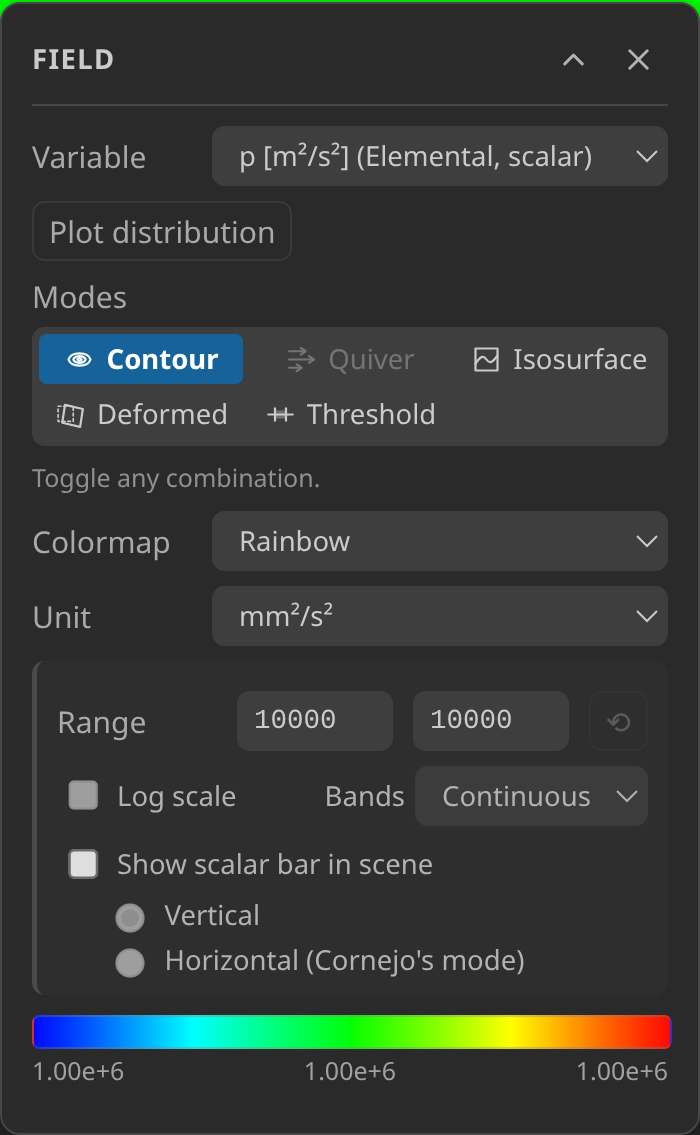
For a field with recorded dimensions, the Field panel offers same-dimension Unit choices per pane. Colouring, legends, scalar bars and range/iso/threshold inputs follow the choice; stored samples do not change. Unknown dimensions stay unknown — a field name is not evidence of its unit, and a meshio++ round trip does not retain field dimensions.
Mesh Modification ▸ Fields ▸ Kinematic pressure → Pa is different: it writes a new field from recorded kinematic-pressure dimensions, using either an explicit constant density or a same-kind scalar density field. Only ids with valid values in both fields produce a product; gaps remain gaps. The source is retained and the conversion records its density source. A gauge/absolute reference is used only when you choose it; no reference is inferred.
Solid surfaces, scenes and NURBS side channels. meshio++ 17.2.0+ widens what this mode opens: STEP (.step/.stp), IGES (.igs/.iges) and glTF/GLB (.glb/.gltf) files, plus the binary Medit .meshb spelling beside text .mesh. STEP/IGES reads (and the optimization run's CAD export) keep each patch's exact NURBS data on the side: mesh_info reports the format and the patch/face counts (nurbs), and the assistant's mesh_derive kinds igaRefine and igaSample run on an unedited model — refine h/p-refines the patches exactly (subdivisions per knot span/direction, degree elevation, B-rep edge/trim controls), sample tessellates them into Lagrange cells — any applied edit drops the channel, and derived results never carry it: write .cad.json/.mesh and reopen to refine again. A zstd/lz4-deflated .vtu or bzip2 libMesh file is refused by the lean build naming the codec, then retried through the full wasm artifact (OpenCASCADE, zstd, lz4, bzip2) with a stated diagnostic; mesh_capabilities reports both installed builds.
| Worker-backed streamlines | All-step boundary flow balance |
|---|---|
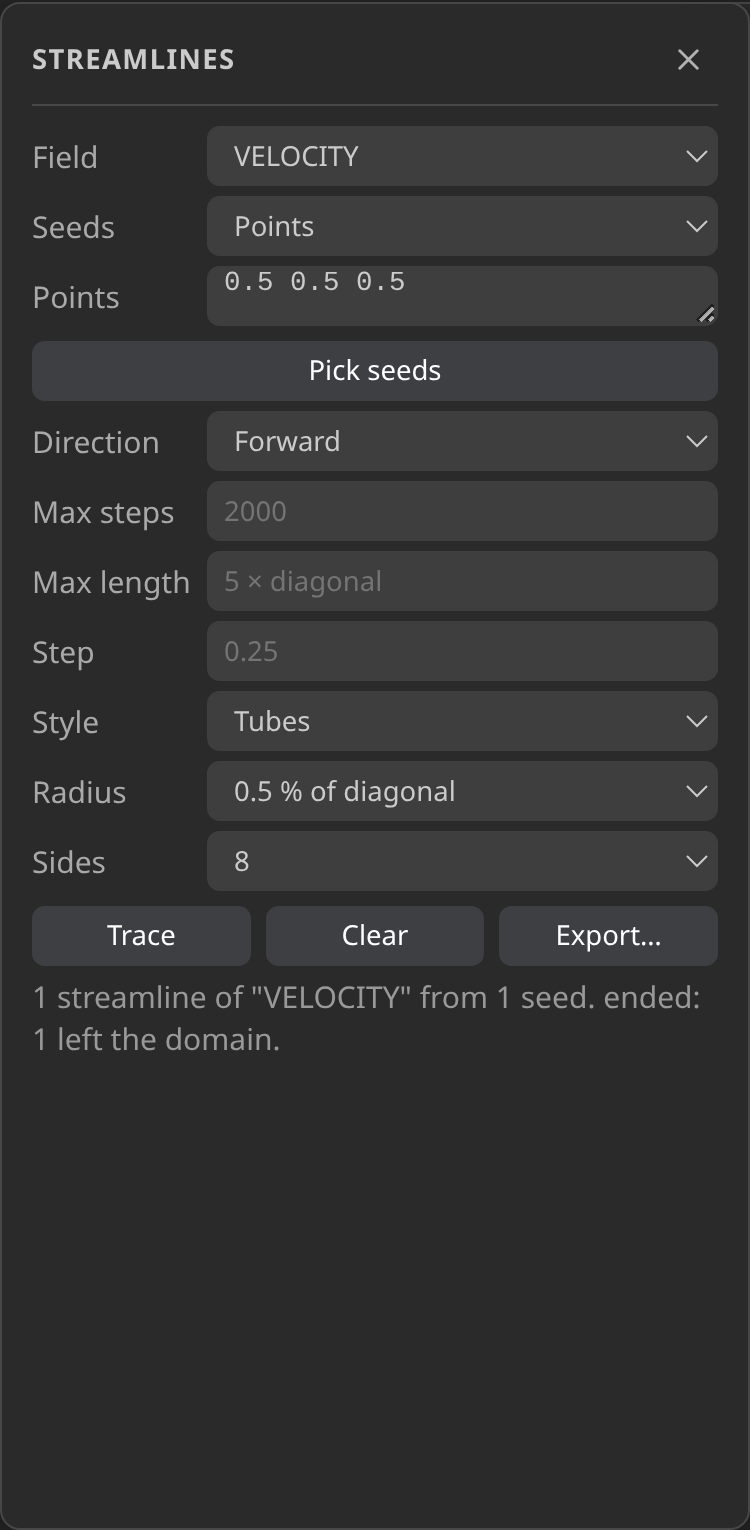 |  |
| Per-pane display units | Graphical export report |
|---|---|
 |  |
Problemtypes: Kratos case setup
The Problemtype sidebar section turns the loaded mesh into a runnable Kratos case: pick one of twenty built-ins — structural, fluids (including compressible, embedded, free-surface, RANS turbulence and two-fluid), convection-diffusion, potential flow, shallow water, buoyancy, conjugate heat transfer, partitioned FSI and weak/strong CoSimulation coupling, four ROM trainers, structural optimization and the Flowgraph editor — or a workspace .js/.py problemtype, assign conditions and material presets to SubModelParts, then Generate writes ProjectParameters.json, material snapshots and MainKratos.py next to the mesh. See Kratos Problemtypes for the full catalog with worked examples from https://github.com/KratosMultiphysics/Examples/blob/master. Fluid fixed/adaptive time stepping is validated before generation: steps and the Courant target must be positive, and the adaptive minimum must not exceed the maximum. An initial step outside the adaptive interval is a warning explaining Kratos's initial/clamped behavior. The estimator provides convective guidance with its geometry basis and limitations — not a stability guarantee — and says unavailable when no length basis can be measured. Run starts a tracked solver process; Open results opens its output in the viewer. In KKSS, Run is enabled only when the selected case's manual interpreter, required built-in application and case directory pass the environment check; it repeats that check before dispatch. With Kratos ▸ Isolate Runs on, the mesh and case state are copied into a per-run workspace (<case folder>/<runs folder>/<stem>-<run id>/, see Configuration) so two runs never share inputs or outputs; off by default, where a run uses the case folder itself. Kratos itself isn't bundled — point Settings at a local install or rely on a pip-installed KratosMultiphysics on PATH.
Flowgraph is a built-in that replaces the sidebar forms with an embedded node-editor: selecting it splits the viewport (toggle the split direction, or hide/restore the pane) to show the @kratos-flowgraph/flowgraph graph editor, seeded from the current case's ProjectParameters.json; its own Generate button writes the graph back the same way as the standard flow. It's UI-only — there's no headless/MCP equivalent — and it's why KKSS is licensed AGPL-3.0-or-later: Flowgraph itself is AGPL-3.0-or-later, and the mesh engine bundling it moved to AGPL-3.0-or-later too.
Timeline discovery
Opening one file of a Kratos-style series (<prefix>_<rank>_<step>.vtk) discovers its siblings, builds the timeline, and merges rank/subpart files into the outline. The directory is watched, so a still-running simulation keeps extending the timeline as new steps land on disk.
Exodus (.e/.exo/.ex2) drives the same timeline from the steps recorded inside the single file, so no sibling naming is needed; that one file is watched instead of the directory, and a solver still appending steps to it extends the timeline live.
Selection, Properties and line probes
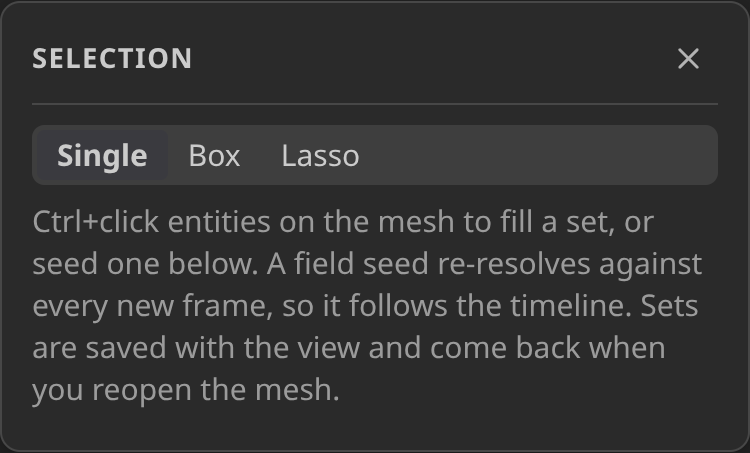
Selection opens named sets built from Ctrl+click, Box or Lasso picks, or seeds based on a SubModelPart, field range, quality metric, property id or formula (a boolean expression over x, y, z, nodal fields and globals — a cell qualifies when all its nodes do, any node does, or its centroid does). The Pick nodes toggle collects node ids straight into the selection, carried into a new SubModelPart alongside picked cells. Element, condition and geometry ids remain separate. Seeds re-resolve when the model changes; explicit picks retain only surviving ids. In mesh 4.6.0, reopen the Selection panel to refresh its displayed counts and SubModelPart choices after an edit.
Use New SubModelPart, Export, or Delete entities on the active set. Creation and deletion are undoable mesh operations. Export writes a separate mesh with original ids and corresponding fields. Isolate and Hide act at block granularity; Restore reverses that visibility change.
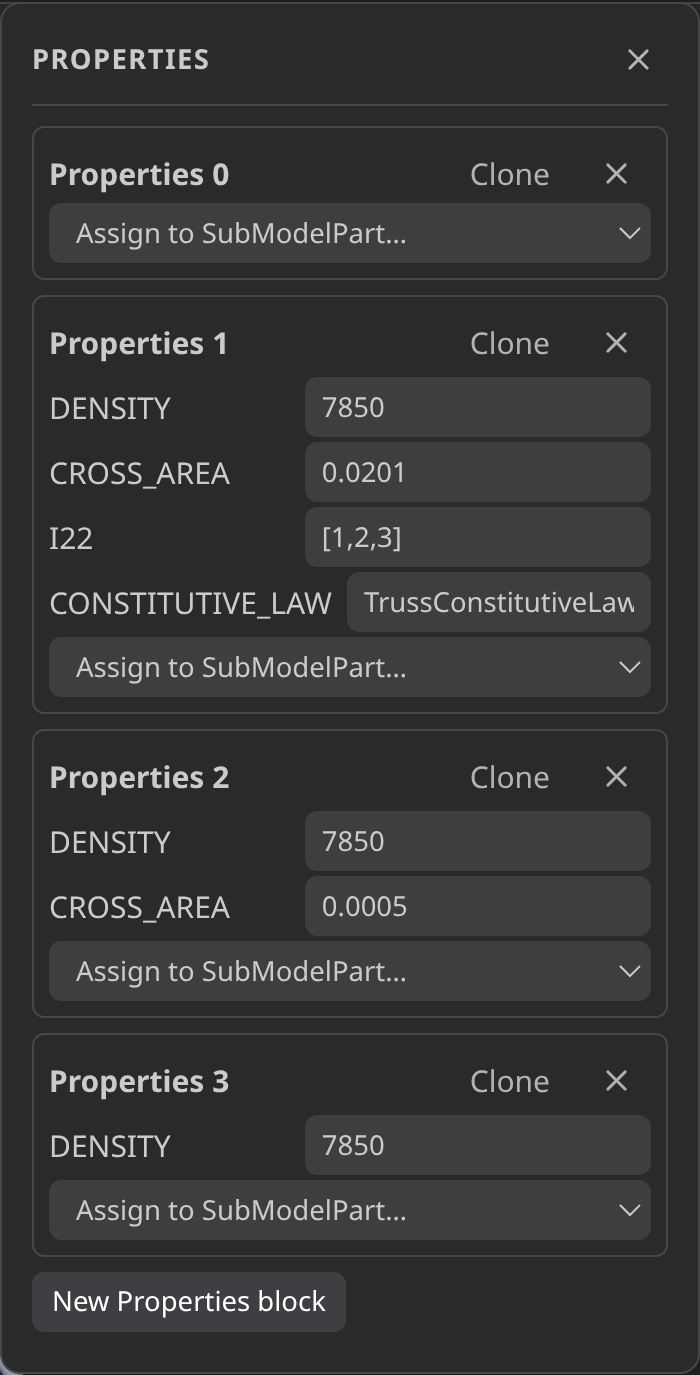
Advanced ▸ Properties editor… edits shared Begin Properties values. Clone a set and assign it to a SubModelPart to change only that region. A referenced set cannot be deleted. Save the mesh to persist edits.
Inspect ▸ Probe line takes two node picks and plots a nodal field against distance. Choose the field and sample count, or export CSV. Gaps remain gaps in the plot; a timeline change resamples the same endpoints for the new frame.
The assistant can use mesh_select for selection predicates and mesh_transform for property edits, selection-based SubModelParts and entity deletion. mesh_select follows write-tool approval because its optional outputPath writes JSON.
| Selection panel | Properties editor |
|---|---|
 |  |
Selection counts and enabled actions refresh immediately after edits, undo/redo, reloads and timeline changes, while unfinished panel input is preserved.