Still-water basin
This tutorial sets up a basin of still water 1 m deep in a 4 × 1 m rectangle and runs the shallow-water solver on it. Still water on a flat bed is an exact steady state of the shallow-water equations, so the depth should stay at 1 m, the momentum at zero and the water volume at 4 m³. The case is therefore a conservation test for the setup and the solver.
At a glance
| Mesh | 150 nodes, 248 cells |
| Run | 8 frames, end time 0.125 |
| Kratos packages | KratosShallowWaterApplication==10.4.3 |
| Download | shallow-water case with its verification record |
What you will learn
- How the depth-averaged shallow-water equations describe depth and velocity, and which input controls each term.
- How gravity, a flat bed, an initial water level and a Manning coefficient enter the problem.
- How to check volume and momentum conservation, and how to read a depth history.
The physical model
In two dimensions, the depth-averaged shallow-water equations express conservation of water and momentum. With depth h, depth-averaged velocity u, gravity g and bed elevation z:
- mass:
∂h/∂t + ∇·(hu) = 0 - momentum:
∂(hu)/∂t + ∇·(hu⊗u + ½gh²I) = −gh∇z − g n² |u| u / h^(1/3)
Here g is 9.81 m/s² and n is the Manning coefficient, 0.01 in this case. The last term is Manning friction. It opposes the motion and vanishes wherever the velocity is zero.
The bed is flat, from the topography expression 0.0, and the depth starts uniform at 1 m with zero velocity. Every term then vanishes: the mass flux is zero because u is zero, the pressure gradient is zero because h is uniform, the bed-slope term is zero because z is flat, and the friction is zero because it acts on the velocity. The still basin is an exact steady solution, so any change in the output is numerical error or a setup mistake.
The stabilization and the residual-viscosity shock capturing (factor 0.5) add dissipation only where the solution has gradients or residuals, which a flat, still basin does not have. The volume is the integral of depth over the area, 1 m × 4 m² = 4 m³, and the momentum hu is zero.
Create the geometry
The geometry is the same as in the potential-flow case: a Rectangle profile on blank.brep with centre (2000, 500, 0) mm, normal (0, 0, 1), up (1, 0, 0), width 4000 mm and height 1000 mm. The downloaded case includes rectangle.brep with the same operation in its sidecar. The mesh is two-dimensional, so the geometry must be a planar face, not a solid.
- Open
blank.brepwith File ▸ Open… in Pre-Processing. - Choose the Rectangle operation, enter the values above and click Sketch.
- Check that the result is one planar face.
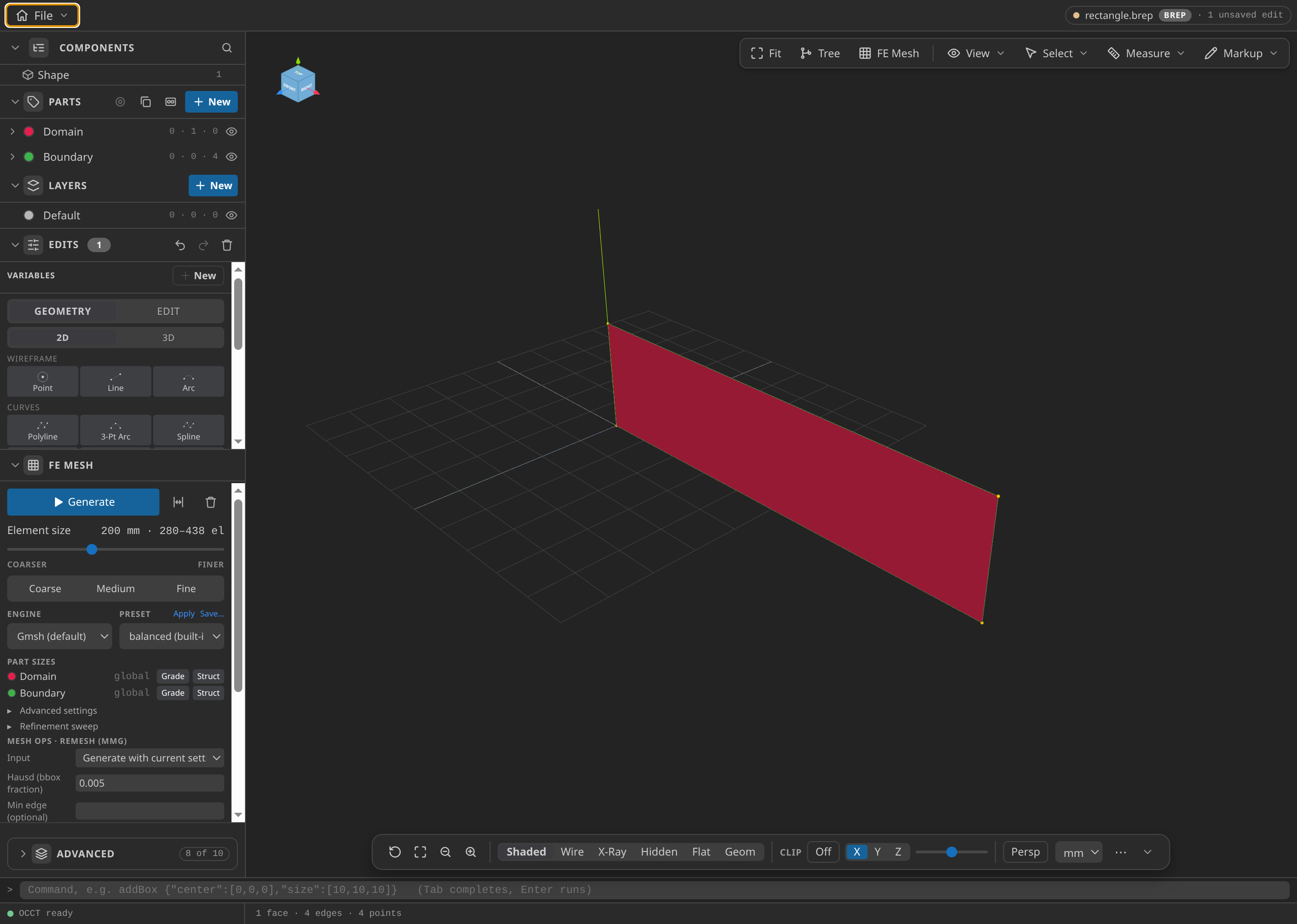
The rectangle as loaded in Pre-Processing.
Name the Parts
- Domain: the face
face-0, the water. - Boundary: the four edges
edge-0,edge-1,edge-2andedge-3. Boundary receives a slip wall, so no water leaves through the edges.
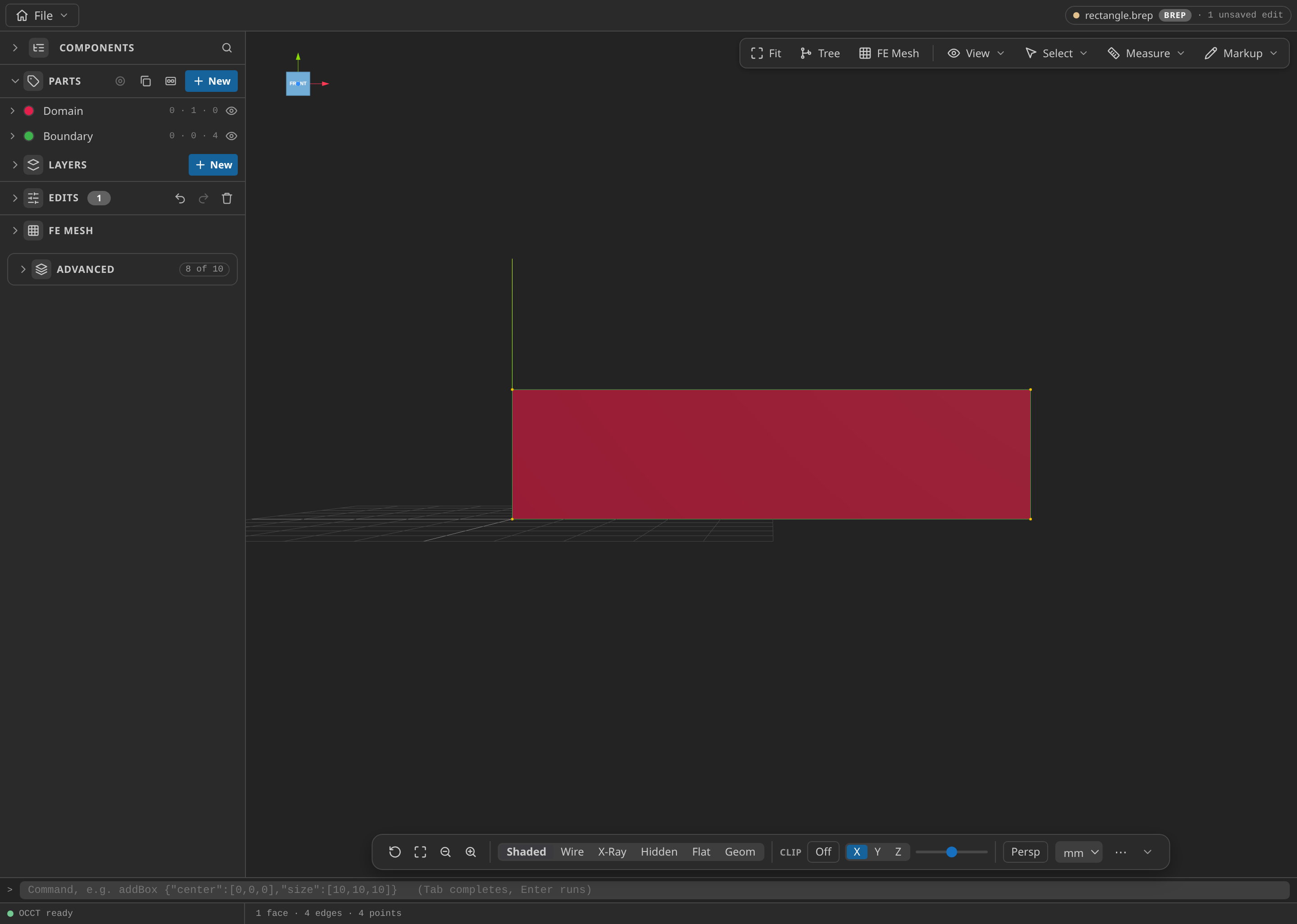
The CAD window with the Parts panel open, showing the named Parts: Domain and Boundary.
Mesh
Use the potential-flow settings: FE Mesh with Dimension 2D, first order, simplex, and Size min and Size max of 200 mm. Click Generate, then export mesh.mdpa in the Kratos MDPA format with Export unit set to m. The published mesh is the same file as the potential-flow case, with 150 nodes and 248 triangles.
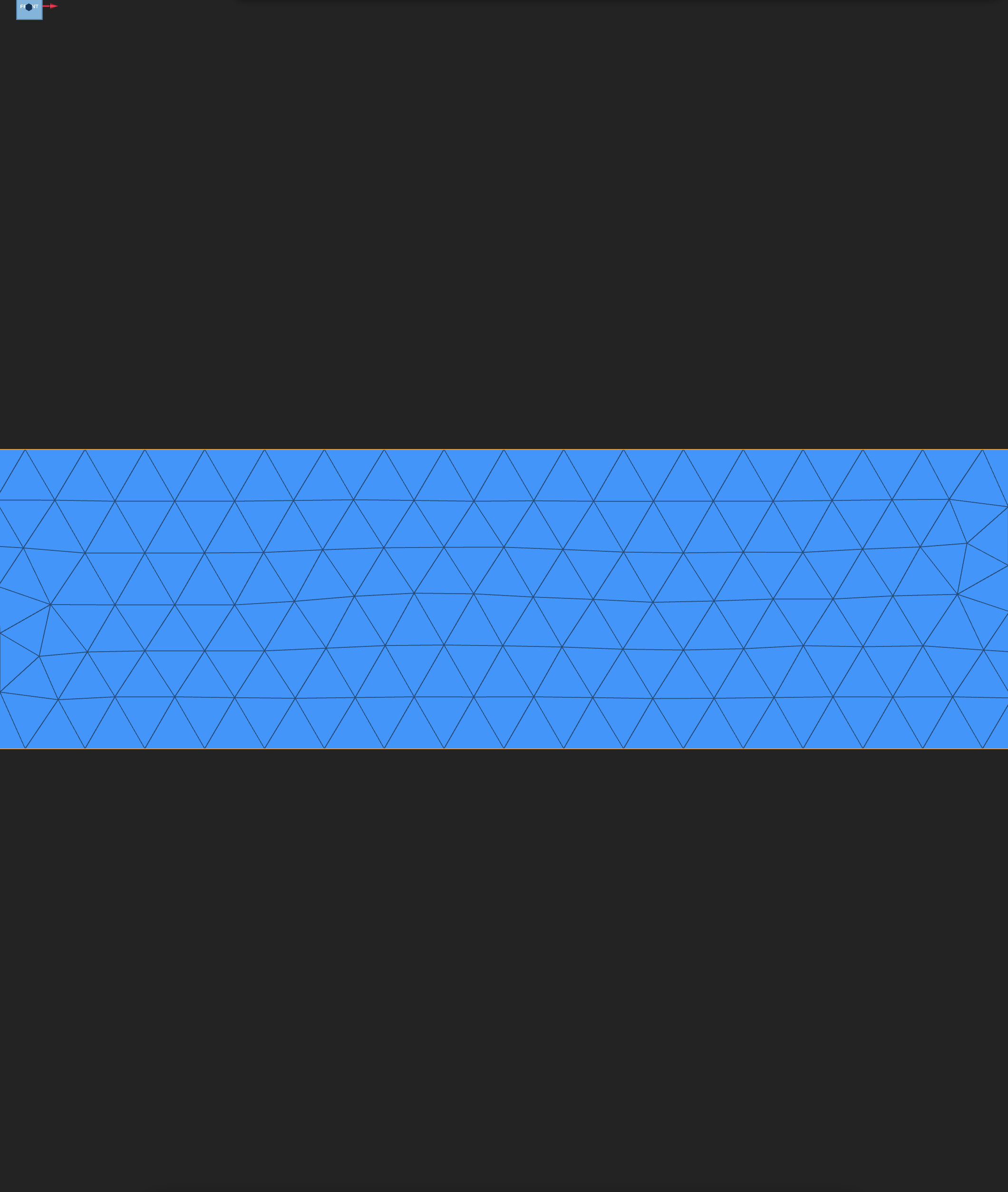
The exported mesh, opened in Post-Processing.
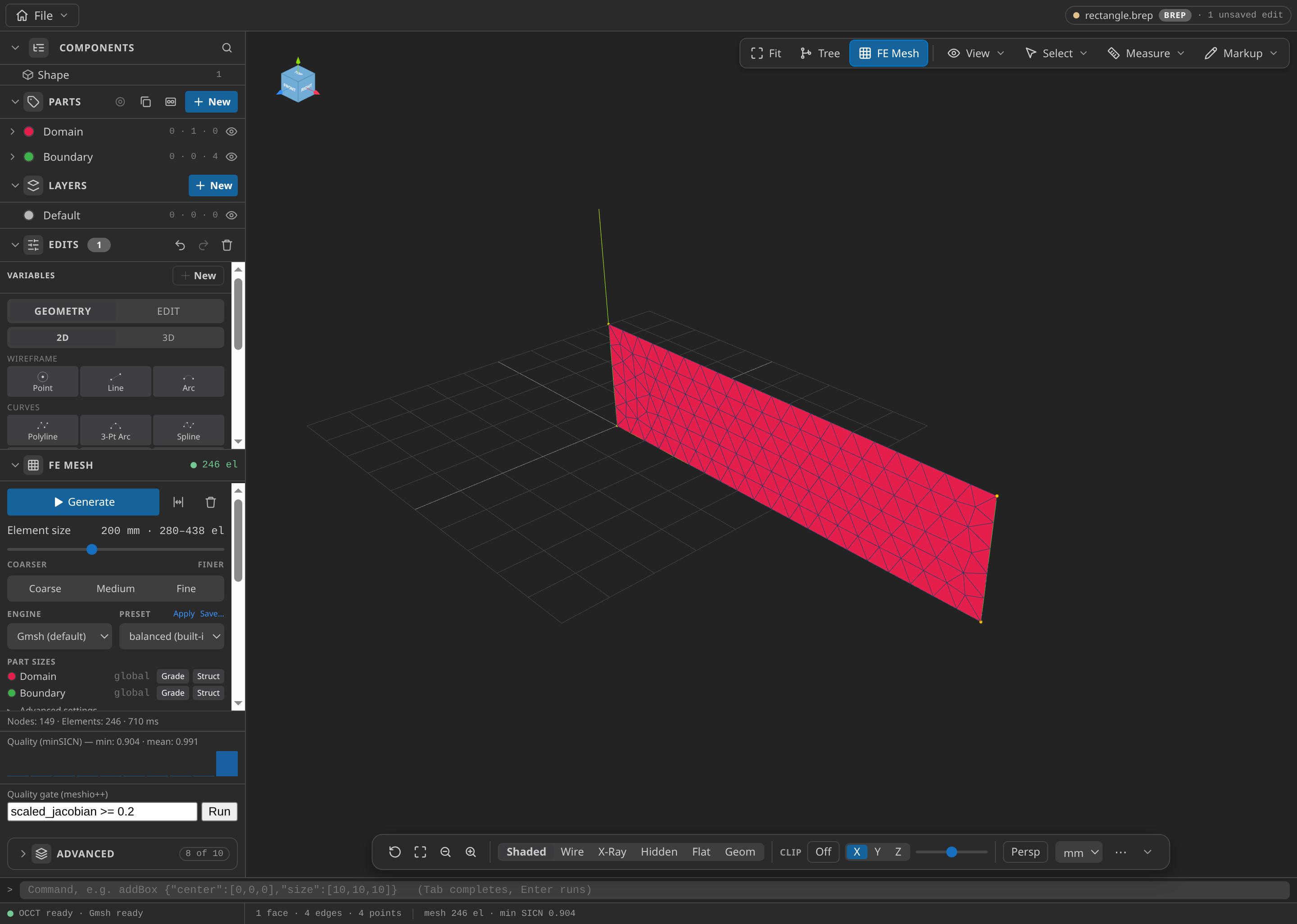
The CAD window after FE Mesh ▸ Generate: 149 nodes and 246 elements in this run, with the Parts panel open.
Configure the problemtype
Open mesh.mdpa in Post-Processing and select Shallow Water:
- Problem data, Physics, Solution type: Shallow water flow.
- Problem data, Time: end time 0.125 s and time step 0.015625 s, with Automatic time step (CFL) off. That gives eight steps and eight output frames.
- Problem data, Stabilization: shock capturing Residual viscosity, factor 0.5.
- Problem data, Gravity: 9.81 m/s².
- Water domain on Domain.
- Initial water level on Domain: Variable HEIGHT, Value [m] 1.
- Topography on Domain: z(x,y) expression
0.0. - Slip wall on Boundary.
- In Materials, on Domain: Manning coefficient 0.01.
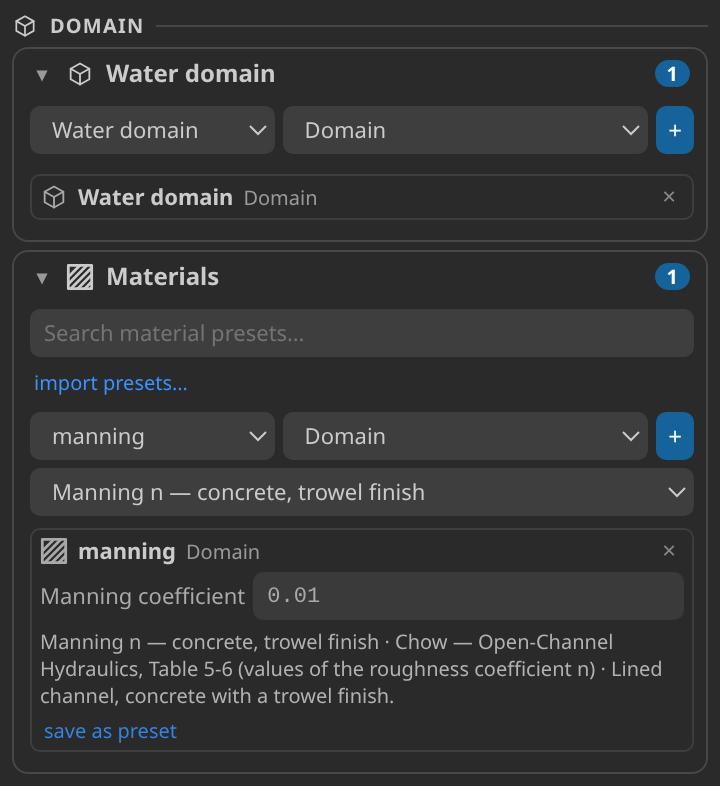
The Parts and Materials cards after setup: the Water domain Part and its Manning material.
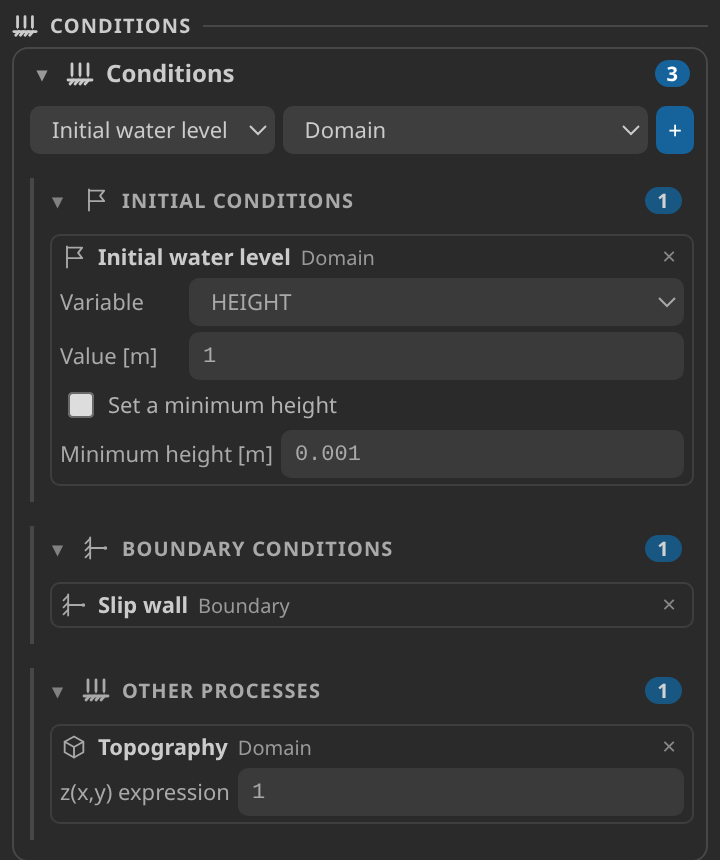
The Conditions card: the initial water level, the flat topography and the slip wall on Boundary.
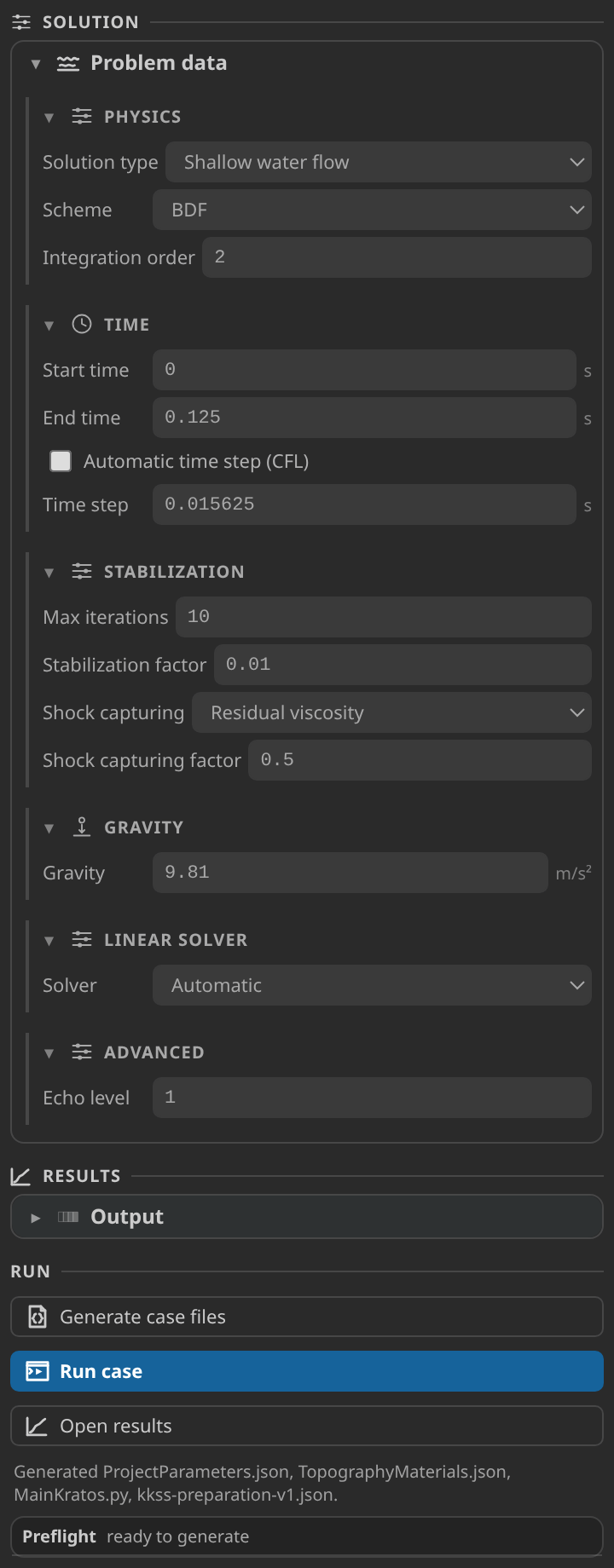
The Problem data form, the preflight report and the Generate button.
Generate and inspect the case files
Click Generate case files. In ProjectParameters.json check the stabilized shallow-water solver, gravity 9.81, time step 0.015625, end time 0.125, the initial height of 1 on the Domain, the topography of 0.0, the slip process on the Boundary, and the VTK output of HEIGHT, MOMENTUM and VELOCITY. TopographyMaterials.json should carry MANNING 0.01 on the Domain.
Run
Set Settings ▸ Kratos ▸ Python Interpreter to an environment with Kratos 10.4.3 and KratosShallowWaterApplication, click Check environment on the Home screen, then click Run case. The run takes eight steps.
Inspect the results
There is no field image for this case. The basin is uniform, so every node has the same depth and a colour plot of HEIGHT is a single flat colour. The useful picture is the depth history.
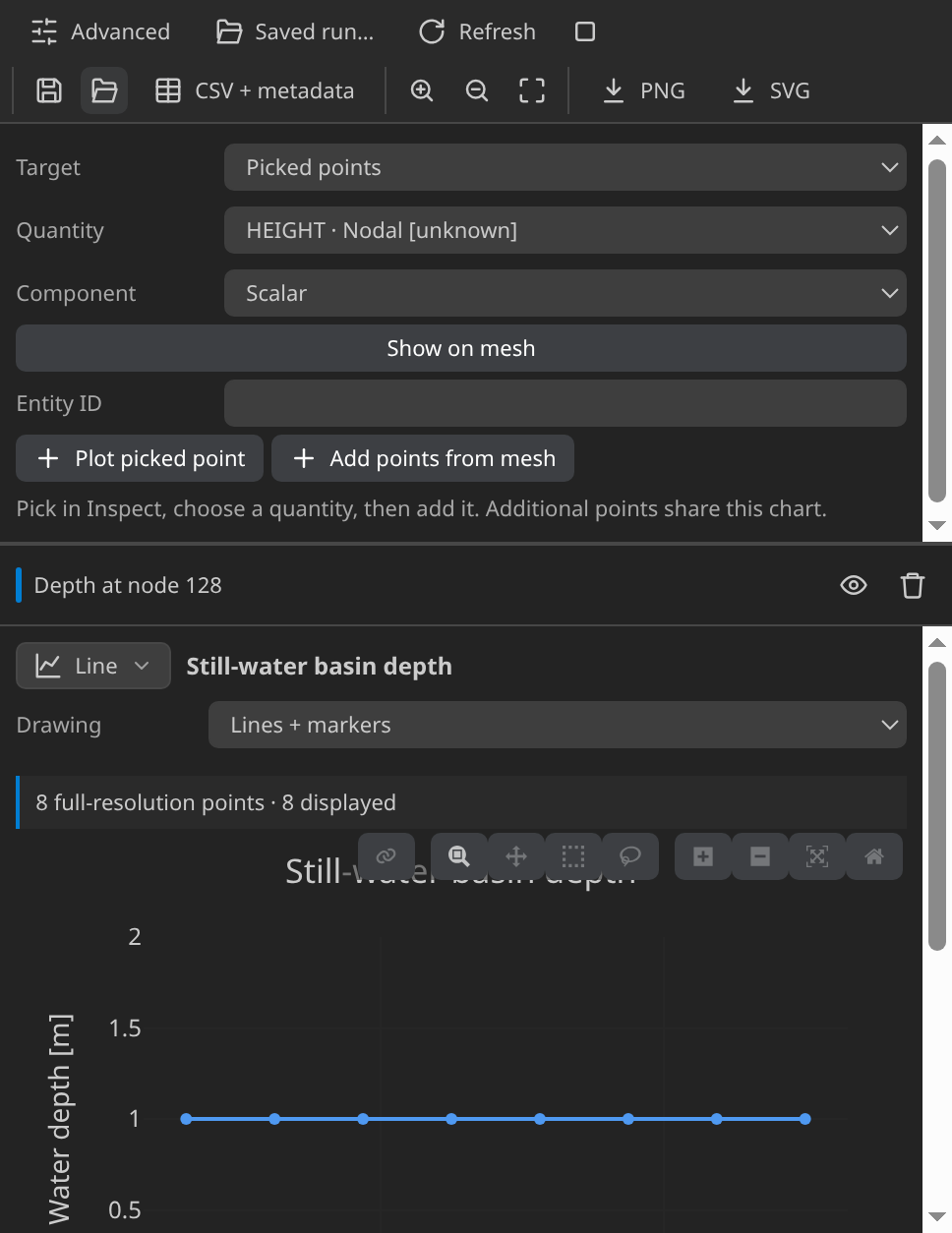
Water depth at mesh node 128 against time, one point per output frame. The curve should be flat at 1 m.
The history has eight points, one per output frame from 0.015625 s to 0.125 s, and its time axis is reconstructed from the fixed time step. A flat line at 1 m is the expected result. A rise, a fall or a wobble means the initial state, the bed or the boundary is not the still state the case describes. Build your own history in the Plots workspace; scientific plots describes the builder, and Reading a Kratos result in KKSS explains the Field panel and the timeline.
Verify
The verifier reads the final frame, at t = 0.125 s, and checks three quantities:
- Depth error: the largest departure of any node's depth from 1 m. The record gives 0 m against a limit of 1 × 10⁻⁶ m.
- Momentum: the largest momentum magnitude at any node. The record gives 2.9 × 10⁻¹⁵ m²/s against 1 × 10⁻⁶ m²/s.
- Water volume: the volume integrated over the triangles from the nodal depths. The record gives 4 m³ with an error of 8.9 × 10⁻¹⁶ m³ against 1 × 10⁻⁶ m³.
Verified with Python 3.12.14, Kratos 10.4.3, 2 OpenMP threads: 150 nodes and 248 cells, 8 frames through t = 0.125.
| Check | Measured | Limit |
|---|---|---|
depth_error_m | 0 | ≤ 0.000001 |
momentum_m2_per_s | 2.925364e-15 | ≤ 0.000001 |
water_volume_error_m3 | 8.881784e-16 | ≤ 0.000001 |
water_volume_m3 | 4 |
These are tutorial checks with the tolerances shown, not formal solver certification.
Each limit sits far above what the record reached. A drift in any of the three would mean the setup is not the still state the case describes.
Troubleshooting
- The run fails at import. The interpreter lacks
KratosShallowWaterApplication. - The depth is not 1 m. Check the initial water level: the variable must be HEIGHT and the value 1. A leftover perturbation changes the field.
- The water moves on its own. Check that the topography is 0.0 and that Boundary carries only the slip wall.
- The mesh is three-dimensional. Re-export as 2D from the planar face.
Variations to try
- Add an initial perturbation. The Initial perturbation condition raises the water in part of the basin. The depth history stops being flat, and the published check no longer applies.
- Tilt the bed. Enter a sloping z(x,y) and keep the 1 m water level. A flat surface cannot sit on a sloping bed, so the water flows toward the lower end, and the depth history shows it.
- Change the Manning coefficient after adding a perturbation. Friction now acts on moving water, so the coefficient changes the result. In the still basin it had no effect.
Reproduce and download
Download the shallow-water case. It holds the CAD source, the generation setup, the generated case and the verification record, with SHA-256 hashes. To reproduce the run, unpack it into an empty folder, open rectangle.brep in Pre-Processing and mesh.mdpa in Post-Processing, and run MainKratos.py with Kratos 10.4.3 and KratosShallowWaterApplication, using OMP_NUM_THREADS=2. Downloaded cases are starting points: rerunning overwrites their generated outputs.