Two-fluid dam break (level set)
A column of water 1 m wide and 0.8 m tall stands against the left wall of a 4 m × 1 m tank, open at the top to the atmosphere. Gravity releases it. The two-fluid solver follows the free surface with a level set: a nodal field whose sign says which fluid a node belongs to. This tutorial sets that field from the geometry, solves the collapse, and checks the three things a two-fluid run must get right: the water volume, the front, and the pressure reference.
At a glance
| Mesh | 2475 nodes, 4724 cells |
| Run | 20 frames, end time 0.5 |
| Kratos packages | KratosFluidDynamicsApplication==10.4.3 |
| Download | two-fluids case with its verification record |
What you will learn
- How a signed distance field (
DISTANCE) separates two fluids: negative is the first fluid, positive the second, and the zero contour is the interface. - Why the level set is set from the geometry with a field expression rather than measured against a helper surface: the helper gave every water node a distance of exactly zero.
- Why the top of the tank is an outlet at zero pressure: a closed tank has no pressure reference, and its gauge drifts.
- What the solver checks against: the water area, the front position and the outlet pressure.
- The one-file alias that the stock Kratos 10.4.3 serial two-fluid wrapper needs.
The physical model
Two incompressible fluids share one velocity and pressure field. Water has density 1000 kg/m³ and dynamic viscosity 0.001 Pa·s; air has density 1 kg/m³ and dynamic viscosity 1.8 × 10⁻⁵ Pa·s. Gravity is 9.81 m/s² along −Y.
The interface is the zero of the level set DISTANCE. The solver assigns the first fluid (phase_1, water) to every node with DISTANCE ≤ 0 and the second fluid (phase_2, air) to the rest, so the water must be the negative side. Here the field is the exact signed distance to the water column, a rectangle [0, 1] × [0, 0.8] m: negative inside, zero on its two free faces (the vertical face at x = 1 m and the top at y = 0.8 m), positive in the air.
When the column is released, the hydrostatic head pushes the water to the right, and the front moves along the floor. The ideal dry-bed front moves at twice the shallow-water wave speed, 2√(gH) ≈ 5.6 m/s for H = 0.8 m. The computed front is slower, as the results section shows. At this resolution, the 45 mm mesh has about 18 cells over the column height, and the viscous and numerical diffusion slow the nose. Treat the tutorial as a qualitative collapse check, not as a benchmark against the ideal solution.
Create the geometry
Open cad/examples/BREP/blank.brep in CAD mode and add one rectangle profile on the XY plane: 4000 × 1000 mm, centred at (2000, 500) mm. The tank is a single face. The water column is not drawn in the CAD model: it comes from the level set, which is set from its geometry after the mesh exists.
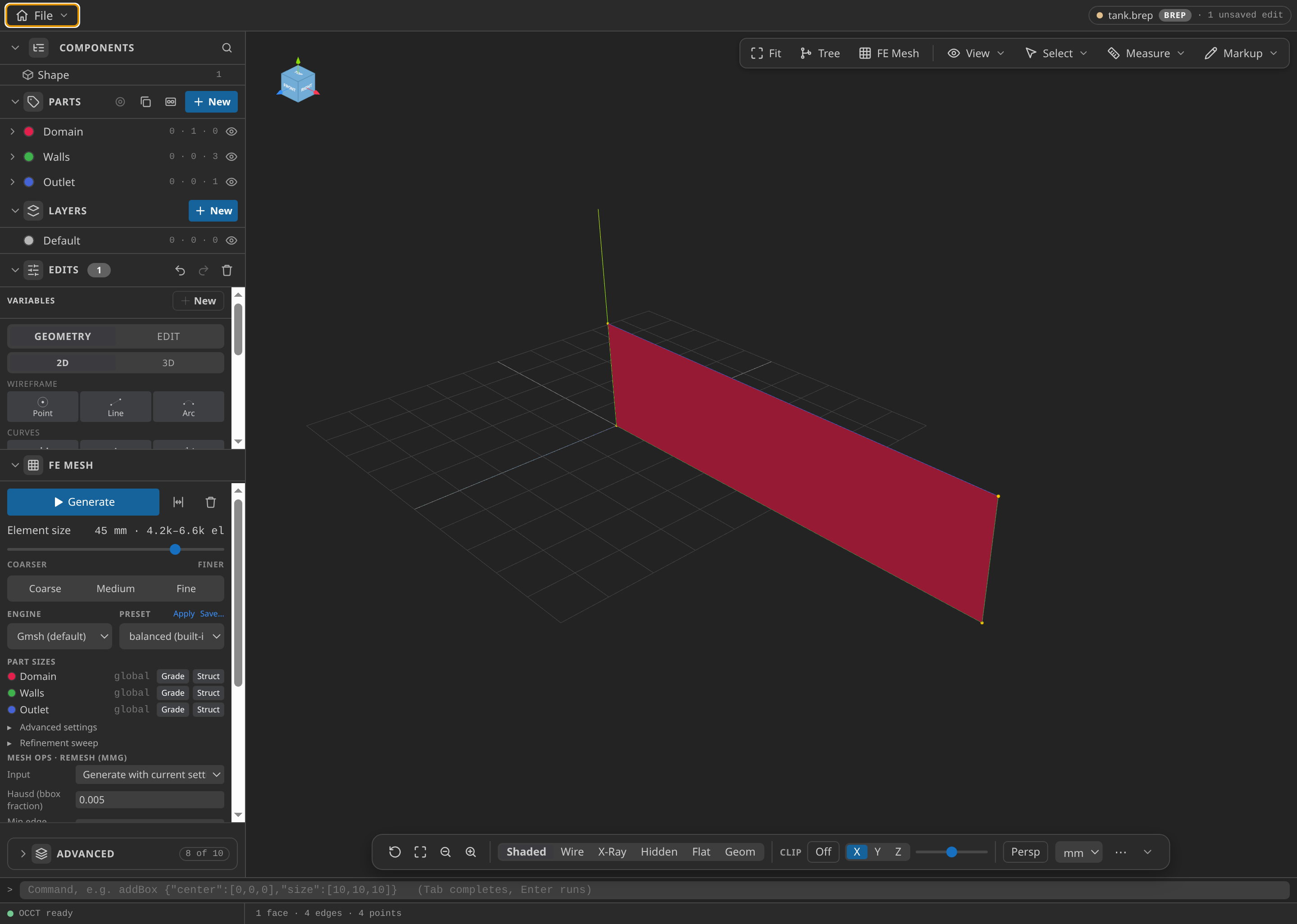
The tank in CAD: one rectangle, 4 × 1 m. The water column is not in the geometry; the level set sets it.
Name the Parts
- Domain: the tank face. Every fluid element belongs to it, water and air alike, because the solver's volume part must hold all of them.
- Walls: the left, right and bottom edges. No-slip.
- Outlet: the top edge, at zero pressure. This is the atmosphere above the tank.
Both fluids belong to the one Domain part. The materials are assigned per node by the level set, not by part. A separate Water face would have been the obvious choice, but CAD parts are exclusive: assigning the water face to a Water part took its elements out of Domain, and the solver then saw only the air.
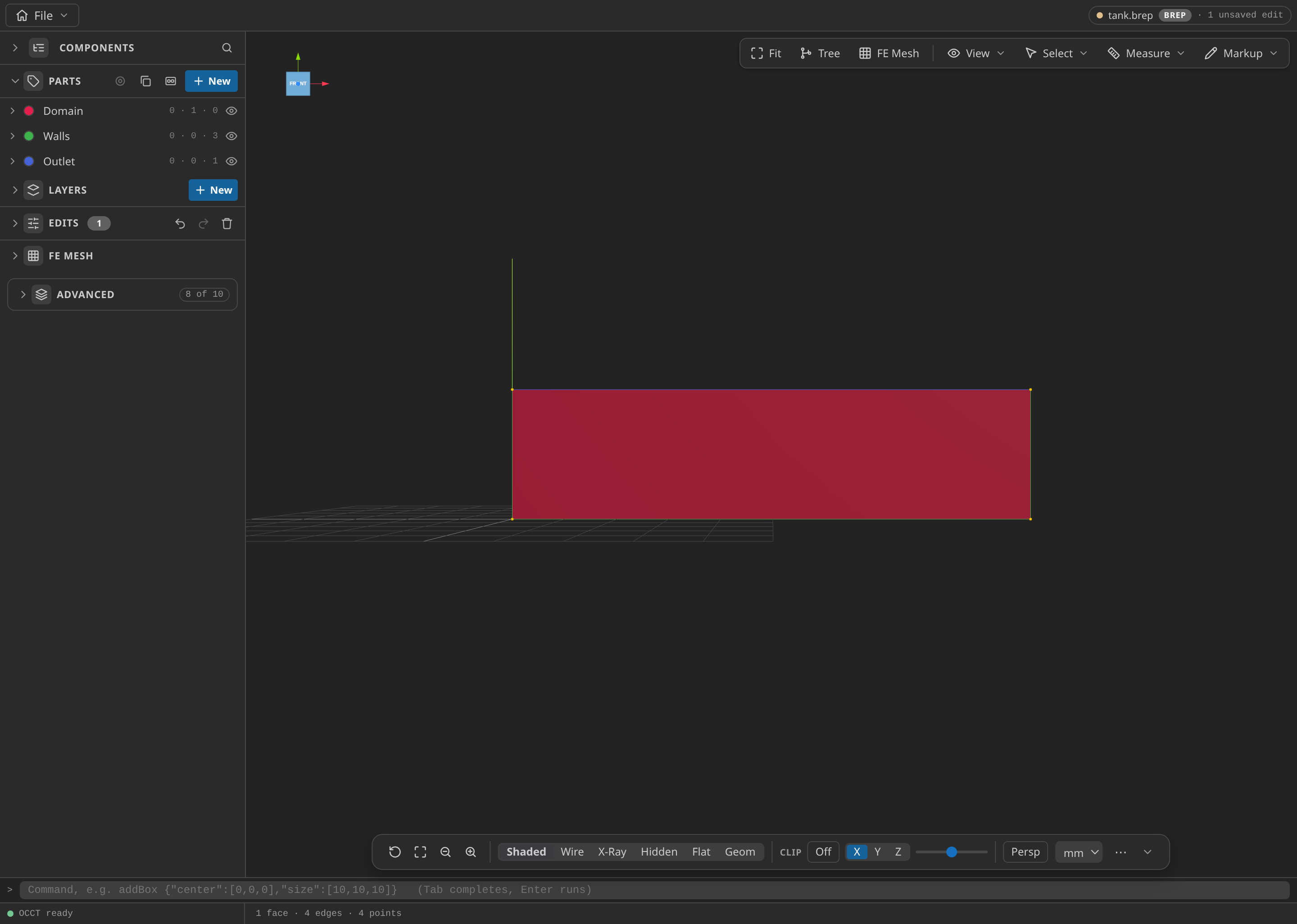
The CAD window with the Parts panel open, showing the named Parts: Domain, Walls and Outlet.
Mesh
Use a uniform 45 mm size (sizeMin = sizeMax = 45 mm). The mesh has 2475 nodes and 4724 triangles. The size is chosen against the geometry: at 50 mm the bottom wall has a node exactly at x = 1 m, the foot of the free surface, where the level set would be exactly zero. At 45 mm the foot falls between nodes.
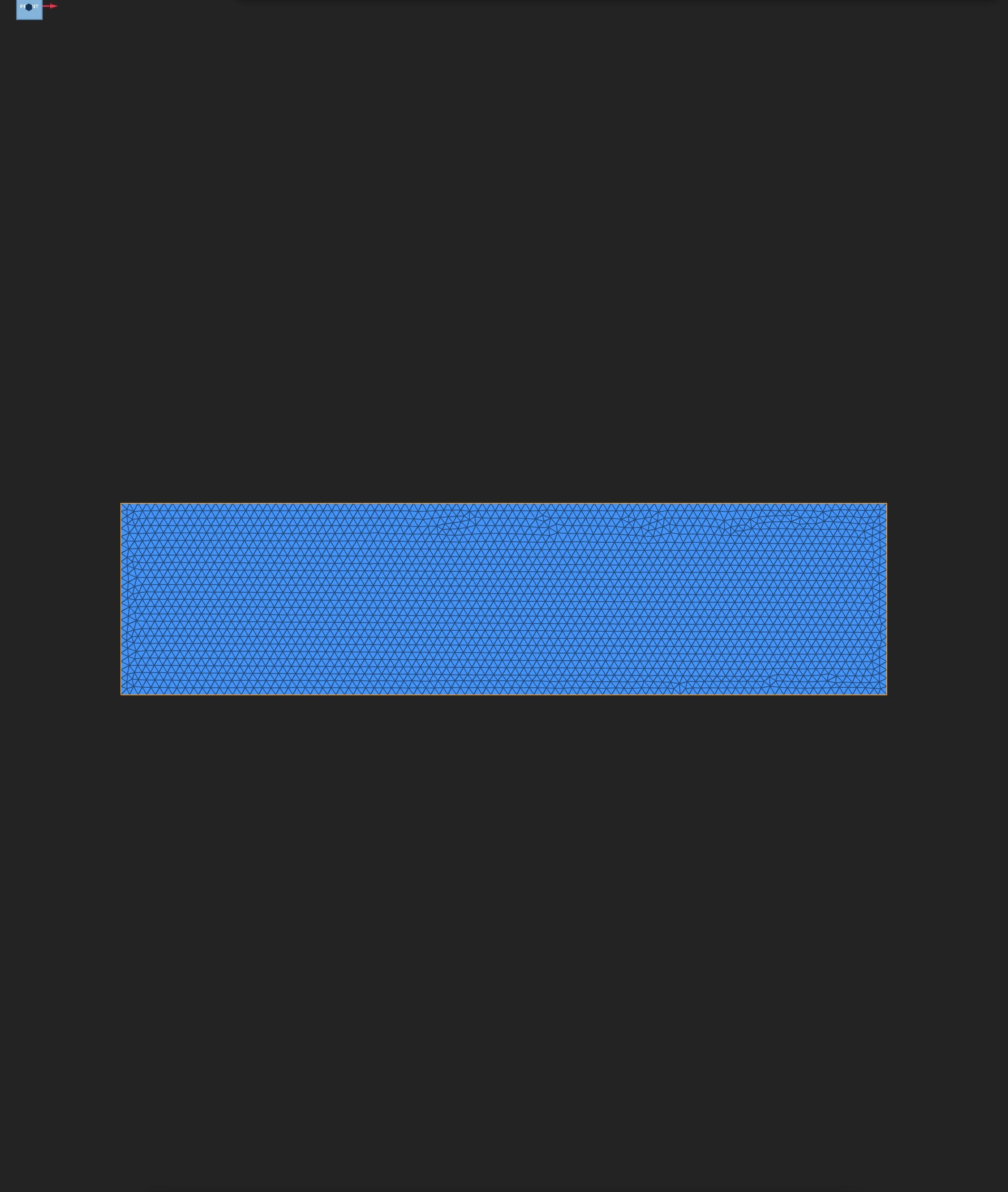
The exported mesh of the tank: 2475 nodes and 4724 triangles.
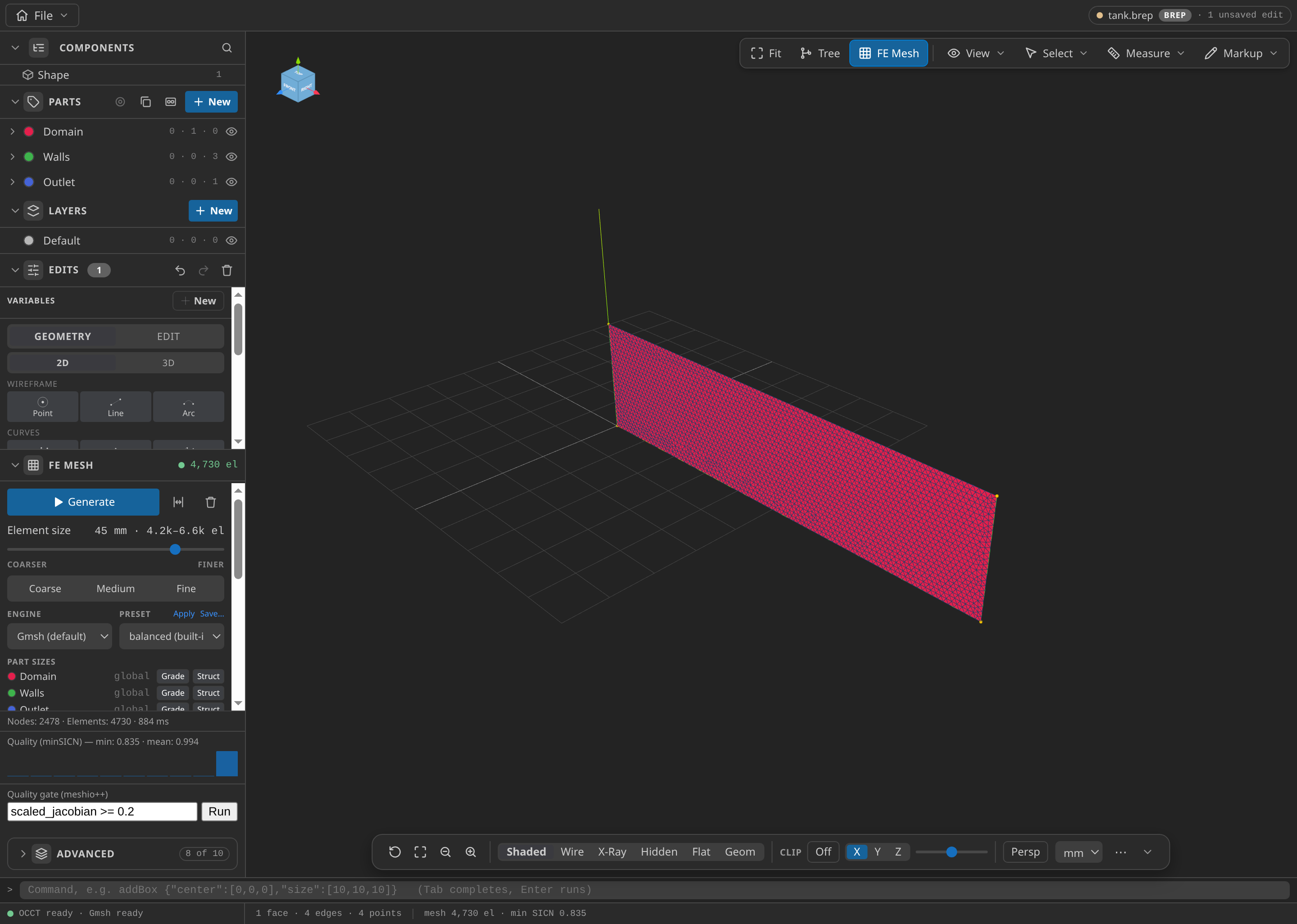
The CAD window after FE Mesh ▸ Generate: 2,478 nodes and 4,730 elements in this run, with the Parts panel open.
Configure the problemtype
Choose Two Fluids in the Problemtype section and set:
- Material 1 (
phase_1_2d, water): density 1000, dynamic viscosity 0.001, on Domain. - Material 2 (
phase_2_2d, air): density 1.0, dynamic viscosity 0.000018, on Domain. The order matters: the solver reads the first material as fluid 1, the one withDISTANCE ≤ 0. - Gravity: 9.81, in the default direction −Y.
- Time: step 0.005 s, end time 0.5 s, so 100 steps.
- Output: every 5 steps, which gives 20 VTK frames from t = 0.025 s to t = 0.5 s.
- Walls: no-slip on the Walls part.
- Outlet: pressure 0 on the Outlet part.
- Mass conservation check: present as a monitor on Domain with
performoff. It is an observer, not a boundary.
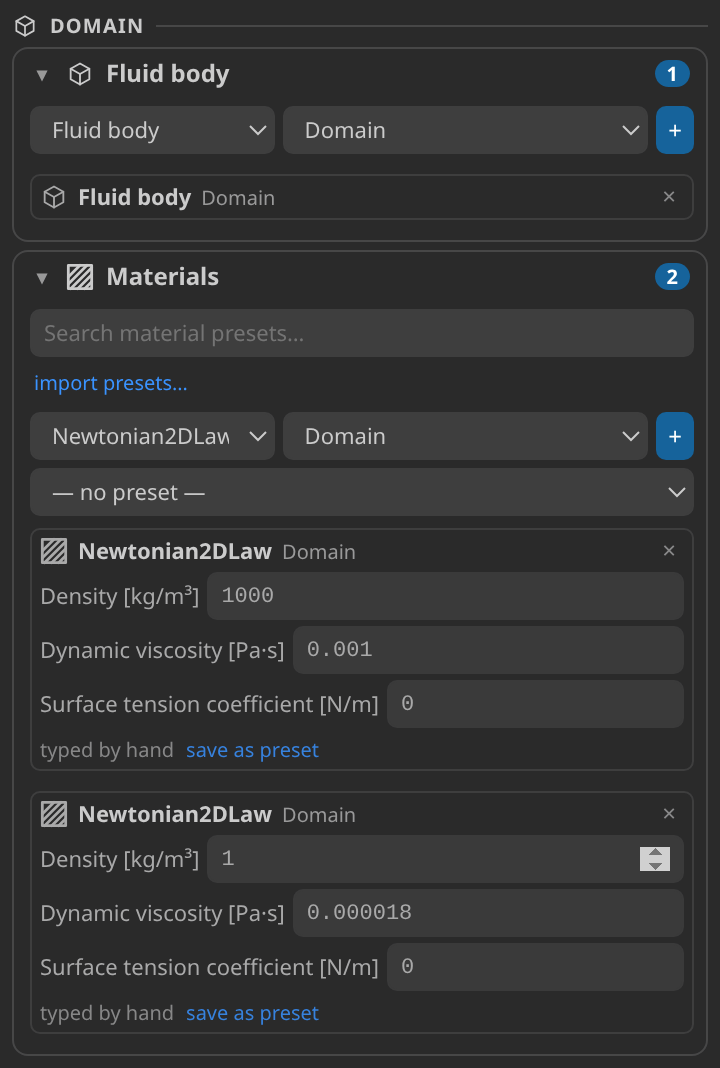
The Problemtype cards for the Domain part and its two materials. Both cards show the Kratos law name Newtonian2DLaw; the solver tells them apart by order, water first.
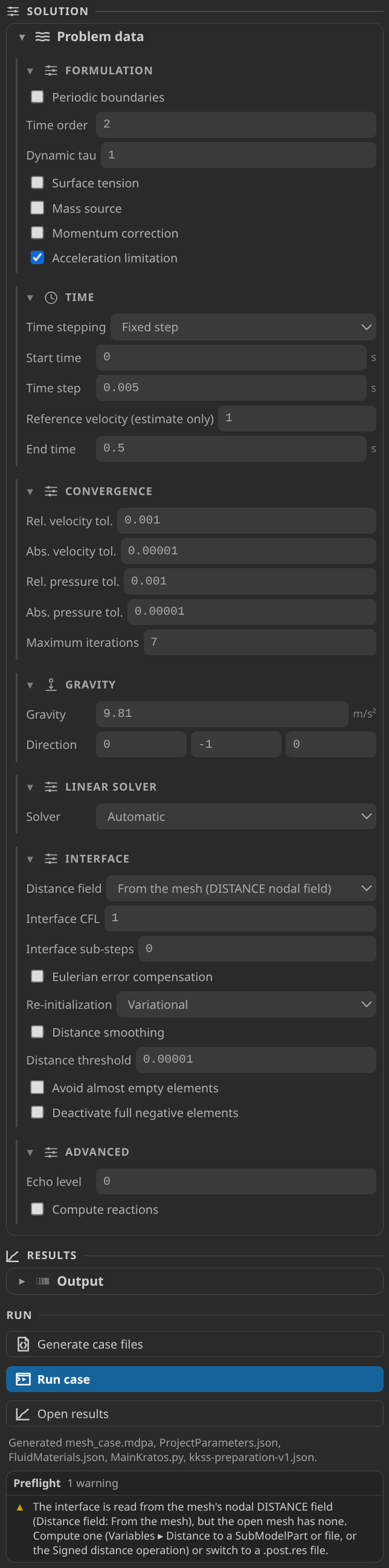
The solution cards: a fixed 0.005 s step to 0.5 s, gravity 9.81 m/s² along −Y, and the interface taken from the mesh's DISTANCE field with variational re-initialisation and a distance threshold of 1e-5.
The level set itself is not a form field. The case writes DISTANCE into the mesh before the case state, from the expression sqrt(max(abs(x) - 1, 0)^2 + max(abs(y + 0.1) - 0.9, 0)^2) + min(max(abs(x) - 1, abs(y + 0.1) - 0.9), 0). The box it describes reaches past the walls to [-1, 1] × [-1, 0.8] m, so its faces that lie on the walls are outside the tank and cannot put exact zeros on the wall nodes the column touches.
Generate and inspect the case files
Generation writes ProjectParameters.json (solver type TwoFluids, distance read from the mesh, redistancing variational, distance threshold 1e-5), mesh_case.mdpa with the DISTANCE nodal block, FluidMaterials.json and MainKratos.py.
Check the field before running. DISTANCE is negative at the water's interior corner (−0.8 m at the origin, the distance to the free faces), zero on the free faces and positive in the air, reaching about 3 m at the far right. Nodes on the bottom wall under the water are negative, not zero. If they were zero, the level set would have no interior sign on the wall.
Run
Create the alias file described in Reproduce and download first. Then run python MainKratos.py with OMP_NUM_THREADS=2. The solver writes vtk_output/FluidModelPart_0_<step>.vtk every five steps.
Inspect the results
Open the last frame in Post-Processing, then Open results for the timeline.
- Velocity: the water rushes right along the floor. The peak speed over the run is about 4.9 m/s.
- Interface (
DISTANCEcontour at the zero level, frame t = 0.2 s): the water surface is the zero contour. Read the contour, not the colours: the range is set so that the zero level is visible. - Pressure: the largest value, under the column on the floor, stays between 6 and 7 kPa over the run. The top edge is held at exactly zero by the outlet condition; the lowest value at the end is about −1.5 kPa.
- The animation of
DISTANCEshows the column collapsing over the 20 frames.
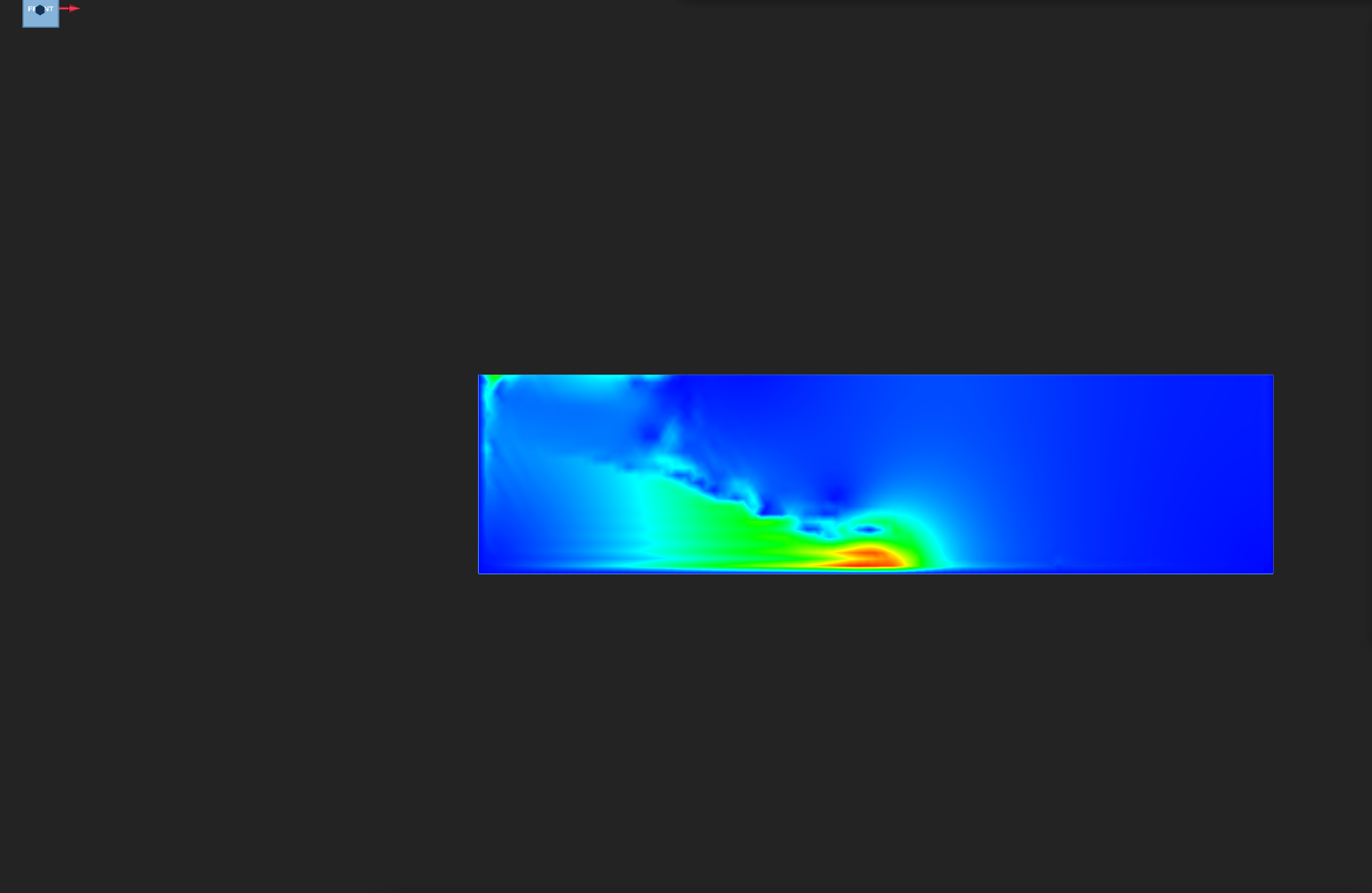
|VELOCITY| at t = 0.5 s, colour range 0 to 5 m/s. The peak is 4.9 m/s, so the scale is not saturated.
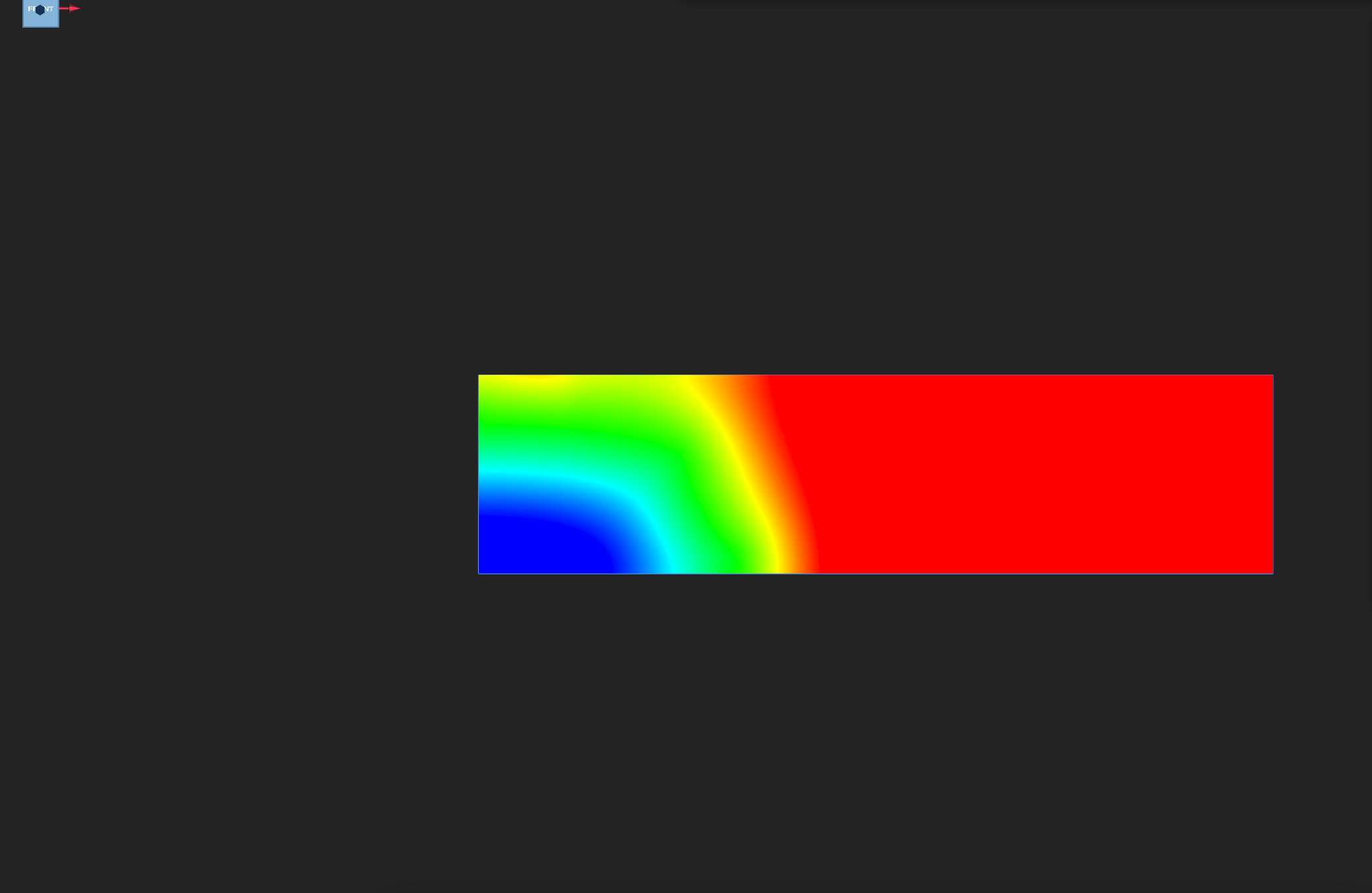
DISTANCE at t = 0.2 s, colour range −0.5 to 0.5 m. The free surface is the zero level, at the middle of the scale. Blue is the water (negative) and red the air (positive); values beyond ±0.5 m are drawn in the end colours.
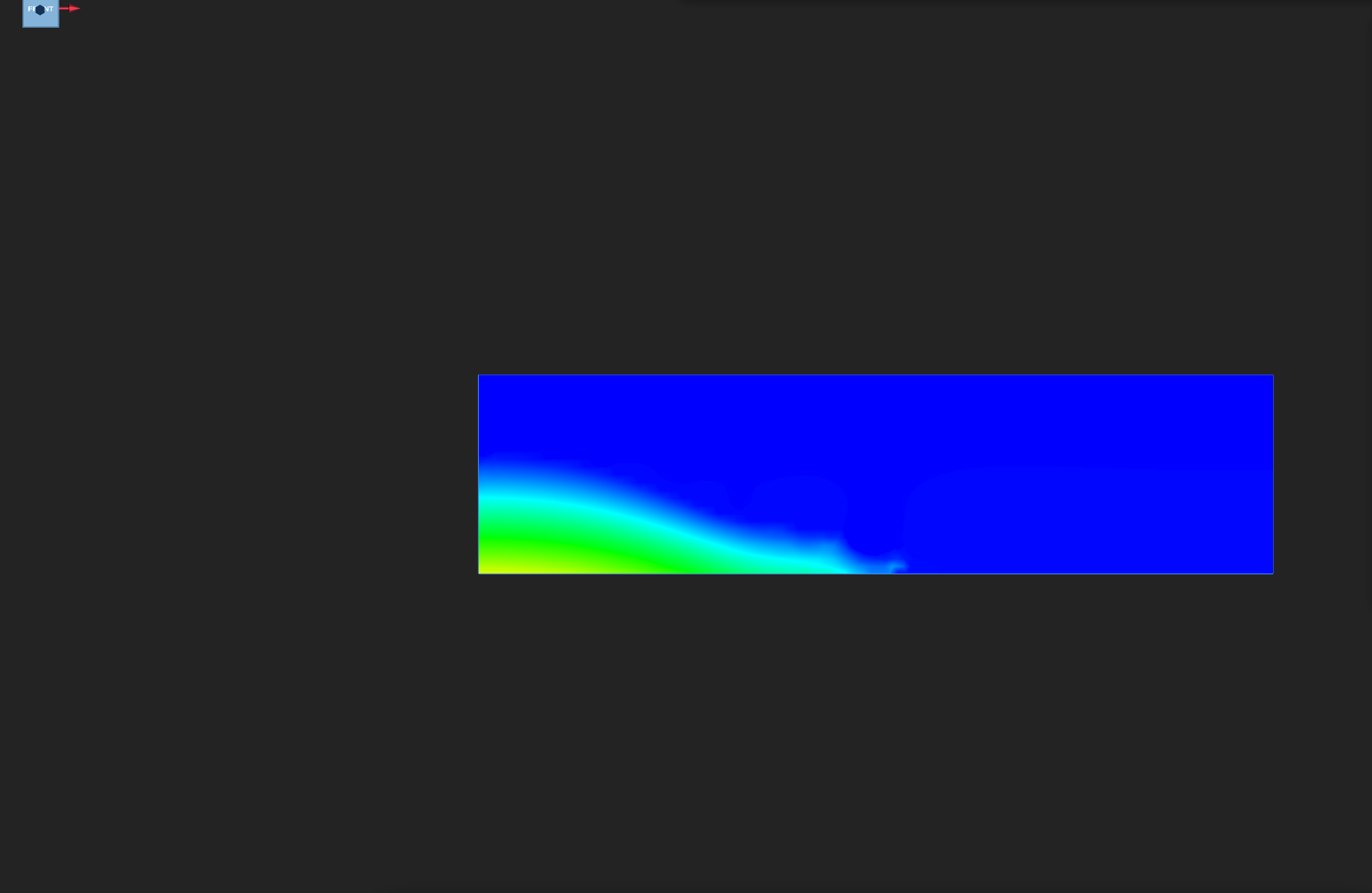
PRESSURE at t = 0.5 s, colour range 0 to 8000 Pa. Values below zero, down to about −1.5 kPa at this time, are drawn in the lowest colour.
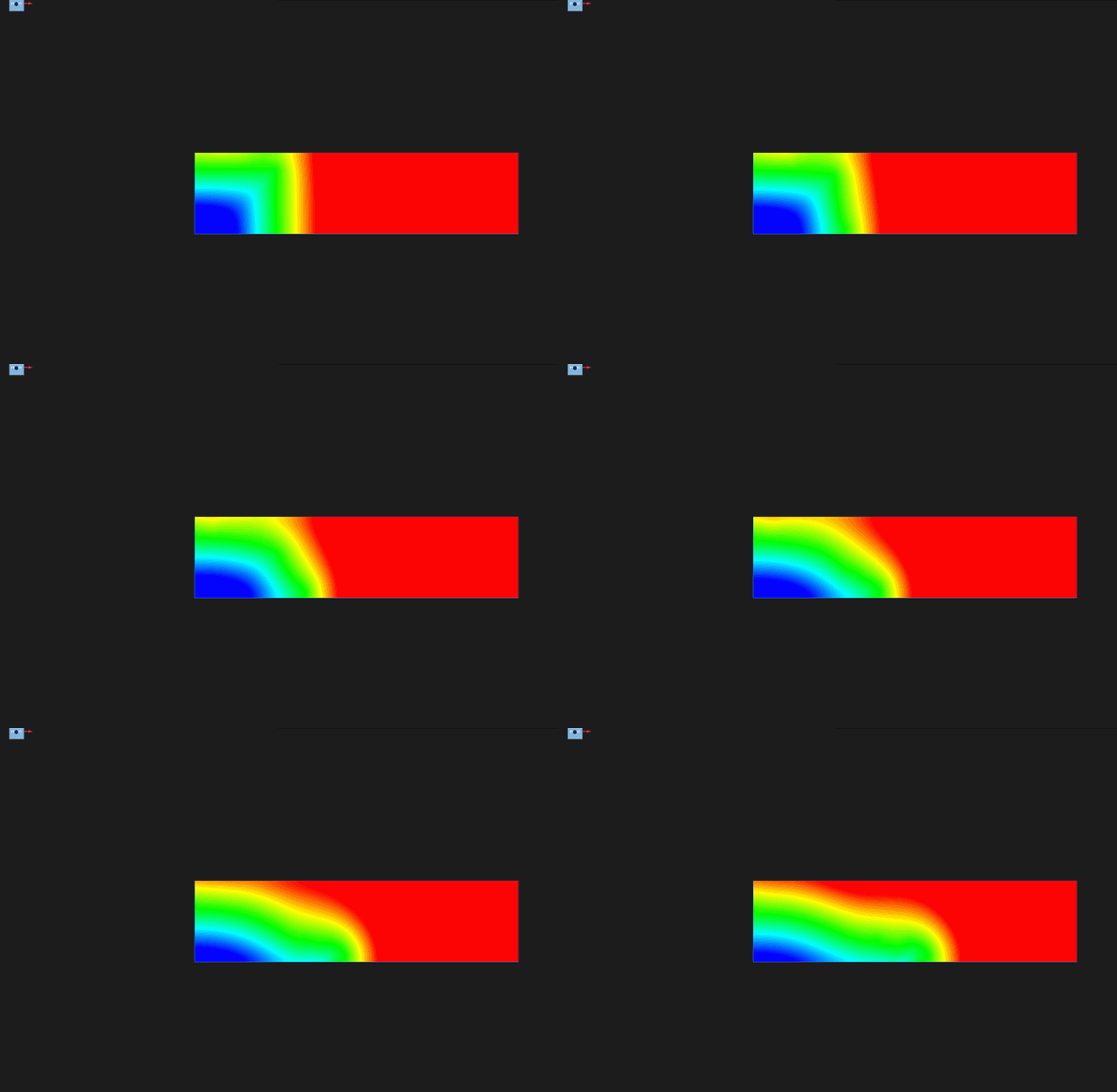
DISTANCE over the 20 output frames, t = 0.025 to 0.5 s, with the fixed range −0.5 to 0.5 m. The column collapses to the right.
The front moves from x = 1.00 m to x = 2.15 m in 0.5 s, a mean of 2.3 m/s. The speed is below the ideal nose speed, for the reasons in the physical model section.
Verify
The verification record checks the solver output frame by frame, not the case setup:
- Water area: the area where
DISTANCE ≤ 0on each triangle, clipped by the linear interpolant. The first frame measures 0.80 m² against the 0.8 m² box. Over all 20 frames the area stays within 0.53 % of its first-frame value, so the level set does not leak water. - Front: the largest x of the nodes inside the water. It must advance by at least 0.5 m; it advances 1.15 m.
- Pressure reference: every node on the Outlet top edge has zero pressure, to within 10⁻⁶ Pa. The measured value is exactly zero.
- Peak speed: at most 10 m/s over all frames; the measured value is 4.9 m/s.
- Finite fields: every frame's
DISTANCE,PRESSUREandVELOCITYare finite.
These are tutorial checks with the tolerances shown, not formal solver certification.
Verified with Python 3.12.14, Kratos 10.4.3, 2 OpenMP threads: 2475 nodes and 4724 cells, 20 frames through t = 0.5.
| Check | Measured | Limit |
|---|---|---|
column_area_error_at_start | 0.000008645698 | ≤ 0.01 |
water_area_drift | 0.005252038 | ≤ 0.02 |
front_advance_m | 1.148354 | ≥ 0.5 |
peak_speed_m_per_s | 4.875288 | ≤ 10 |
outlet_pressure_error_Pa | 0 | ≤ 0.000001 |
These are tutorial checks with the tolerances shown, not formal solver certification.
Troubleshooting
ModuleNotFoundError: ... navier_stokes_two_fluid_solver: the alias file is missing. Create it as described in the reproduction section.Trying to generate the intersection skin ... for a non-split element: the level set has exact zeros on mesh edges, usually because the free surface lies on a node line. Move the mesh size so the free surface falls between nodes, or move the surface.- Exit 134 or 139 right after the mesh is read: the same cause, reached through a different path. Check the
DISTANCEblock for exact zeros first. - Pressure of order 10¹¹ Pa: a closed tank. Without a pressure reference the gauge drifts; the pressure differences inside the water stay correct, but the colour range is useless. Keep the outlet at the top.
- Water area that grows: seen with a 1 m column that reached the top of the tank, where the water flowed into the outlet. Keep the column below the outlet, as this case does.
Variations to try
- Lower the column: change the 0.8 m height in the level-set expression and its box. A shorter column has less head, so it collapses more slowly.
- Refine the mesh (45 mm to 30 mm): compare the water area drift and the front position with the table above. Keep the free surface off the node lines.
- Close the tank: replace the outlet with a no-slip wall. The pressure then acquires the drifting offset described above.
- Measure the level set against the water face (
sdfDistance): every water node then sits at exactly zero, and the solver aborts in the divide step. Keep the geometric level set.
Reproduce and download
The zip below contains the case, its mesh and the verification record. The alias file is not a case file, so create it once in the Kratos install you run with:
echo 'from KratosMultiphysics.FluidDynamicsApplication.navier_stokes_two_fluids_solver import *' \
> <kratos>/KratosMultiphysics/FluidDynamicsApplication/navier_stokes_two_fluid_solver.py
Kratos 10.4.3's serial wrapper asks for the singular module name; the package ships the plural one. The alias is a one-line re-export and changes no physics.
Then run python MainKratos.py with OMP_NUM_THREADS=2.