Partitioned flow past a flexible wall (Mok benchmark)
A flexible wall in a convergent channel is bent by the flow it holds back. The fluid and the structure are solved as two Kratos participants that exchange interface data until they agree at every time step, and the published Mok benchmark supplies the reference values: a wall-tip peak near 8 cm and a settled value near 6 cm. You will build the faces in CAD, name their Parts, generate the partitioned case and check the tip history against those values.
At a glance
| Mesh | 5632 nodes, 10569 cells |
| Run | 50 frames, end time 25 |
| Kratos packages | KratosFSIApplication==10.4.3, KratosFluidDynamicsApplication==10.4.3, KratosStructuralMechanicsApplication==10.4.3, KratosMappingApplication==10.4.3, KratosMeshMovingApplication==10.4.3 |
| Download | fsi case with its verification record |
KratosFSIApplication, KratosMappingApplication, KratosMeshMovingApplication are not in the docker runtime’s pinned requirements yet; install them from the same Kratos 10.4.3 build.
What you will learn
- Why a partitioned run iterates on its interface, and what the MVQN accelerator changes.
- How ALE mesh motion lets the fluid follow the wall without remeshing.
- Why this case steps at 0.05 s where the upstream benchmark uses 0.1 s.
- How to read the coupling log and the tip history against the published values.
The physical model
The channel is 1.75 m long and 0.5 m high. Its lower boundary rises along a convergent ramp to a flat bottom 300 mm above the base, and a 5 mm thick elastic wall, 250 mm tall and clamped at its base, stands in a slot at x = 0.5 m. The fluid is viscous and incompressible (density 956 kg/m³, dynamic viscosity 0.145 Pa·s). The inlet profile ramps up with 0.1214·(1−cos(0.1·π·t))·y·(1−y) until t = 10 s, then holds at 0.2428·y·(1−y). The wall is plane-stress elastic (density 1500 kg/m³, E = 2.3 MPa, ν = 0.45), and the flow bends it.
Each time step is a loop. The fluid returns its reaction on the interface, the structure turns that load into a wall displacement, and the loop repeats until the interface residual falls below 10⁻⁸ or 25 iterations pass. MVQN (multi-vector quasi-Newton) builds each new interface guess from the previous iterations, so the verified run averages 4.1 iterations per step. ALE mesh motion holds every outer boundary fixed, so only the wall moves the fluid mesh.
The upstream benchmark uses a 0.1 s step. On this Kratos build the structure's Newton iteration stops converging near t = 4 s with that step, while 0.05 s converges at every step, so the case runs 500 steps to t = 25 s.
Create the geometry
- Open
cad/examples/BREP/blank.brepin CAD mode. - With the Polyline sketch operation, draw the fluid boundary counterclockwise: from (0, 0) to (500, 0) mm, up the slot to (500, 250) and across to (505, 250) mm, down to (505, 0) mm, along the ramp through its 28 stations to (1350, 300) mm, along the flat bottom to (1750, 300) mm, up to (1750, 500) mm, across to (0, 500) mm, and down the inlet side to close the loop.
- Add the wall's bottom Line from (500, 0) to (505, 0) mm.
- Build the fluid face from the closed loop, and the wall face from the bottom line plus the three slot edges.
The benchmark defines its ramp only by its mesh, so the 28 stations are read off that boundary, each within 0.01 mm of it.
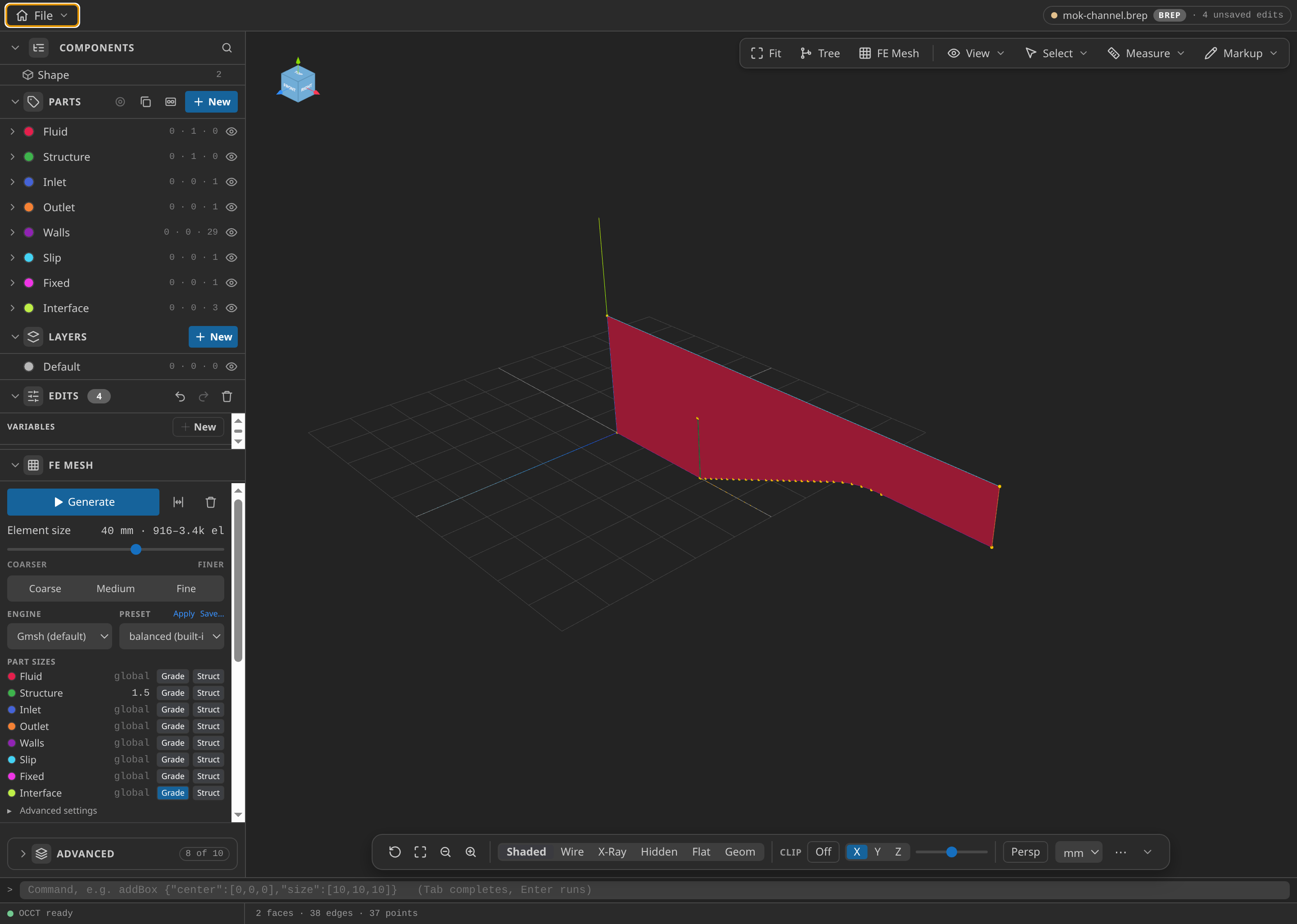
The channel with its slot, and the wall face at its base.
Name the Parts
Name the channel face Fluid and the wall face Structure, then set Structure's mesh size to 1.5 mm. Name the lines Inlet (x = 0), Outlet (x = 1750 mm), Walls (base, ramp and flat bottom), Slip (the top) and Fixed (the wall's clamped bottom line). Name the three slot edges Interface once and mark them as the coupling surface on both sides, so one Part serves both solvers. Its grading is 2 mm within 12 mm of the wall, rising to 30 mm at 150 mm. Use Surf selection for faces and Line selection for boundaries.
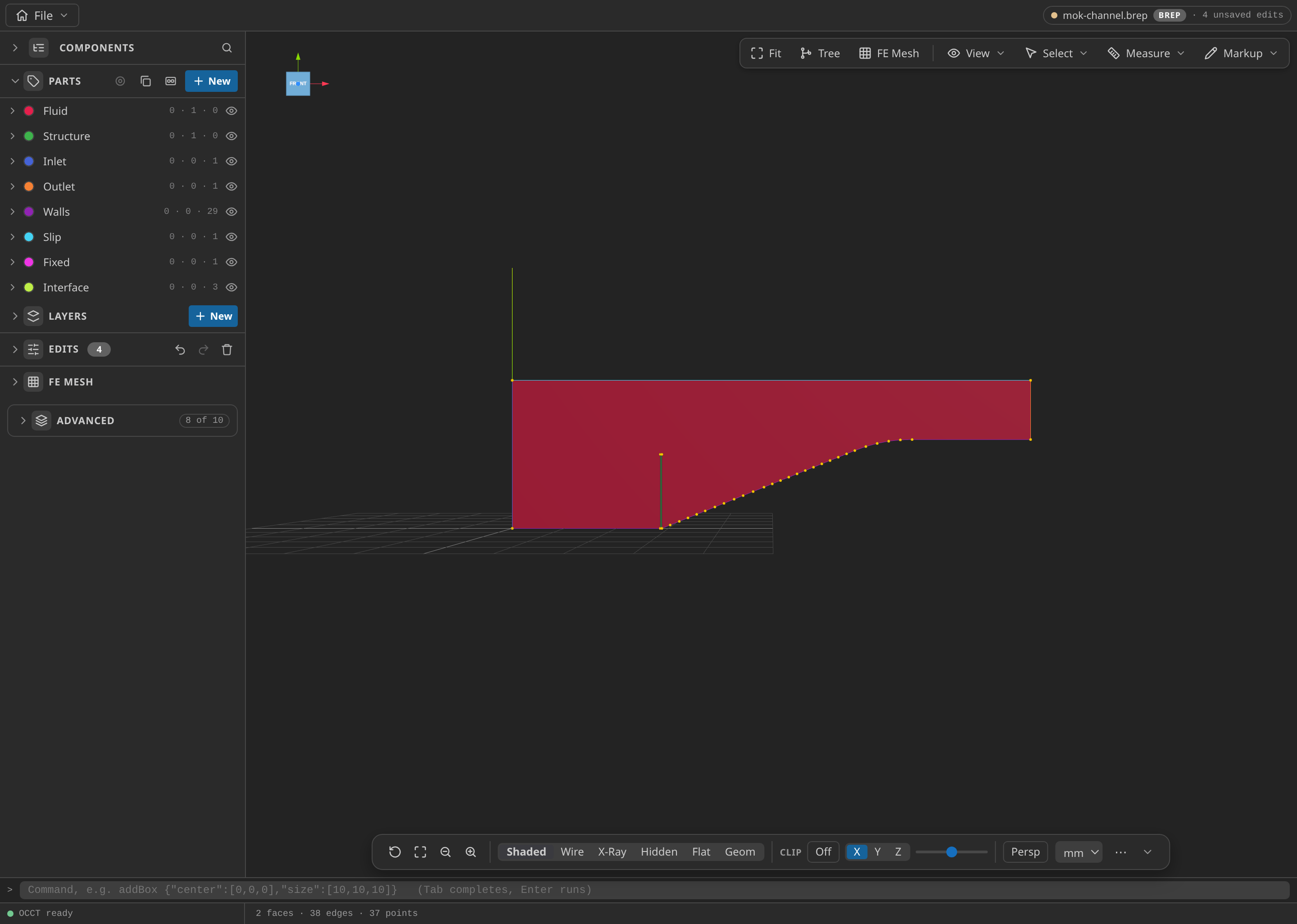
The CAD window with the Parts panel open, showing the named Parts.
Mesh
Under FE Mesh, choose Gmsh, 2D, first order, with global size min/max 2/40 mm. Choose MDPA Elements, set the export units to m, and export as mesh.mdpa. One mesh holds both faces. The export fragments the touching faces, so the slot edges mesh once and both solvers see the same interface nodes.
The published mesh files hold 5116 fluid nodes with 9795 triangles, and 516 structure nodes with 774 triangles, which make the 5632 nodes and 10569 cells in the verification record.
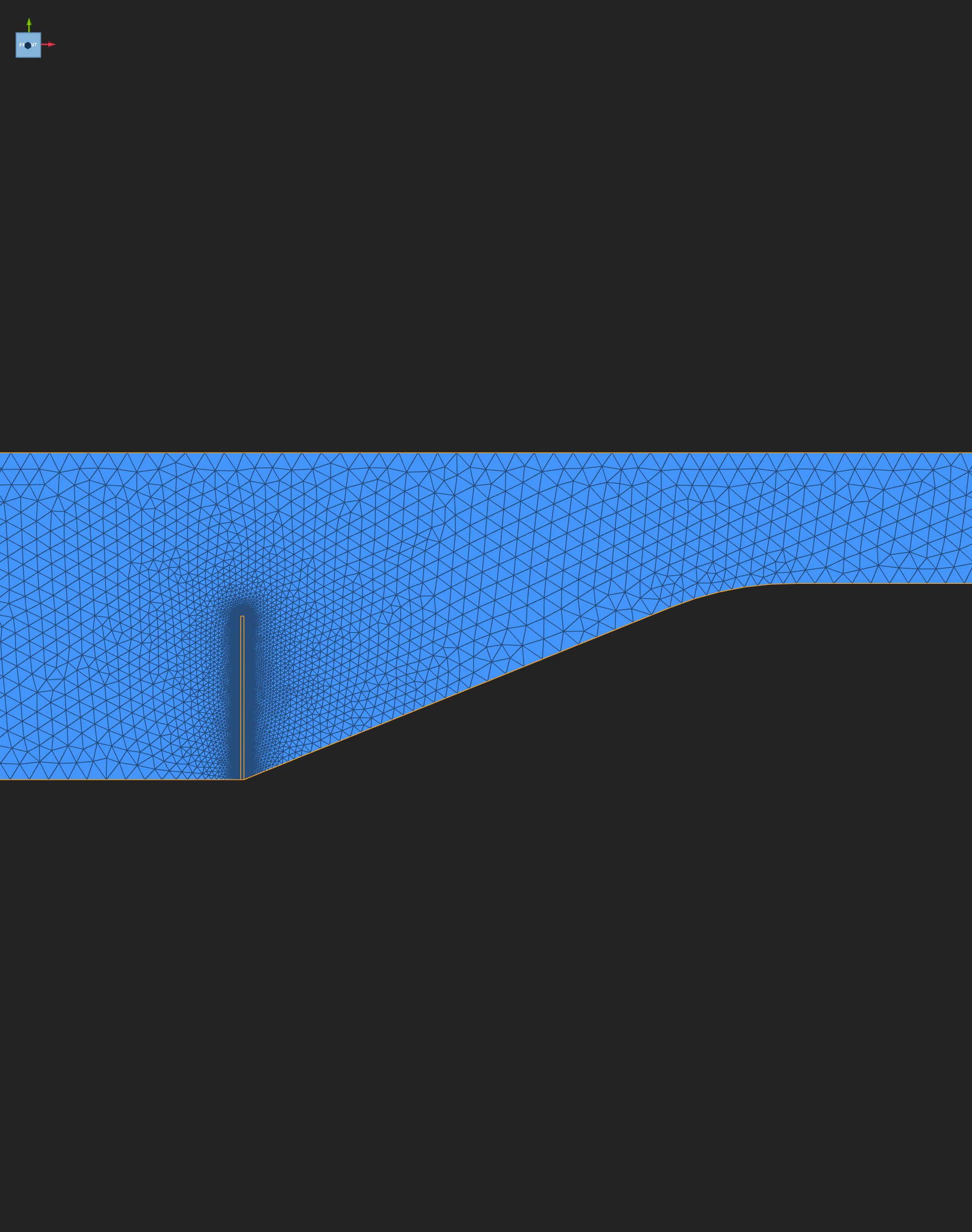
The fluid is finest at the slot, where the interface is 2 mm, and coarsens toward the outlet.
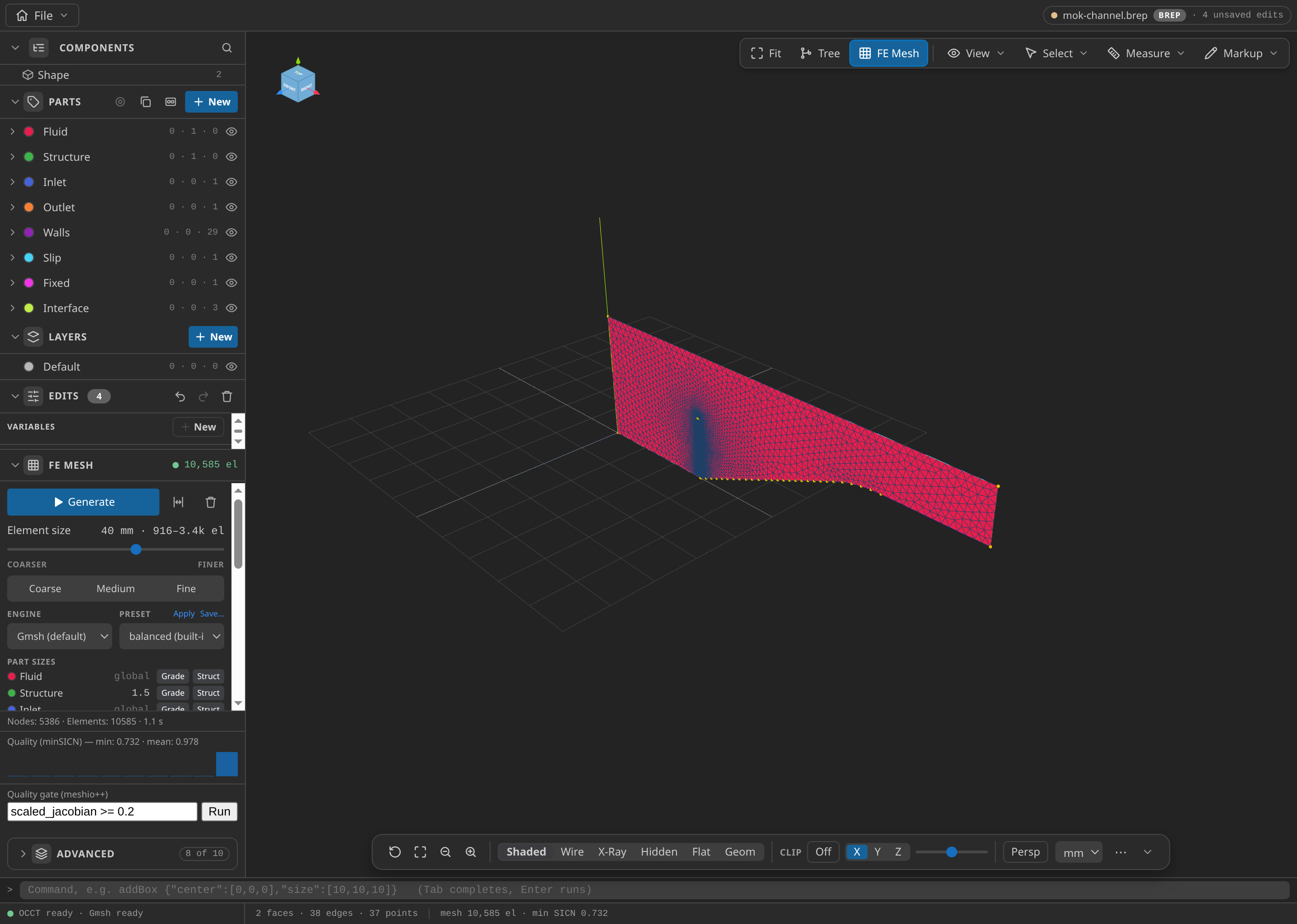
The CAD window after FE Mesh ▸ Generate: 5,386 nodes and 10,585 elements in this run, with the Parts panel open.
Configure the problemtype
Open mesh.mdpa in Post-Processing and select Fluid-Structure Interaction. The Problemtype section fills from the mesh's SubModelParts. The case's settings are:
- Coupling: MVQN, tolerance 1e-8, at most 25 iterations per step. FSI is always iterated.
- Time: end time 25 s, fluid time step 0.05 s.
- Fluid: monolithic VMS with Bossak, with reactions computed, because the structure takes them as its load.
- Structure: dynamic, non-linear, total Lagrangian, Bossak, residual criterion 1e-8, at most 20 iterations.
- Conditions: the ramped inlet on
Inlet; 0 Pa onOutlet; no-slip onWalls; slip onSlip;Interfaceon both sides; ALE mesh displacement on the four outer boundaries; zero displacement onFixed. - Materials: fluid Newtonian 2D (956 kg/m³, 0.145 Pa·s); structure plane-stress elastic (1500 kg/m³, E = 2.3 MPa, ν = 0.45).
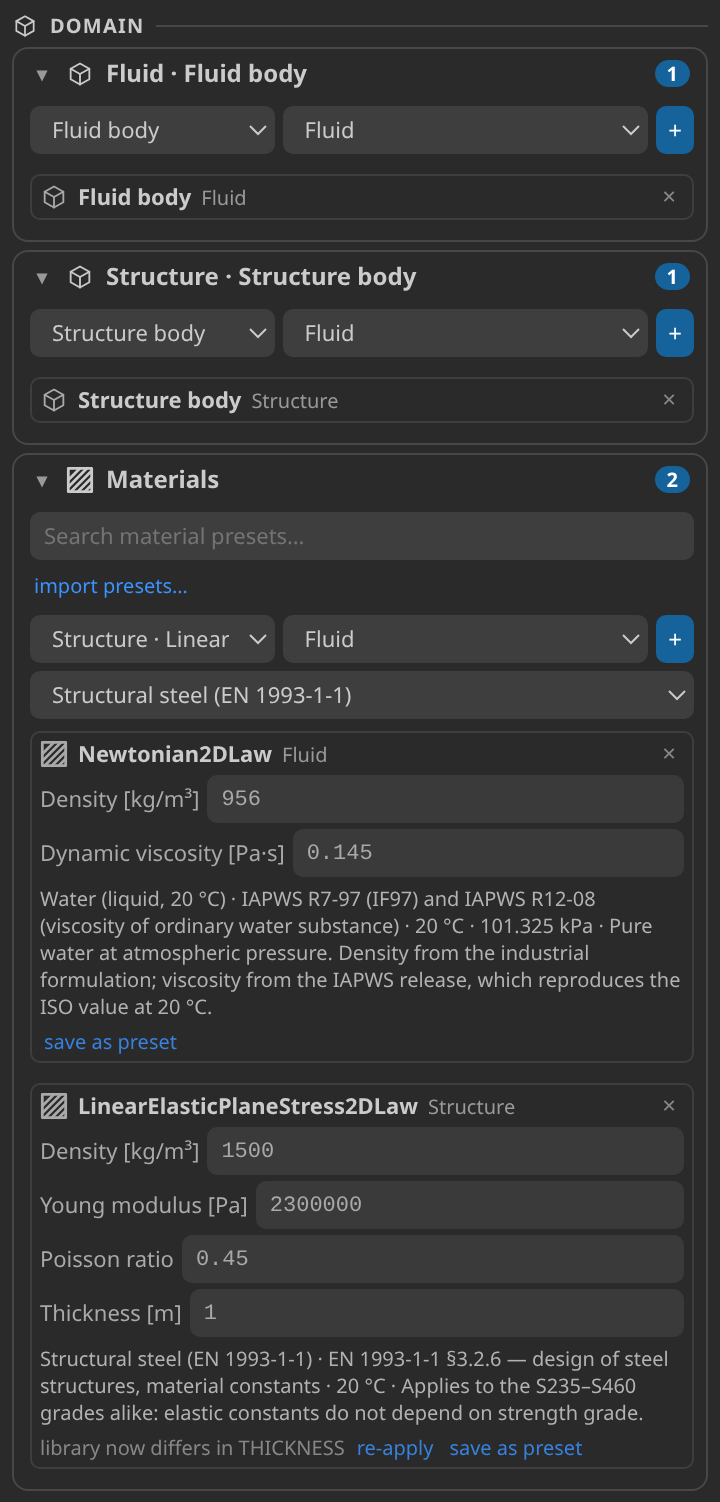
The setup card once the case is generated.
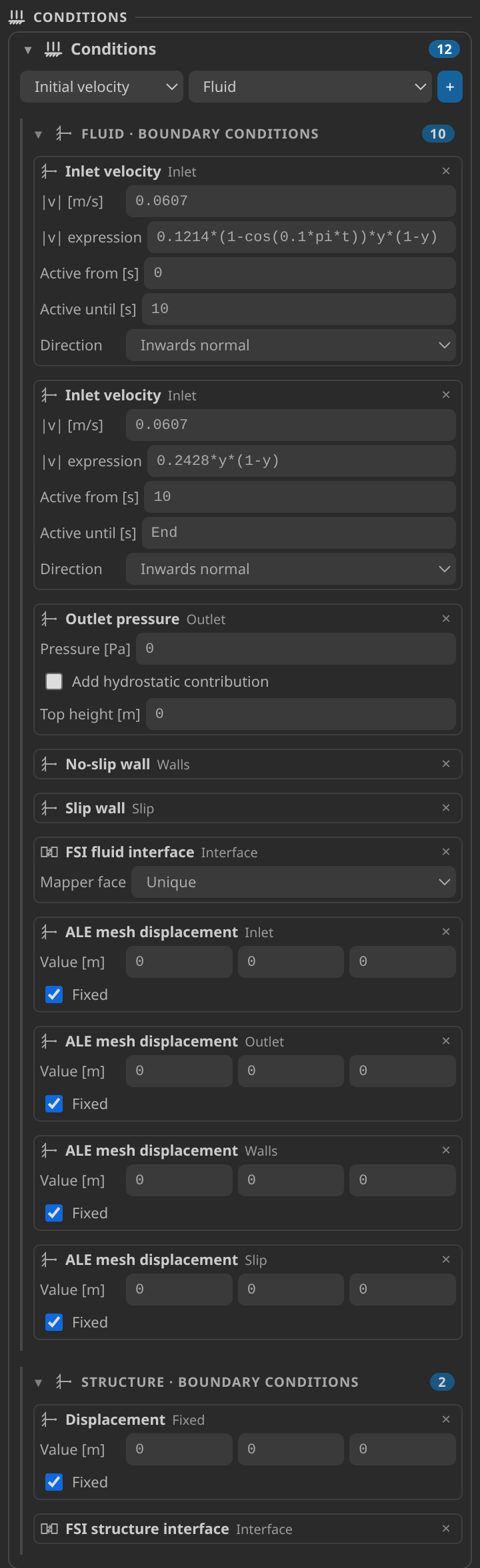
The Conditions card: the inlet, the ALE boundaries and the interface.
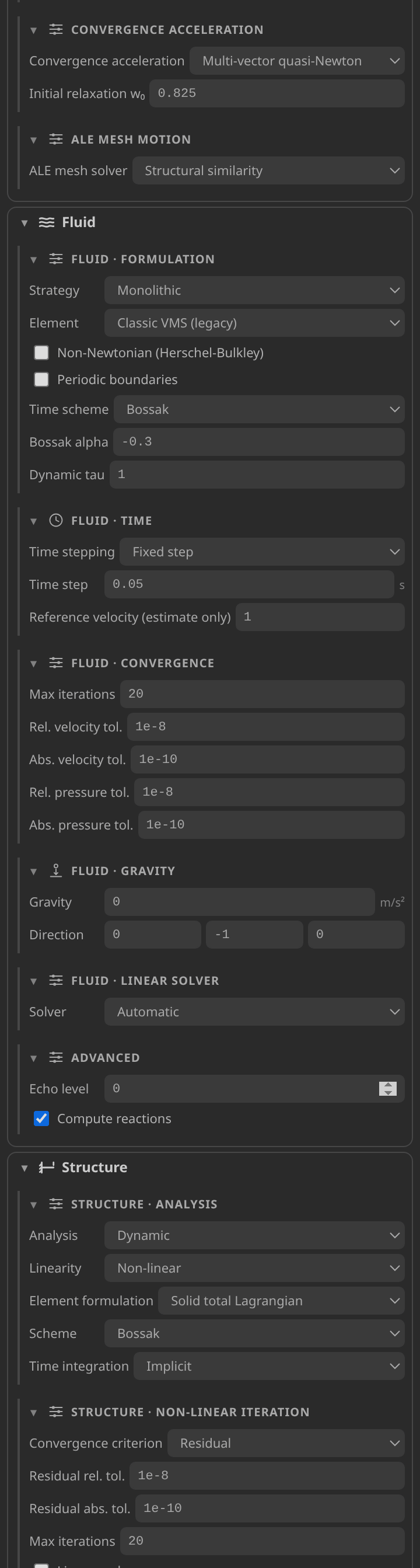
The Solver card, with the settings written for each participant.
Generate and inspect the case files
Click Generate case files. It writes ProjectParameters.json (the coupled setup for both participants), FluidMaterials.json and StructuralMaterials.json (one per domain), MainKratos.py (the driver), and mesh_Fluid.mdpa and mesh_Structural.mdpa (the two physics meshes sliced from mesh.mdpa). It also keeps mesh.kratoscase.json, the saved setup that Post-Processing reads back, and recipe.json, the tutorial's serialized definition. The published folder adds verification.json, the licence and the convergence log of the verified run. It has no vtk_output/ until you run the case. Read any generation warnings under the Problemtype panel first.
Run
Set Settings ▸ Kratos ▸ Python Interpreter to a Python that imports Kratos Multiphysics 10.4.3 with FSIApplication, FluidDynamicsApplication, StructuralMechanicsApplication, MappingApplication and MeshMovingApplication. Check environment on the Home screen confirms it.
Click Run case. It regenerates the files and starts MainKratos.py in the embedded terminal, after the driver has checked that each application imports. The verified run used OMP_NUM_THREADS=2. The case allows two hours. To stop it, use File ▸ Stop Kratos Run, which lets the case finish between steps before any signal is sent. The driver writes one record per coupled step to kkss-convergence-v2.jsonl as it goes.
Inspect the results
When the run finishes, click Open results. It opens the vtk_output results in a Post-Processing tab at the latest complete step, and the document chip names the open file. The structure is a separate series: open it in a new tab with File ▸ New Mesh Tab, then File ▸ Open… and the last Structure_ file, since a plain Open replaces the focused tab.
In the fluid tab, select Field and VELOCITY, then move the timeline to the last step. In the structure tab, select DISPLACEMENT, turn on Deformed and set Warp scale to 1×, as in the displacement animation below, and press 5 for the front view. The wall's motion is read from the tip-displacement history below, which tracks point A. For the field controls, see Reading a Kratos result in KKSS. The coupling history in kkss-convergence-v2.jsonl holds one record per step, with the interface residual and the iteration count; the Kratos Runs view and the convergence plot read it.
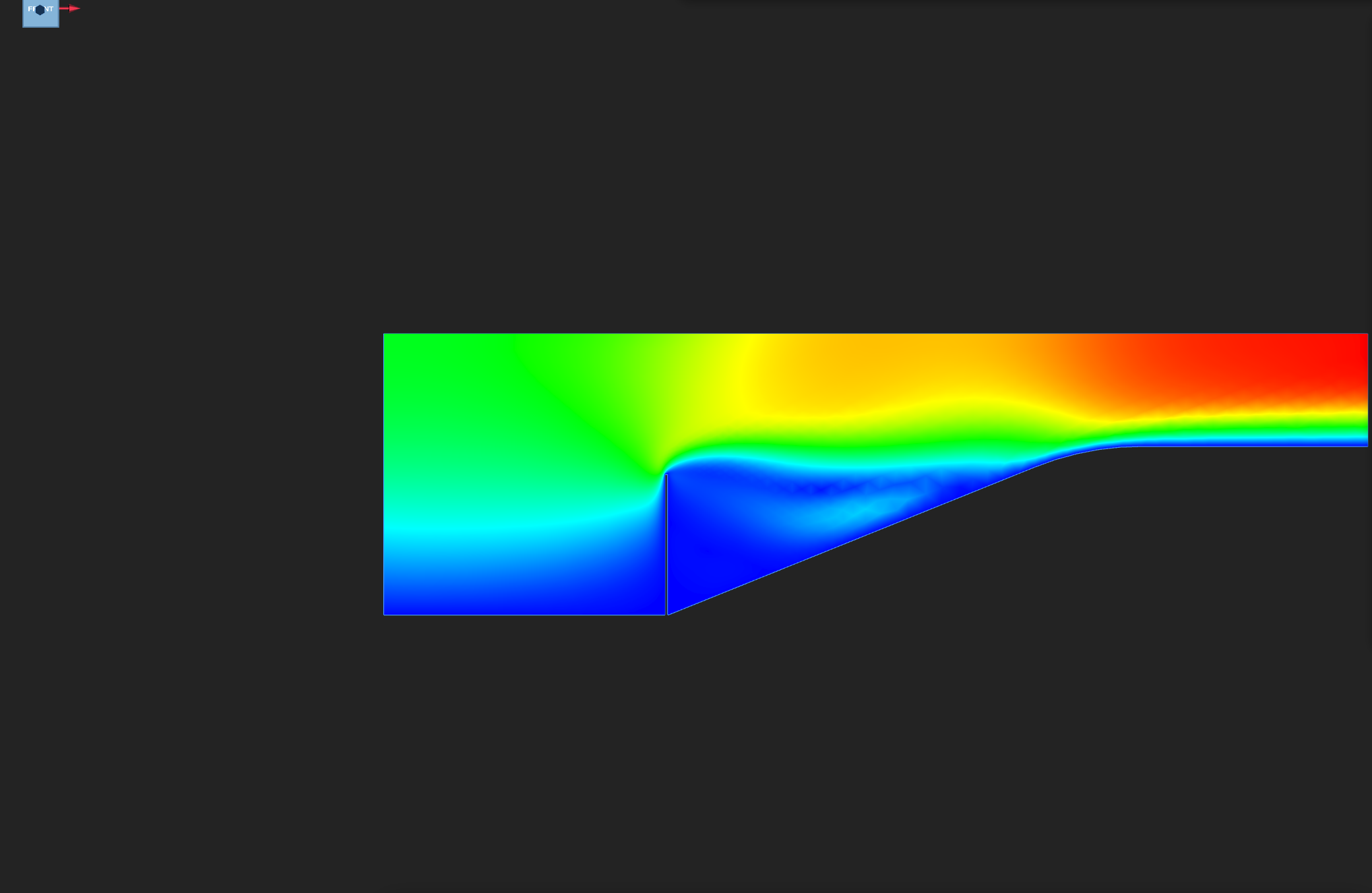
Fluid VELOCITY on the final frame, automatic colour range. Look for the parabolic inlet and the flow past the bent wall.
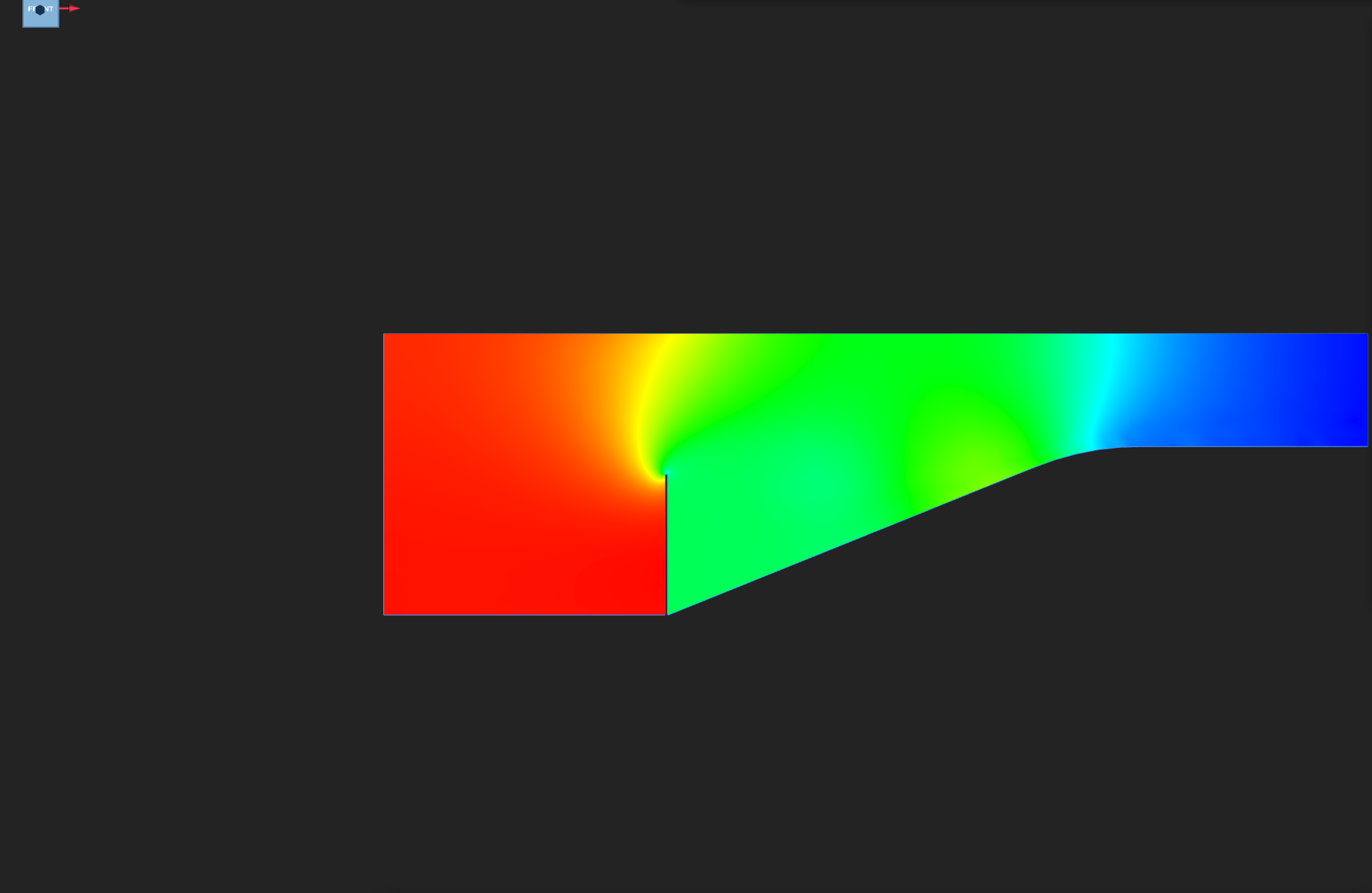
Fluid PRESSURE on the final frame. The outlet is held at 0 Pa.
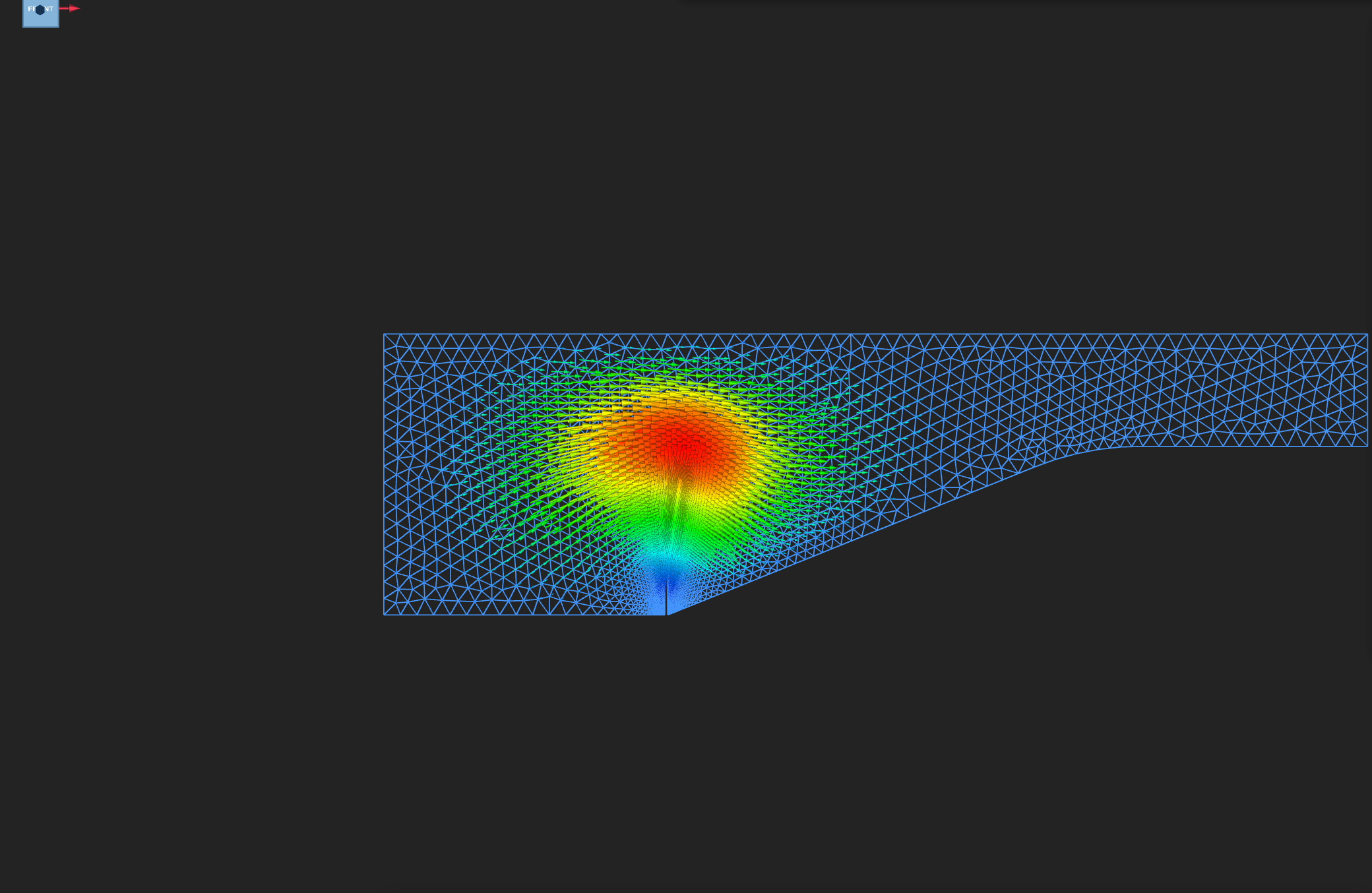
MESH_DISPLACEMENT as quiver arrows: largest at the wall, zero on the held outer boundaries.
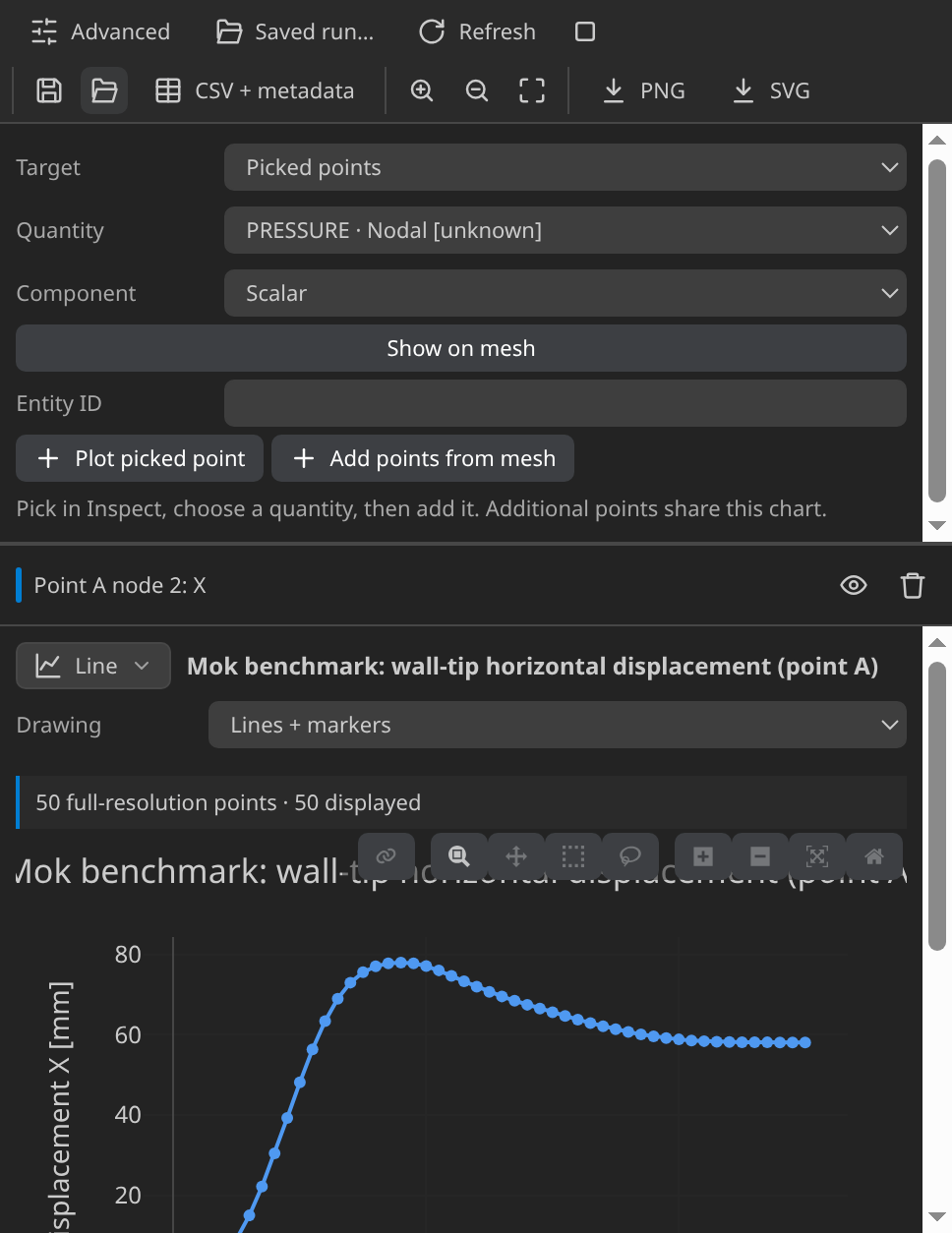
The x displacement of point A, the wall's top-left node at (0.500, 0.250) m. It peaks at 8.5 s and falls back to 5.8 cm by 25 s.
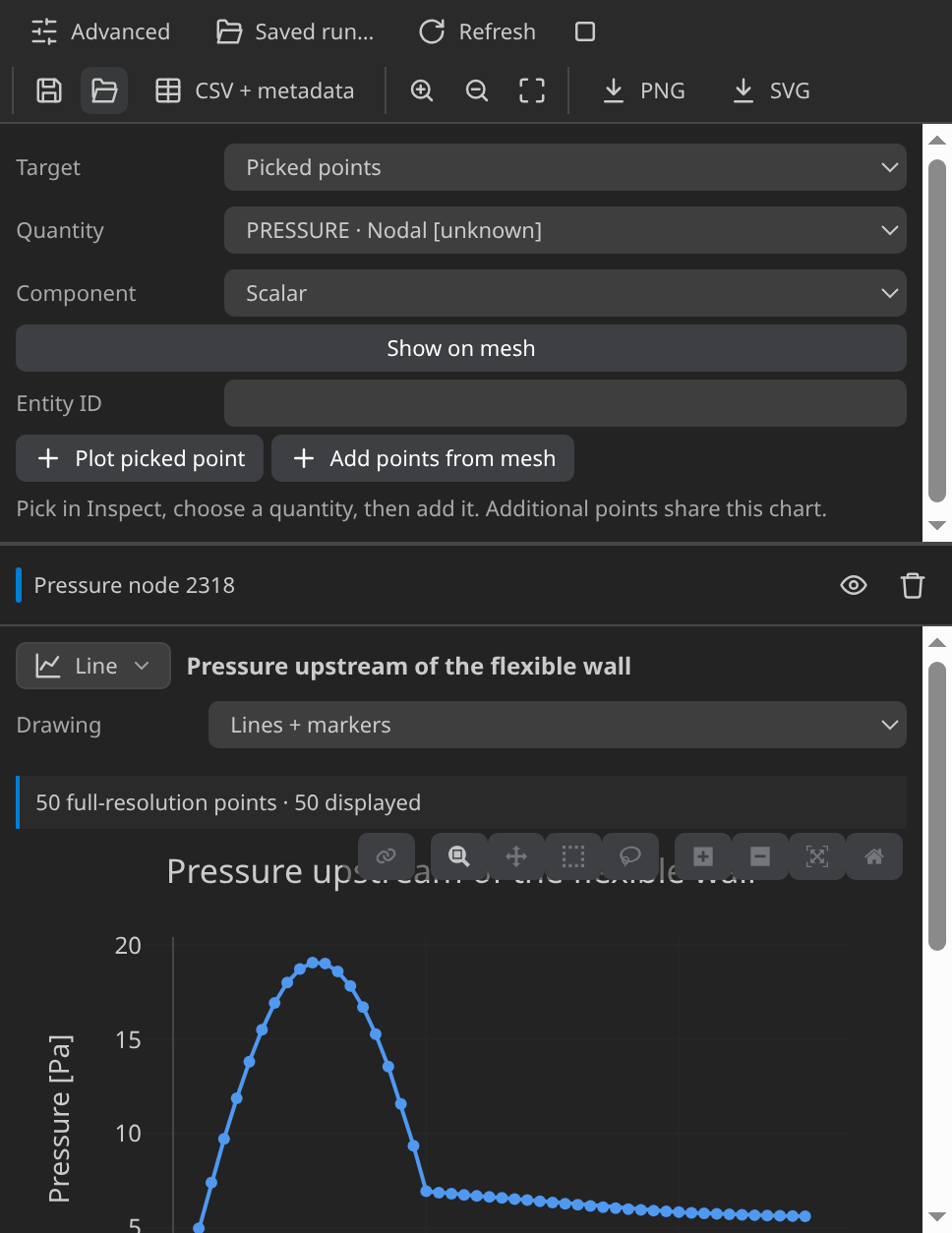
Fluid pressure at a node in the flow. It rises steadily through the inlet ramp.
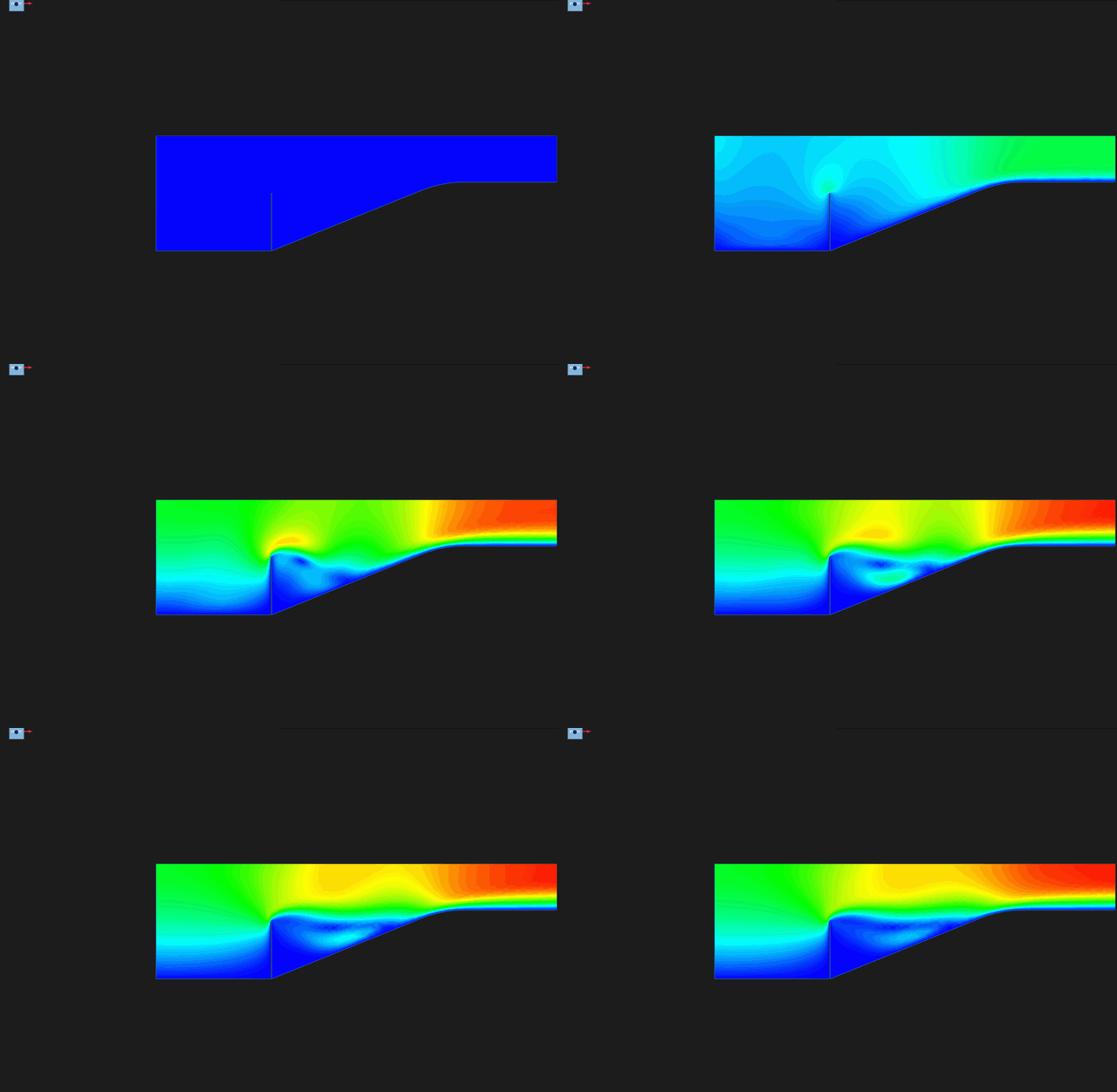
VELOCITY over the run, one frame every 1.5 s, colour pinned at 0 to 0.13 m/s.
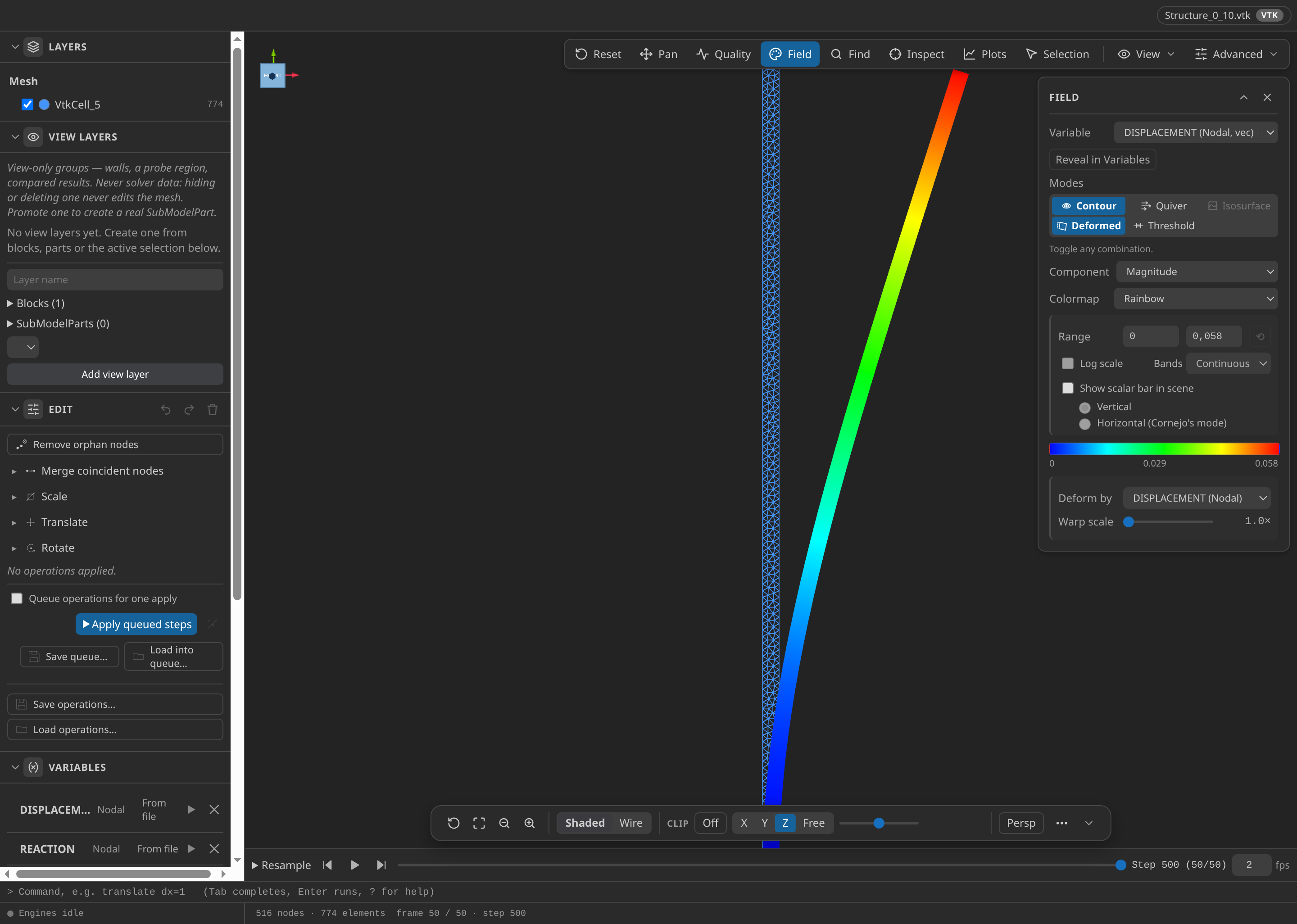
The flexible wall at the last output step, t = 25 s, drawn at its true shape (warp 1×) and coloured by displacement magnitude from 0 to 0.058 m. The largest displacement is at the top of the wall.
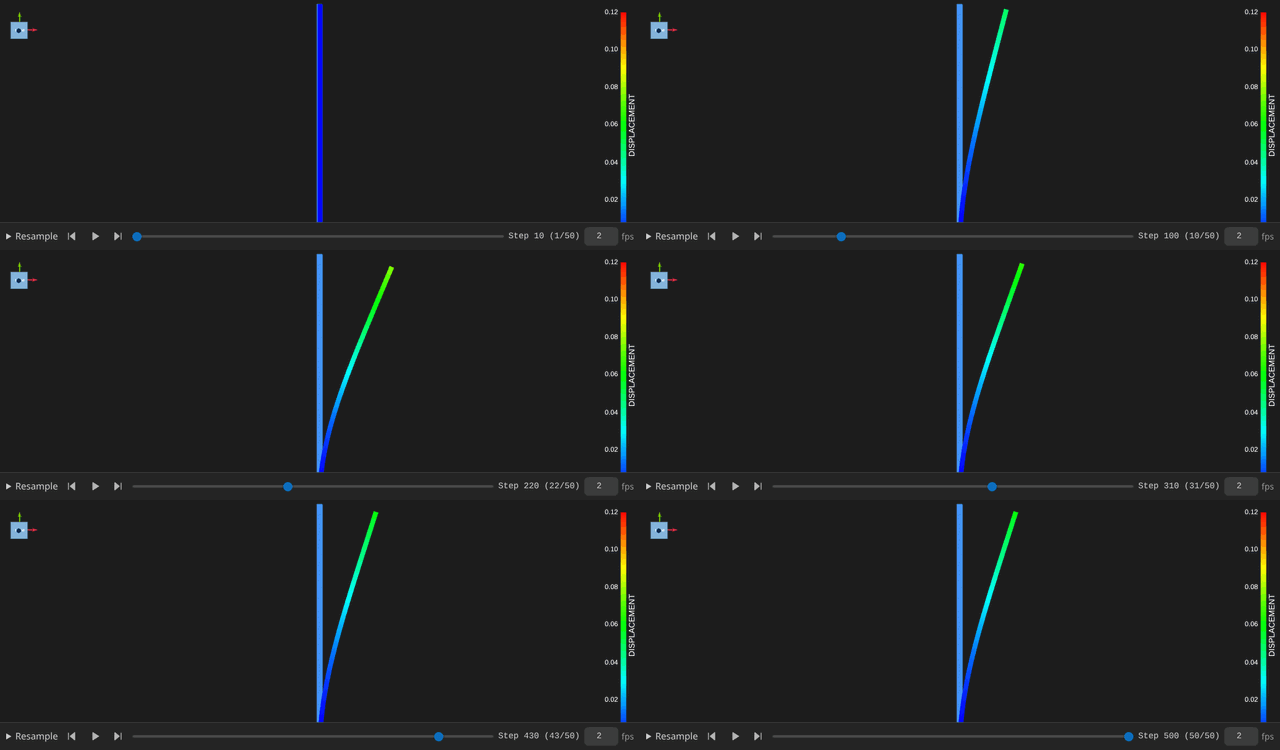
Structure DISPLACEMENT at warp 1×, colour pinned at 0 to 0.12 m, enough for the 8 cm peak.
Verify
The verifier reads the final frame and the whole run. The checks that matter most:
- Inlet profile. The steady inlet parabola holds at the final frame to 2.6 × 10⁻⁹ m/s, against 10⁻⁶ m/s.
- Outlet. The outlet pressure is 0 Pa, against 10⁻⁶ Pa.
- ALE area balance. The net flux, combined with the change in the moving domain's area, closes to 0.15 % of the 0.40 m² delivered through the inlet. The limit is 2 %.
- Tip history. Point A peaks at 7.793 cm at 8.5 s, against a published 8.3 cm near 9.5 s: an error of 5.1 mm against 20 mm. At 25 s it is 5.805 cm, against 6.2 cm: an error of 3.9 mm against 15 mm.
- Coupling. All 500 steps converged, with 4.1 iterations on average and 10 at most.
Verified with Python 3.12.14, Kratos 10.4.3, 2 OpenMP threads: 5632 nodes and 10569 cells, 50 frames through t = 25.
| Check | Measured | Limit |
|---|---|---|
inlet_profile_error_m_per_s | 2.573965e-9 | ≤ 0.000001 |
outlet_pressure_error_Pa | 0 | ≤ 0.000001 |
ale_area_balance_error | 0.001502732 | ≤ 0.02 |
delivered_area_m2 | 0.4042855 | |
fluid_area_change_m2 | 1.898079e-8 | |
tip_ux_peak_m | 0.0779333 | |
tip_ux_peak_time_s | 8.5 | |
tip_ux_final_m | 0.05805311 | |
tip_ux_peak_m_minimum | 0.0779333 | ≥ 0.03 |
tip_ux_peak_vs_published_error_m | 0.005066696 | ≤ 0.02 |
tip_ux_final_vs_published_error_m | 0.003946894 | ≤ 0.015 |
coupling_steps | 500 | |
coupling_iterations_max | 10 | |
coupling_iterations_mean | 4.116 | |
coupling_nonconverged_steps | 0 |
These are tutorial checks with the tolerances shown, not formal solver certification.
Troubleshooting
- The run fails at import. The Python lacks one of the five applications, and the driver names it. FSIApplication, MappingApplication and MeshMovingApplication are not yet in the docker runtime's pins, so install them from the same Kratos 10.4.3 build.
- The structure Newton stops converging near t = 4 s. The fluid time step is 0.1 s. Set it back to 0.05 s.
- The tip history stops early. An interrupted or incomplete monitor is reported as unavailable, never as converged. Check the last record in
kkss-convergence-v2.jsonl. - The area balance or inlet check fails. Confirm that
Inlet,Outlet,WallsandSlipall carry ALE mesh displacement.
Variations to try
- Reproduce the failure. Set the fluid time step to 0.1 s and watch the iteration near 4 s. Running it on your own build checks that build.
- Soften or stiffen the wall. Change E from 2.3 MPa and watch where the tip peak moves.
- Refine the wall. Set the
Structuremesh size below 1.5 mm, regenerate, and compare the tip history. - Link the two tabs. Use Advanced ▸ Link previews… so camera, field, range and time follow each other.
Reproduce and download
Download this runnable case. The archive holds the CAD source, the generation setup and the generated case, the verification record with SHA-256 provenance, and the convergence log of the verified run. It was verified with CAD-Preview bdd247c and mesh 1ec6544. It has no VTK timeline, so run the case to reproduce one. Downloaded cases are starting points: rerunning overwrites their generated outputs.