Turbulent flow around an obstacle (RANS k-epsilon)
This case computes air flowing past a 120 mm obstacle in a 2 m channel at a Reynolds number of about 7900. At that speed the wake is turbulent, so the laminar solver of the previous tutorial no longer describes it. The run uses the Reynolds-averaged (RANS) k-epsilon model with a logarithmic wall function on the obstacle, and it shows what a turbulence model adds to the setup: its inlet inputs, the wall spacing it demands and the extra fields it writes.
At a glance
| Mesh | 654 nodes, 1202 cells |
| Run | 51 frames, end time 5 |
| Kratos packages | KratosRANSApplication==10.4.3, KratosLinearSolversApplication==10.4.3 |
| Download | rans case with its verification record |
What you will learn
- What a turbulence model adds to the momentum equations, and how the inlet turbulence sets it.
- How the logarithmic wall function fixes the first wall row, and how to check it in wall units (y+).
- Why the output's y+ arrays are not read, and how the check reconstructs y+ from the velocity.
- How a drag monitor is averaged and checked against a momentum balance.
The physical model
The Reynolds number, based on the 1 m/s inflow and the 120 mm obstacle, is 7917, for air at 1.204 kg/m³ and 1.825 × 10⁻⁵ Pa·s. The obstacle fills 20 % of the channel height, so the walls confine the flow. Confinement raises the drag coefficient, which is why the checks use a window for this confined case.
RANS solves the time-averaged momentum equations. The k-epsilon model adds an eddy viscosity built from the turbulent kinetic energy k and its dissipation rate ε, and transports both. The inlet sets 1 % turbulence intensity and a 1 cm mixing length, and the inlet processes derive k and ε from these and the 1 m/s inflow.
The channel walls are slip walls. The logarithmic wall function goes on the obstacle, the one wall Part this problemtype accepts, and it is valid only where the first row lies in the logarithmic layer, roughly y+ 30 to 300. Two choices come from the runtime rather than the physics. The time scheme is Bossak, because the BDF2 default crashes Kratos 10.4.3 at the first step. The turbulence fields use algebraic flux-corrected stabilization, which lets k dip slightly below zero at sharp gradients.
Create the geometry
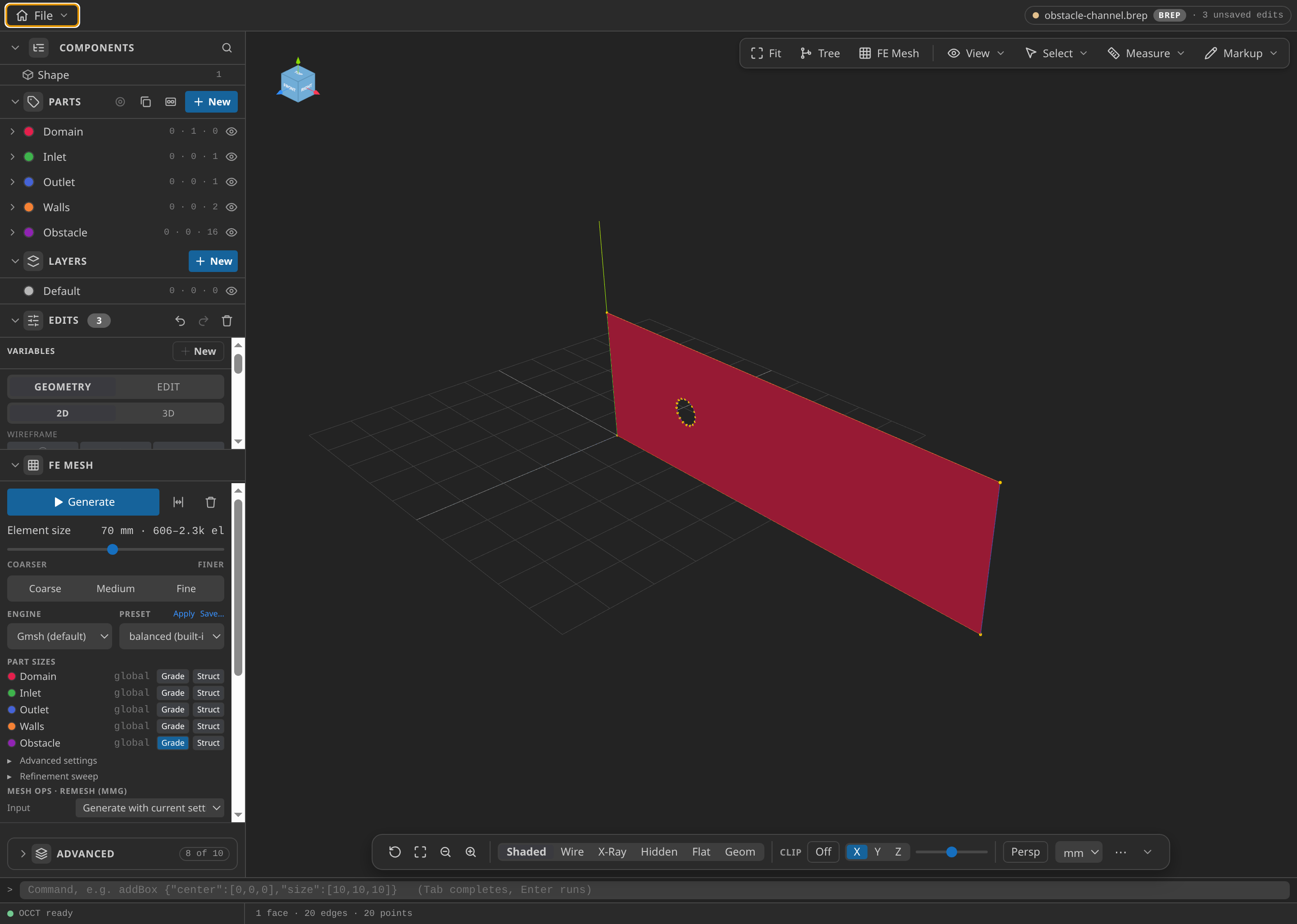
The channel in CAD with its named Parts. Check that the hole has 16 edges before you build the face.
- Open
cad/examples/BREP/blank.brepin CAD mode. - In the Edits panel, under Curves, choose Polyline and draw a closed loop through (0, 0), (2000, 0), (2000, 600) and (0, 600) mm.
- Choose Polyline again and draw a closed 16-point loop on the 60 mm circle centred at (500, 300) mm, one point every 22.5°. Enter the points clockwise, so the hole's normals point out of the fluid.
- Under Build from selection, choose Surface, select all 20 edges and press Build.
- In the Parts panel, name the face
Domain, the edge at x = 0Inlet, the edge at x = 2000 mmOutlet, the two long edges at y = 0 and y = 600 mmWalls, and the 16 hole edgesObstacle.
The 16 sides matter. Their chords, 23.4 mm long, set the spacing of the wall-adjacent row, and the polygon sags 1.15 mm inside the circle. More sides would shorten the chords and pull that row below the wall target. The SVG sketch draws the outline and the 60 mm circle for reference.

Name the Parts
| Part | Entities | Conditions in the case |
|---|---|---|
| Domain | the face | Fluid material: air, RANS 2D |
| Inlet | edge at x = 0 | Inlet velocity |
| Outlet | edge at x = 2000 mm | Outlet pressure |
| Walls | edges at y = 0 and y = 600 mm | Slip wall |
| Obstacle | 16 hole edges | Wall (wall function), Wall y+, Forces and moments on a body |
The wall function applies to a single wall Part, so all 16 hole edges belong to Obstacle, and the Wall y+ and Forces conditions read the same Part.
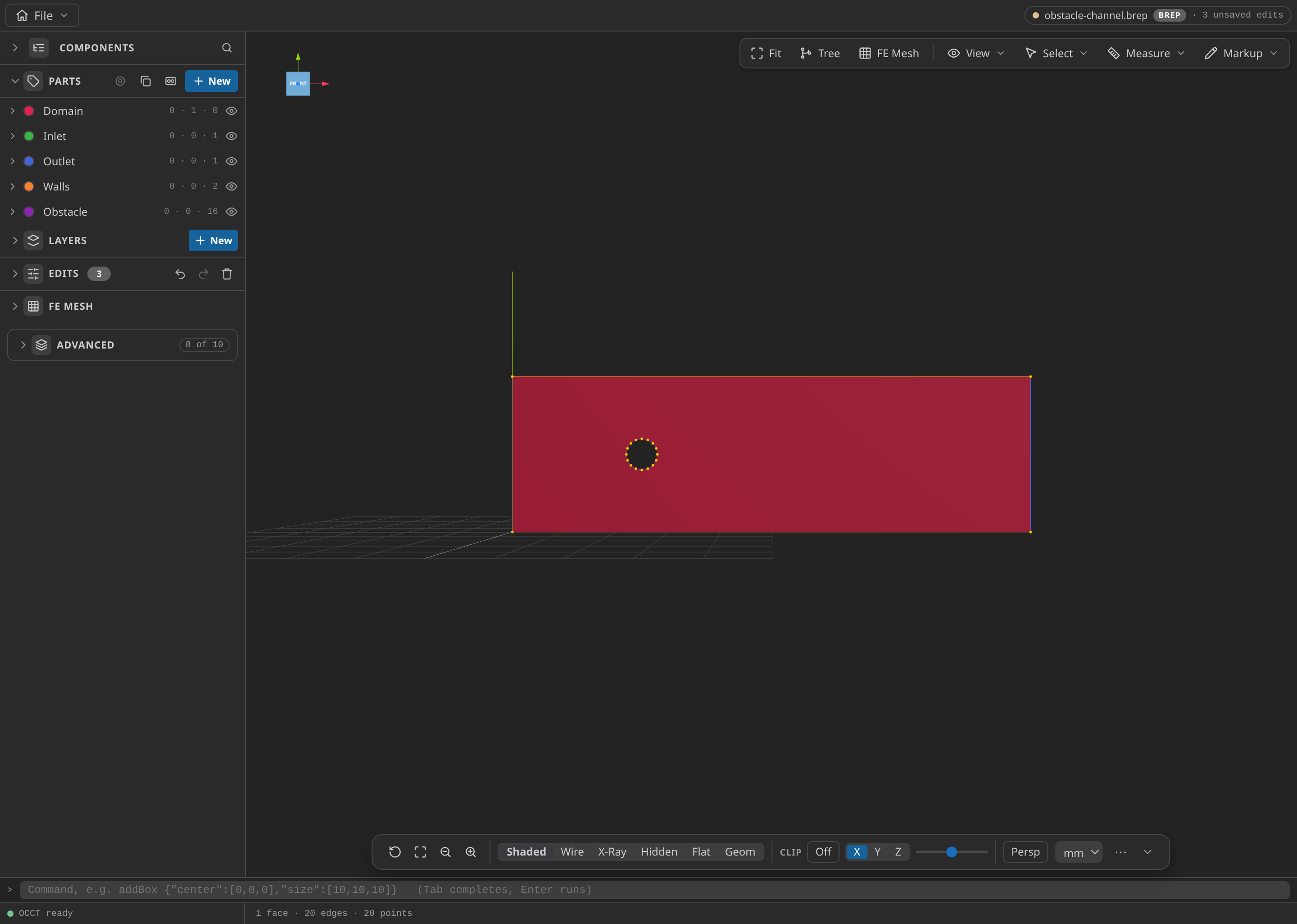
The CAD window with the Parts panel open, showing the named Parts: Domain, Inlet, Outlet, Walls and Obstacle.
Mesh
Under FE Mesh, set Dimension to 2D, Element order to Linear, Size min to 25 mm and Size max to 70 mm. On the Obstacle row, press Grade and enter Wall 25 mm, Far 60 mm, Near dist 25 mm and Far dist 350 mm, so the element size grows from 25 mm at the wall to 60 mm at 350 mm. Export with Export format Kratos MDPA — Elements + Conditions (.mdpa) in unit m, saving mesh.mdpa.
The global minimum must match the wall target. The mesher takes the smaller of the grading and the global size, so a smaller global minimum would drop the first row below the 25 mm target. The mesh has 654 nodes and 1202 triangles, and on the exported file the nearest interior node lies 17 to 25 mm from each shoulder node, a mean of 23 mm.
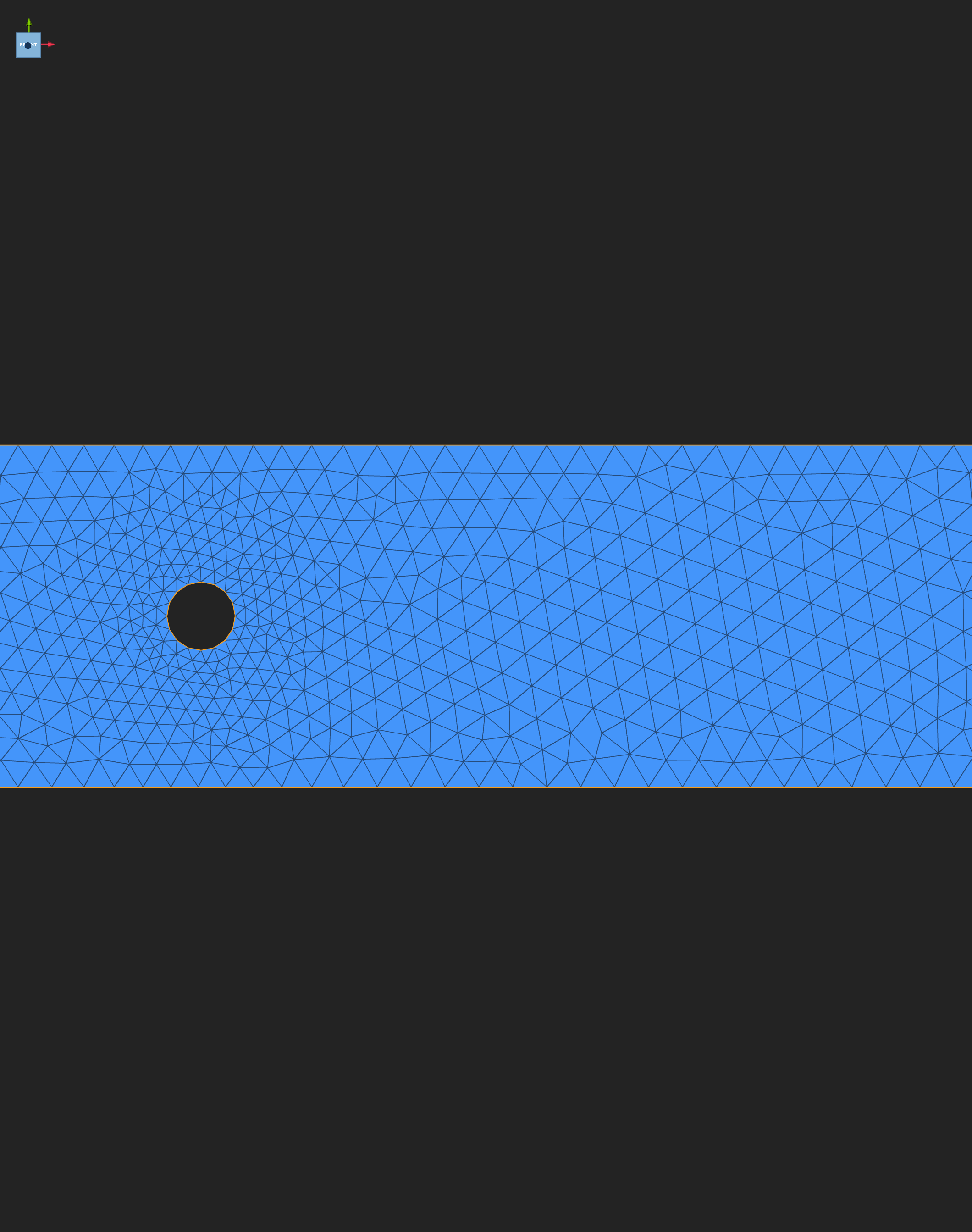
The exported mesh, 654 nodes and 1202 triangles. Look for the finer cells hugging the obstacle, coarsening toward the walls and the outlet.
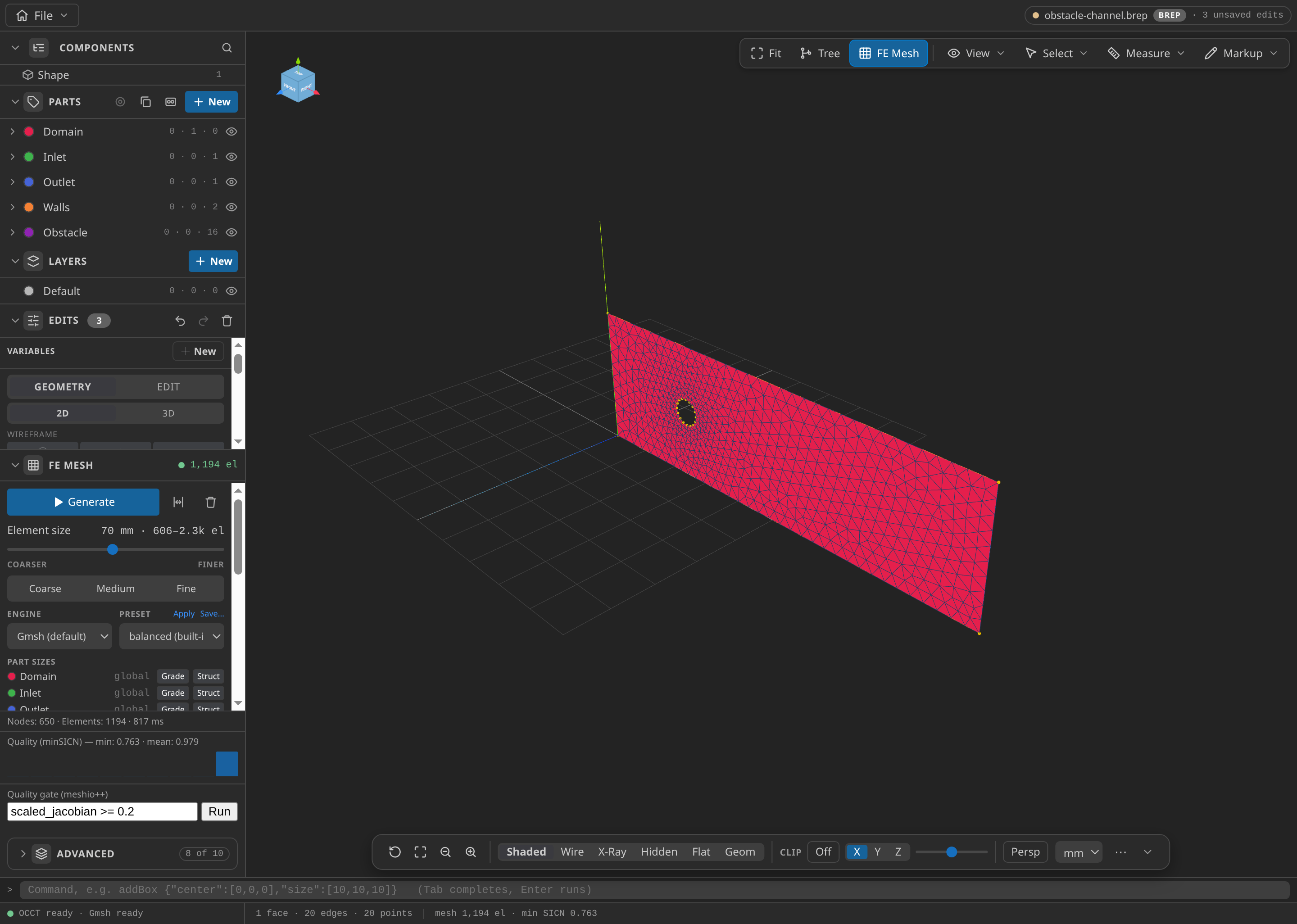
The CAD window after FE Mesh ▸ Generate: 650 nodes and 1,194 elements in this run, with the Parts panel open.
Configure the problemtype
Open mesh.mdpa in the mesh viewer and choose Turbulent Flow (RANS) in the Problemtype section. Domain and Materials hold the air: density 1.204 kg/m³ and dynamic viscosity 1.825 × 10⁻⁵ Pa·s.
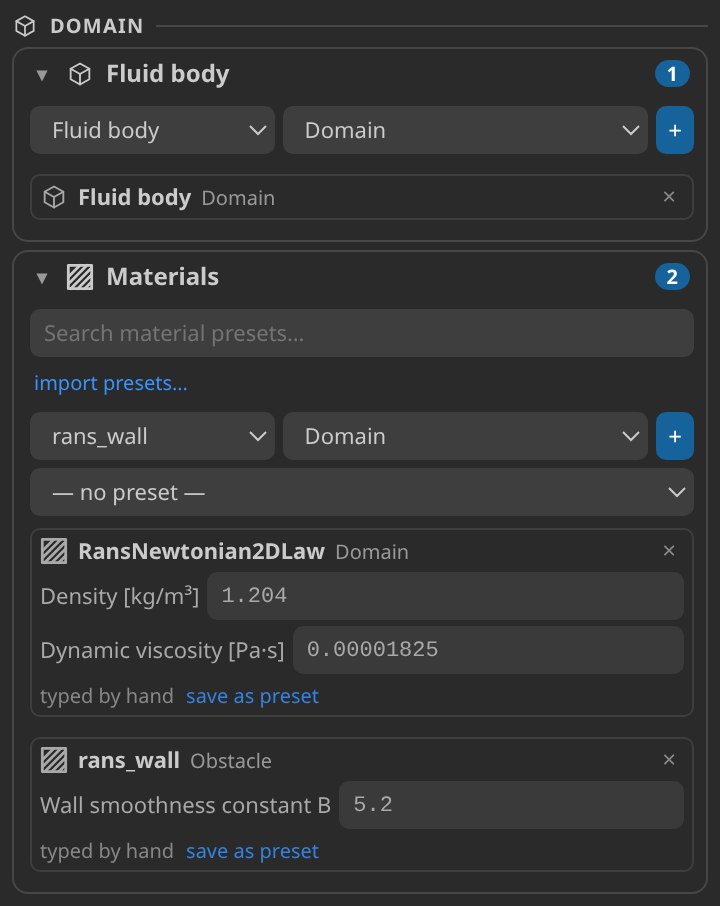
Domain and Materials for the air. These two values are the only fluid properties the case uses.
Under Conditions, assign:
- Inlet: Inlet velocity, 1 m/s in +X.
- Outlet: Outlet pressure, 0.
- Walls: Slip wall.
- Obstacle: Wall (wall function), Wall y+ and Forces and moments on a body, referenced to the obstacle centre, (0.5, 0.3, 0) m.
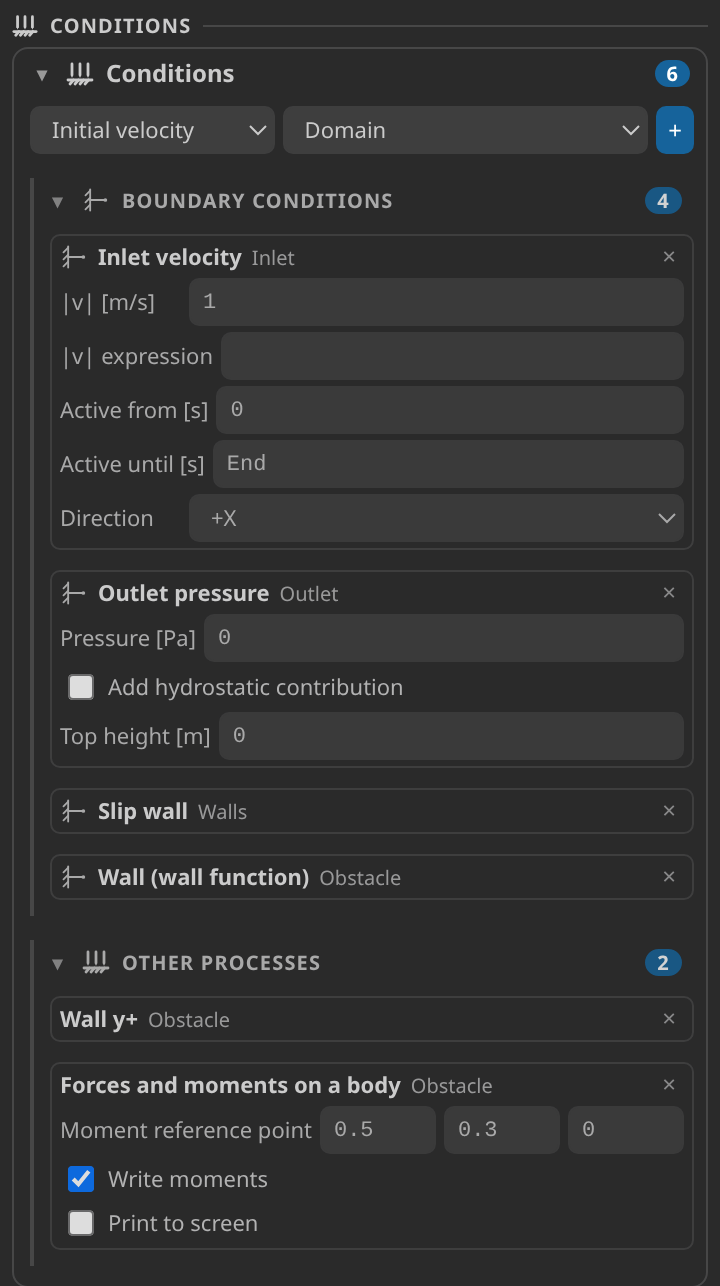
The Conditions cards. The three Obstacle conditions set the wall function, the y+ diagnostic and the force monitor that the drag check averages.
Under Solver, choose Flow solver Monolithic, Turbulence model k-epsilon, Flow element VMS (nodal properties), Time scheme Bossak, Turbulence stabilization Algebraic flux corrected and Wall friction velocity From the velocity. Set the free-stream speed to 1 m/s, the turbulence intensity to 0.01 and the length scale to 0.01 m, with a time step of 0.1 s and an end time of 5 s.
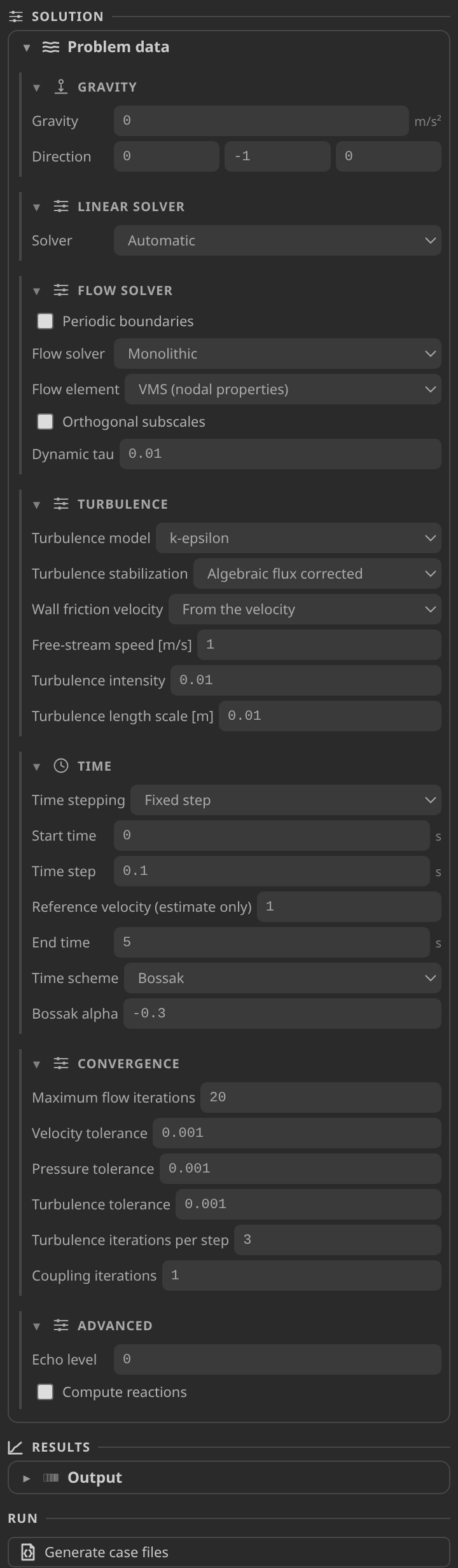
The Solver cards and the Preflight card below them. Clear any error before you generate.
Set the interpreter once under Settings ▸ Kratos ▸ Python Interpreter. It must import KratosMultiphysics with RANSApplication and LinearSolversApplication, both 10.4.3 in the tutorial environment. Home ▸ Check environment confirms it.
Generate and inspect the case files
Press Generate case files. This writes ProjectParameters.json, FluidMaterials.json and MainKratos.py beside the mesh, together with mesh_case.mdpa, the mesh with the element names the solver expects. Check three things in ProjectParameters.json: wall_function_region_type is logarithmic_region_only, the obstacle appears in ComputeYPlusProcess and ComputeBodyFittedFlowForcesAndMomentsProcess, and scheme_type is bossak. The generated driver also checks the required Kratos applications before it reads anything.
Run
Press Run case. The solver writes one VTK file per step, 51 frames from t = 0 to 5 s, and logs to the embedded terminal. To stop early, use File ▸ Stop Kratos Run.
Inspect the results
Press Open results, pick a field in the Field panel and move the timeline to the last step. The Reading a Kratos result in KKSS page explains the Field panel and timeline. The fields of interest are:
- VELOCITY, the flow vector. Its magnitude is the speed.
- PRESSURE, the pressure field. The outlet is held at 0, and the record's pressure range is 1.42.
- TURBULENT_KINETIC_ENERGY (k, in m²/s²), TURBULENT_VISCOSITY (ν_t, in m²/s) and TURBULENT_ENERGY_DISSIPATION_RATE (ε, in m²/s³).
RANS_Y_PLUS and Y_PLUS are also in the record's field list. The verification notes say the solver keeps them on the wall conditions, which the nodal VTK does not carry, so the y+ check reconstructs the value from the velocity.
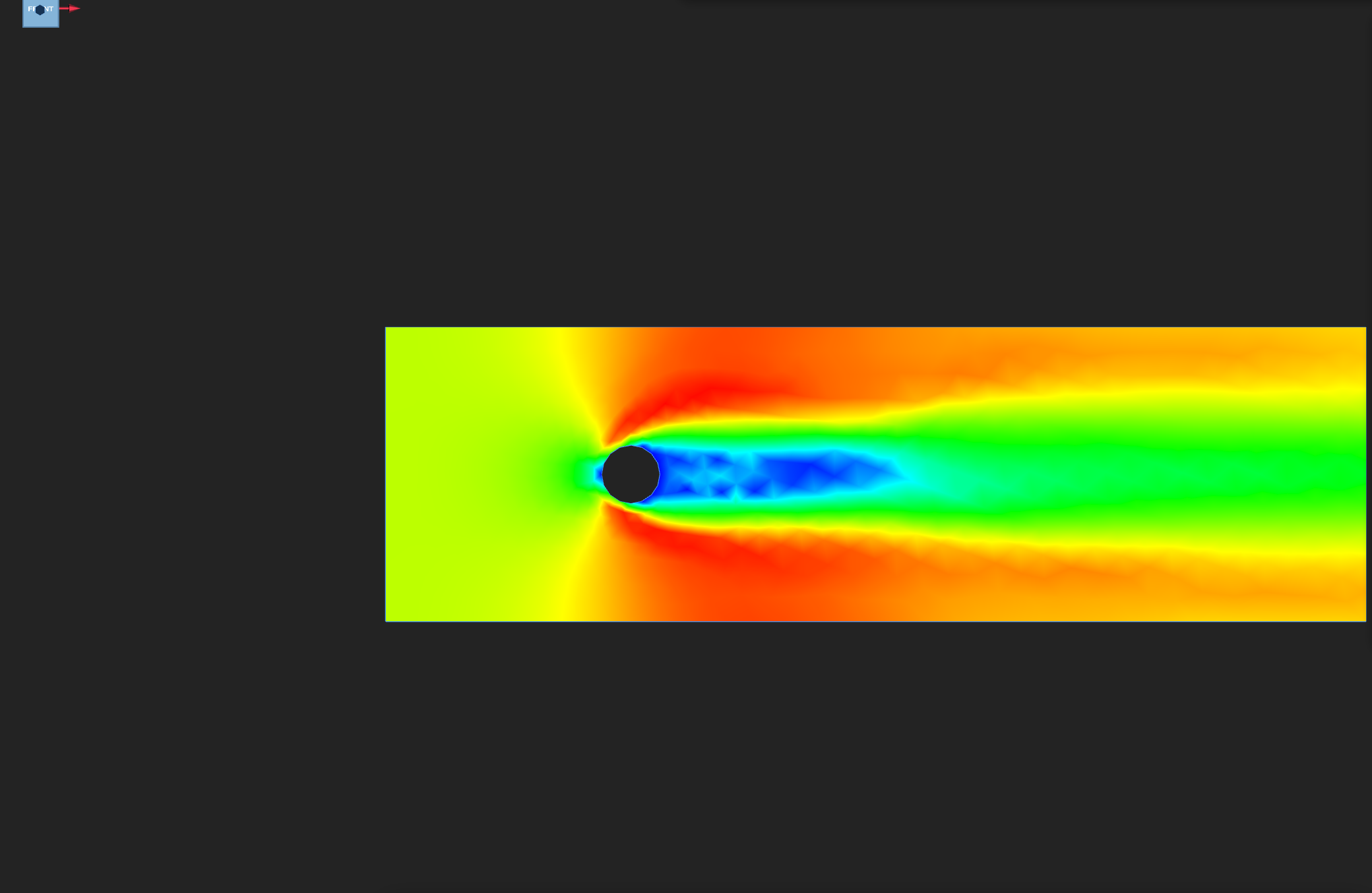
Speed on the final step, on the frame's own scale. Look for the slow wake directly behind the obstacle, where the record's minimum axial velocity is −0.33 m/s.
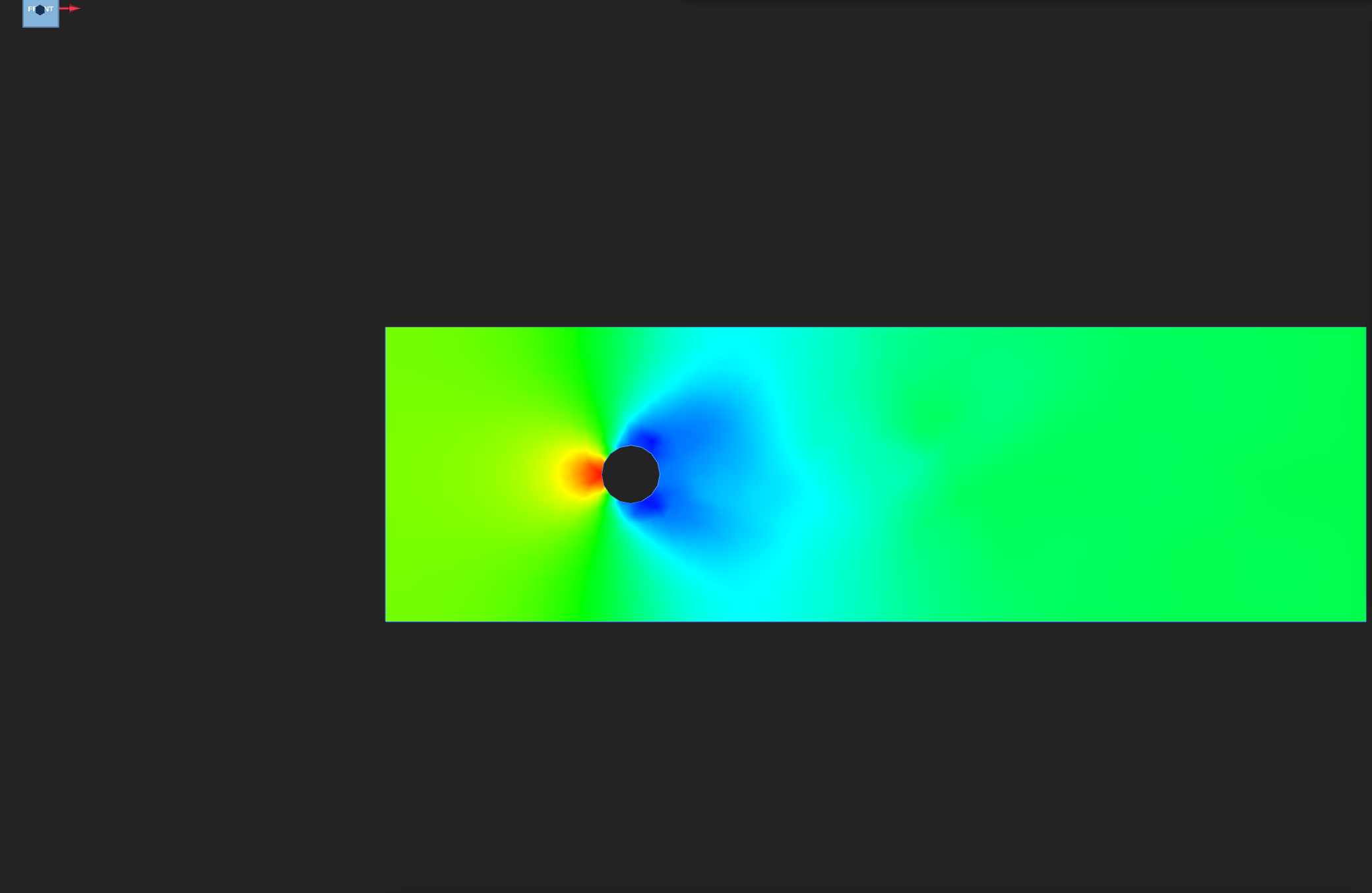
PRESSURE on the final step, Rainbow colour scale, pinned so the figures in this series compare directly. Look for the high-pressure front face and the low-pressure wake.
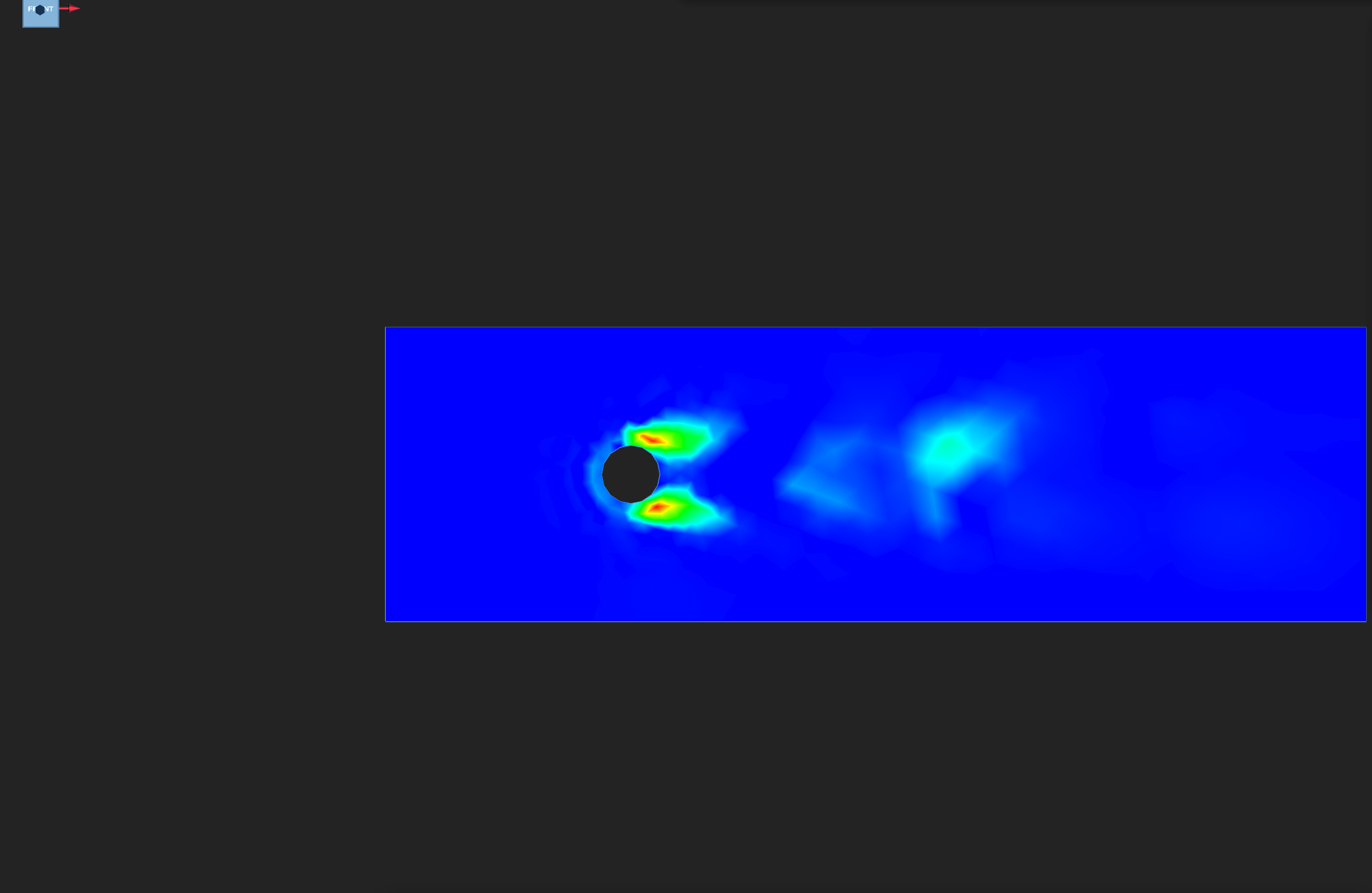
Turbulent kinetic energy on the final step. The record's largest value is 3.36 m²/s², with an undershoot of 5.3 % of that peak. Look for the energy in the shear layers and the wake.
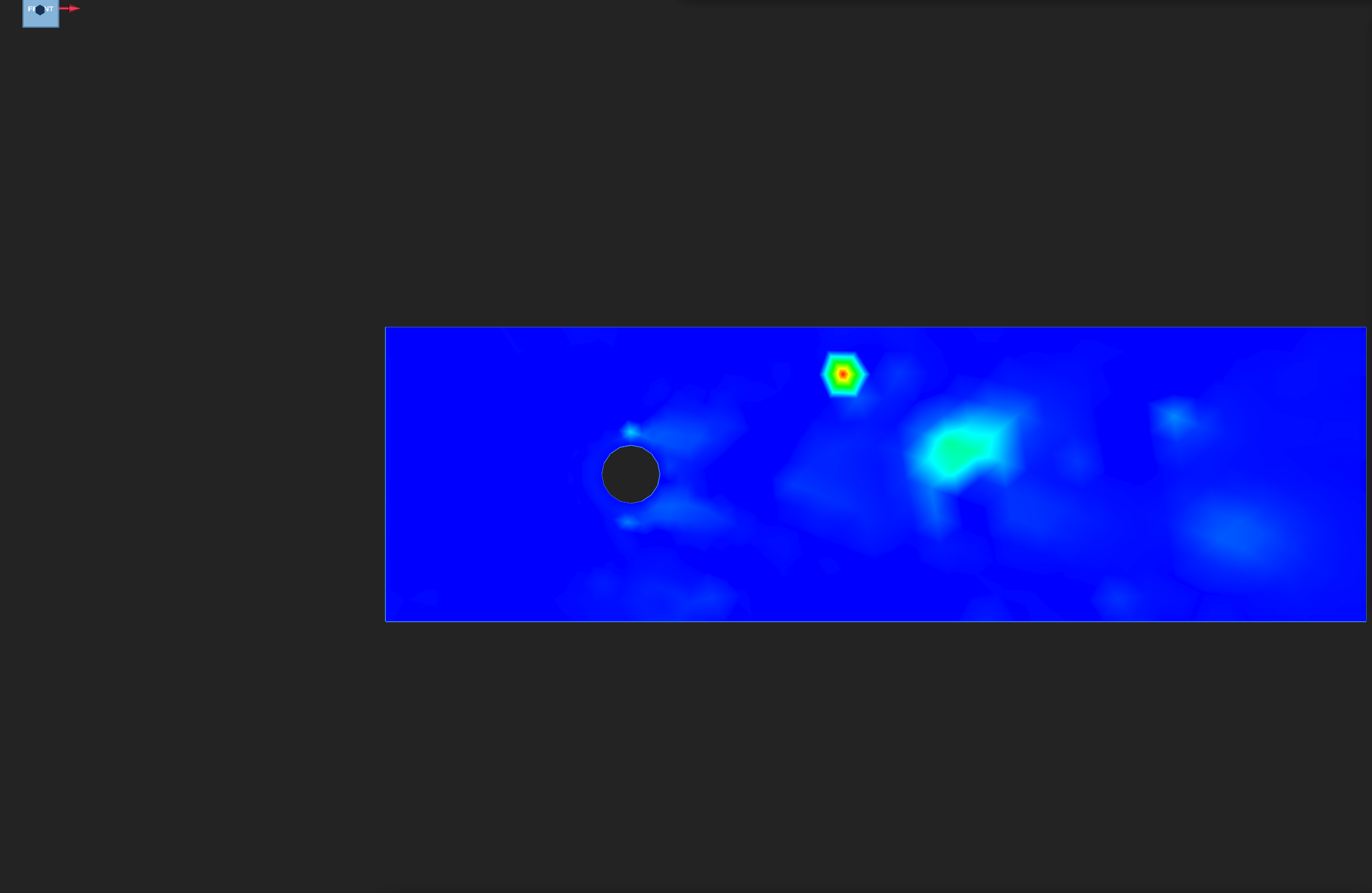
Eddy viscosity on the final step. The record's largest value is 0.088 m²/s. Look for it in the wake, where the turbulence is most active.
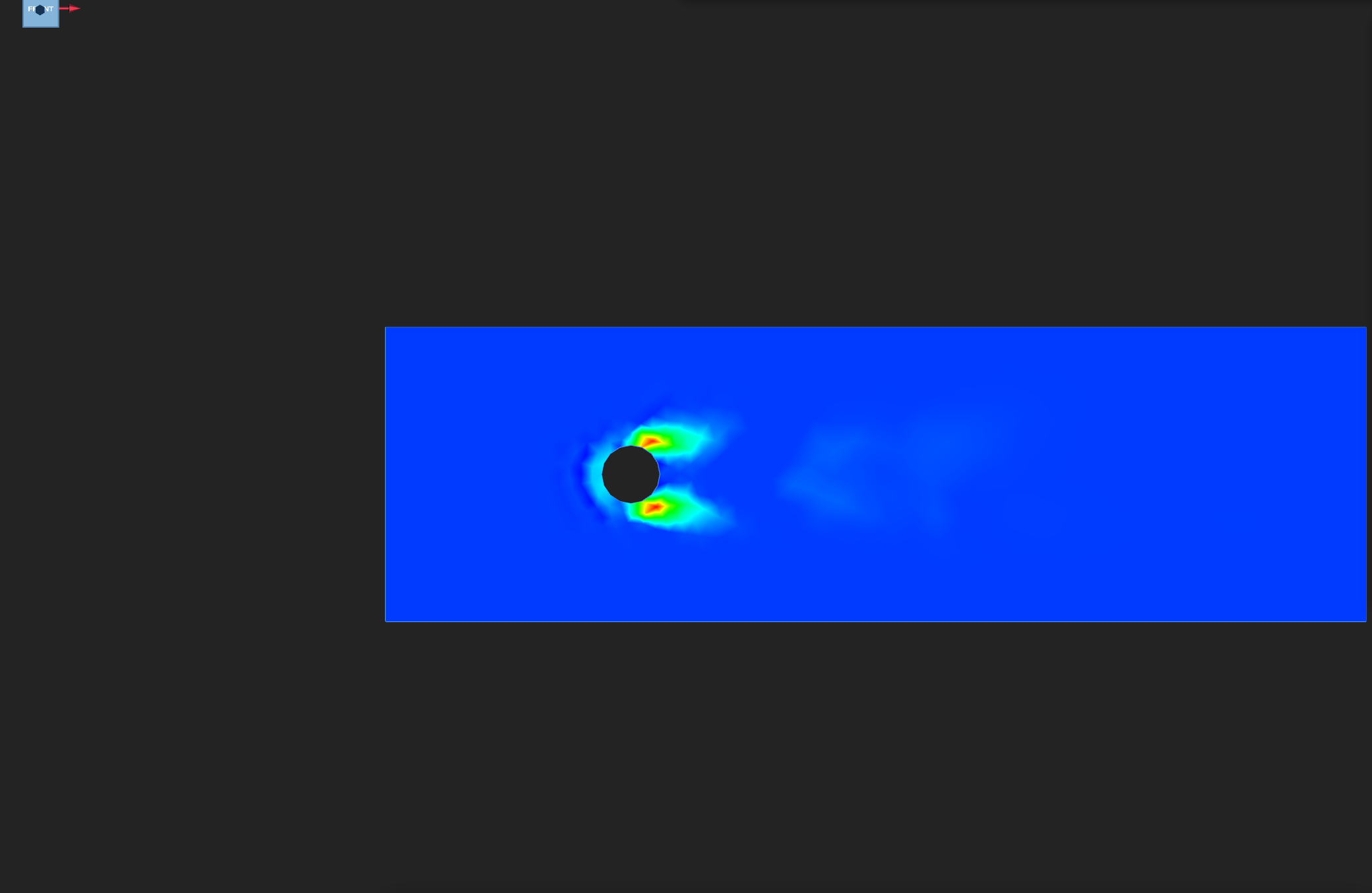
Dissipation rate ε on the final step. Look for its steep gradients in the shear layers.
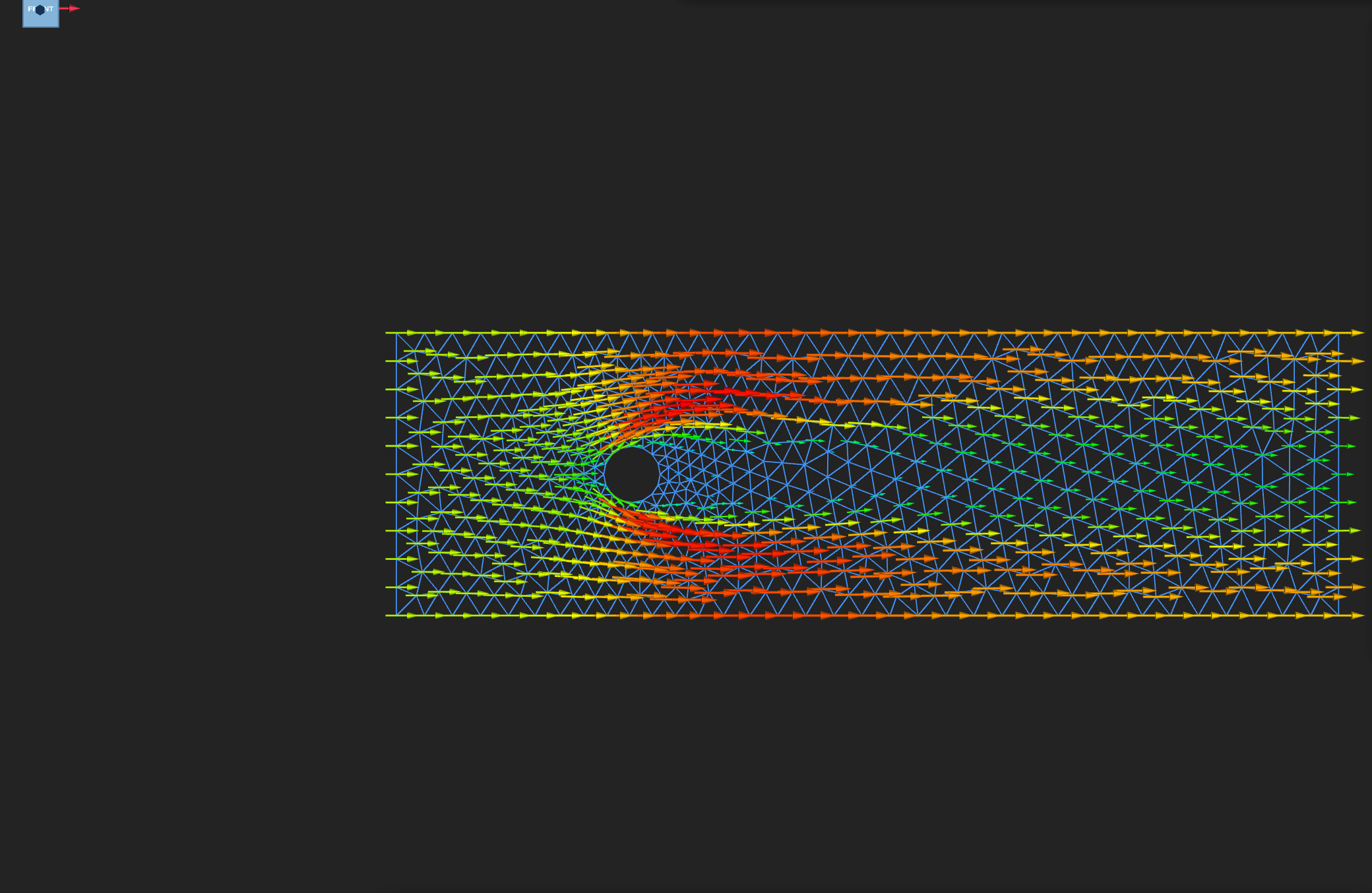
Velocity arrows on the final step. Just behind the obstacle they point upstream, where the axial velocity reaches −0.33 m/s.
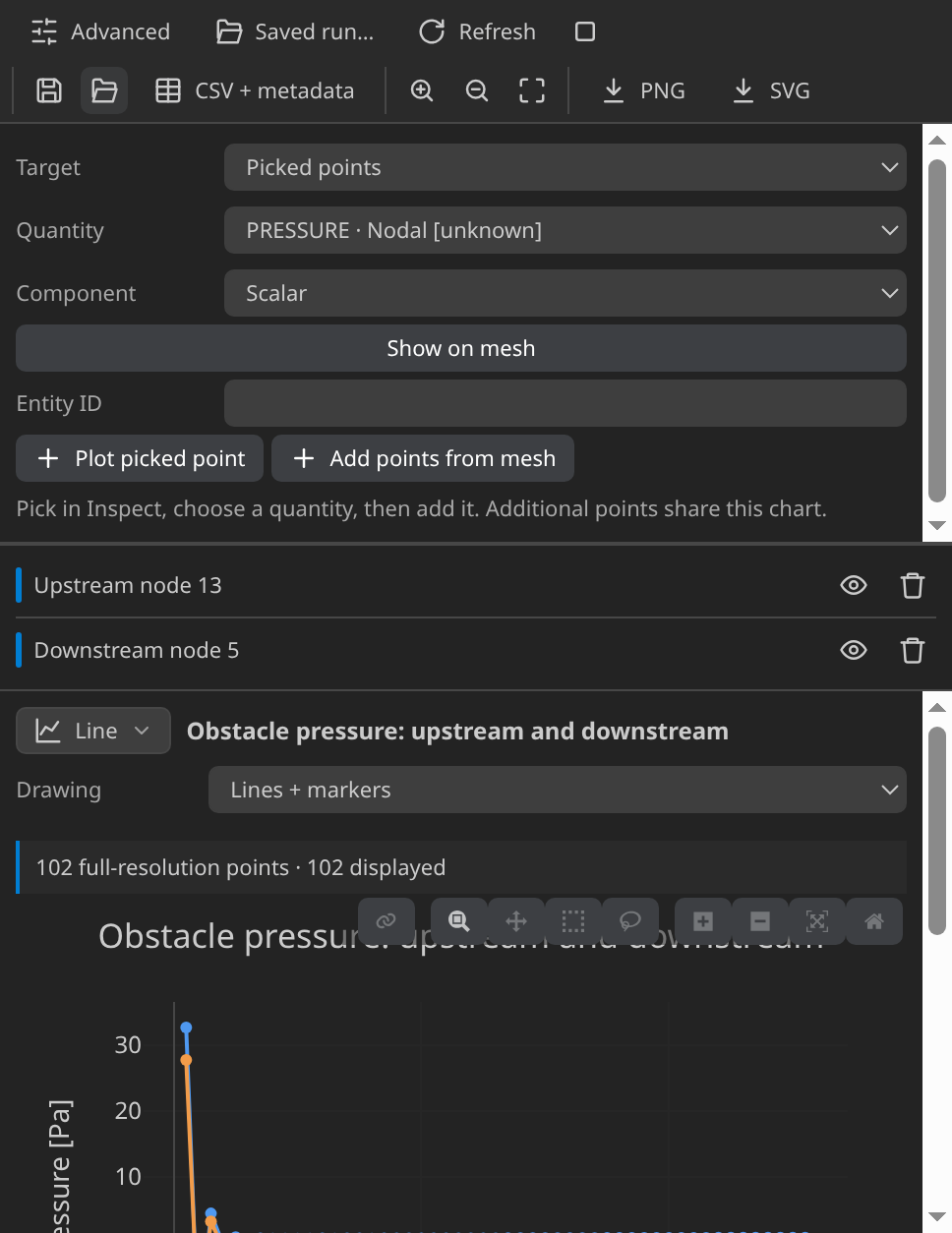
The restored plot "Obstacle pressure: upstream and downstream": pressure against solver time at the nodes nearest the front and back of the obstacle. The gap between the curves is the pressure difference that drives the drag.
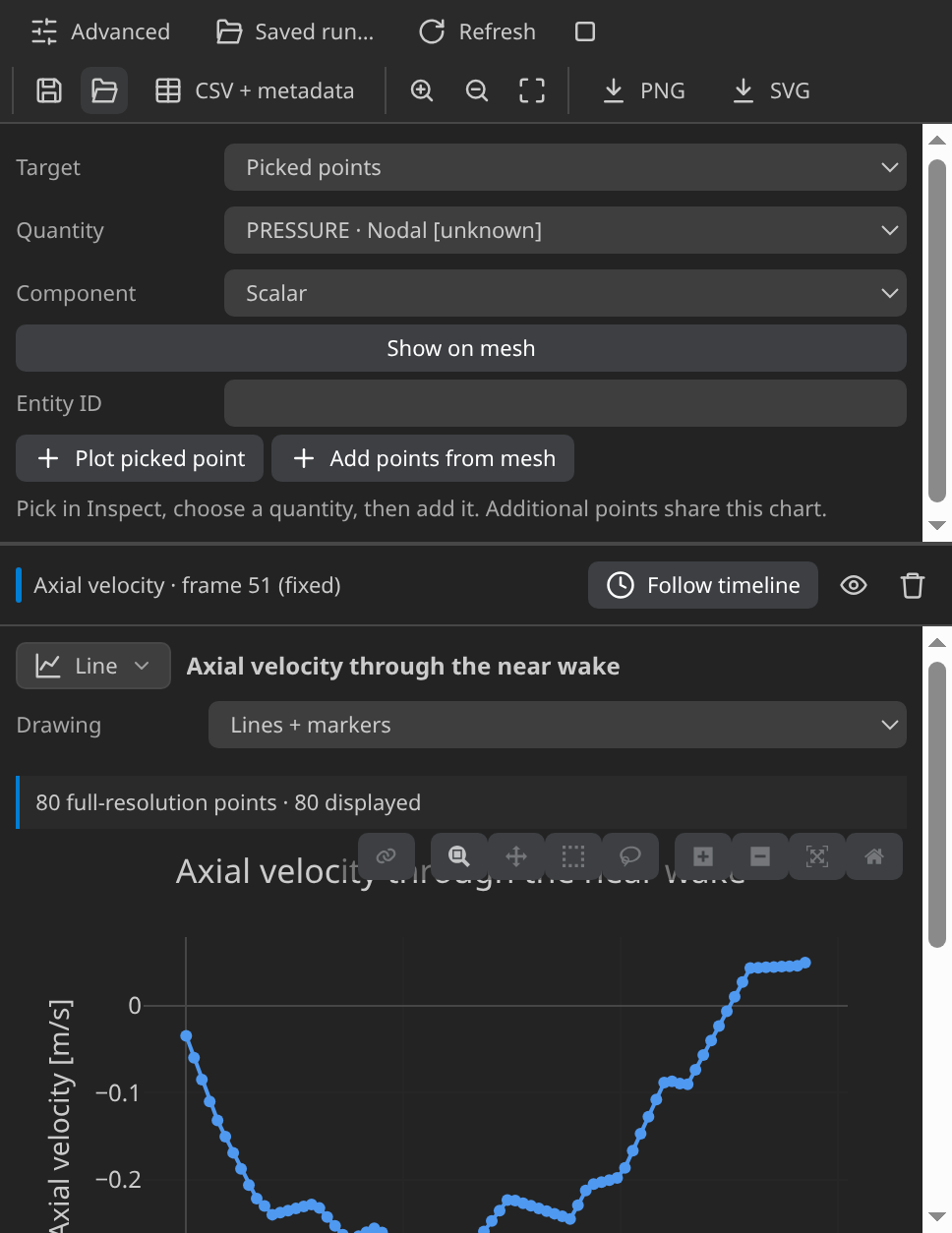
The restored plot "Axial velocity through the near wake": streamwise velocity along the centreline behind the obstacle on the final step. The curve dips below zero just behind the obstacle.
Verify
Verified with Python 3.12.14, Kratos 10.4.3, 2 OpenMP threads: 654 nodes and 1202 cells, 51 frames through t = 5.
| Check | Measured | Limit |
|---|---|---|
inlet_velocity_error_m_per_s | 0 | ≤ 0.000001 |
outlet_pressure_error_Pa | 0 | ≤ 0.000001 |
flux_imbalance_m2_per_s | 0.00002296767 | ≤ 0.001 |
inlet_flux_m2_per_s | 0.6 | |
outlet_flux_m2_per_s | 0.600023 | |
obstacle_boundary_nodes | 16 | |
wall_y_plus_stations | 6 | |
wall_y_plus_min | 18.93675 | |
wall_y_plus_max | 40.89591 | |
mean_wall_y_plus | 32.82783 | ≥ 30 |
mean_wall_y_plus_limit | 32.82783 | ≤ 300 |
wall_y_plus_log_layer_share | 0.6666667 | |
turbulent_kinetic_energy_maximum | 3.361962 | ≥ 0.000001 |
turbulent_kinetic_energy_undershoot_ratio | 0.0531492 | ≤ 0.1 |
turbulent_viscosity_maximum | 0.08800177 | ≥ 0 |
turbulent_viscosity_minimum | -9.399035e-13 | ≤ 1e-12 |
drag_x_N_per_m | 0.1275926 | ≥ 0 |
drag_steps | 51 | |
drag_final_N_per_m | 0.1397803 | |
drag_coefficient | 1.766233 | |
drag_coefficient_minimum | 1.766233 | ≥ 1.5 |
drag_coefficient_maximum | 1.766233 | ≤ 4.5 |
momentum_predicted_drag_N_per_m | 0.1425709 | |
drag_vs_momentum_relative_error | 0.117391 | ≤ 0.15 |
near_wake_velocity_deficit_m_per_s | 1.33046 | ≥ 0.025 |
pressure_range_Pa | 1.419605 | ≥ 0.05 |
reynolds_number | 7916.712 | |
wake_sample_nodes | 10 | |
minimum_near_wake_axial_velocity_m_per_s | -0.3304596 |
These are tutorial checks with the tolerances shown, not formal solver certification.
Boundary values hold exactly, and mass is conserved: the inlet and outlet fluxes are 0.60000002 and 0.60002299 m²/s per metre of depth. The turbulence stays physical, with k undershooting its peak by 5.3 % and the eddy viscosity non-negative to rounding.
The check does not read y+ from the output. It takes the velocity gradient across the first row, u_τ = √(ν dU/dy), at each shoulder node and excludes the stagnation and base points, where the wall shear vanishes. The mean over the six stations is 32.8, and four of the six lie inside the 30 to 300 band.
The drag monitor is averaged over the final steps of the run, giving 0.1276 N/m, because the wake keeps shedding and the final step alone reads 0.1398 N/m. That gives a drag coefficient of 1.77, inside a window of 1.5 to 4.5 chosen for this confined case rather than taken from a benchmark. A momentum balance from the inlet and outlet pressures and fluxes predicts 0.1426 N/m, 11.7 % from the monitor: the second, independent route to the same force.
Troubleshooting
- KratosRANSApplication or LinearSolversApplication is missing. Point Settings ▸ Kratos ▸ Python Interpreter at an environment with the 10.4.3 packages, then run Check environment again.
- The first step segfaults. The time scheme is BDF2. Set it to Bossak, as this case does.
- Wall y+ is far outside 30 to 300. A global minimum below 25 mm, or a 32-sided obstacle, pulls the first row below the wall target. Restore the 16 sides and the 25/70 mm sizes.
- The drag changes from step to step. That is the shedding wake, not a fault. Average over the final steps, as the check does.
- The y+ arrays do not drive the check. The check reconstructs y+ from the velocity, so the RANS_Y_PLUS and Y_PLUS entries in the output are not its input.
Variations to try
- Coarsen the obstacle to 32 sides. Predict the first-row height before you run it, then compare the measured range in Mesh with the wall target.
- Double the inlet speed. The Reynolds number roughly doubles, and y+ rises with speed, so recheck the band.
- Switch the turbulence model to k-omega SST. It writes a specific dissipation rate instead of ε, so the dissipation field changes and the published checks do not apply unchanged.
Reproduce and download
Download the RANS case. The archive holds the CAD source with its sidecars, the mesh, the generated case and the verification record with SHA-256 hashes. It ships no solver output, so run the case to write the VTK timeline on your machine. Downloaded cases are starting points: rerunning overwrites their generated outputs.