Kratos Problemtypes
The Problemtype sidebar section turns the loaded mesh into a runnable Kratos case: pick a built-in, assign conditions and materials to SubModelParts, and Generate writes everything the solver needs next to the mesh — then Run starts it as a tracked process. The mesh need not be an .mdpa: any other format is converted to a <name>_case.mdpa case mesh on Generate, since the solver reads .mdpa.
Your form choices are auto-saved to <name>.kratoscase.json beside the mesh and restored the next time you open the preview. In KKSS, Run is enabled only when the selected case's manual interpreter, required Kratos applications and case directory pass the environment check, and it repeats that check before dispatch. Kratos itself isn't bundled — point Settings at a local install or rely on a pip-installed KratosMultiphysics on PATH.
The built-in catalog
Twenty built-ins ship with the app, grouped by family in the Problemtype dropdown. Single-physics problemtypes track GiDInterface; the coupled, reduced-order and optimization families are described in their own sections below. structural additionally covers eigenvalue and harmonic analyses through its solver-type field, and rans adds the k-epsilon, k-omega and k-omega SST wall-function models.
| Family | Problemtype (id) | Kratos application(s) |
|---|---|---|
| Solids & structures | Structural Mechanics (structural) | StructuralMechanicsApplication |
| Fluids | Fluid Dynamics (fluid) | FluidDynamicsApplication |
| Fluids | Compressible Fluid (compressibleFluid) | FluidDynamicsApplication |
| Fluids | Embedded Fluid (embeddedFluid) | FluidDynamicsApplication |
| Fluids | Free Surface (freeSurface) | FreeSurfaceApplication |
| Fluids | Turbulent Flow (RANS) (rans) | RANSApplication (+ LinearSolversApplication for the coupled solve) |
| Fluids | Two Fluids (twoFluids) | FluidDynamicsApplication |
| Fluids | Potential Flow (potentialFlow) | CompressiblePotentialFlowApplication |
| Fluids | Shallow Water (shallowWater) | ShallowWaterApplication |
| Thermal | Convection-Diffusion (convectionDiffusion) | ConvectionDiffusionApplication |
| Coupled physics | Buoyancy (buoyancy) — Boussinesq natural convection | ConvectionDiffusionApplication + FluidDynamicsApplication |
| Coupled physics | Conjugate Heat Transfer (conjugateHeatTransfer) — fluid + solid | ConvectionDiffusionApplication (+ fluid/solid participants) |
| Coupled physics | Fluid-Structure Interaction (fsi) — see also the Mok tutorial | FluidDynamics, StructuralMechanics, MeshMoving, Mapping |
| Coupled physics | Generic Coupling (CoSimulation) (cosim) — see also the weak-coupling tutorial | CoSimulation, FluidDynamics, StructuralMechanics, Mapping (+ MeshMoving with ALE) |
| Reduced-order models | ROM · Structural Mechanics (romStructural) | StructuralMechanicsApplication + RomApplication |
| Reduced-order models | ROM · Convection-diffusion (romThermal) | ConvectionDiffusionApplication + RomApplication |
| Reduced-order models | ROM · Fluid Dynamics (romFluid) | FluidDynamicsApplication + RomApplication |
| Reduced-order models | ROM · Potential Flow (romPotentialFlow) | CompressiblePotentialFlowApplication + RomApplication |
| Optimization | Structural Optimization (optimization) | OptimizationApplication |
| Workflow | Flowgraph (flowgraph) — node editor, UI-only | — |
A coupled problemtype has several domains (for example Fluid and Structure). Each domain has its own Parts condition, conditions, materials and mesh: Generate writes one ProjectParameters.json plus one mesh per physics (<name>_Fluid.mdpa, <name>_Structural.mdpa, …) sliced from the mesh you have open, and one materials file per domain.
First-run rule for the newer families
Eleven worked cases are solver-verified end to end — structural, fluid, thermal, potential flow, shallow water, FSI, CoSimulation, RANS obstacle flow, cantilever eigenmodes, the two-fluid dam break and the virtual wind tunnel — see the geometry-to-results tutorials — and the Structural Optimization problemtype has a runnable real-world worked case in the section below. The two-fluid dam break needs a one-file alias for the stock Kratos 10.4.3 serial wrapper, which its page gives. The compressible, embedded, free-surface, buoyancy, conjugate-heat-transfer and ROM problemtypes follow their Kratos writers and applications, but no case of those was run here. Treat the first run as a check of the generated files: every generated driver checks that the Kratos applications the case needs can be imported before it starts, and Run asks the configured Python first, refusing with the missing applications named. MPM and DEM are not provided.
Setting up any case
- Open the mesh and expand the Problemtype section. Pick a problemtype from the dropdown.
- Under Conditions, assign the Body / Parts pseudo-condition to your domain SubModelPart(s) — it marks the computing domain and emits no process — then assign boundary conditions and loads to boundary SubModelParts. Each assignment shows its parameter fields inline.
- Under Materials, assign a constitutive law to each Parts SubModelPart — or pick a material preset and let it fill the row.
- Press Generate case files, then Run case. Open results opens the
vtk_output/folder in the viewer. - Optionally, under Output ▸ also export as, pick other formats (
.xdmf,.pvd,.exo,.msh,.med). When the run finishes KKSS converts its VTK frames to each of them automatically, into a folder beside — never inside — the solver output. The same conversion is on demand under File ▸ Convert Results to Other Formats… and, for the assistant,mesh__case_export_results; the choice is saved with the case (output.exportFormats).
Generate refuses the case, writes nothing, and names what to fix when anything is wrong: missing domain parts, unassigned interfaces, bad material values, unusable time stepping, dangling collection references (see below). The same checks run in the sidebar's Preflight card and in MCP case_validate, which additionally lists the Kratos applications the case needs and — with checkInstall: true — asks the configured Python which of them it cannot import.
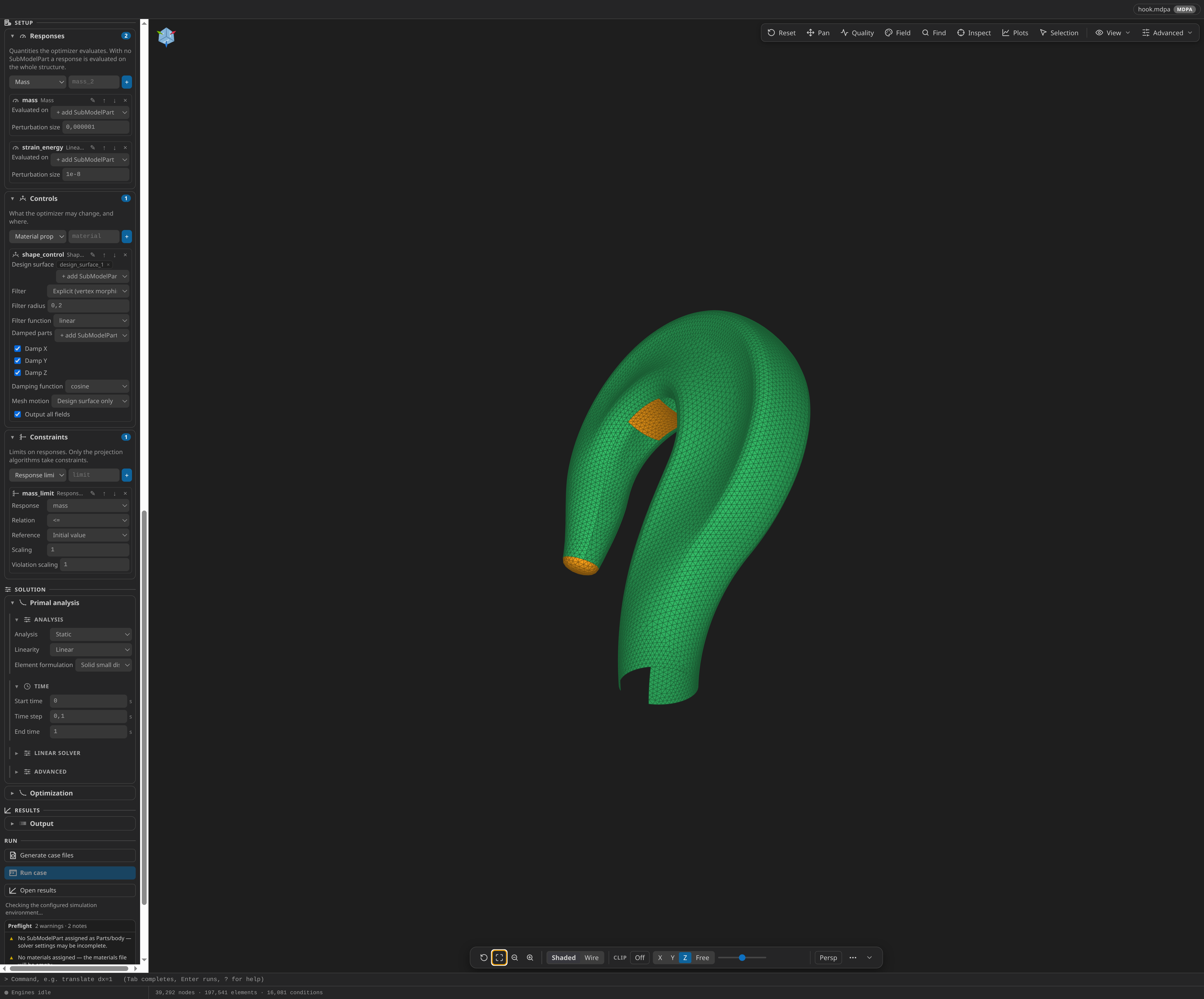
Setup lists: responses, controls, parameters
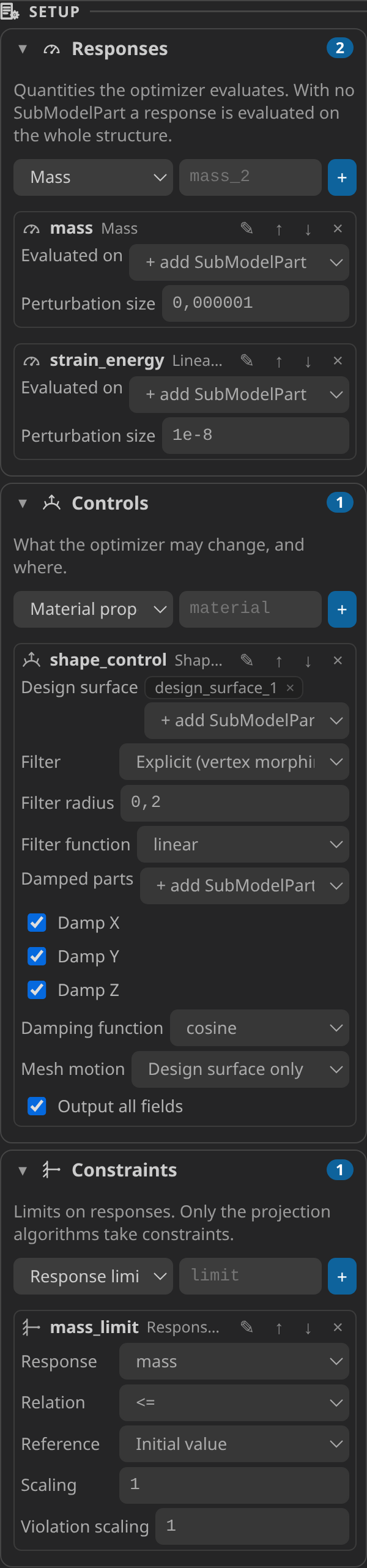
The newer problemtypes configure repeatable lists — optimization responses, controls and constraints, ROM parameters — in a Setup stage rendered as collections:
- Add creates an entry of a chosen type with every field at its default; entries are named
base,base_2,base_3, … Names are identifiers (letters, digits and_, never starting with a digit) because they reach Kratos as component names. - Renaming an entry rewrites every dropdown that named it (the objective, the constraints), so a rename can never leave a dangling reference. A name that no longer exists is shown in red, and Generate refuses the case naming it.
- An entry with no parts is evaluated on the whole model part, unless its type requires SubModelParts — then Generate refuses it and says how many it needs.
Coupled simulations: FSI and CoSimulation
Fluid-Structure Interaction (fsi, over the FSIApplication) nests both solvers in one FsiAnalysis; Generic Coupling (cosim, over the CoSimulationApplication) drives two separate solvers. Both are built from the Fluid and Structural Mechanics problemtypes, so their fluid and structure fields, conditions and materials are the same ones those problemtypes use, prefixed per physics.
| Fluid-Structure Interaction | Generic Coupling (CoSimulation) | |
|---|---|---|
| Files | ProjectParameters.json, MainKratos.py | ProjectParametersCoSim.json, ProjectParametersCFD.json, ProjectParametersCSM.json, MainKratosCoSim.py |
| Coupling | always iterated (Dirichlet-Neumann with relaxation or quasi-Newton acceleration) | weak (one exchange per step) or strong (iterated to a criterion) |
| Fluid mesh | always moves (ALE mesh solver) | moves only when Move the fluid mesh (ALE) is on |
- Open one mesh that contains both bodies. Assign each physics its body with Fluid body / Structure body, and its conditions as in the single-physics problemtype.
- Mark the interface on both sides: a fluid-side SubModelPart (FSI fluid interface or Coupling interface (fluid side)) and a structure-side one. Several interface pairs are allowed; the n-th fluid side couples with the n-th structure side, in assignment order.
- Assign materials to both bodies and generate. Generate writes one mesh per physics, sliced from the open mesh, and one materials file per physics.
Generate refuses a case whose domain has no body, whose interface side is not assigned, whose pair sides are assigned a different number of times, whose interface side carries no boundary cells of the right dimension (line conditions or elements in 2D, surface faces in 3D — a mapper needs geometry, so a node-only part is refused), whose pair sides do not overlap in space (bounding boxes compared within a millionth of the mesh diagonal — usually a wrong pairing order), or whose fluid time stepping is unusable. CoSimulation additionally refuses strong coupling without ALE mesh motion (the fluid would never see the structure's displacement), and an ALE mesh displacement assignment while ALE is off.
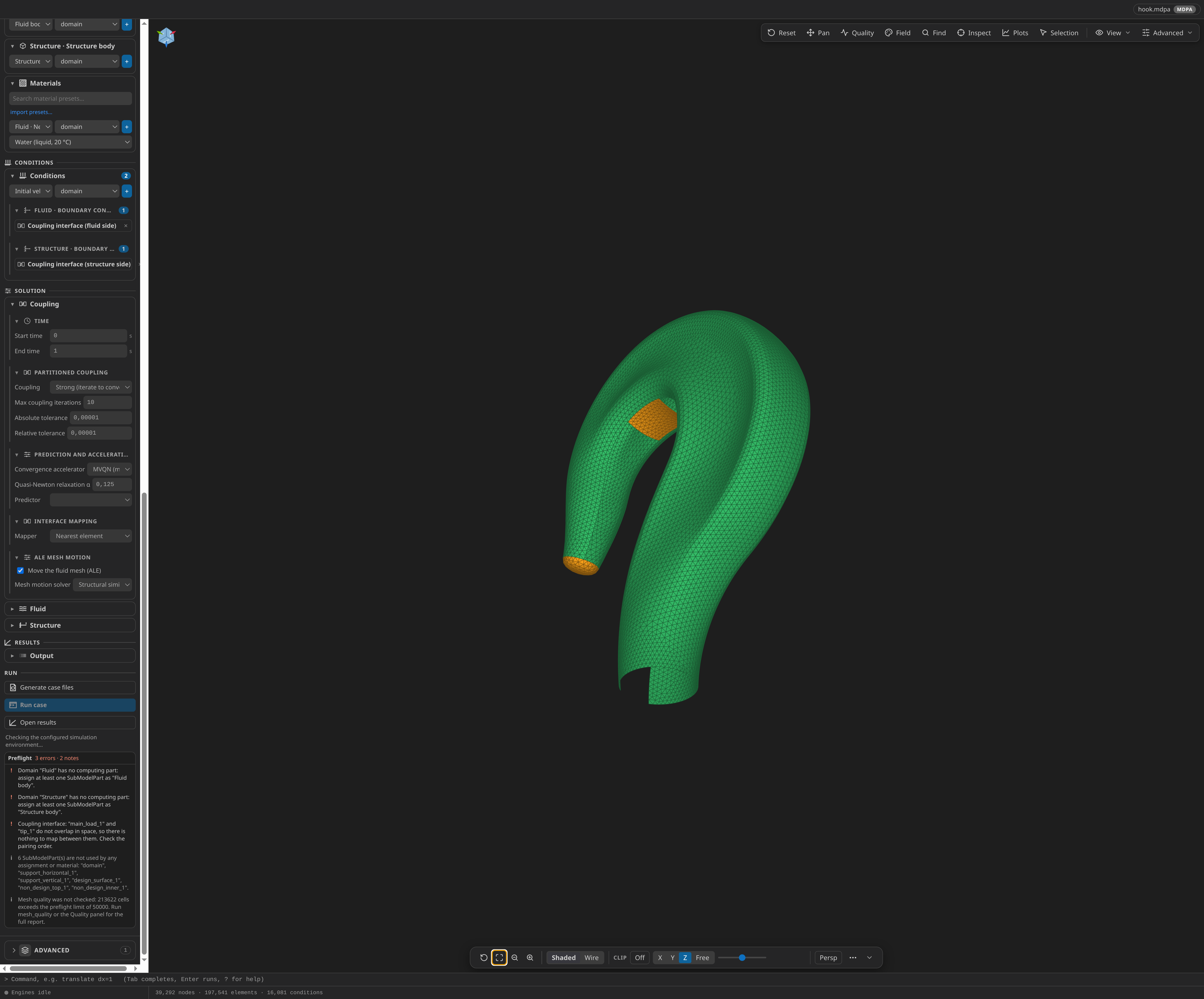
The Coupling section of the CoSimulation problemtype:
- Coupling — Weak writes
coupled_solvers.gauss_seidel_weak. Strong writescoupled_solvers.gauss_seidel_strongwith Max coupling iterations (default 10) and onerelative_norm_previous_residualcriterion per interface pair on the fluid interface displacement (absolute and relative tolerance, default 1e-5 each). - Convergence accelerator (strong coupling) — MVQN (default), IQN-ILS, Aitken relaxation or None, one per interface pair.
- Predictor — Average value, Linear or None.
- Mapper — nearest element (default), nearest neighbor, or barycentric.
- Move the fluid mesh (ALE) — the fluid participant becomes an
ale_fluidsolver (structural-similarity or Laplacian mesh motion). Its interfaces follow the structure; mark held boundaries with ALE mesh displacement.
The structure reads the fluid REACTION as its POINT_LOAD with the sign swapped and sends its DISPLACEMENT back. Both drivers write one record per coupled step to kkss-convergence-v2.jsonl, which the Kratos Runs view, the convergence plot and MCP case_convergence read like any other run (a completed weak run reports convergence as unavailable — it evaluates no criterion — never as converged).
Reference shapes: the FSI Mok benchmark documents under https://github.com/KratosMultiphysics/Examples/blob/master/fluid_structure_interaction/validation/fsi_mok/source/ (fsi_mok_Fluid.mdpa, fsi_mok_Structural.mdpa, ProjectParameters.json) show the solver-side file layout Generate produces; the cylinder-cooling case under https://github.com/KratosMultiphysics/Examples/blob/master/conjugate_heat_transfer/validation/cylinder_cooling_Re100_Pr2/source/ shows the conjugate-heat-transfer equivalent. In KKSS you start from one mesh holding both bodies rather than these per-physics files.
Reduced-order models
The four ROM problemtypes train a reduced-order model with Kratos' RomApplication RomManager: the full-order model (FOM) runs at sampled parameter values, a POD basis is built from the snapshots, an HROM integration domain is optionally selected, and the reduced models are tested against the FOM at further samples. Each is its physics problemtype unchanged — its forms, conditions and materials produce the full-order ProjectParameters.json — plus a Reduced-order model section, a Sampling section and a Parameters list. The ANN-enhanced decoder (which needs TensorFlow) is not offered.
- Set up the full-order case as for its physics: parts, conditions, materials, time stepping. Keep VTK output on to have per-run results written.
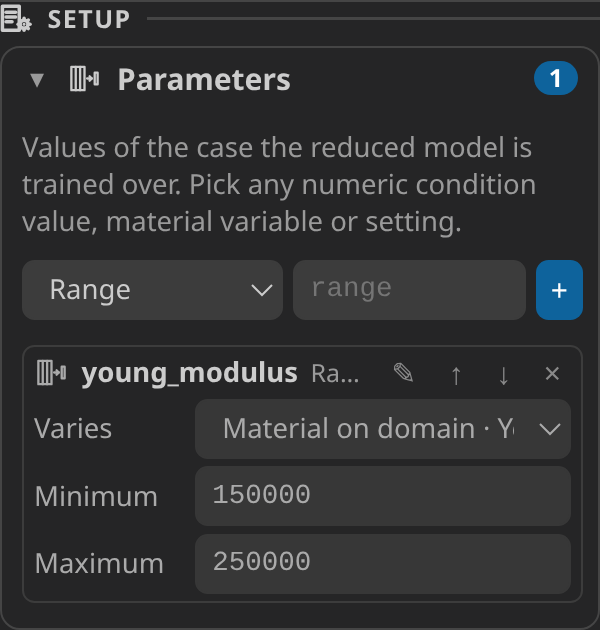
- Under Parameters, add one entry per value that varies. Varies lists every number of the case — section settings, condition values, material variables — grouped as in the sidebar. Give each a minimum and a maximum.
- Under Sampling, pick how training and test points are drawn — Latin hypercube, Halton sequence, uniform random or a full grid — and how many. The same seed always gives the same points.
- Under Reduced-order model, choose what to train (ROM, or ROM and HROM) and test, the projection (Galerkin, LSPG or Petrov–Galerkin), the SVD truncation tolerance, the snapshot interval and the HROM settings.
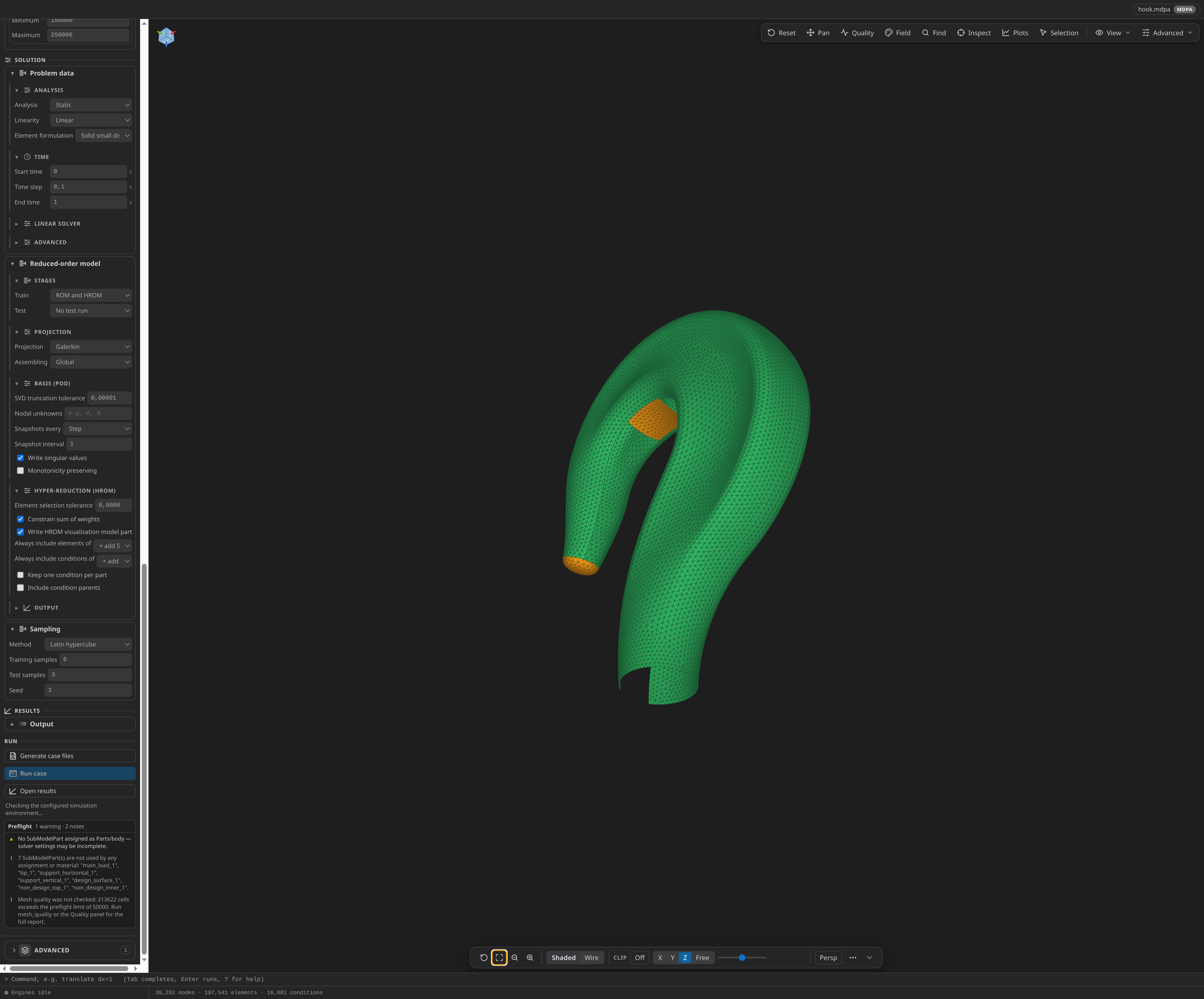
Generate finds where each parameter lands by generating the case twice with two probe values and comparing the documents — a Young modulus lands in the materials file, a pressure in the matching load process — and the driver then writes exactly those values per sample. Generate refuses a case whose parameter names no value of the case, whose minimum is not below its maximum, whose value the solver never reads, which shares a value with another parameter, or which tests an HROM that is not trained.
| File | Contents |
|---|---|
ProjectParameters.json, the materials file, the case mesh | the full-order case, as its physics problemtype writes it |
RomManagerParameters.json | the manager's general parameters, every key written explicitly from the form |
RomSamples.json | the parameter names and ranges, where each lands in the documents, and the training and test points |
MainKratosROM.py | the driver: builds RomManager with the case's documents, updates them per sample, then fits and tests |
The driver writes kkss-rom-progress.jsonl (one line per analysis) and kkss-rom-summary-v1.json (modes, HROM counts, which stages ran); the materials file is restored after the run. Stop ends the current analysis cleanly; the summary then says the database is partial. A run of a ROM case shows a row such as ROM 12 modes · HROM 340 el / 18 cond · 9/9 runs, with Plot ROM Singular Values (normalized singular values vs mode index, log axis — how fast they fall tells how many modes the basis needs) and Show HROM Elements (a selection set over the reduced integration domain) in its context menu. MCP case_rom returns the same modes, singular values, HROM ids, samples and progress, and case_status carries a compact copy.
Worked inputs: https://github.com/KratosMultiphysics/Examples/blob/master/rom_application/RomManager/ (simple_structure_multiple_parameters.mdpa, ProjectParameters.json, StructuralMaterials.json, demo_rom_manager.py) is the structural starting point the ROM problemtype mirrors; https://github.com/KratosMultiphysics/Examples/blob/master/rom_application/RomManager_PotentialFlow/ holds the NACA potential-flow equivalents.
Structural Optimization
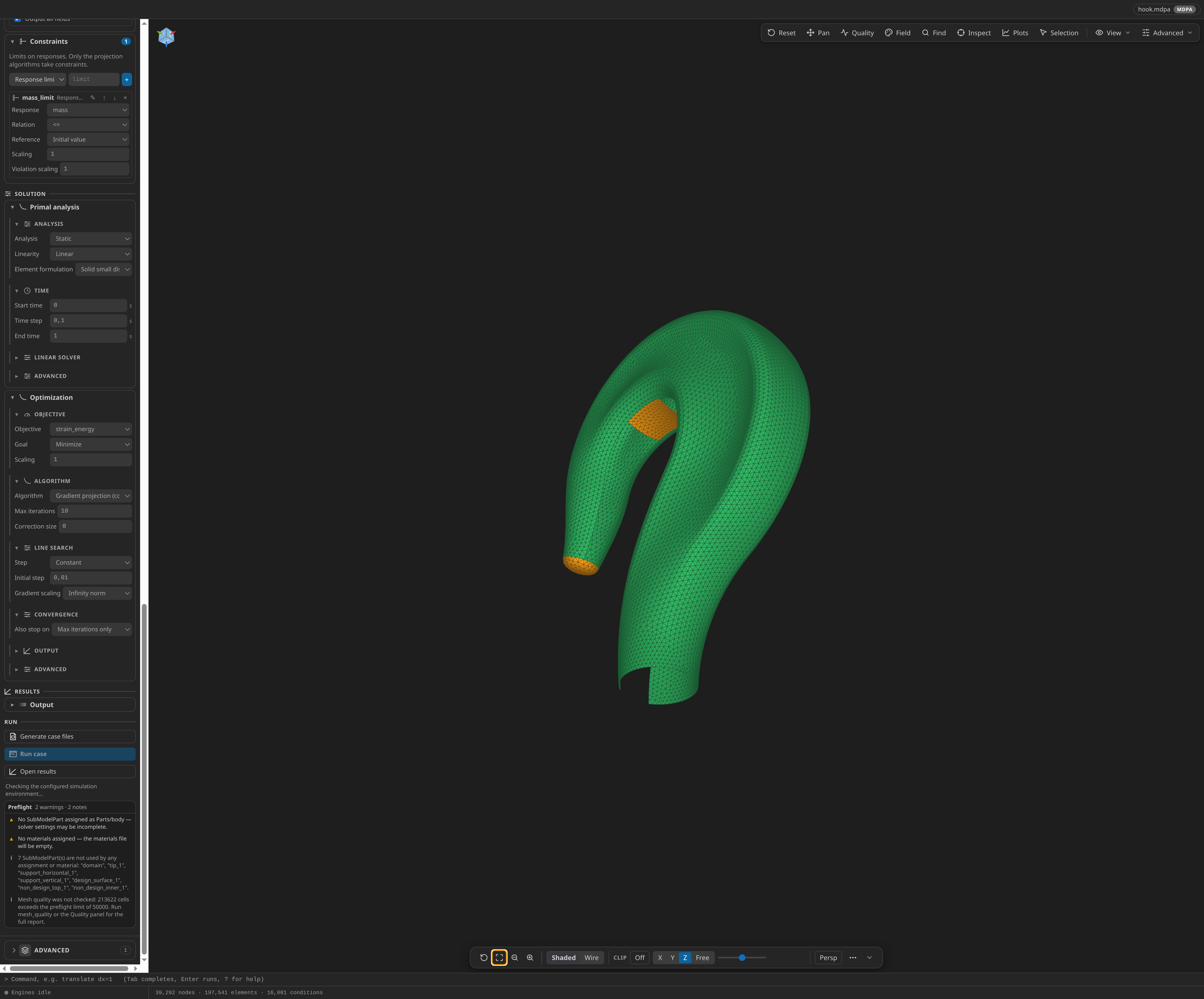
The Structural Optimization problemtype writes a case for Kratos' OptimizationApplication: the algorithm-based optimizer driven by optimization_parameters.json and OptimizationAnalysis. The primal analysis is set up exactly as in the Structural Mechanics problemtype, and the Setup lists on top of it describe the optimization problem: the responses it can measure, the controls it may change, and the constraints that must hold. The older ShapeOptimizationApplication is not targeted.
The primal must be static, and a linear strain energy response needs a linear primal with at least one load; Generate refuses the case otherwise. A new case has two responses: mass and strain_energy.
| Responses | Kratos response |
|---|---|
| Mass | mass_response_function (evaluated parts, perturbation size) |
| Linear strain energy | linear_strain_energy_response_function (evaluated on the primal) |
| Geometric centroid deviation | geometric_centroid_deviation_response_function |
| Discrete value residual | discrete_value_residual_response_function |
| Controls | Kratos control | What changes |
|---|---|---|
| Material property | material.material_properties_control | a property of the region's Properties (Young modulus, density, Poisson ratio, thickness) |
| Shell thickness | thickness.shell_thickness_control | shell thickness between two physical thicknesses, through filter + projection |
| Shape (vertex morphing) | shape.vertex_morphing_shape_control | node positions of the design surface, filtered, with optional damped parts and filter-based mesh motion |
| Topology (SIMP) | material.simp_control | element densities of a volume region through a projection |
A constraint names a response, a relation (<=, <, =, >=, >) and a reference: the response's initial value, or a fixed value. The objective's response may not also be a constraint. Steepest descent, Nesterov and Adam take no constraints; pick a projection algorithm (gradient projection, relaxed or momentum-relaxed variants) to use them. The initial step is in the units of the control — a Young modulus control needs a step comparable to the modulus.
| File | Contents |
|---|---|
optimization_parameters.json | problem_data, the model part, the primal analysis (kratos_analysis_execution_policy named primal), responses, controls, algorithm_settings, output processes |
primal_parameters.json | the structural solver document of the primal, reading the model part the optimizer already holds |
StructuralMaterials.json | the primal's materials |
MainKratosOpt.py | the driver: builds OptimizationAnalysis and runs it |
kkss_optimization_stop.py | a small process so a Stop finishes the run cleanly at the next iteration |
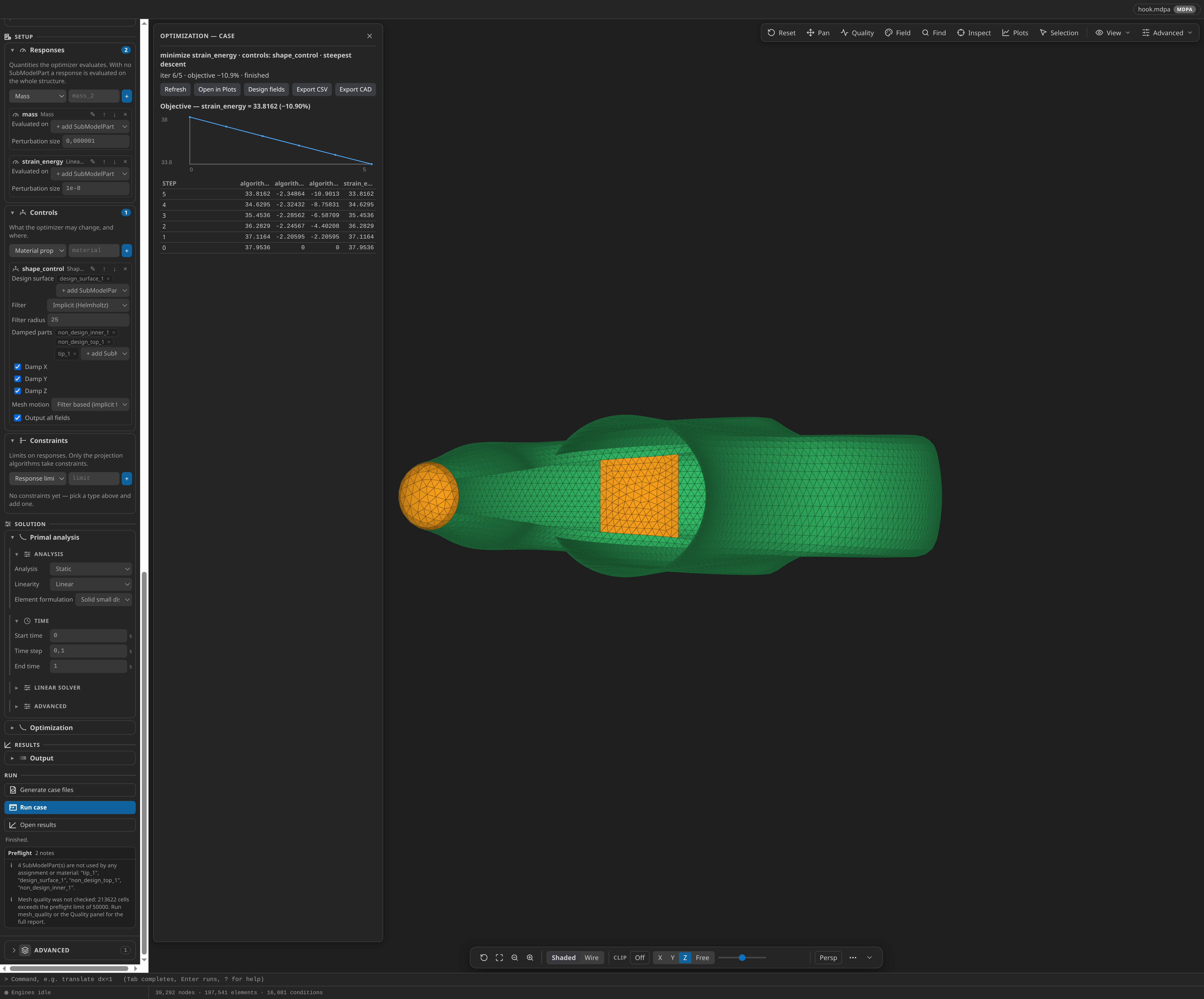
Optimization progress panel. Advanced ▸ Optimization progress… opens a panel showing the formulation (minimize strain_energy s.t. mass ≤ initial; controls: stiffness), the verdict (running, finished, stopped, incomplete, or no data yet), the objective against the iteration, each constraint's standardized value against the iteration (at or below zero is satisfied), and the last iterations as a table. Its buttons open the full history in the Plots workspace, open the design fields, and export the summary as CSV. With Write design fields on, Open design fields opens the per-iteration controls, updates and gradients under Optimization_Results/ with a timeline. MCP case_optimization returns the same summary and verdict.
Following the shape's evolution — a worked run
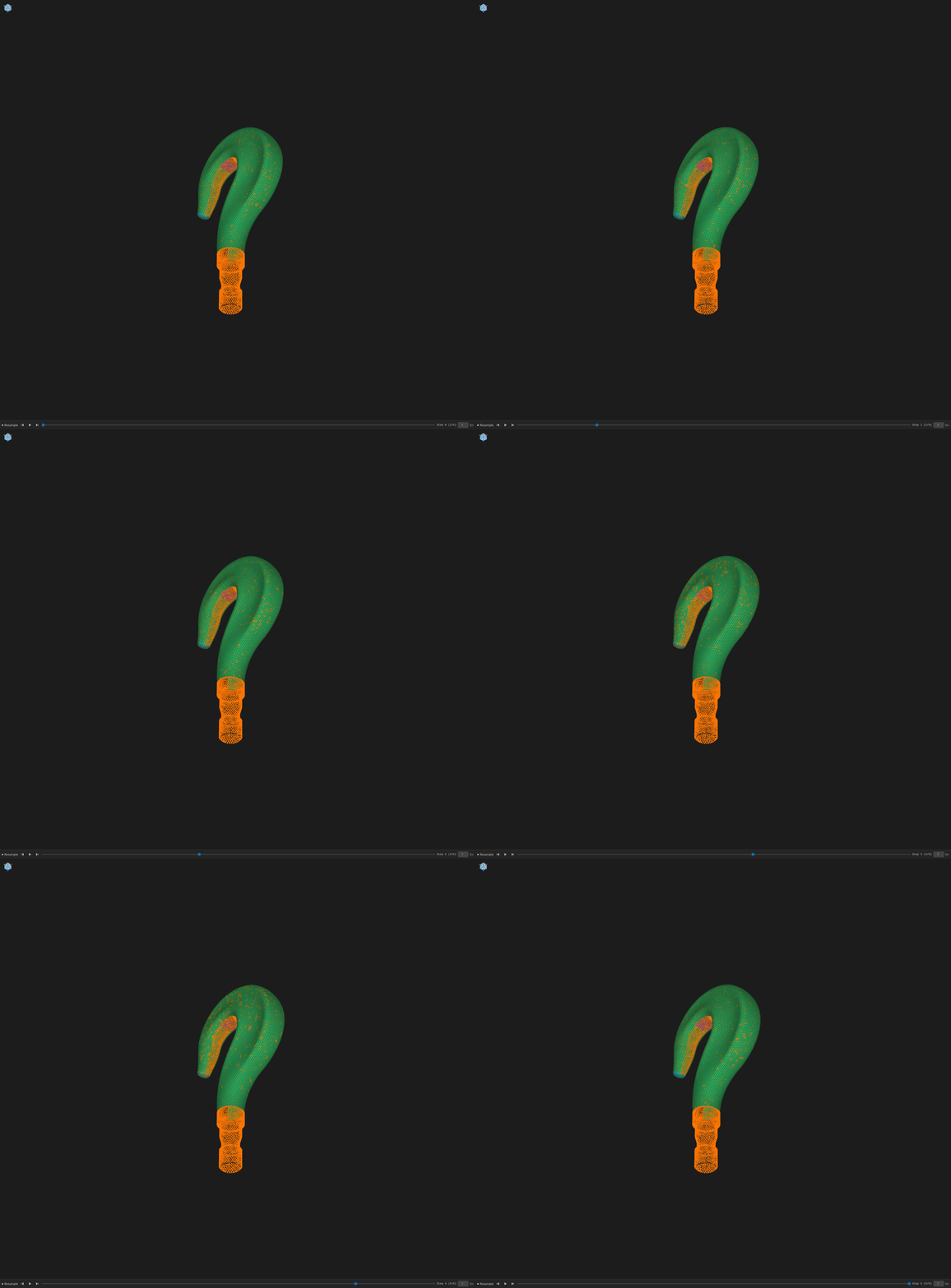
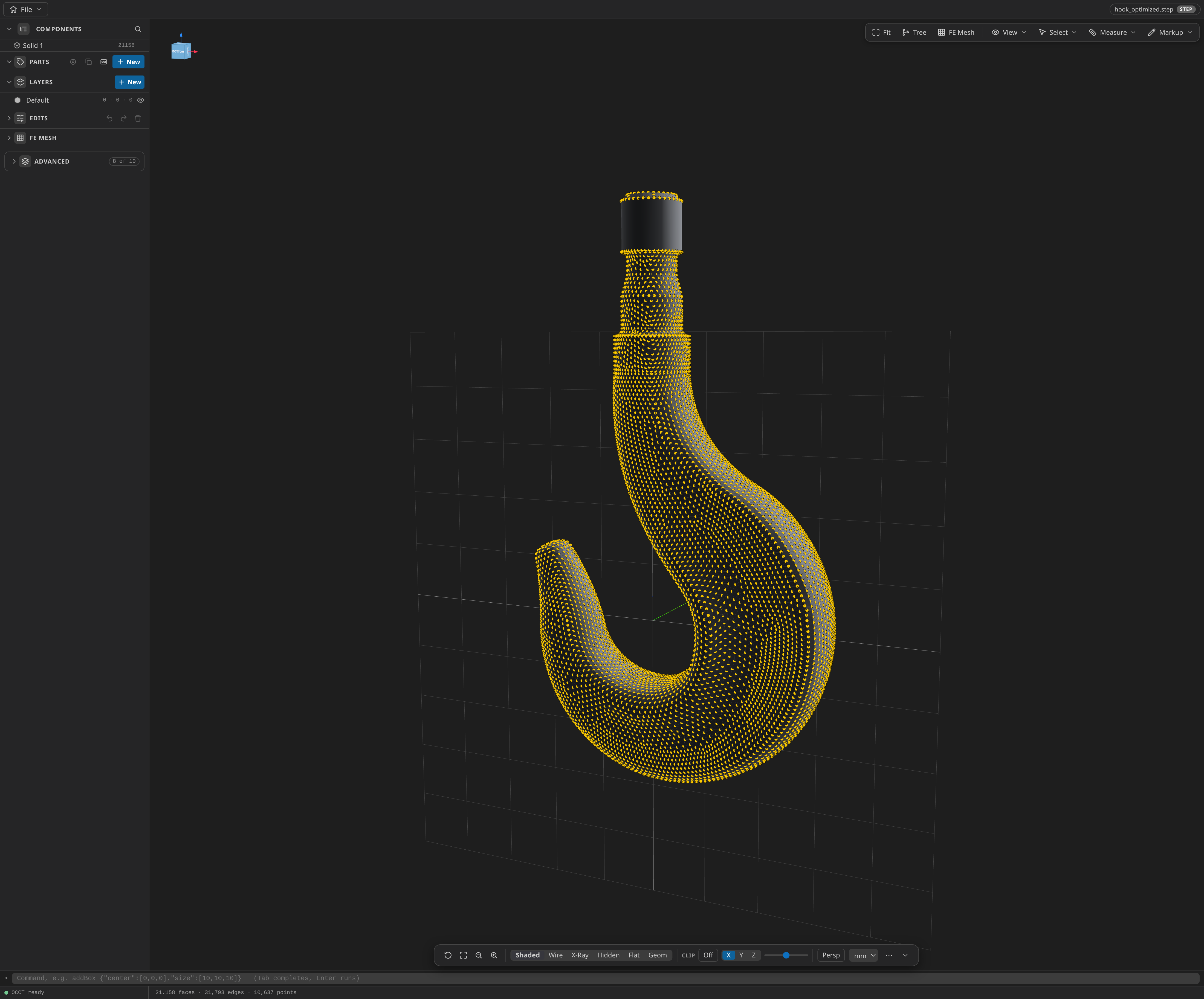
The figures below come from a real run: OptimizationApplication's own 3D-hook case from https://github.com/KratosMultiphysics/Examples/blob/master/optimization_application/use_cases/3d_hook/ (a 213,622-cell tetrahedral hook), seeded exactly as described above — a shape (vertex-morphing) control on the hook's own design_surface_1, an implicit filter with a 25 mm radius, filter-based mesh motion with the hook's non-design parts damped, with the hook's steel mapped in the model's own units (N/mm, ton/mm³) — and run with minimize strain energy (unconstrained compliance minimization; a constraint's standardized criterion counts an unviolated constraint as satisfied at the initial point, which stops the run at iteration 0) for five constant-size 3 mm steps. Each point of the design surface is a design variable, so the Run executes a primal analysis plus a gradient pass per iteration — about five to six minutes per iteration, or roughly half an hour for the five-iteration run (~6 minutes overall if fewer iterations are requested; measured on this fixture at eight solver threads — thread counts don't imply better solve times).
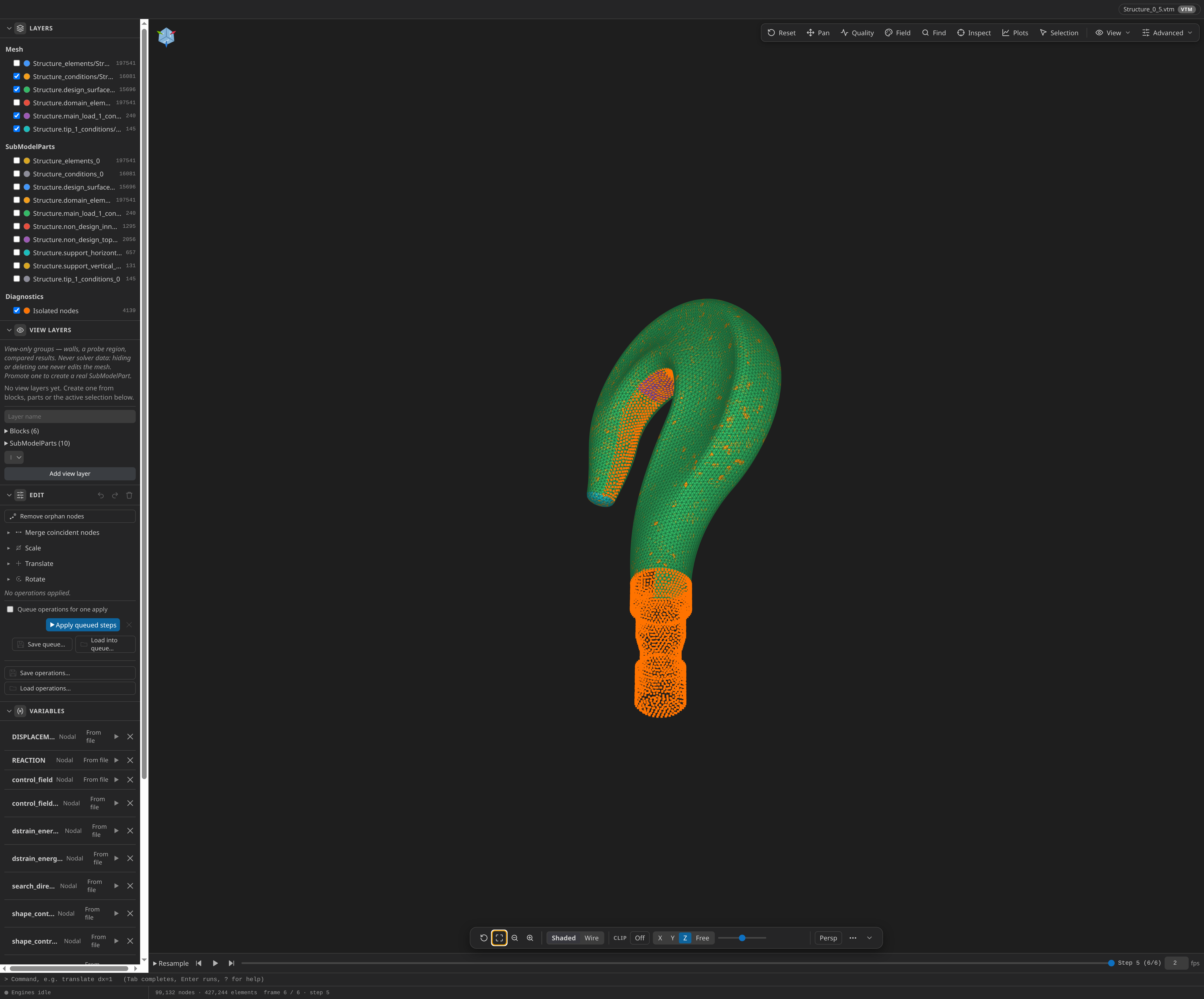
Design fields opens the per-iteration output in a new Post-Processing tab with a timeline — the initial design first, then one step per iteration, beside the fields the optimizer writes (displacement, reactions, the control and strain-energy fields, the search direction).
Worked inputs: https://github.com/KratosMultiphysics/Examples/blob/master/optimization_application/use_cases/archara/shape_only/ (archara.mdpa, ProjectParameters.json, implicit_vertex_morphing/optimization_parameters.json) is a shape-optimization starting point; https://github.com/KratosMultiphysics/Examples/blob/master/optimization_application/use_cases/3d_hook/ (hook.mdpa, materials_3D.json, primal_parameters_main.json) is the 3D equivalent.
Exporting the optimized shape as CAD
A finished run ends in a real solid: the Optimization panel's Export CAD button (or the Kratos Runs row's Export Optimized Geometry as CAD…, or the assistant's case_optimization_cad tool) writes the run's final shape as STEP through the same .step auto-fit pipeline as a mesh export — shape mode writes the moved final design-field frame; topology contours the density field at a threshold first — with the <stem>.cad.json B-rep companion beside it. See Mesh to CAD.
Assistant and MCP
The chat sidebar drives case setup through the same servers the viewer uses. problemtype_list enumerates the built-ins with families and domains (loading a workspace problemtype executes it, so it asks for approval like a write); problemtype_describe details one. case_validate (read, with optional checkInstall), case_status (read, carrying compact optimization/ROM briefs), case_evaluate_quantity (read) and case_estimate_timestep (read) run unasked; case_generate, case_run, case_stop, case_convergence, case_monitors and case_optimization (each able to write files) ask first. case_rom (bounded lists, no output path) runs unasked.
Workspace problemtypes live in .kratos/problemtypes beside the mesh (plus Settings ▸ Kratos ▸ Batch Recipe Folders-style extra paths via kratos.problemtypes.extraPaths): .js problemtypes load in a sandboxed node:vm context, .py ones in Pyodide. example/problemtypes/coupled.py in the mesh submodule defines the FSI and CoSimulation problemtypes in Python (fsi_py, cosim_py), parity-tested against the built-ins — the reference for domains, coupling_interfaces and the driver_template / extra_files hooks when authoring your own.